Normal
 Description of problem:
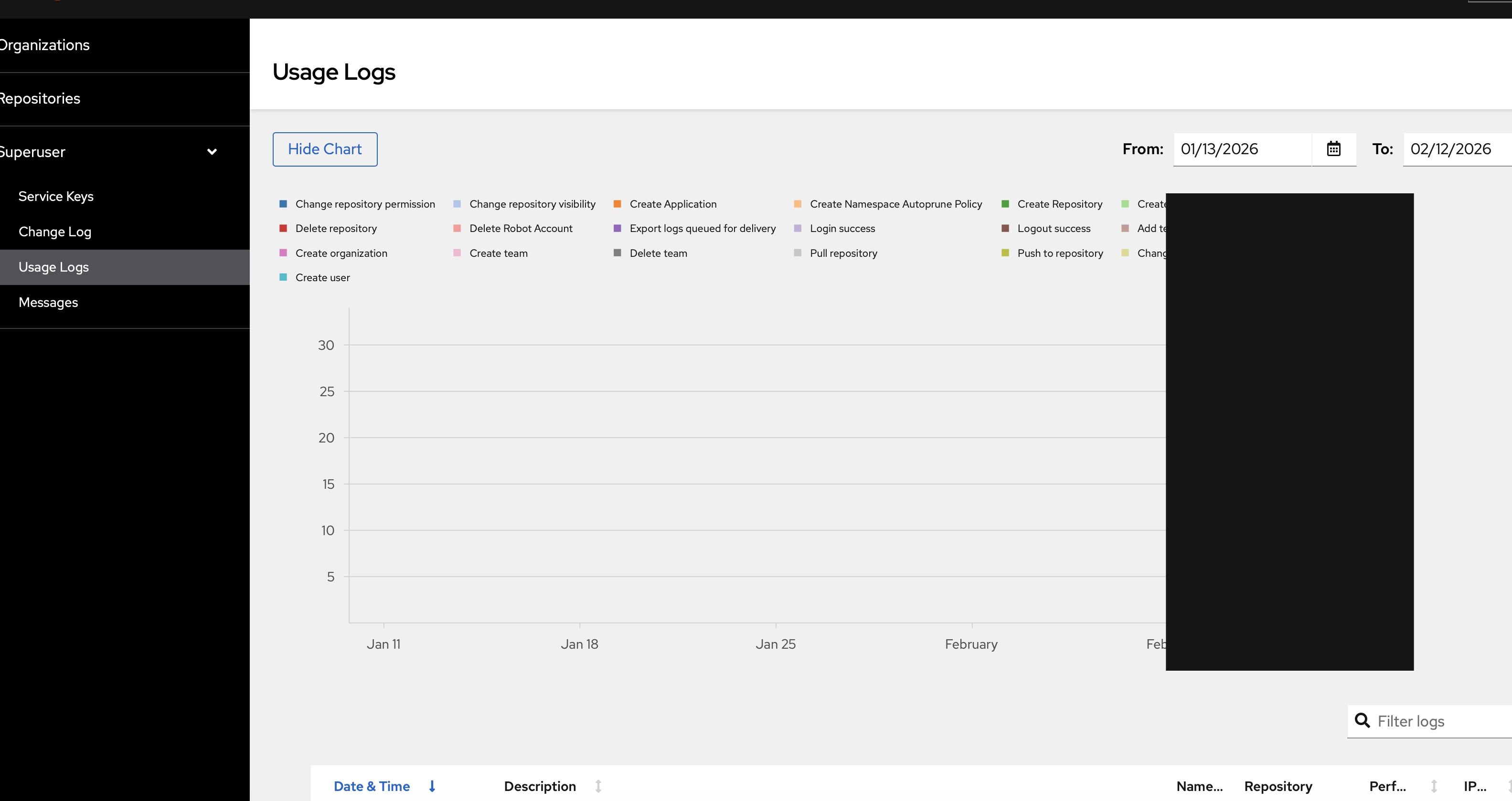
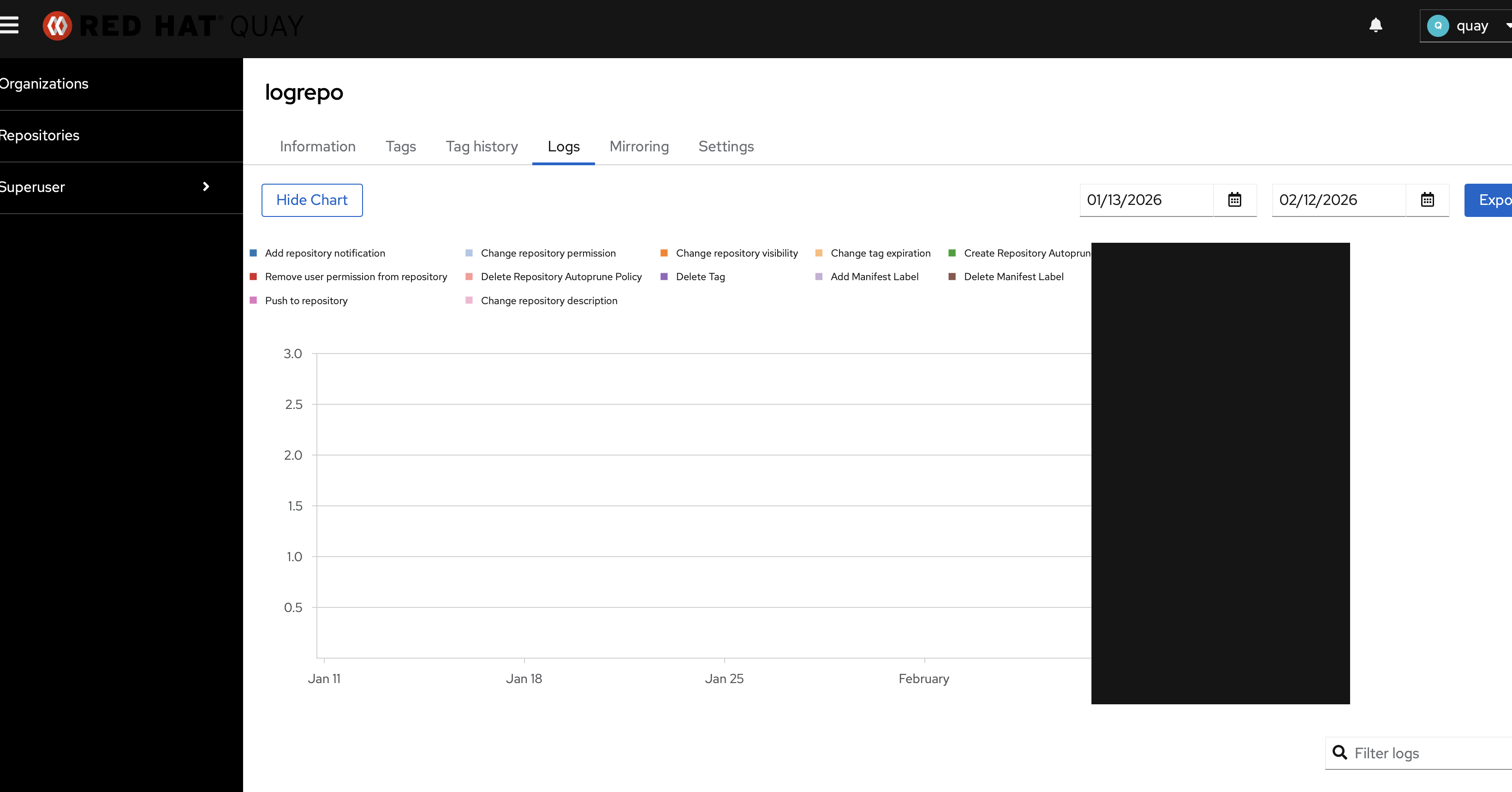
In Quay 3.17 new UI, the Usage Logs bar chart renders as a solid black block in Safari. The bars lose their individual colors and merge into an opaque black rectangle. This issue does not occur in Chrome or Firefox.
The issue is reproducible at all levels:
- Superuser -> Usage Logs
- Organization level -> Logs
- Repository level -> Logs
The issue appears to be Safari-specific SVG rendering of overlapping filled <rect> elements in the PatternFly/Victory bar chart. The ChartGroup with offset=11 causes bar overlap, and Safari's WebKit engine composites them into a black block instead of layered colored bars.
This is NOT related to LOGS_MODEL configuration (Splunk vs database) – both backend models return the same data format through AggregatedLogCount.to_dict().
Version-Release number of selected component (if applicable):
Quay 3.17
Safari Version 26.2
Steps to reproduce:
1. Open Quay new UI in Safari (Version 26.2)
2. Log in to Quay, create several logs including different kind of event
3. Navigate to any Usage Logs page (Superuser, Organization, or Repository level)
4. Observe the bar chart
Actual results:
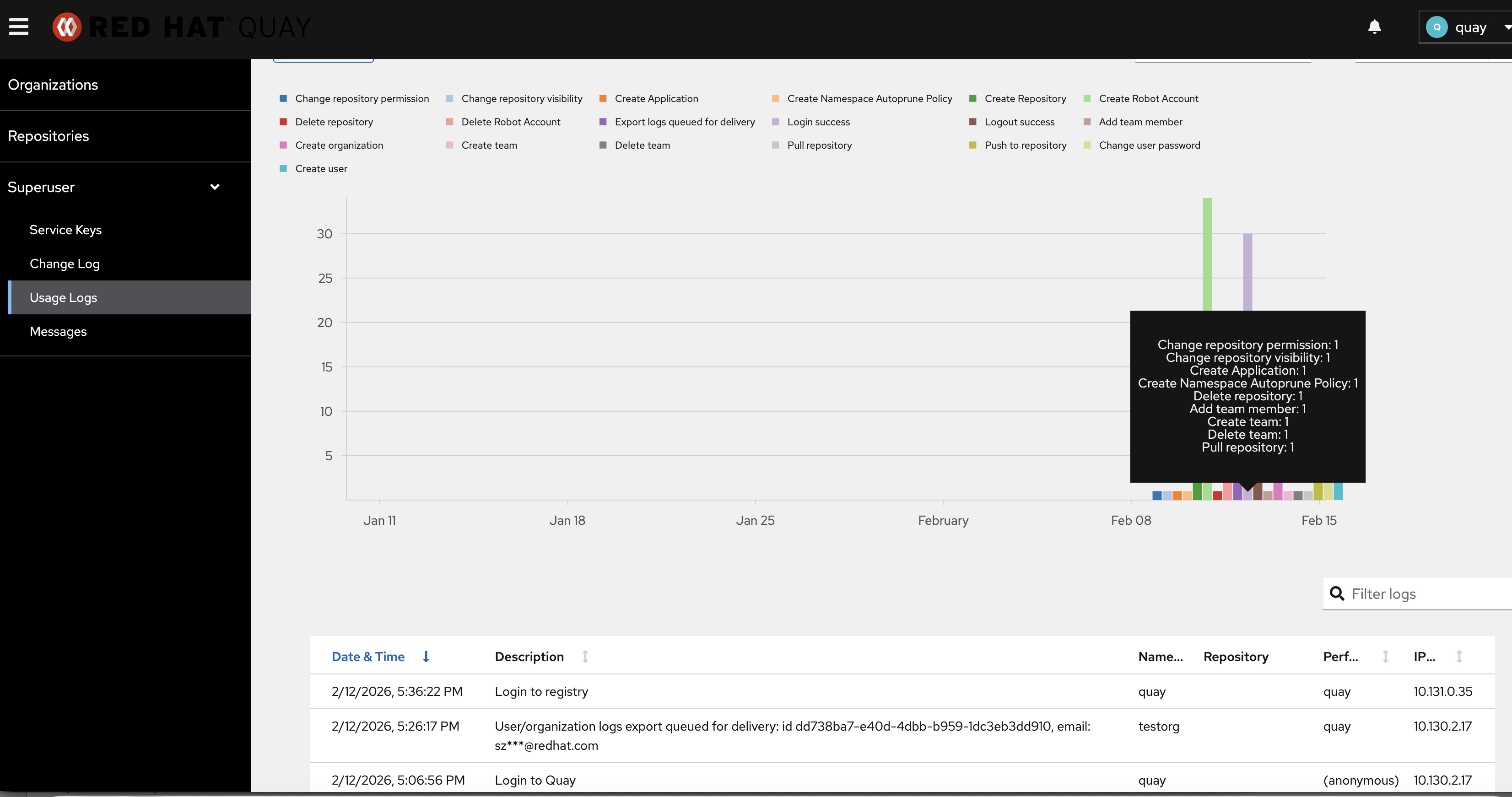
When mouse over to some bar chart, it displays as a solid black block. Individual colored bars are not visible. The legend shows all operation types with correct colors, but the chart area itself is a black rectangle. This occurs at all zoom levels.
Expected results:
The bar chart should display individual colored bars for each operation type, consistent with how it renders in Chrome/Firefox.
Additional info:
- Clearing Safari cache does not resolve the issue
- Occurs at all zoom levels
- Occurs at all usage logs levels (superuser, org, repo)
- Not related to LOGS_MODEL config (same issue with database or Splunk backend)
- The chart component is UsageLogsGraph.tsx using @patternfly/react-charts (Victory charts)
- Related but different from PROJQUAY-9725 (bars not displayed with fewer than 3 operation types)
- Related but different from PROJQUAY-9721 (chart display incorrect after resetting search time)