 Normal
 Description of problem:
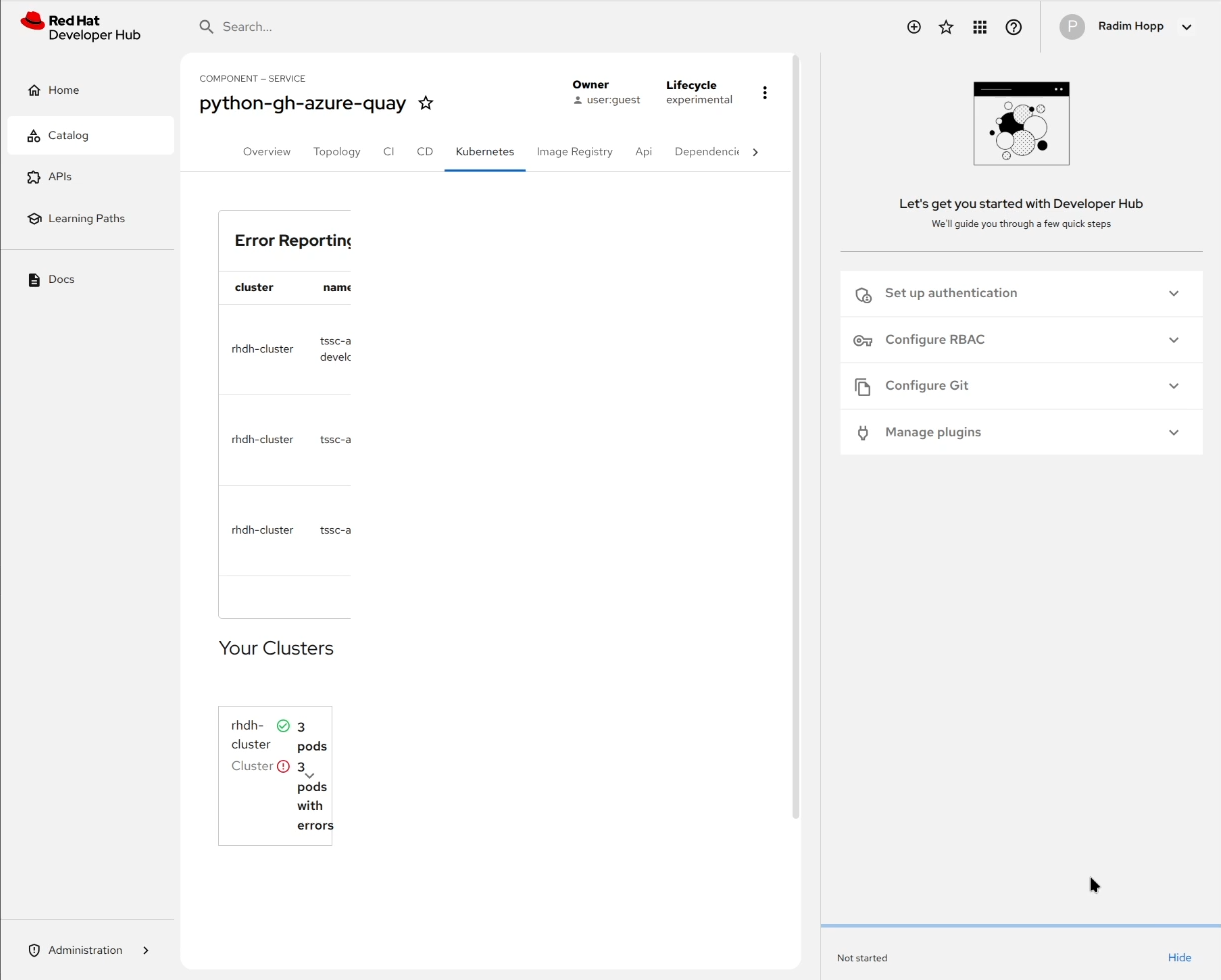
When the 'Quick start' side panel is opened, it breaks the formatting of the Kubernetes and Docs tabs in TSSC.
Prerequisites (if any, like setup, operators/versions):
The issue was found during testing of TSSC deployed with RHDH 1.7 RC.
Steps to Reproduce
I didn't try with pure RHDH, so the steps describe the flow I used with TSSC deployment.
- deploy TSSC with RHDH 1.7 RC
- create a component
- leave the Quick Start opened or open it from the Help icon manually
- check Kubernetes and Docs tabs where the formatting is broken
Actual results:
The formatting in Kubernetes and Docs tab is broken, the content is squeezed to the left side of the page when there is a white space left between the content and the Quick start side panel.
Expected results:
No (or reasonable) whitespace should be present on the page between the content and the side panel.
Reproducibility (Always/Intermittent/Only Once):
Always for TSSC deployed with RHDH 1.7 RC.
Build Details:
Additional info (Such as Logs, Screenshots, etc):
Video added to attachments.
- duplicates
-
RHDHBUGS-2319 Catalog techdocs integration is broken as long as Quick start is open
-

- Closed
-



