-
Bug
-
Resolution: Unresolved
-
 Minor
Minor
-
None
-
None
-
None
-
False
-
-
False
-
-
-
en-US (English)
Please fill in the following information:
| URL: | https://role.rhu.redhat.com/rol-rhu/app/courses/do280-4.14 |
| Reporter RHNID: | rnichols@redhat.com |
| Section Title: |
Issue description
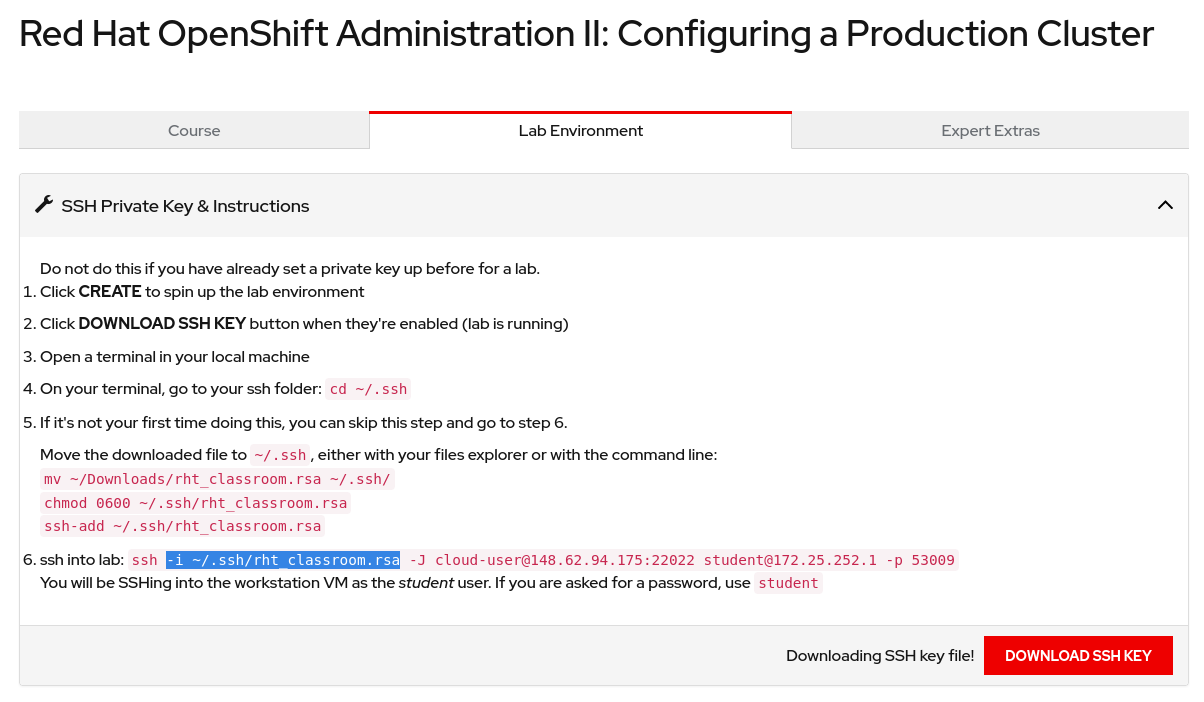
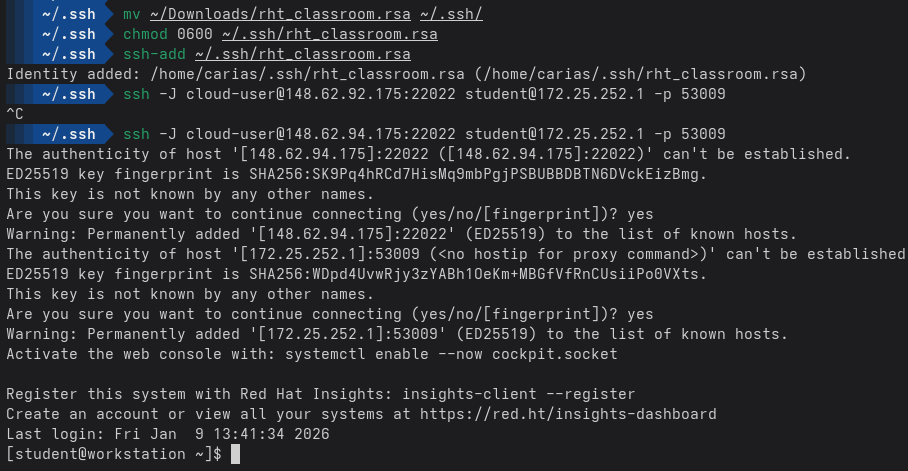
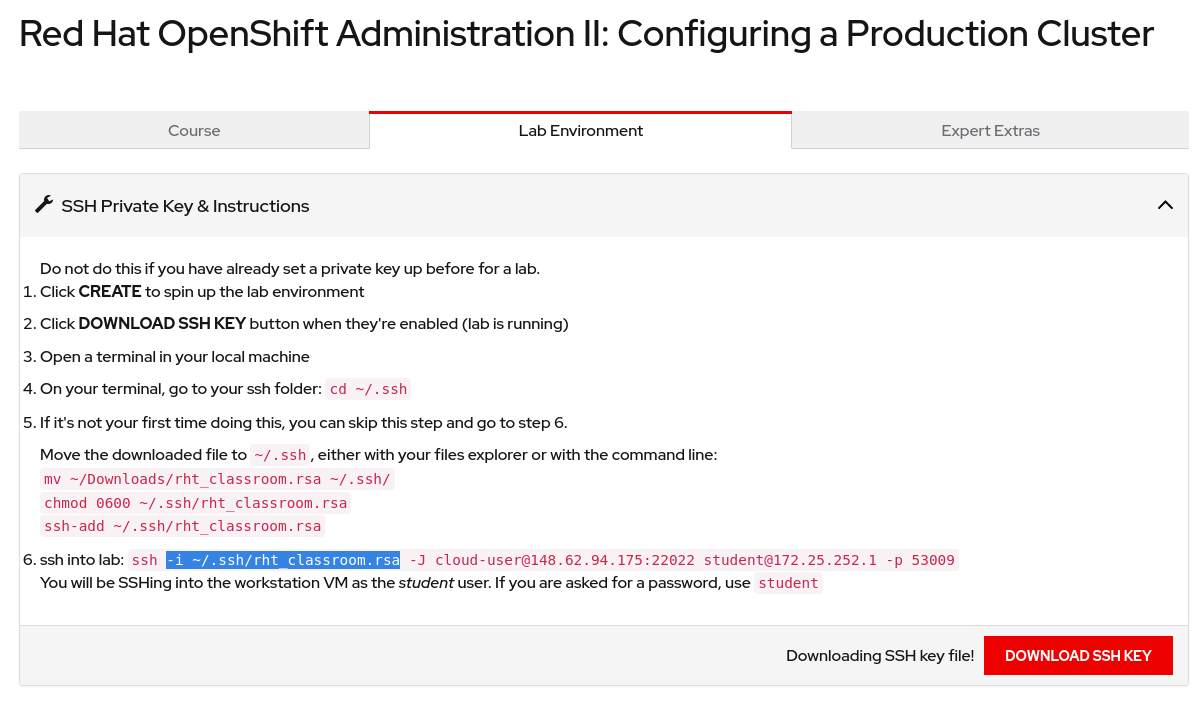
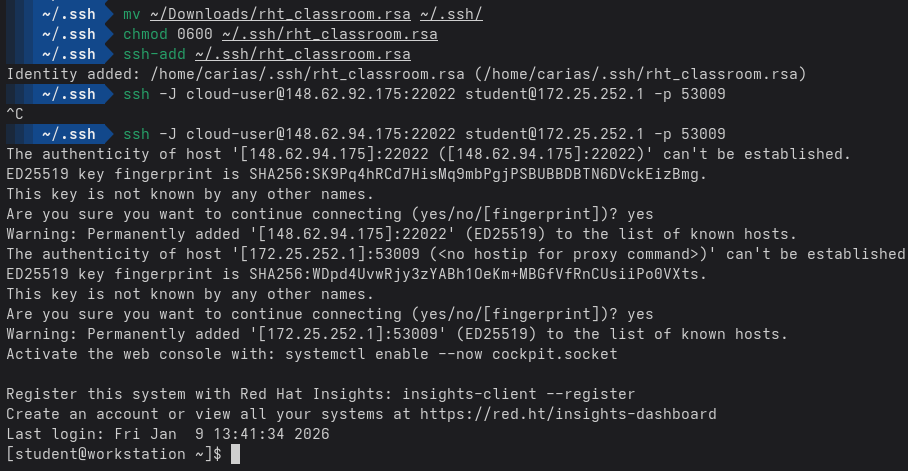
Running in Fedora in a new terminal, I still have to run the ssh-add command before I ssh in step 6. After reading the ssh man page, I believe it only uses the rht_classroom key on the end host and not the jump unless ssh-add is run first. That command adds the key to the list of keys that will be used for every ssh connection, so we do not need the `-i ~/.ssh/rht_classroom.rsa` flag after we run ssh-add.
I propose these changes, remove the ssh-add line from step 5.
step 6. Add the classroom key to ssh-agent: `ssh-add ~/.ssh/rht_classroom.rsa`
step 7. ssh into lab: ssh -J cloud-user@148.62.92.175:22022 student@172.25.252.1 -p 53009
You will be SSHing into the workstation VM as the student user. If you are asked for a password, use student
I've only tested this in Fedora.
Steps to reproduce:
Workaround:
Remove the -i parameter from step 6 as it's redundant:
{{}}
-i ~/.ssh/rht_classroom.rsa
{{}}