-
Story
-
Resolution: Unresolved
-
 Major
Major
-
None
-
None
-
None
Once OCM fully supports HTPasswd as a regular IDP, it needs to be added to the OCM website along with the rest of the IDPs. Each cluster should support multiple HTPasswd IDPs and each HTPasswd IDP should support multiple user:password entries.
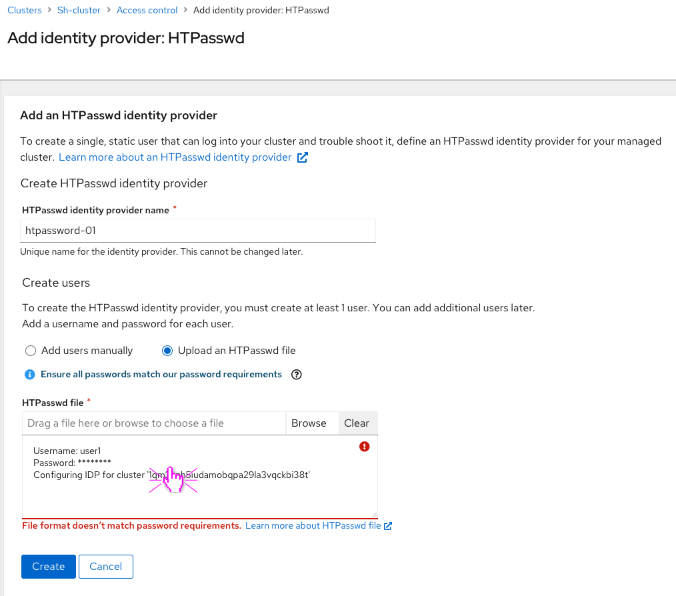
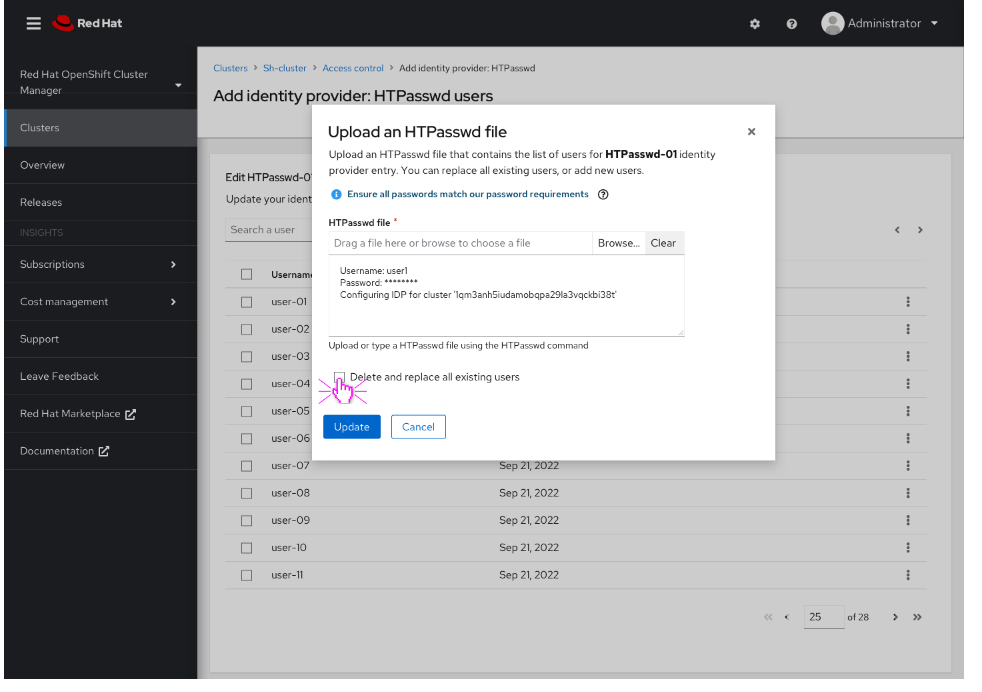
This story deals with allowing a user to upload a HTPasswd file which may contain multiple username/passwords. This can be done during initial creation of the HTPasswd IDP (via the 'HTPassword' section of create form), or afterwards (day 2) via "Edit HTPasswd users" page via a new "Upload HTPasswd file" modal -which contains the same 'HTPassword' section, but now in a modal.
Location in OCM UI: Cluster Details > Access Control > Add IDP: Add HTPasswd IDP
Mockups: https://marvelapp.com/prototype/17g6642j/screen/87630058
Implementation Details:
- Show contents in upload file text area and validate upon selecting file or hitting [Create]
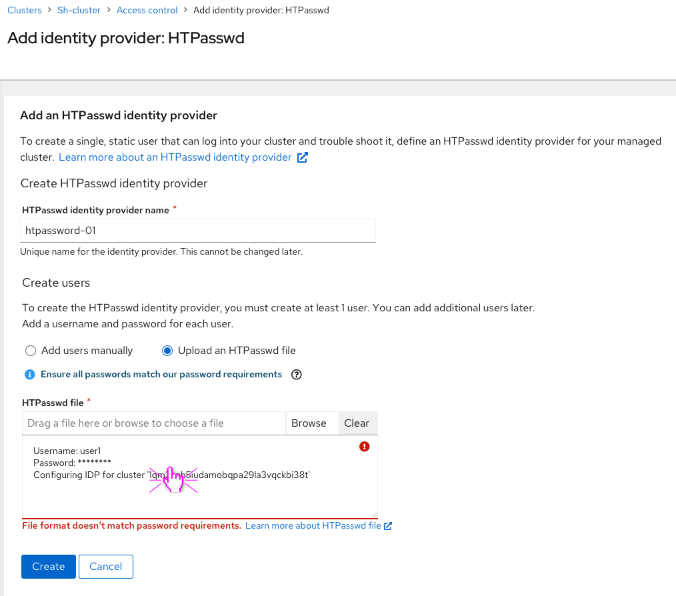
- We need to replace Password values with '*******'
- Basic Validation:
- validate all Passwords
- validate usernames, 'IDP for cluster' as we would do for single entry
- detect general JSON/file formatting errors.
- Show general error message(s) below text area
- Advanced Validation: show errors in-line, in text area.
- Stretch goal based on what patternfly supports here.
- "Upload HTPasswd file" modal:
- Upload an HTPasswd file dlg.
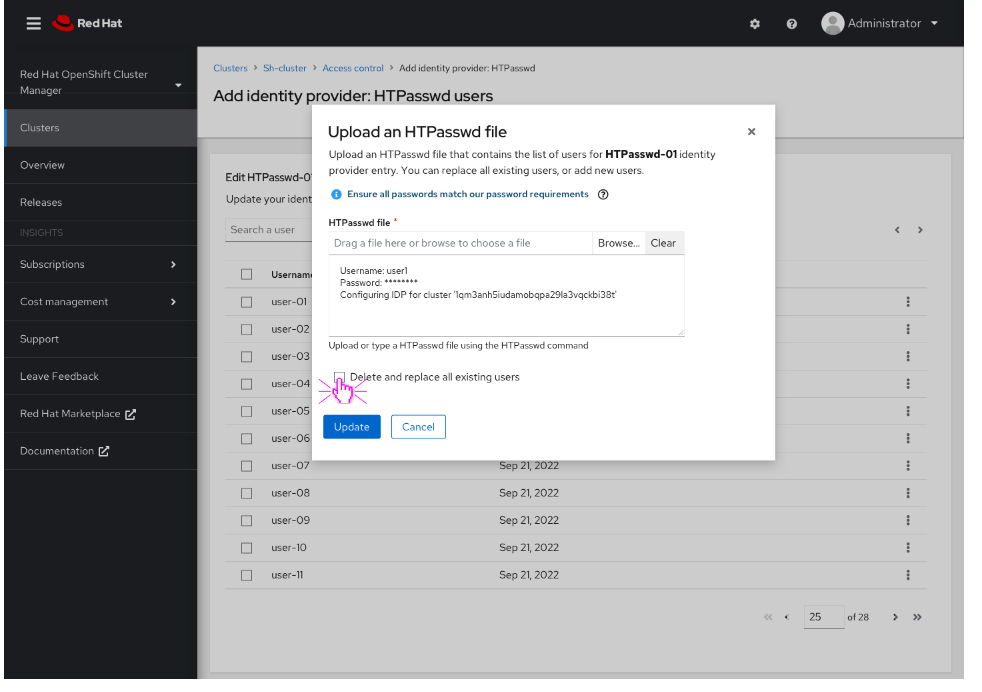
- Upload an HTPasswd file dlg.
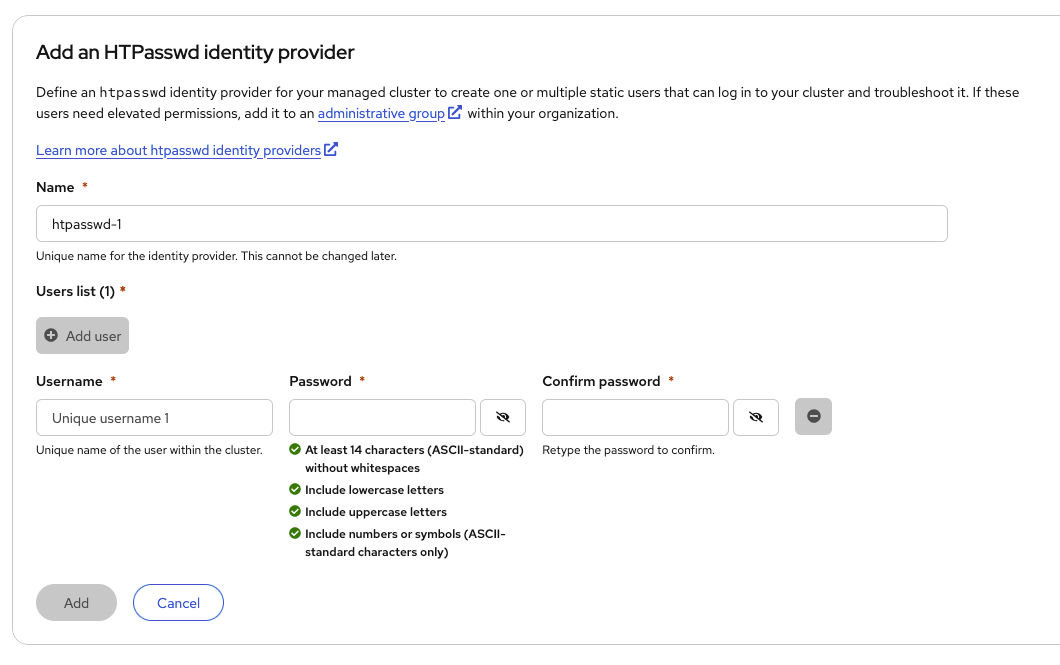
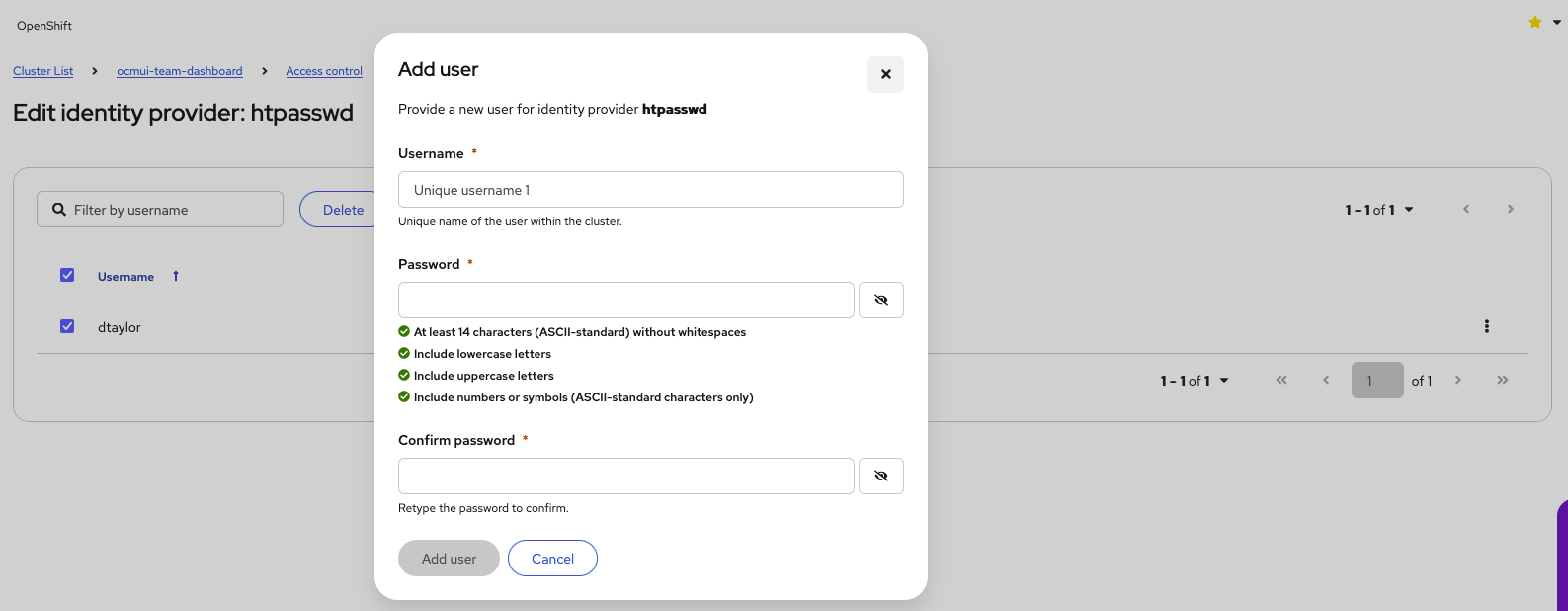

- depends on
-
-

- Closed
-
- duplicates
-
OCMUI-2960 (UI) For ROSA and OSD, allow upload of htpasswd file
-
- New
-
