-
Bug
-
Resolution: Done
-
 Major
Major
-
None
-
None
-
Quality / Stability / Reliability
-
True
-
-
False
-
-
-
OCMUI Core Sprint 271, OCMUI Core Sprint 272
Description of problem:
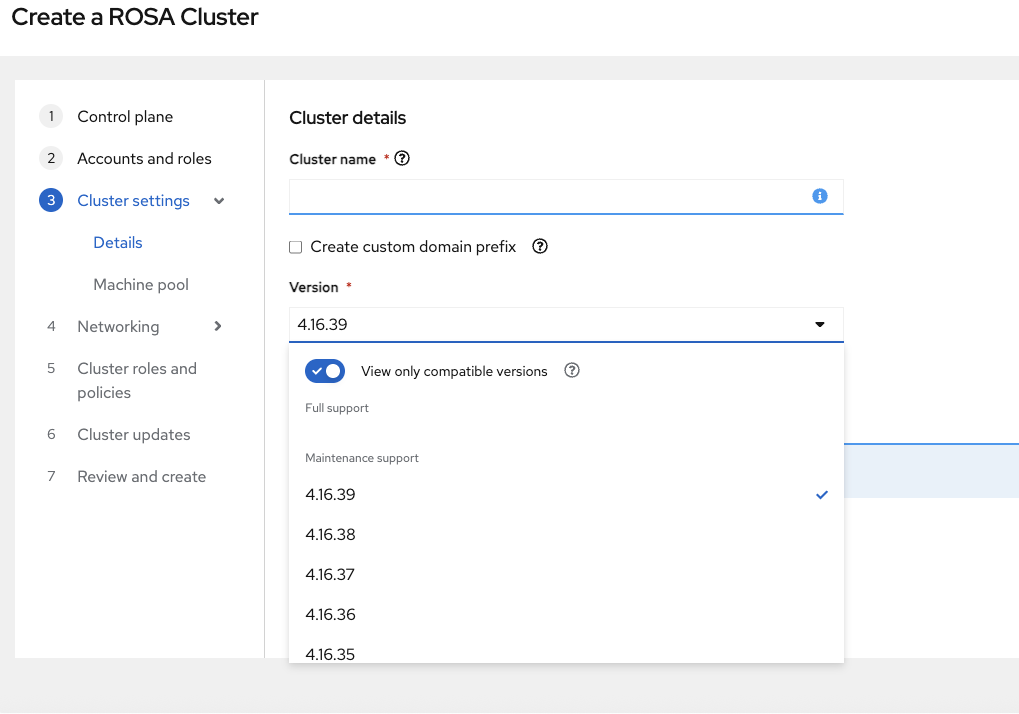
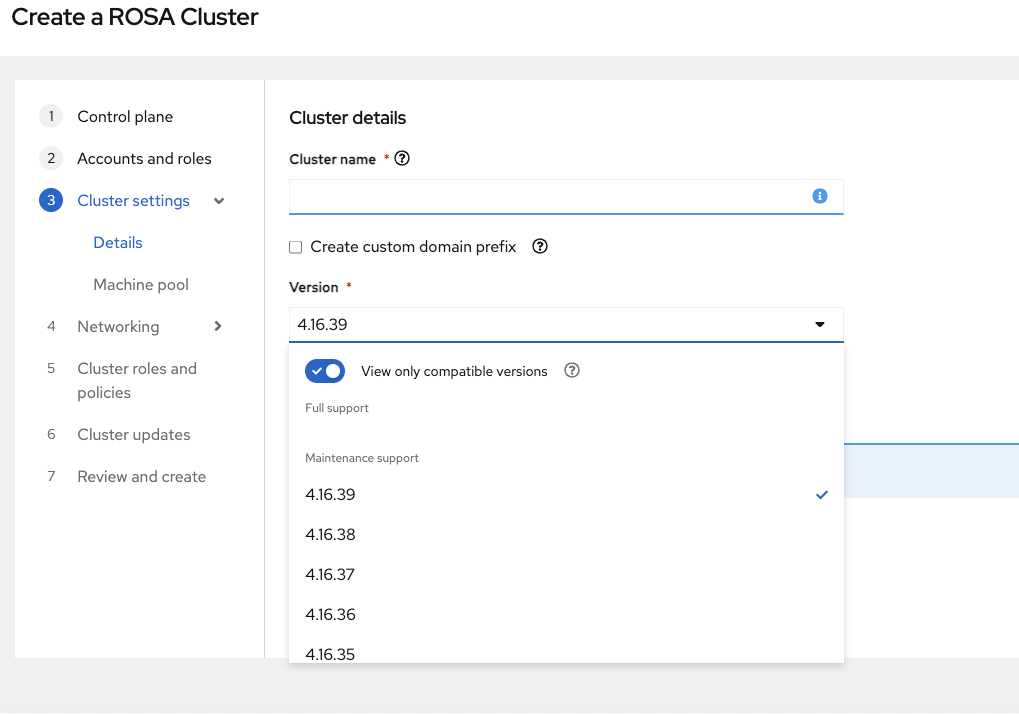
The list of versions shown in the ROSA hosted wizard doesn't match those in the CLI workflow. Some versions available in the ROSA CLI workflow are not displayed in the hosted wizard. For example, OCP versions 4.17 and 4.18 do not appear in the ROSA hosted wizard when a user selects an installer role that only supports versions up to 4.16. However, the ROSA CLI cluster installation workflow still displays all versions, including 4.17 and 4.18, in this scenario
How reproducible:
Always
Steps to Reproduce:
- Create account roles specifically for hosted control plane clusters that support OCP versions ≤ 4.16.
rosa create account-roles --hosted-cp --version 4.16
- Navigate to the OCM UI (production environment).
- Launch the ROSA cluster creation wizard.
- In the Control Plane step, select "Hosted" and proceed to the next step.
- In the "Account and roles" step, choose the installer role created in Step 1.
- Continue to the "Cluster settings > Details" step.
- Review the available OpenShift versions listed in the version dropdown.
- Open a terminal and use the ROSA CLI to initiate a hosted cluster installation workflow
- Review the list of OpenShift versions displayed during the CLI workflow.
% rosa create cluster
W: The current version (1.2.51) is not up to date with latest rosa cli released version (1.2.53).
W: It is recommended that you update to the latest version.
I: Enabling interactive mode
? Cluster name: jaya-hcptesting
? Domain prefix (optional):
? Deploy cluster with Hosted Control Plane: Yes
? Create cluster admin user: No
? Billing Account: 425464789085
I: The AWS billing account you selected is different from your AWS infrastructure account. The AWS billing account will be charged for subscription usage. The AWS infrastructure account contains the ROSA infrastructure.
? OpenShift version (default = '4.16.39'):  [Use arrows to move, type to filter, ? for more help]
  4.18.4
  4.18.3
  4.18.2
> 4.18.1
  4.17.27
  4.17.26
  4.17.25
9. Compare the version lists from Step 7 (UI) and Step 9 (CLI).
Actual results:
In Step 7, OCP versions 4.17 and 4.18 are missing from the OCM UI
In Step 9, OCP versions 4.17 and 4.18 are available in the CLI (see the CLI flow described in Step 9).
Currently, the difference in the version lists shown in both the OCM UI and CLI is causing confusion
Expected results:
Both definitions should match or be aligned with the same data to avoid any further confusion
- is duplicated by
-
-

- Closed
-
- links to
