-
Bug
-
Resolution: Done
-
 Blocker
-
None
-
None
-
None
-
False
-
-
False
-
-
Steps to Reproduce
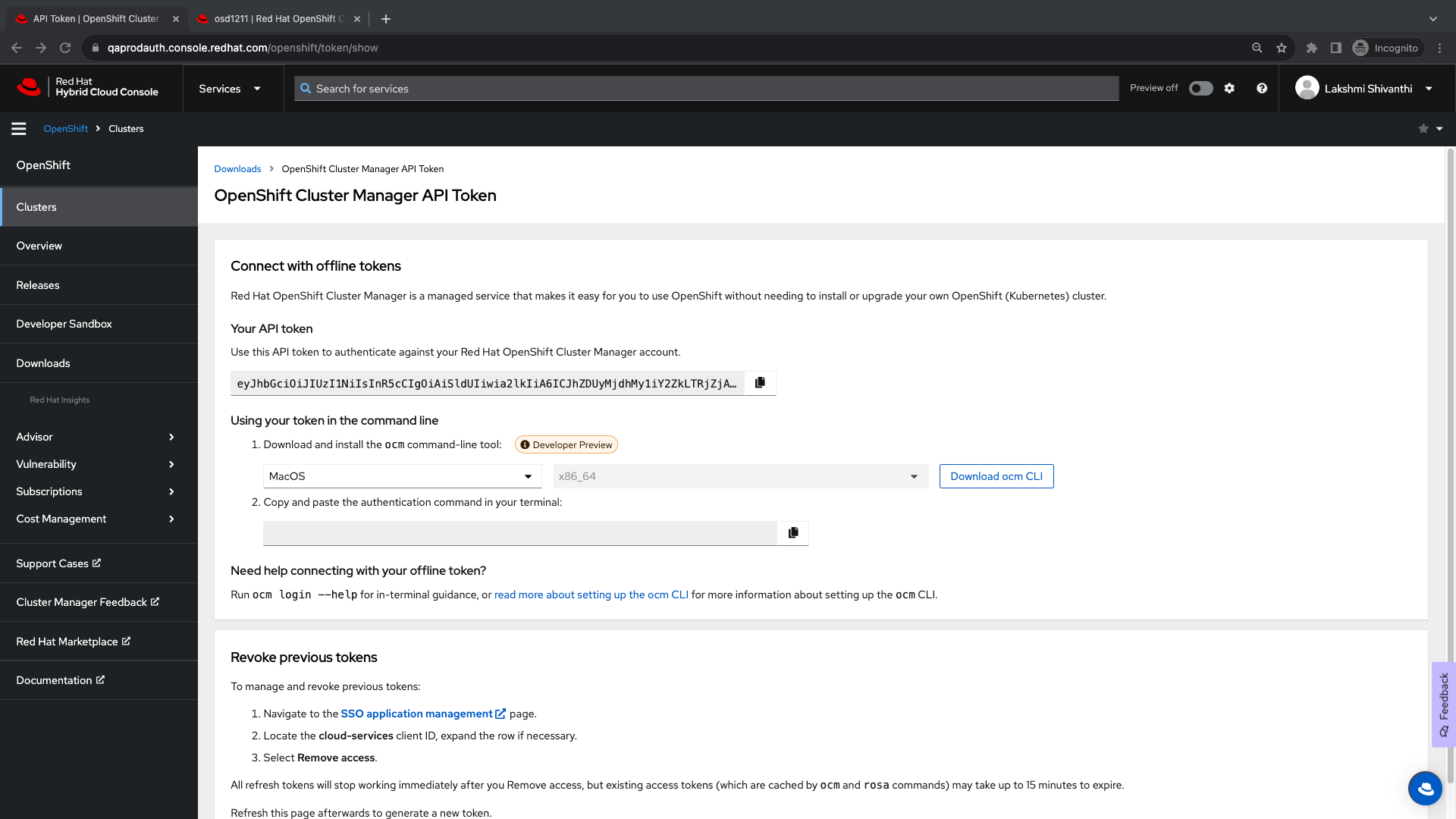
1. Launch the staging environment in Chrome Version 119.0.6045.199 (Official Build) (x86_64) or Firefox 117.0.1
2. Navigate to the Downloads tab
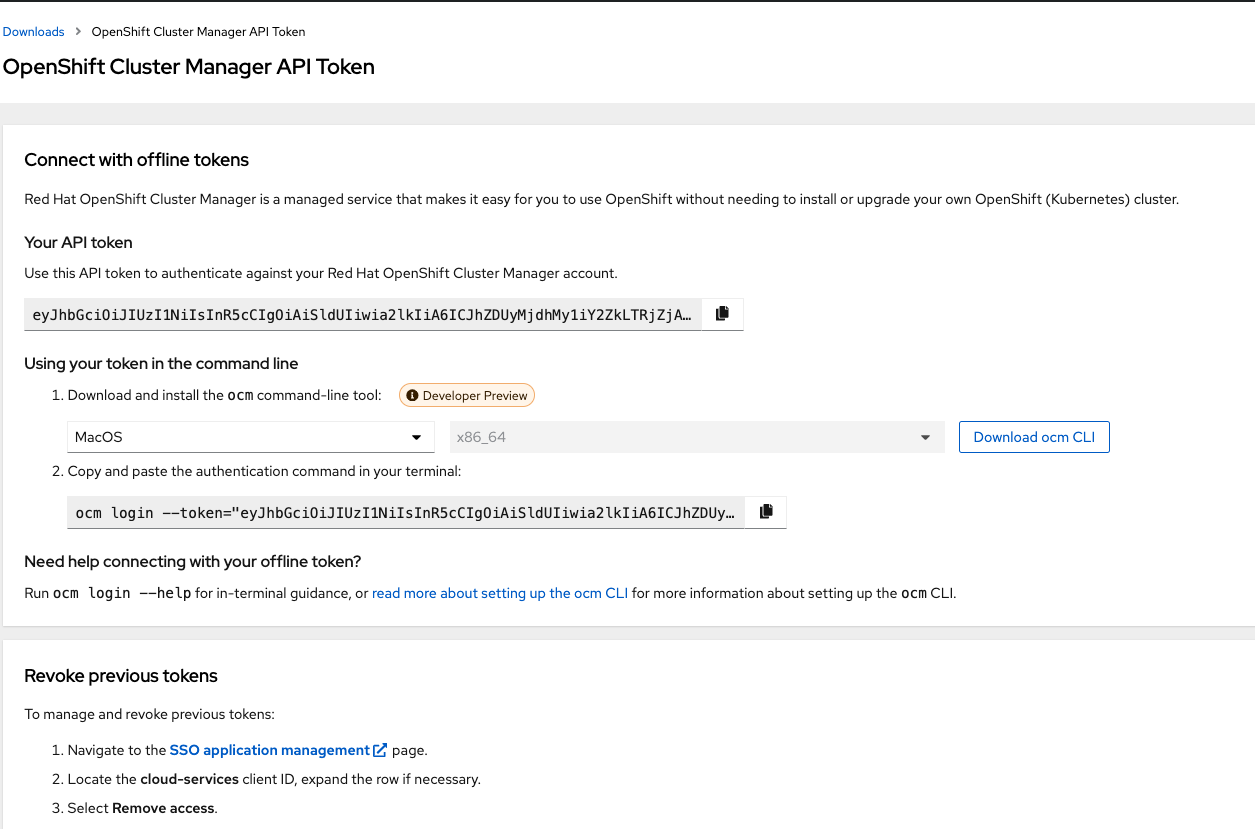
3. Go to the tokens tab -> Openshift Cluster Manager API token
4. Click on View API token
5. The page should open in a new tab and click on the Load token button
6. Click on the SSO application management link
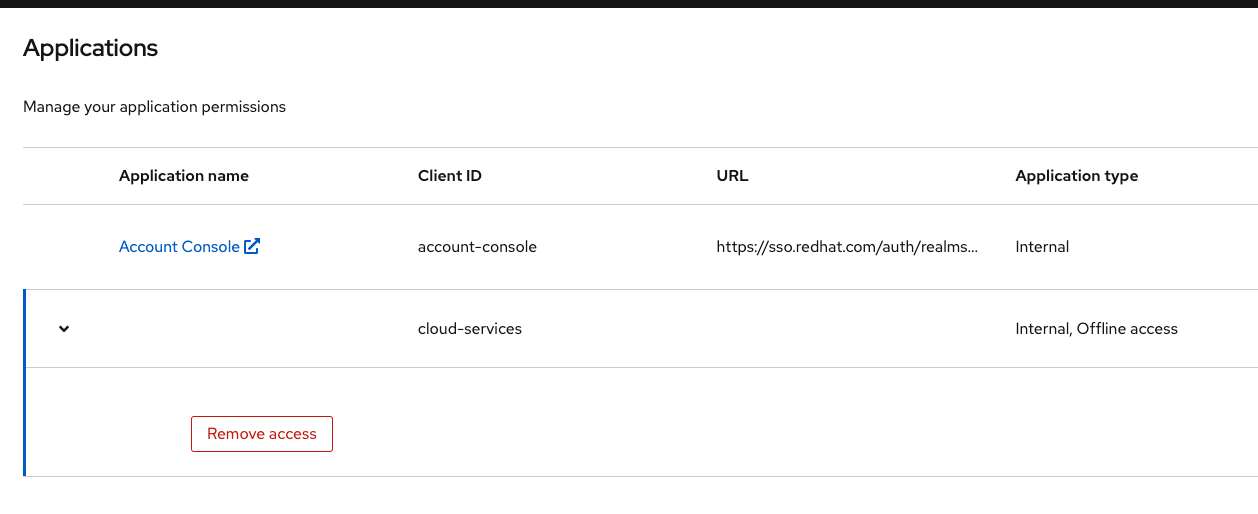
7. Locate the cloud-services client ID, expand the row if necessary, and select Remove access.
Expected Result
The access should be removed
Actual Result
There is no option to expand the row and select Remove access.