Uploaded image for project: 'Red Hat Data Grid'
  1. Red Hat Data Grid
  2. JDG-1332

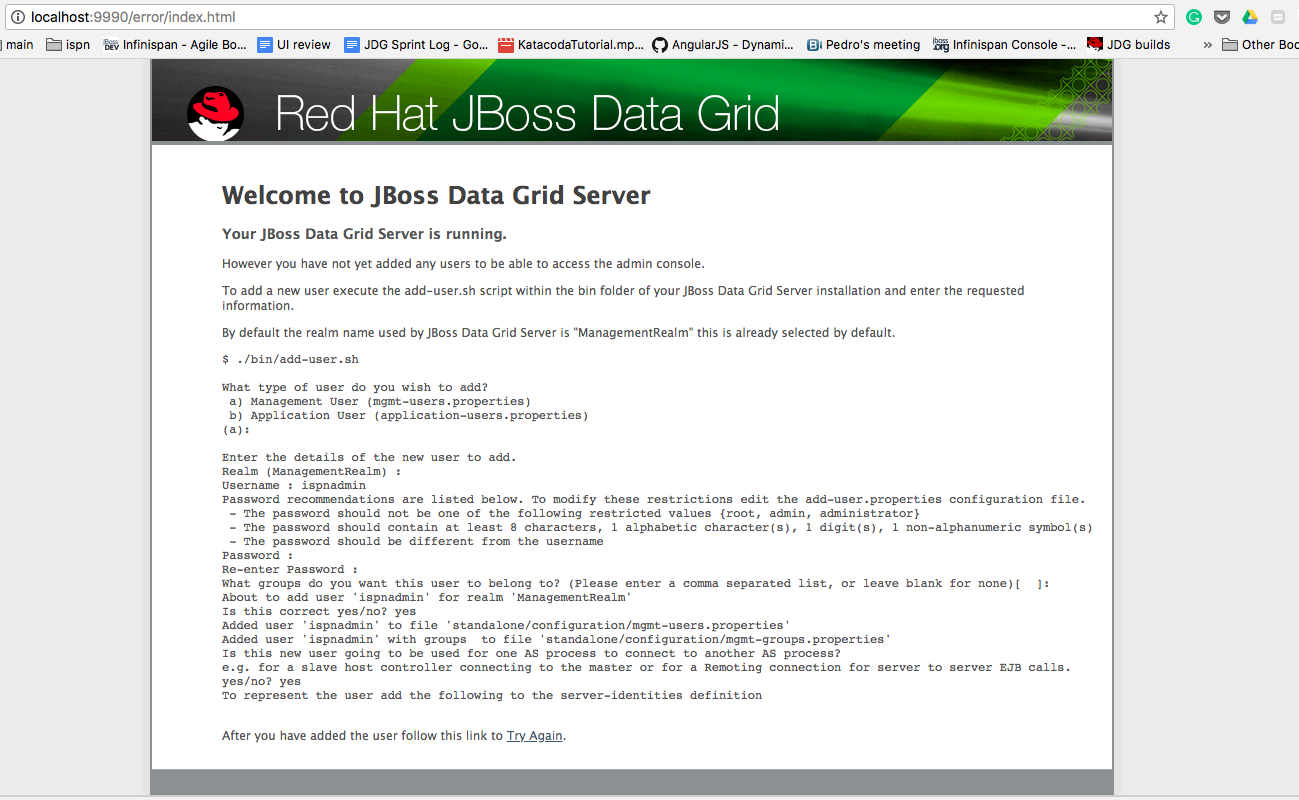
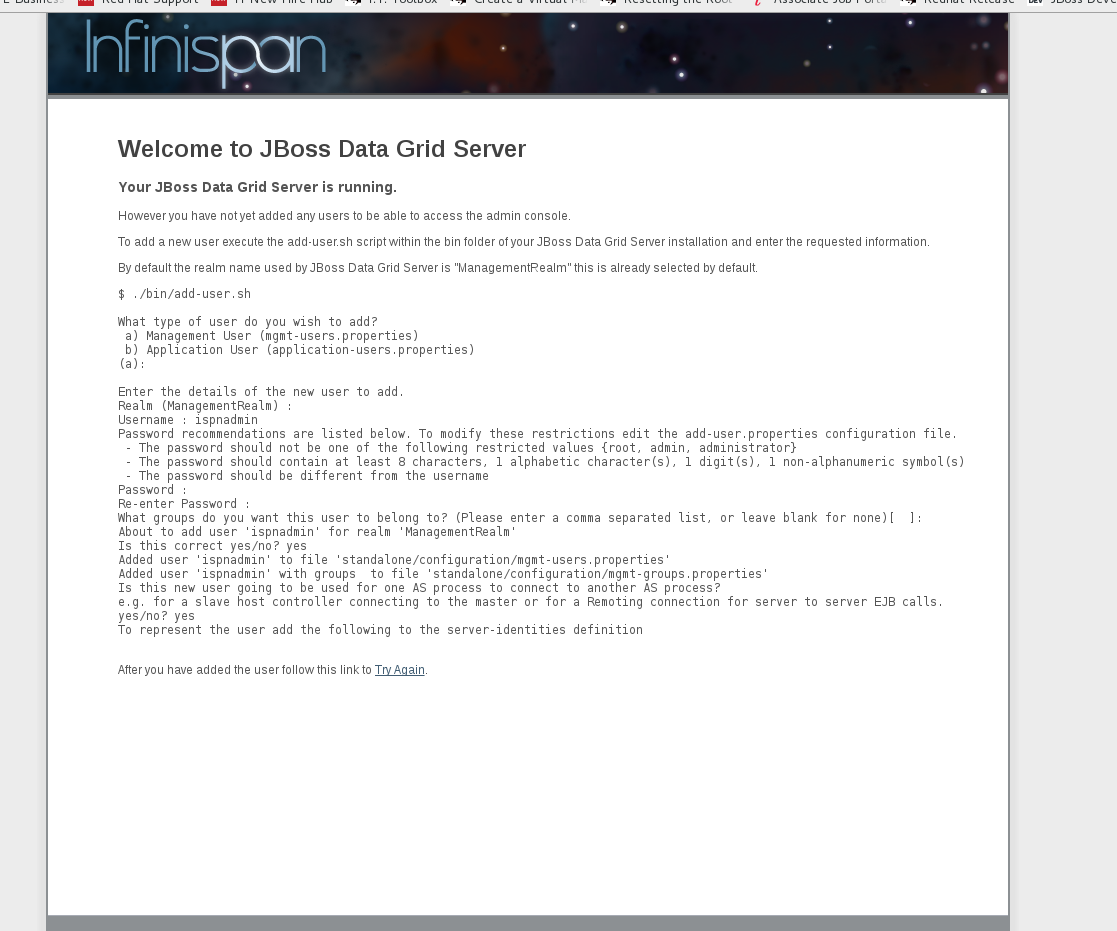
Infinispan logo is displayed instead of Red Hat JBoss Data Grid logo after starting JDG server without adding any users

XMLWordPrintable

    • Icon: Bug Bug
    • Resolution: Done
    • Icon: Major Major
    • JDG 7.2 ER3
    • JDG 7.1.0 GA
    • None
    • None
    • JDG - 7.1 server

    • ER3
    • Fixed but we need to update navbars and error pages once again to reflect product rename. See JDG-1750 for more details
    • Hide

      Below is the workaround :

      Please find below resolution for this issue :

      • Navigate to JDG_HOME/modules/system/layers/base/org/jboss/as/domain-http-error-context/jdg/dir/images
      • Replace the "banner.logo" file with a new file consisting of Red Hat JBoss Data Grid logo.
      • If you do not want to replace banner.logo file , then create a new file with banner1.logo and make changes in "style.css" file.
      Show
      Below is the workaround : Please find below resolution for this issue : Navigate to JDG_HOME/modules/system/layers/base/org/jboss/as/domain-http-error-context/jdg/dir/images Replace the "banner.logo" file with a new file consisting of Red Hat JBoss Data Grid logo. If you do not want to replace banner.logo file , then create a new file with banner1.logo and make changes in "style.css" file.
    • Hide

      Below are the steps to reproduce this issue :

      • Unzip JDG-7.1 server
      • Do not add any user and simply start the JDG standalone server using ./standalone.sh
      • Open a browser and tryh to open the JDG GUI , in my case I ran it on localhost
      • When I try to hit localhost:9990 I can see error page with "Infinispan" Logo

      Please find attached image.

      Resolution :

      Please find below resolution for this issue :

      • Navigate to jboss-datagrid-7.1.0-sources/infinispan-server-sources-8.4.0.Final-redhat-2/feature-pack/src/main/resources/modules/system/layers/base/org/jboss/as/domain-http-error-context/jdg/dir/images
      • Replace the "banner.logo" file with a new file consisting of Red Hat JBoss Data Grid logo.
      • If you do not want to replace banner.logo file , then create a new file with banner1.logo and make changes in "style.css" file.
      Show
      Below are the steps to reproduce this issue : Unzip JDG-7 .1 server Do not add any user and simply start the JDG standalone server using ./standalone.sh Open a browser and tryh to open the JDG GUI , in my case I ran it on localhost When I try to hit localhost:9990 I can see error page with "Infinispan" Logo Please find attached image. Resolution : Please find below resolution for this issue : Navigate to jboss-datagrid-7.1.0-sources/infinispan-server-sources-8.4.0.Final-redhat-2/feature-pack/src/main/resources/modules/system/layers/base/org/jboss/as/domain-http-error-context/jdg/dir/images Replace the "banner.logo" file with a new file consisting of Red Hat JBoss Data Grid logo. If you do not want to replace banner.logo file , then create a new file with banner1.logo and make changes in "style.css" file.
    • JDG Sprint #9

      Infinispan Logo is displayed instead of Red Hat JBoss Data Grid Logo because of wrong "banner.png" file present after starting JDG server without adding any users

      Location of banner.png File :

      ~~~~~~~
      jboss-datagrid-7.1.0-sources/infinispan-server-sources-8.4.0.Final-redhat-2/feature-pack/src/main/resources/modules/system/layers/base/org/jboss/as/domain-http-error-context/jdg/dir/images
      ~~~~~~~
              vblagoje Vladimir Blagojevic (Inactive)
              rhn-support-abhati Arnav Bhati (Inactive)
              Votes:
              0 Vote for this issue
              Watchers:
              5 Start watching this issue

                Created:
                Updated:
                Resolved: