-
Bug
-
Resolution: Unresolved
-
 Undefined
-
None
-
1.3.0-rc1
-
None
-
None
-
False
-
-
False
-
-
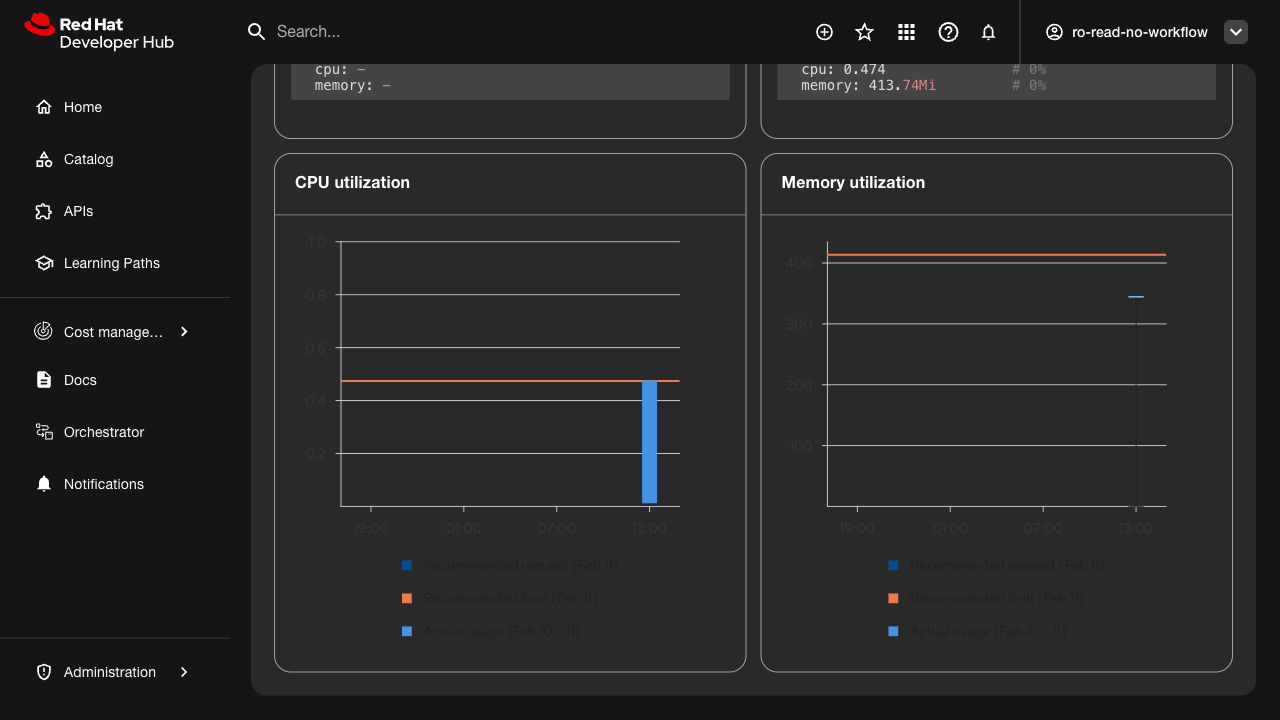
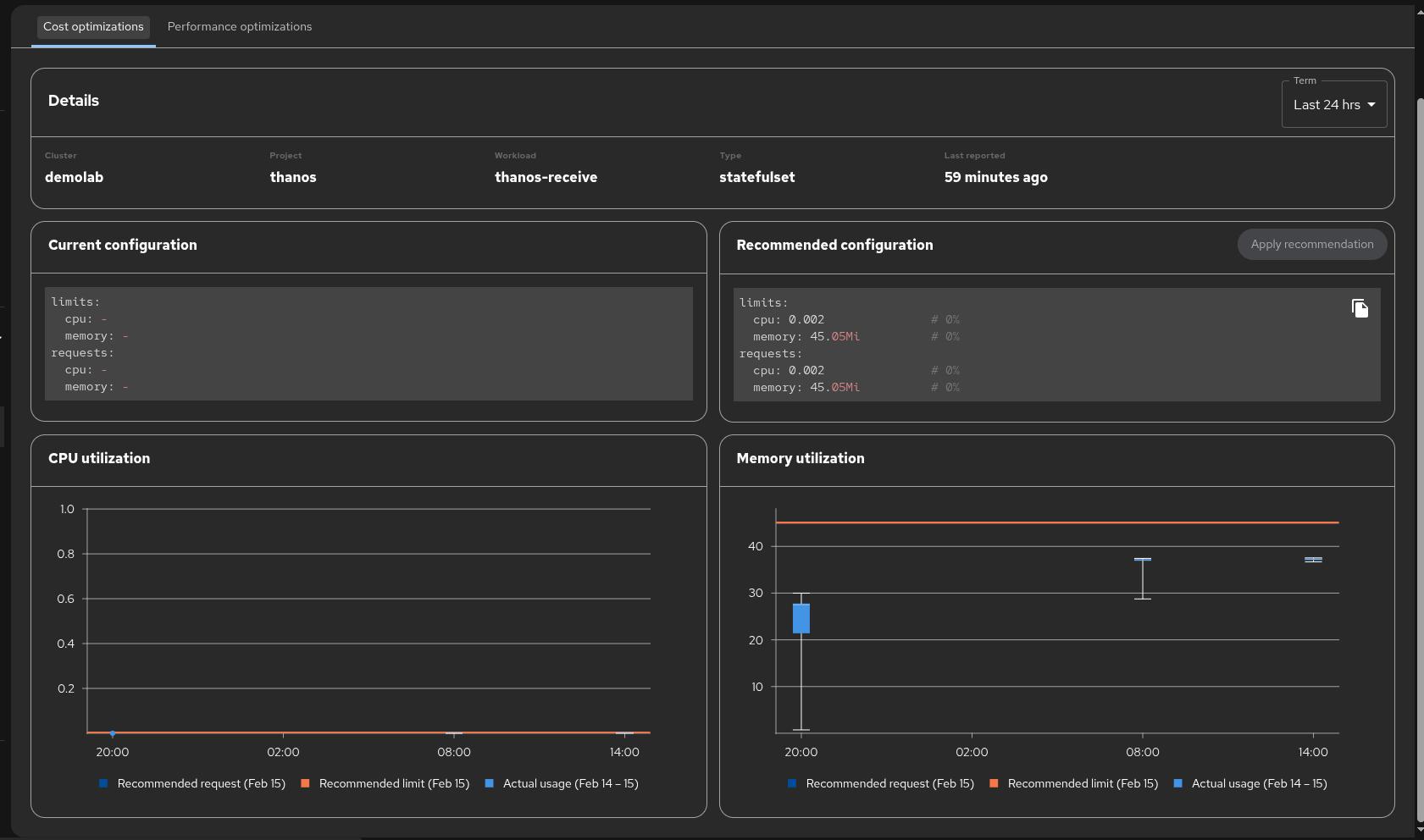
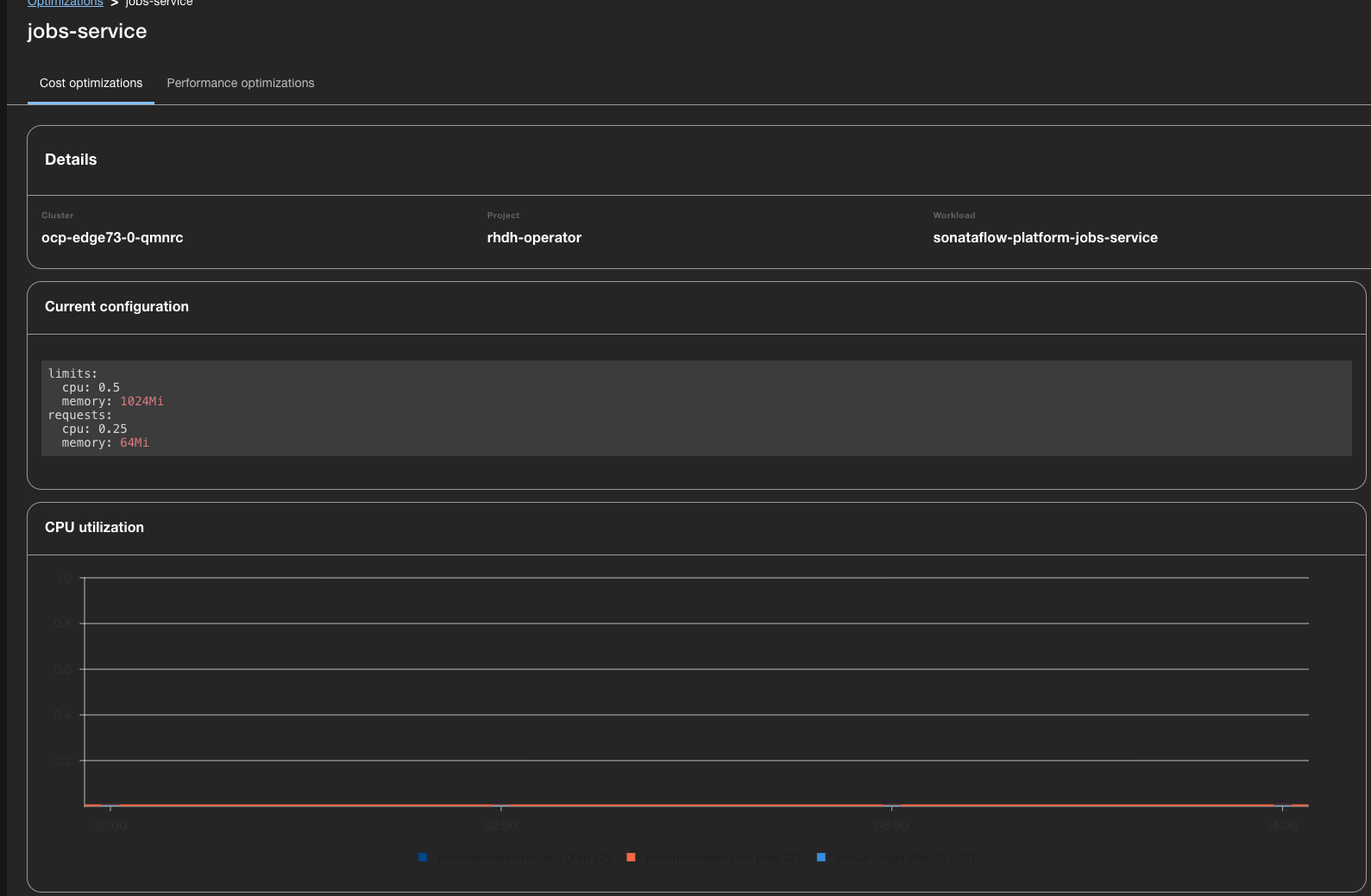
When the RHDH dark theme is enabled, the CPU utilization and Memory utilization chart axis labels, tick marks, and legend text are rendered in black (fill: rgb(0,0,0)) against the dark background, making them nearly invisible.
Steps to Reproduce:
1. Log into RHDH
2. Navigate to Settings > Appearance > Theme and select "Dark"
3. Navigate to Cost Management > Optimizations
4. Click on any container to view the detail page with CPU and Memory utilization charts
5. Observe the chart axis labels and legend text
Expected Result:
Chart axis labels (time values on X-axis, numeric values on Y-axis) and legend text should render in a light color (white or light gray) that is readable against the dark background.
Actual Result:
- SVG text elements for axis ticks have computed fill: rgb(0,0,0) (black)
- No explicit fill attribute is set on SVG <text> elements
- The CSS color property is set to white but SVG text rendering uses fill, not color
- Affects both CPU utilization and Memory utilization charts
- Legend text ("Recommended request", "Recommended limit", "Actual usage") is also black
Root Cause:
The chart library (PatternFly Charts / Victory) does not adapt its SVG text fill colors when the Backstage dark theme is activated. The default SVG fill of black is inherited.
Environment:
- RHDH 1.9.0 (Backstage 1.45.3)
- OCP Edge 73
- Plugin: red-hat-developer-hub.plugin-redhat-resource-optimization
Note: All other dark theme elements (headings, table text, sidebar, config sections) render correctly. Only the chart SVG text is affected.
- blocks
-
FLPATH-3116 [Test Plan] Cost Management RHDH Plugin QA Testing for 1.9
-
- In Progress
-
- is blocked by
-
FLPATH-3120 [Test Case] Verify dark theme support for cost management plugin
-
- ON_DEV
-