Uploaded image for project: 'Red Hat OpenShift Dev Spaces (formerly CodeReady Workspaces) '
  1. Red Hat OpenShift Dev Spaces (formerly CodeReady Workspaces)
  2. CRW-2143

Python workspace gives "Python not installed" error

XMLWordPrintable

    • False
    • False
    • Hide
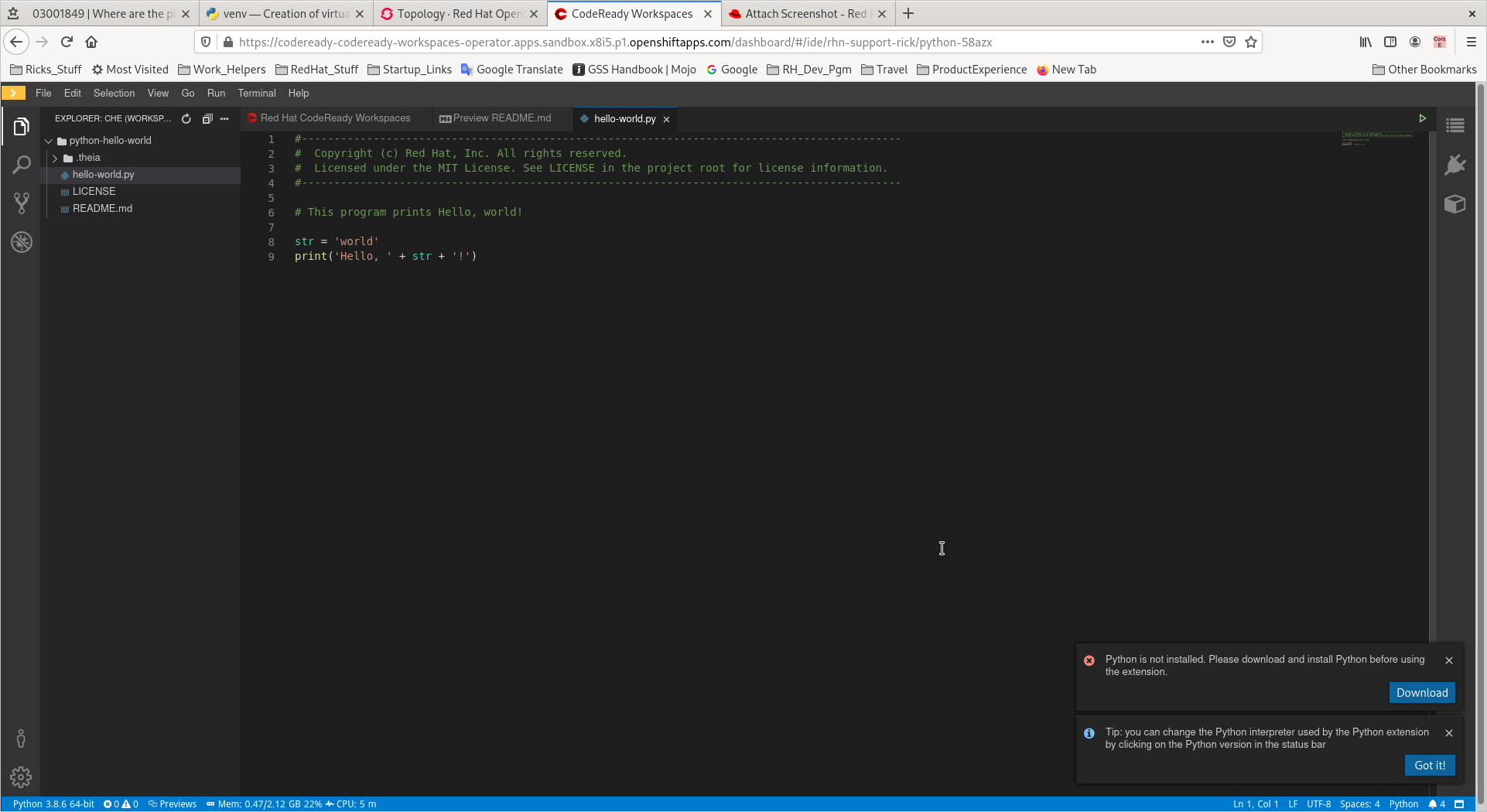
      = The Python workspace displays the "Python not installed" error message

      Currently, the Python workspace displays unexpected dialog boxes, including the following error: *Python is not installed. Please download and install Python before using the extension.* There is currently no workaround for this issue.
      Show
      = The Python workspace displays the "Python not installed" error message Currently, the Python workspace displays unexpected dialog boxes, including the following error: *Python is not installed. Please download and install Python before using the extension.* There is currently no workaround for this issue.
    • Hide

      (Easily reproduceable in Dev Sandbox)

      1.  Start a default Python workspace

      2.  Try to use Command 'run' to view output

      3.  Notice unexpected error dialogues popping up

      Show
      (Easily reproduceable in Dev Sandbox) 1.  Start a default Python workspace 2.  Try to use Command 'run' to view output 3.  Notice unexpected error dialogues popping up

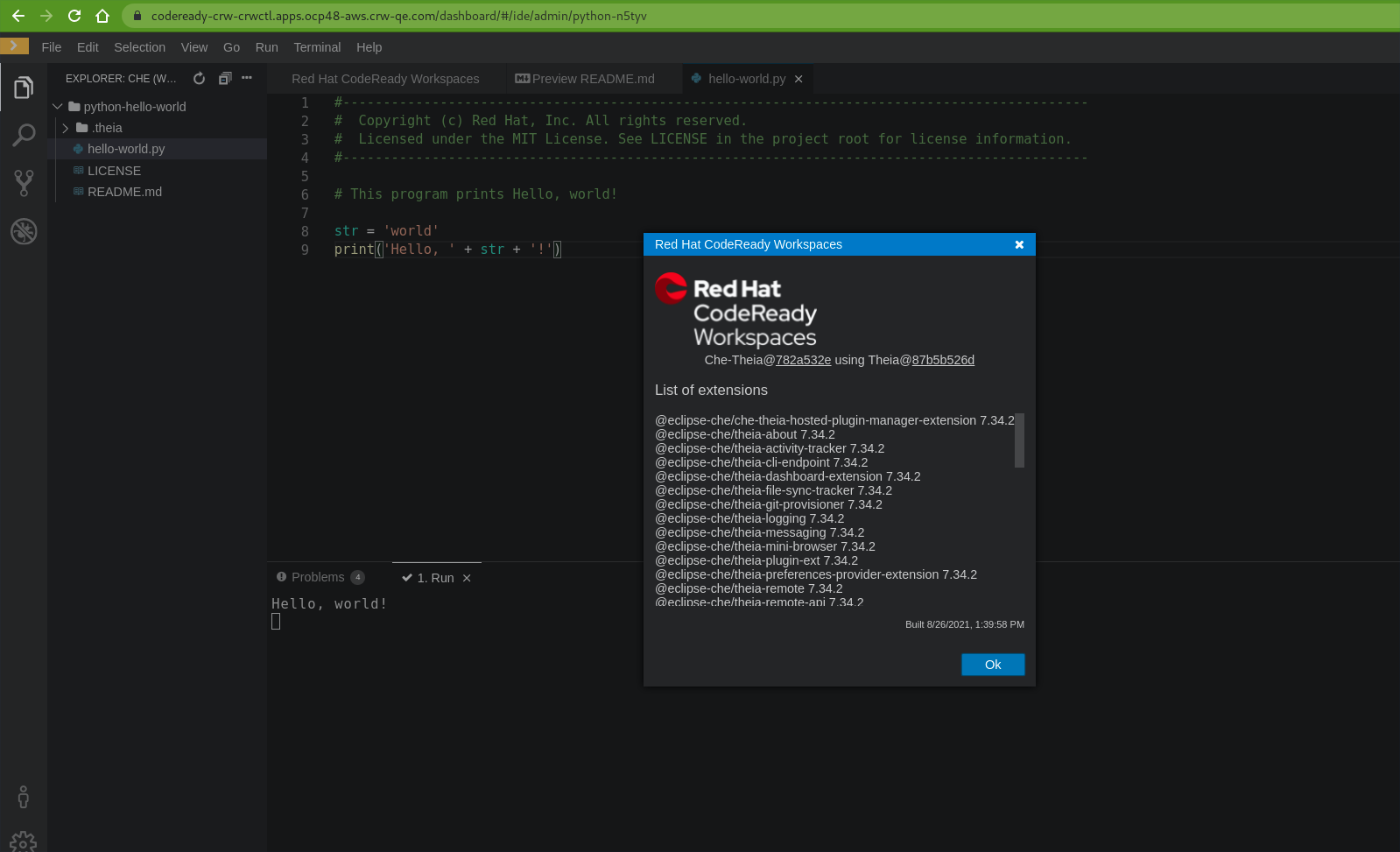
      Python workspace brings up unexpected dialogue boxes, including "Python not installed" error.

        1. screenshot-1.png
          168 kB
          Rick Wagner
        2. python_run_crw_2.11.0.RC-09-07_on_OCP_4.8.png
          172 kB
          Dmytro Nochevnov
        3. firefox_2021-09-29_13-03-58.png
          8 kB
          Tibor Dancs
        4. firefox_2021-09-29_13-03-36.png
          13 kB
          Tibor Dancs

              sutan@redhat.com Sun Tan (Inactive)
              rhn-support-rick Rick Wagner
              Votes:
              0 Vote for this issue
              Watchers:
              7 Start watching this issue

                Created:
                Updated:
                Resolved: