-
Bug
-
Resolution: Unresolved
-
 Major
Major
-
None
-
2.15.0 GA, 2.16.5 GA
-
False
-
-
False
-
Not Started
-
Not Started
-
Not Started
-
Not Started
-
Not Started
-
Not Started
-
-
Current behaviour
- The Chapter 10. Configuring reCAPTCHA for 3scale API Management states that:
- Get a site key and the secret key for reCAPTCHA v2. See the Register a new site web page.
- In Post-procedure steps, step 1, it says to Navigate to Audience > Developer Portal > Spam Protection.
- In Post-procedure steps, step 2, the following options are:
- Always
- Suspicious only
- Never
However:
- In the Register a new site web page, you can choose reCAPTCHA type, v2 or v3.
- To configure reCAPTCHA from the 3scale admin portal you need to navigate to Audience > Developer Portal > Settings > Bot protection instead.
- In the Bot Protection page from the 3scale admin portal, the only options available are:
- None
- reCAPTCHA (reCAPTCHA has not been configured correctly, bot protection cannot be enabled.) -> this is shown when no keys are configured yet.
- In case the keys for reCAPTCHA v2 or v3 type have been configured in the system-recaptcha secret, the following options are shown in the 3scale admin portal bot protection page:
- None
- reCAPTCHA (reCAPTCHA v3 will invisibly verify interactions to detect bots) -> this is shown even though configuring v2 type keys.
In summary, the documentation is out of date and doesn't specify whether you should enable reCAPTCHA v2 or v3. In the 3scale admin portal it is not clear that reCHAPTCA v3 will be used until the keys are configured.
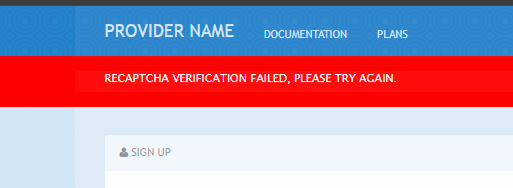
- If reCAPTCHA v2 keys are configured there is a feedback error in the developer portal. Testing with the signup form a pop up error is shown (see attachment) and in the developer console there is the folllowing error:
Uncaught ReferenceError: grecaptcha is not defined
    at executeRecaptchaForDeveloperPortalSignup (signup:225:13)
    at signup:232:11
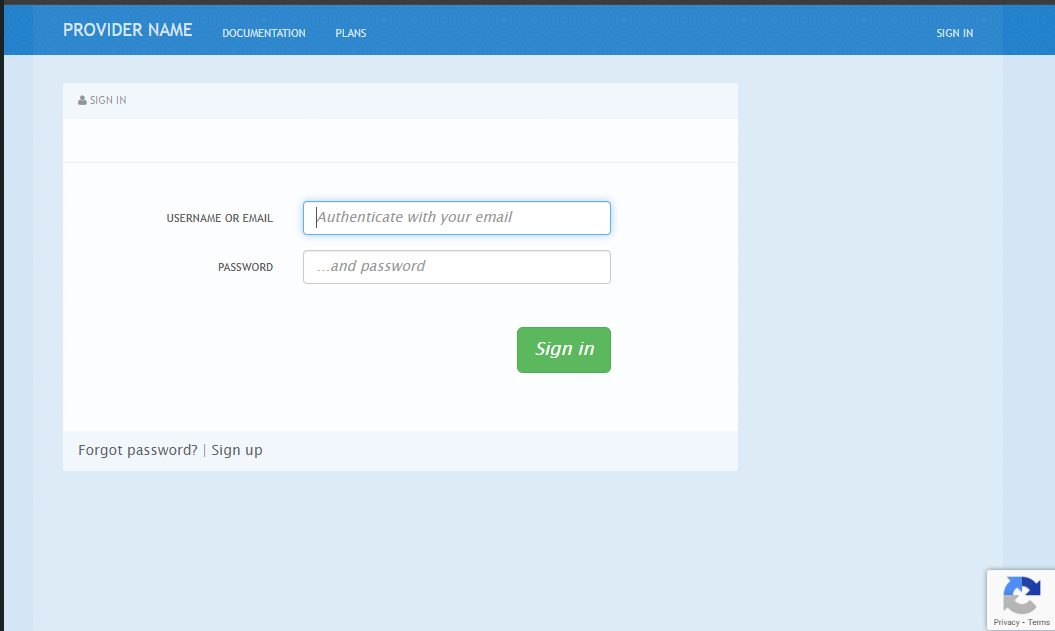
- If reCAPTCHA v3 keys are configured, it is working correctly. The "protected by reCAPTCHA" feature is shown at the bottom right corner of the page (see screenshot).
Expected behaviour
The documentation should reflect the correct steps to configure reCAPTCHA v3.
* Get a site key and the secret key for reCAPTCHA v3. See the Register a new site web page.
- Post-procedure steps
- Navigate to Audience > Developer Portal > Settings > Bot protection
- 2. Select one of the following options:
- None
- reCAPTCHA
- After system-app has redeployed, the pages that use spam protection on the Developer Portal will show the reCAPTCHA badge in the bottom right corner.
The screenshot "I'm not a robot" should be deleted.