-
Bug
-
Resolution: Done
-
 Major
Major
-
None
-
None
-
False
-
False
-
Undefined
-
-
Sprint 203 AMM
-
None
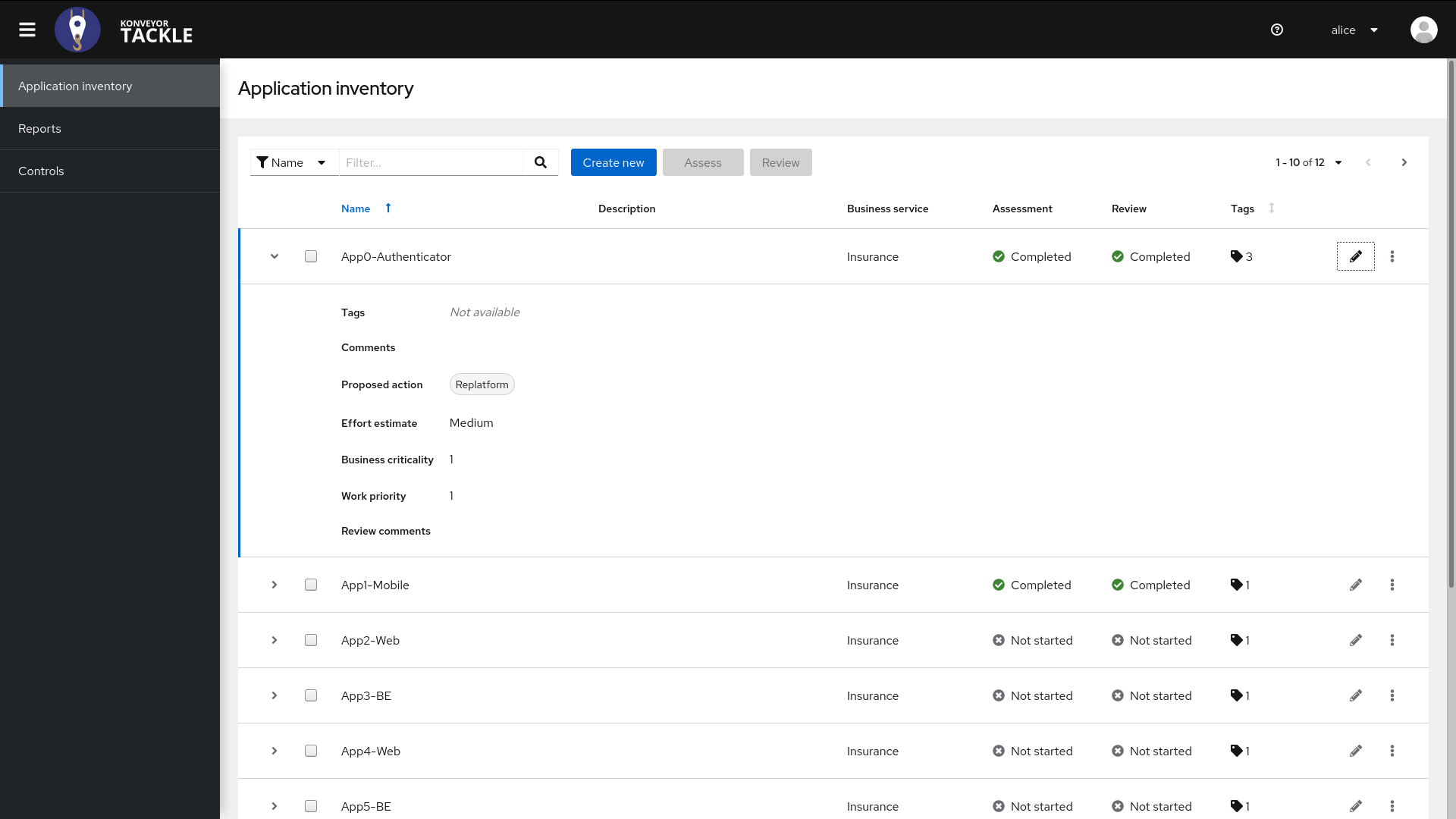
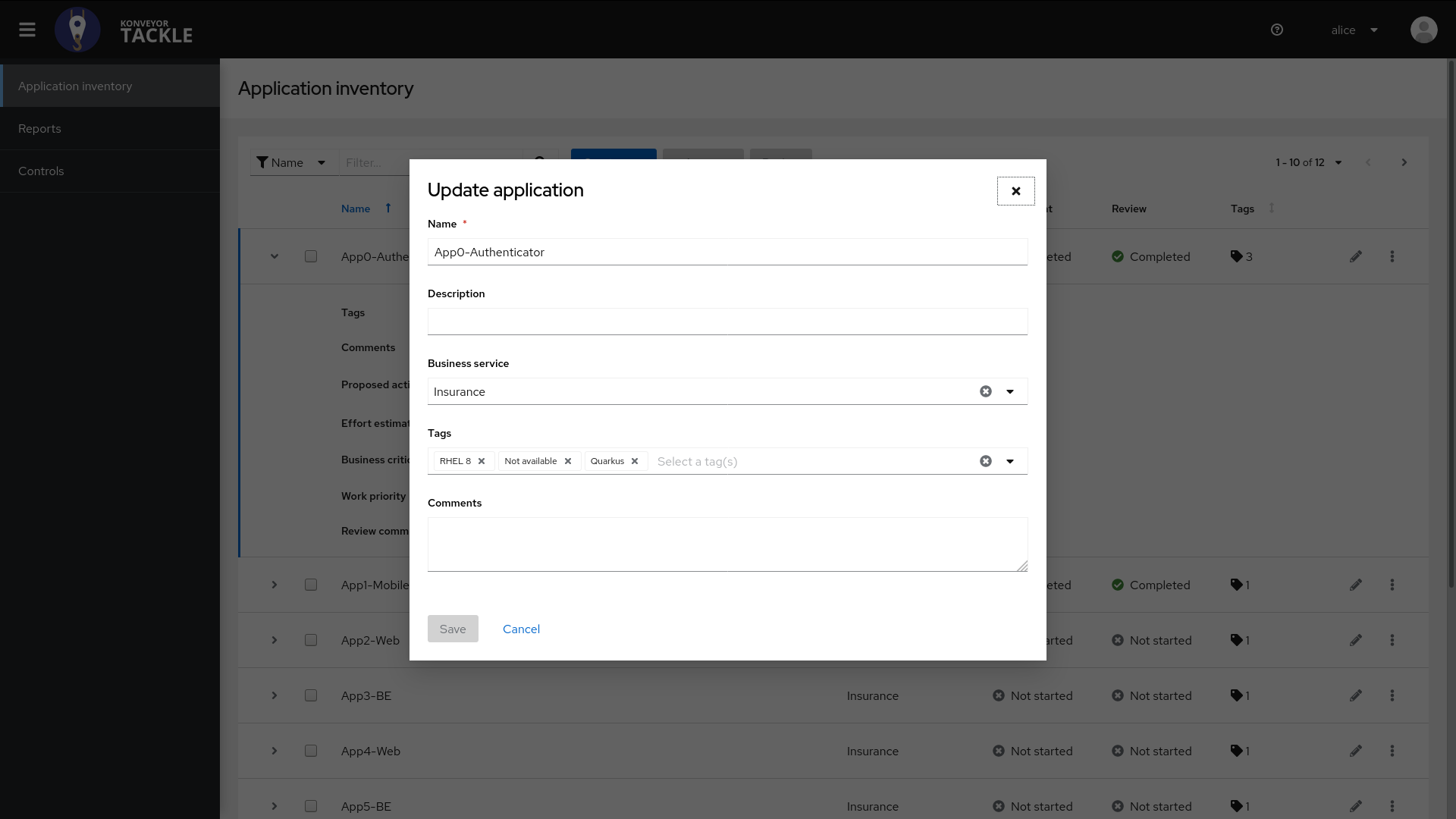
If a tag associated with an application is deleted , The application shows "Not available" as the name of the deleted tag and other tags are also removed from UI .
Steps
1) Create a tag type and a tag under it .
2)Create an application and tag it with three tags including the one created above.
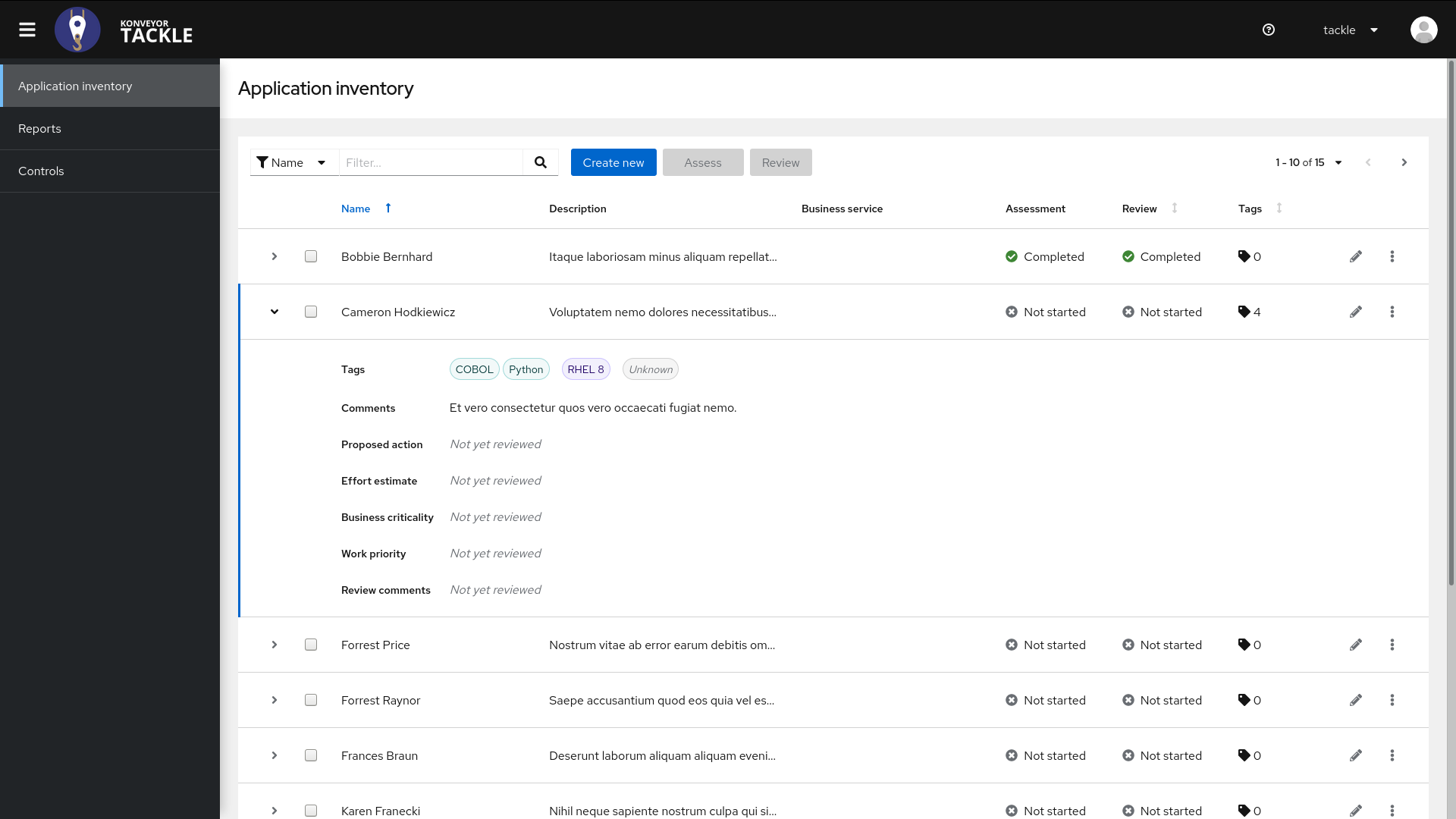
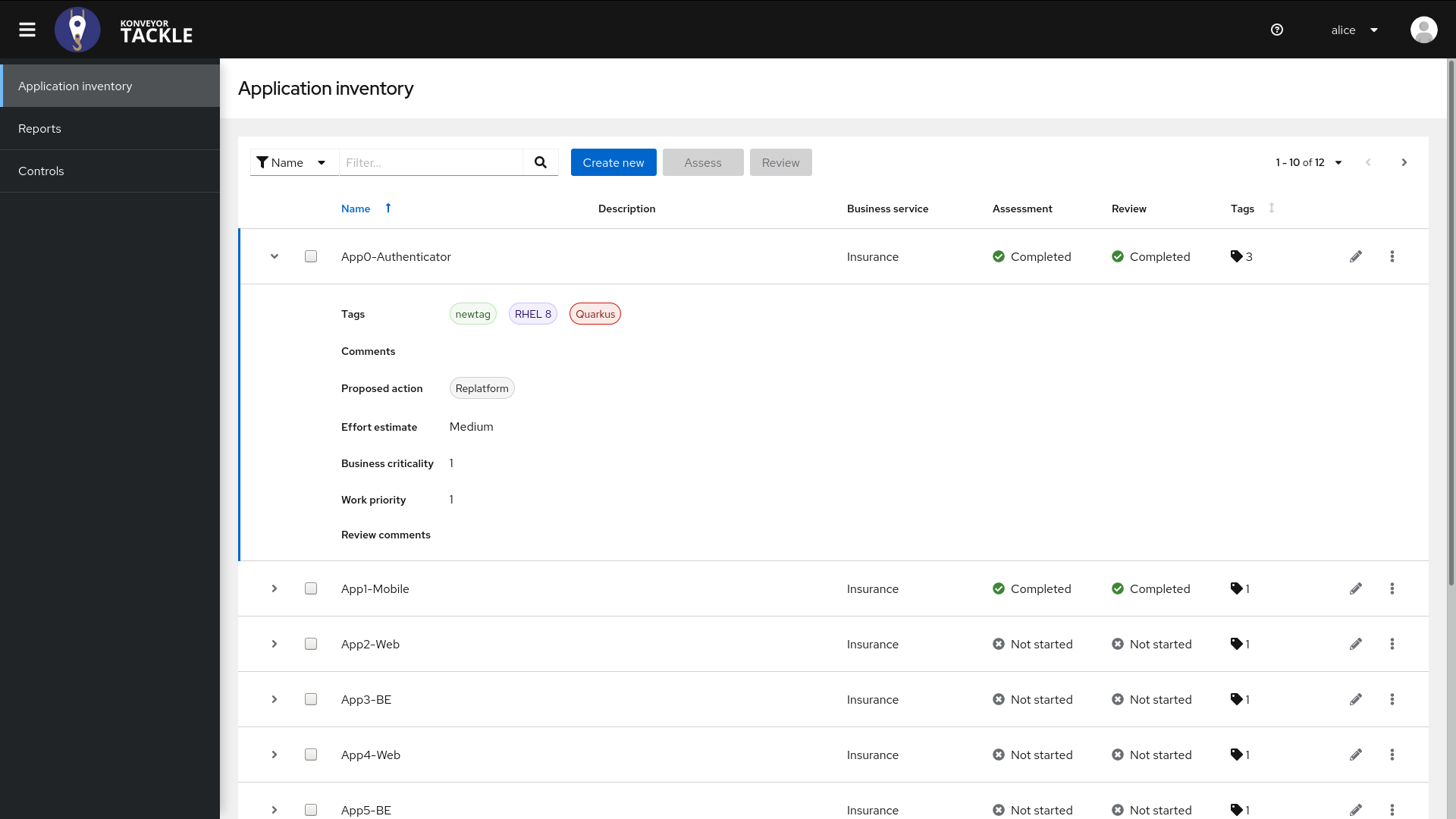
3) The UI for application shows all the three tags as in screenshot 1 .
4)Now delete the tag you created.
5) The UI does not show any tags for application .
6) Edit the application , "Not available" is shown under tags