-
Task
-
Resolution: Done
-
 Undefined
-
None
-
None
-
1
-
False
-
-
False
-
-
Task Description (Required)
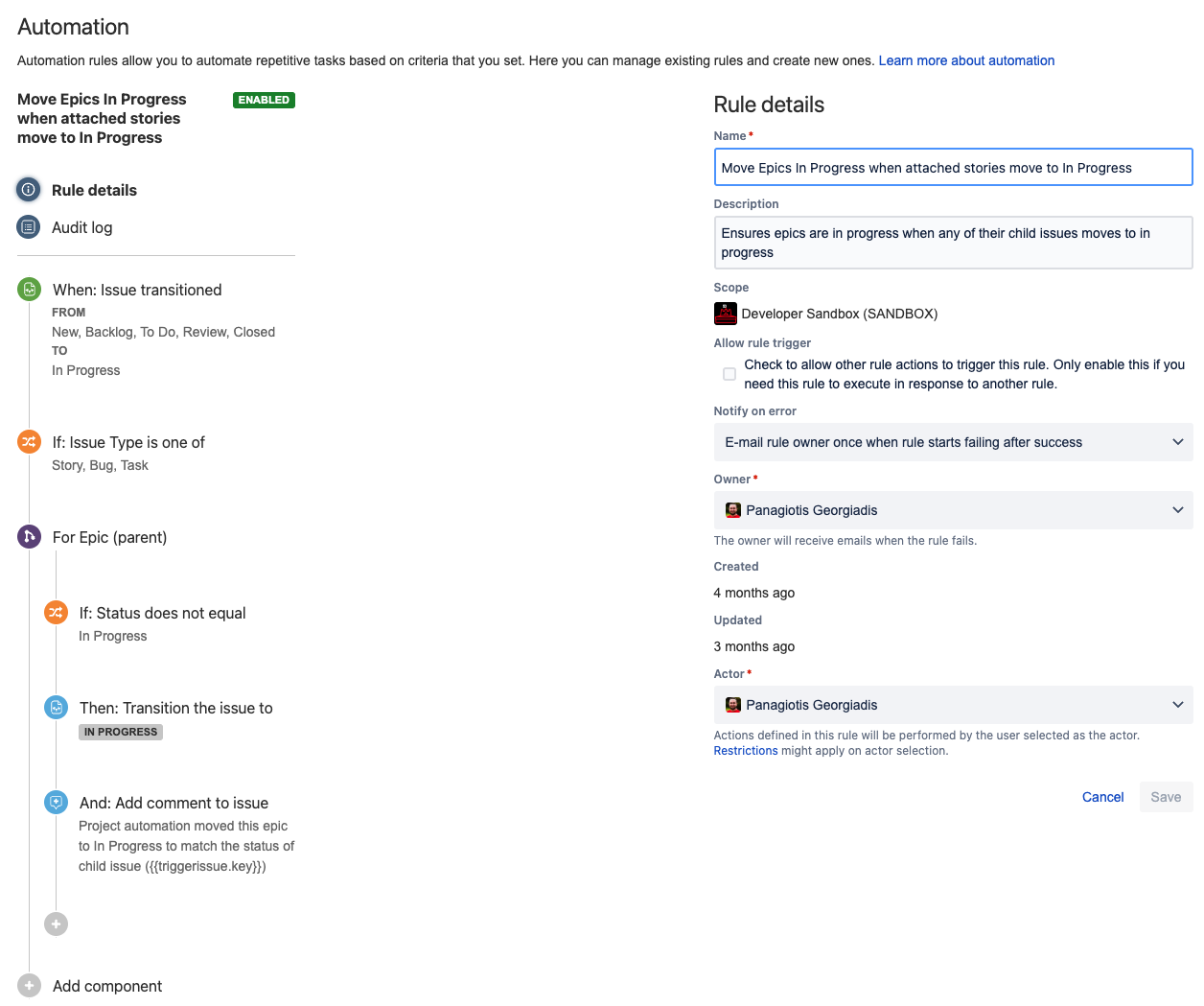
With Jira automation, you can set up a rule that would update epic status when their child issues change status, to try and keep things more accurate, without having to remember or spend the time to go update the epic. Having an epic show as New when issues are in progress or closed can be confusing.
johnmcollier expressed interest in considering this, adding some details here for one of the team Jira admins to implement, or mreid1@redhat.com is happy to go ahead and add it on your behalf.
You could also consider allowing automation to update an epic when all child issues are complete (moving it to Review or Closed, applying a label or comment for followup to see if it can be closed out, etc).
I'll attach a screenshot of an example rule used by a different team, since it's a little involved to explain step by step. You can get started by going to project settings, and clicking Automation - or follow this link.
If this requires Change Management, complete sections below:
Change Request
<Select which item is being changed>
[ ] Add New Tokens
[ ] Rotate Tokens
[ ] Remove Tokens
[ ] Others: (specify)
Environment
<Select which environment the change is being made on. If both, open a separate issue so changes are tracked in each environment>
[ ] Stage OR
[ ] Prod
Backout Plan
Disable the rule
Risk Level
<How risky is this change?>
Testing
<How are changes verified?>
Communication
<How are service owners or consumers notified of these changes?>