-
Bug
-
Resolution: Unresolved
-
 Undefined
-
None
-
rhel-9.7
-
None
-
Moderate
-
rhel-pt-pcp
-
None
-
QE ack
-
False
-
False
-
-
None
-
None
-
None
-
None
-
Unspecified
-
Unspecified
-
Unspecified
-
None
What were you trying to do that didn't work?
A customer was having an issue with displaying PCP metrics within Cockpit's System > Overview pane then Usage -> View metrics and history (http://<server>:9090/metrics).
It appears that as soon as some older metric file is corrupted, no metric will be displayed at all.
IMHO the broken metrics should be skipped and the rest displayed, instead of failing entirely.
What is the impact of this issue to you?
Can't view historical data
Please provide the package NVR for which the bug is seen:
cockpit-344-1.el9
pcp-6.3.7-5.el9 (QE note: reproducible also on rhel-10 with pcp-7.0.3-1.el10)
How reproducible is this bug?
Always
Steps to reproduce
- Check metrics from Cockpit (http://<server>:9090/metrics) to confirm history is seen
- Intentionally corrupt one of the pmlogger historical data file
# cp /var/log/pcp/pmlogger/vm-pmlogger9/20260108.07.41.0.xz /var/log/pcp/pmlogger/vm-pmlogger9/20260108.07.41.0.xz.orig
# truncate -s 2K /var/log/pcp/pmlogger/vm-pmlogger9/20260108.07.41.0.xz
Note above that the file that was intentionally corrupted is not latest file, but one from a previous boot.
- Check metrics in Cockpit again
Expected results
Recent/non-corrupted metrics displayed
Actual results
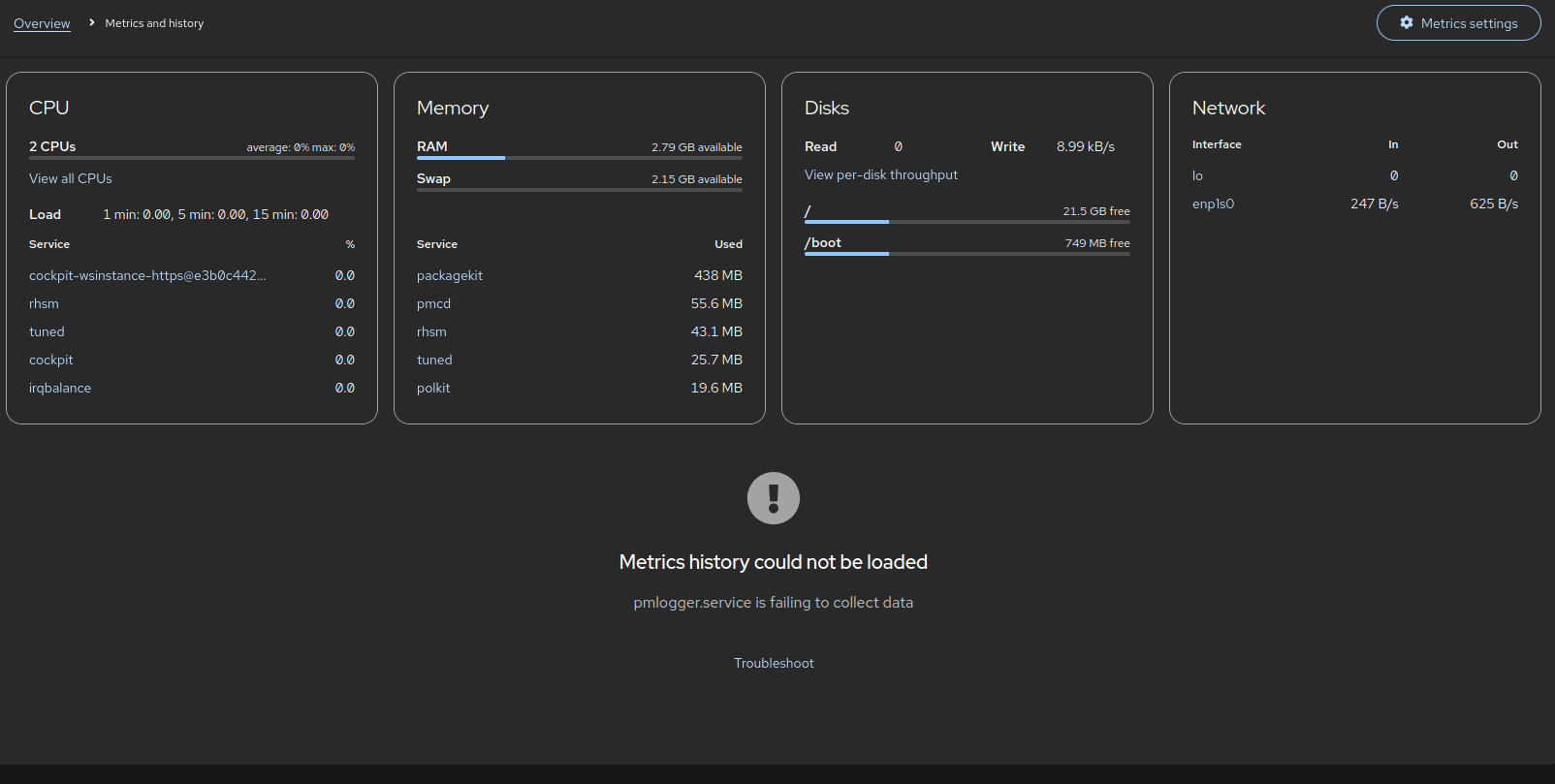
Nothing displayed but error below:
Metrics history could not be loaded
pmlogger.service is failing to collect data