-
Bug
-
Resolution: Unresolved
-
 Undefined
-
None
-
CentOS Stream 10, rhel-10.1
-
None
-
None
-
None
-
rhel-anaconda
-
None
-
False
-
False
-
-
None
-
None
-
None
-
None
-
Unspecified
-
Unspecified
-
Unspecified
-
None
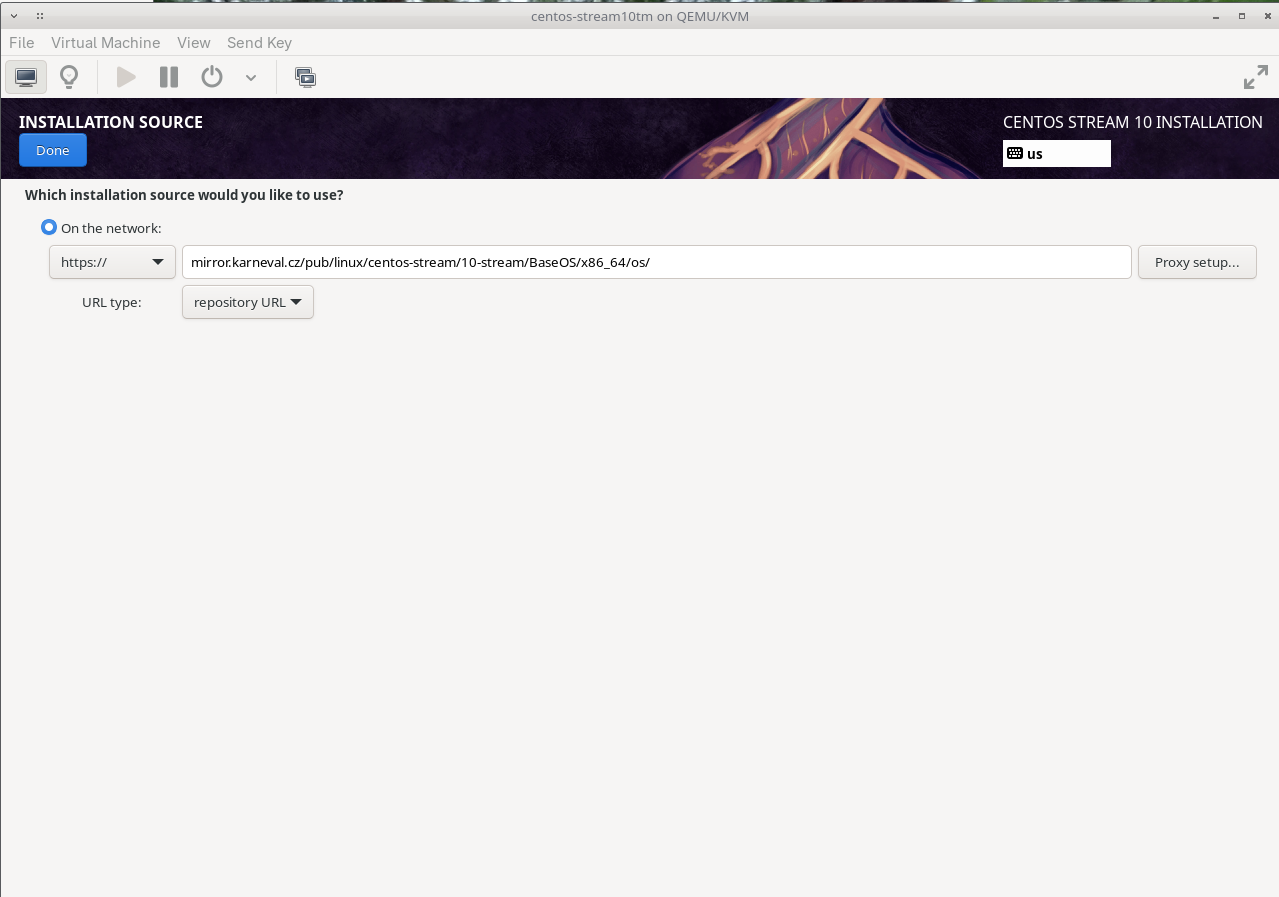
Installing RHEL 10 using default GUI does not allow to specify manually the AppStream repository. This leads to the situation that using default GUI for the RHEL installation leads to the state when only BaseOS repository can be used - which leads to actually invalid system installation as RHEL must consist from content of BaseOS & AppStream repositories.
Note that there is a workaround in case of RHEL (when using the default GUI), to subscribe the system, which automatically bring also AppStream repository content to the installation. However, this can be used only in case of RHEL. In case of CentoS Stream 10 it's broken and the default GUI for the installer cannot be used (unless I miss information that AppStream repository is not longer required).
The system can be still correctly installed if the default GUI is not used (e.g. using kickstart, etc.). But as we speak about default way of the system installation, it's honestly unfortunate situation from my POV.
Attached the screenshot from the CS 10 installation. Same can be observer when installing RHEL 10.1.
Update: Verified with afedorov@redhat.com, when installing CS from network, defining BaseOS repository is usually enough - as the .treeinfo file contains information where the AppStream repository is located and so it's loaded automatically as well. RHEL repositories in internal composes have however different .treeinfo files, which do not contain info about AppStream repos.