-
Bug
-
Resolution: Unresolved
-
 Normal
-
None
-
rhel-10.2
-
None
-
None
-
None
-
1
-
rhel-virt-tools
-
None
-
False
-
False
-
-
None
-
Virt-tools in planning
-
None
-
Manual
-
Unspecified
-
Unspecified
-
Unspecified
-
-
x86_64
-
None
Description of problem:
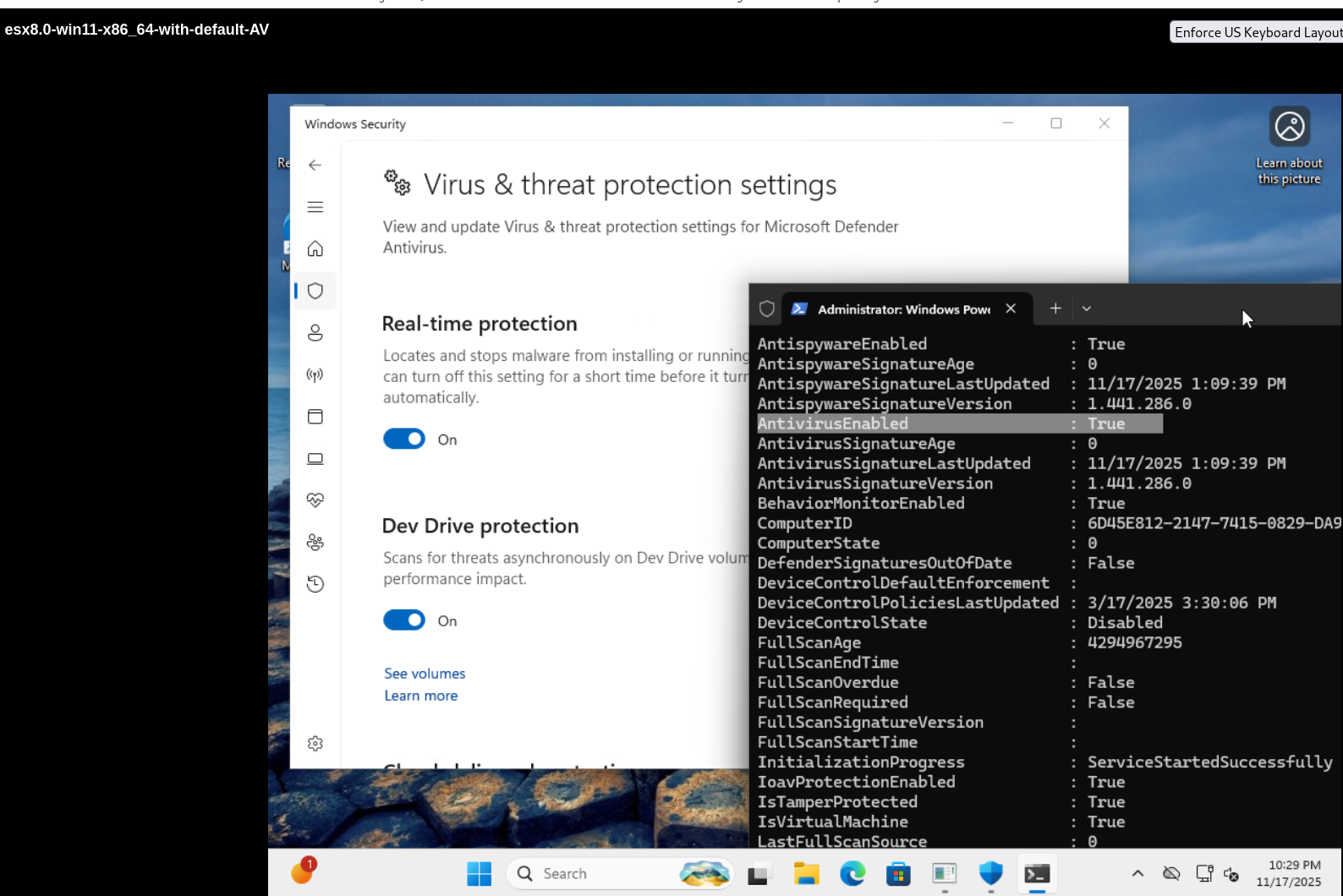
There is no element <windows_antivirus/> when using virt-v2v-inspector to detect a windows guest with default installed antivirus
Version-Release number of selected component (if applicable):
virt-v2v-2.9.10-1.el10.x86_64
libguestfs-1.57.6-2.el10.x86_64
guestfs-tools-1.54.0-7.el10.x86_64
How reproducible:
100%
Steps:
1. Prepare a win11 guest with default installed antivirus and using virt-v2v-insecptor to check the guest
#  virt-v2v-inspector -ic vpx://non-admin%40vsphere.local@10.73.213.134/data/cluster/10.73.212.36/?no_verify=1  -it vddk -io vddk-libdir=/home/vddk9.0.0  -io vddk-thumbprint=C3:83:1D:C0:6D:4C:47:83:5A:B9:6E:0E:FA:5A:15:22:B4:75:D5:7E -ip /home/passwd esx8.0-win11-x86_64-with-default-AV
.....
.....
  <operatingsystem>
    <name>windows</name>
    <distro>windows</distro>
    <osinfo>win11</osinfo>
    <arch>x86_64</arch>
    <major_version>10</major_version>
    <minor_version>0</minor_version>
    <package_format>unknown</package_format>
    <package_management>unknown</package_management>
    <product_name>Windows 10 Enterprise</product_name>
    <product_variant>Client</product_variant>
    <windows_systemroot>/Windows</windows_systemroot>
    <windows_software_hive>/Windows/System32/config/SOFTWARE</windows_software_hive>
    <windows_system_hive>/Windows/System32/config/SYSTEM</windows_system_hive>
    <windows_current_control_set>ControlSet001</windows_current_control_set>
    <root>/dev/sda3</root>
    <mountpoints>
      <mountpoint dev='/dev/sda3'>/</mountpoint>
    </mountpoints>
  </operatingsystem>
</v2v-inspection>
[  84.0] Finishing off
Actual result:
As above description
Expect result:
Fix the bug
Additional info
1.There is element <windows_antivirus/> when using virt-v2v-inspector to detect a windows guest with third-partry antivirus
#  virt-v2v-inspector -ic vpx://non-admin%40vsphere.local@10.73.213.134/data/cluster/10.73.212.36/?no_verify=1  -it vddk -io vddk-libdir=/home/vddk9.0.0  -io vddk-thumbprint=C3:83:1D:C0:6D:4C:47:83:5A:B9:6E:0E:FA:5A:15:22:B4:75:D5:7E -ip /home/passwd esx8.0-win11-efi-with-third-party-AV
[   0.0] Setting up the source: -i libvirt -ic vpx://non-admin%40vsphere.local@10.73.213.134/data/cluster/10.73.212.36/?no_verify=1 -it vddk esx8.0-win11-efi-with-third-party-AV
[   1.6] Opening the source
[  39.3] Checking filesystem integrity before conversion
[  39.6] Detecting if this guest uses BIOS or UEFI to boot
[  39.9] Inspecting the source
[  46.1] Detecting the boot device
[  46.1] Checking for sufficient free disk space in the guest
[  46.1] Converting Windows 10 Enterprise (win11) to run on KVM** (process:99113): WARNING **: 09:18:12.287: Entity http://pcisig.com/pci/1af4/1012 referenced but not defined
virt-v2v-inspector: warning: this guest has Anti-Virus (AV) software and a
new virtio block device driver was installed.  In some circumstances, AV
may prevent new drivers from working (resulting in a 7B boot error).  If
this happens, try disabling AV before doing the conversion.
virt-v2v-inspector: This guest has virtio drivers installed.
.......
.......
    <windows_antivirus/>
    <root>/dev/sda3</root>
    <mountpoints>
      <mountpoint dev='/dev/sda3'>/</mountpoint>
    </mountpoints>
  </operatingsystem>
</v2v-inspection>
[  80.2] Finishing off