-
Bug
-
Resolution: Unresolved
-
 Undefined
-
None
-
rhel-10.1
-
None
-
None
-
None
-
1
-
rhel-virt-tools
-
None
-
False
-
False
-
-
None
-
Virt-tools Blocked
-
None
-
None
-
Unspecified
-
Unspecified
-
Unspecified
-
-
x86_64
-
None
Description of problem:
Windows guests sometimes fails to automatically restart to complete all scripts of firstboot after v2v conversion on rhel10.1
Version-Release number of selected component (if applicable):
virt-v2v-2.8.1-12.el10_1.x86_64
libguestfs-1.56.1-3.el10.x86_64
guestfs-tools-1.54.0-3.el10.x86_64
nbdkit-1.44.1-2.el10.x86_64
libnbd-1.22.2-2.el10.x86_64
kernel-6.12.0-124.7.1.el10_1.x86_64
virtio-win-1.9.49-0.el10_1.noarch
libvirt-libs-11.5.0-4.1.el10_1.x86_64
qemu-img-10.0.0-14.el10_1.1.x86_64
How reproducible:
10%
Steps:
1. Convert some win2016 guests from VMware to local by virt-v2v
# virt-v2v -ic vpx://non-admin%40vsphere.local@10.73.213.134/data/cluster/10.73.212.36/?no_verify=1  -it vddk -io vddk-libdir=/home/vddk9.0.0  -io vddk-thumbprint=C3:83:1D:C0:6D:4C:47:83:5A:B9:6E:0E:FA:5A:15:22:B4:75:D5:7E -ip /home/passwd esx8.0-win2016-bug-RHEL-124569-with-name-TEMP -o local -os /home
#  virt-v2v -ic vpx://non-admin%40vsphere.local@10.73.213.134/data/cluster/10.73.212.36/?no_verify=1  -it vddk -io vddk-libdir=/home/vddk9.0.0  -io vddk-thumbprint=C3:83:1D:C0:6D:4C:47:83:5A:B9:6E:0E:FA:5A:15:22:B4:75:D5:7E -ip /home/passwd esx8.0-win2016-bug-RHEL-124569-with-name-temp -o local -os /home
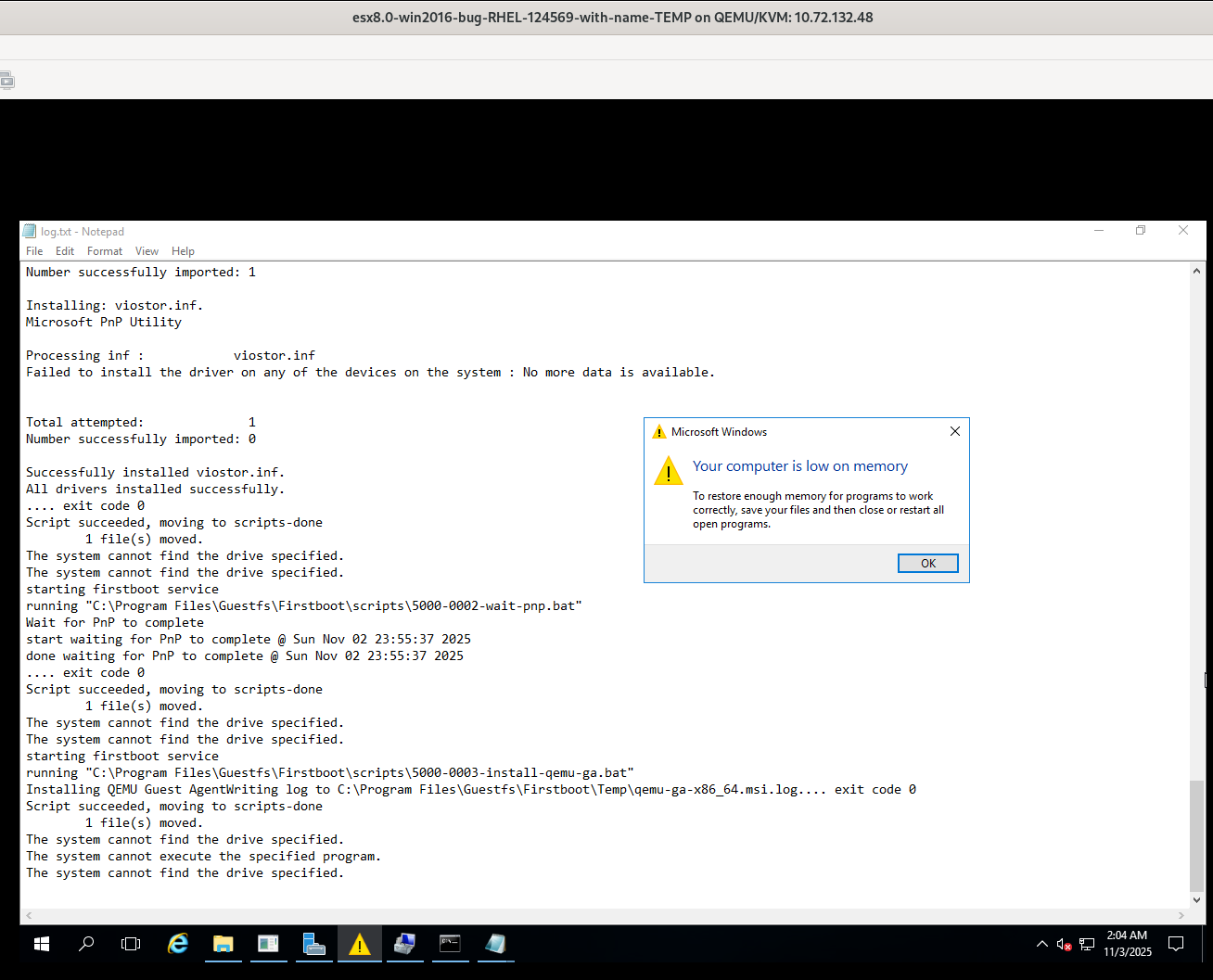
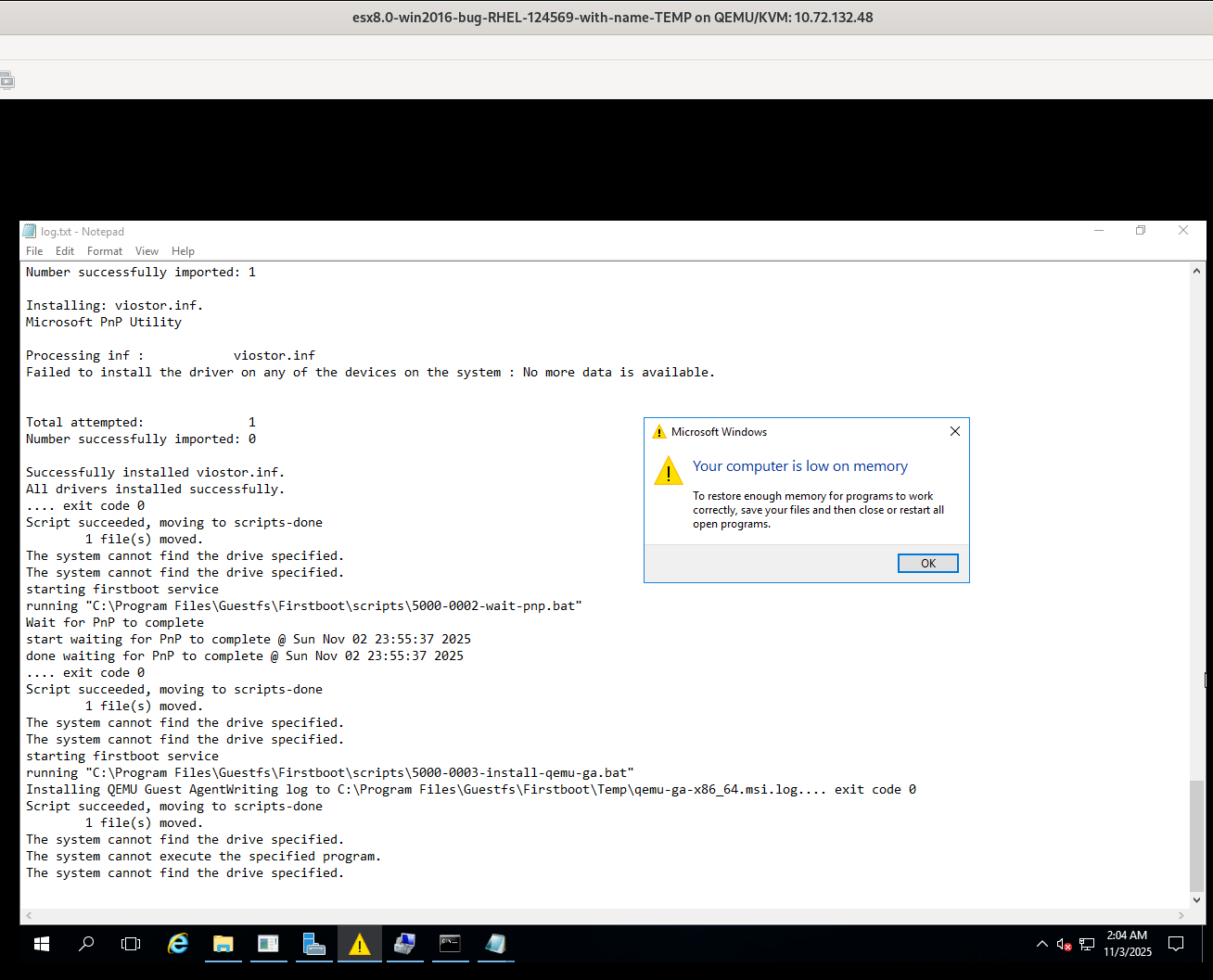
2.Check the guests after v2v conversion, found some scripts of firstboot aren't executed successfully in guest 'esx8.0-win2016-bug-RHEL-124569-with-name-TEMP'
3.Reconvert the guest 'esx8.0-win2016-bug-RHEL-124569-with-name-TEMP' two times, the scripts of firstboot can executed successfully in these two guests
# virt-v2v -ic vpx://non-admin%40vsphere.local@10.73.213.134/data/cluster/10.73.212.36/?no_verify=1  -it vddk -io vddk-libdir=/home/vddk9.0.0  -io vddk-thumbprint=C3:83:1D:C0:6D:4C:47:83:5A:B9:6E:0E:FA:5A:15:22:B4:75:D5:7E -ip /home/passwd esx8.0-win2016-bug-RHEL-124569-with-name-TEMP -on esx8.0-win2016-bug-RHEL-124569-with-name-TEMP-retry -o local -os /home
# virt-v2v -ic vpx://non-admin%40vsphere.local@10.73.213.134/data/cluster/10.73.212.36/?no_verify=1  -it vddk -io vddk-libdir=/home/vddk9.0.0  -io vddk-thumbprint=C3:83:1D:C0:6D:4C:47:83:5A:B9:6E:0E:FA:5A:15:22:B4:75:D5:7E -ip /home/passwd esx8.0-win2016-bug-RHEL-124569-with-name-TEMP -on esx8.0-win2016-bug-RHEL-124569-with-name-TEMP-retry1 -o local -os /home

Actual result:
As above description
Expect result:
Fix the bug
Additional info
These Windows 2016 guests all show 'low on memory' and it's unclear whether insufficient memory is the root cause of this bug. Although most guest couldn't reproduce the bug.