-
Bug
-
Resolution: Won't Do
-
 Undefined
-
None
-
rhel-10.1
-
No
-
None
-
rhel-virt-tools
-
None
-
False
-
False
-
-
None
-
None
-
None
-
None
-
Unspecified
-
Unspecified
-
Unspecified
-
-
x86_64
-
None
Description of problem:
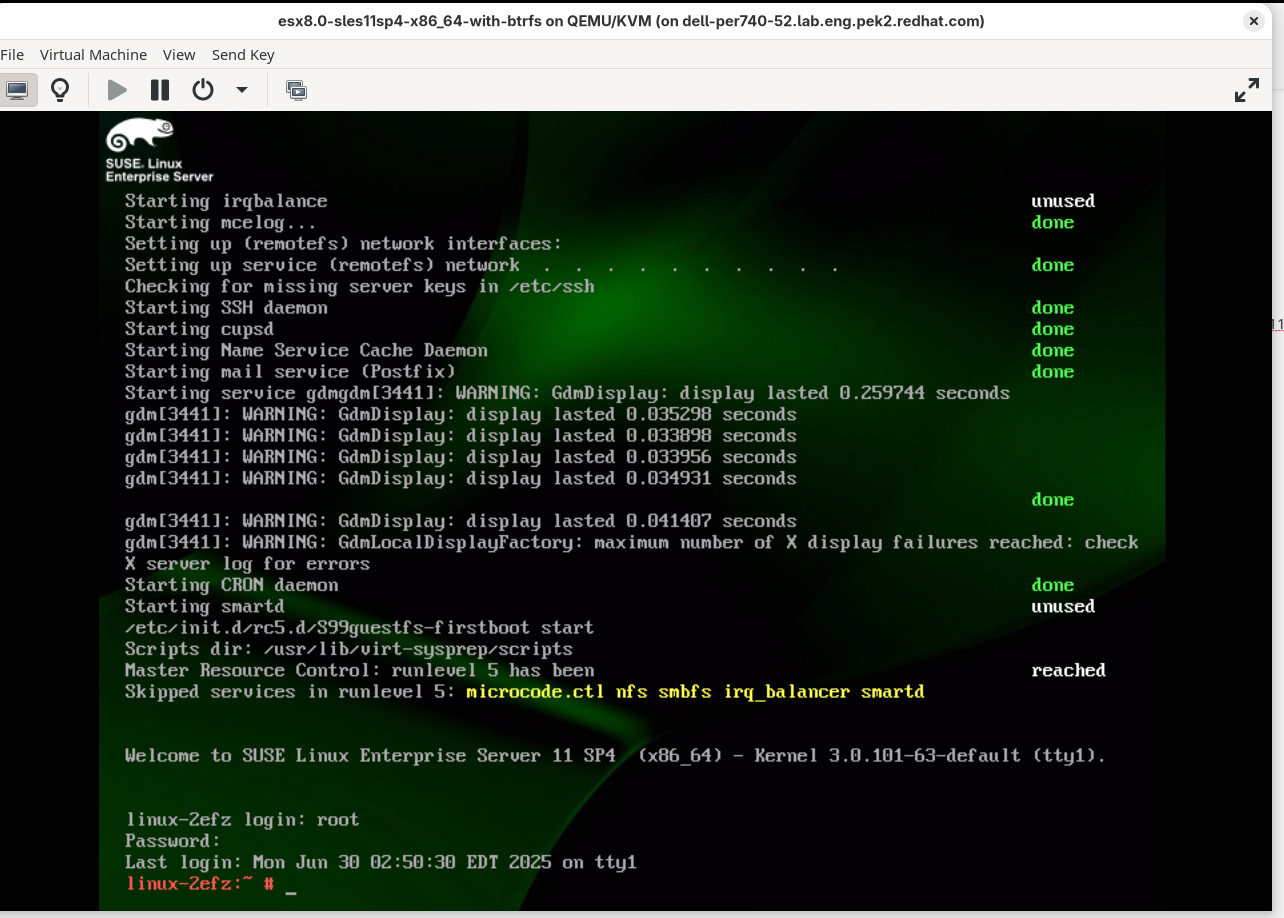
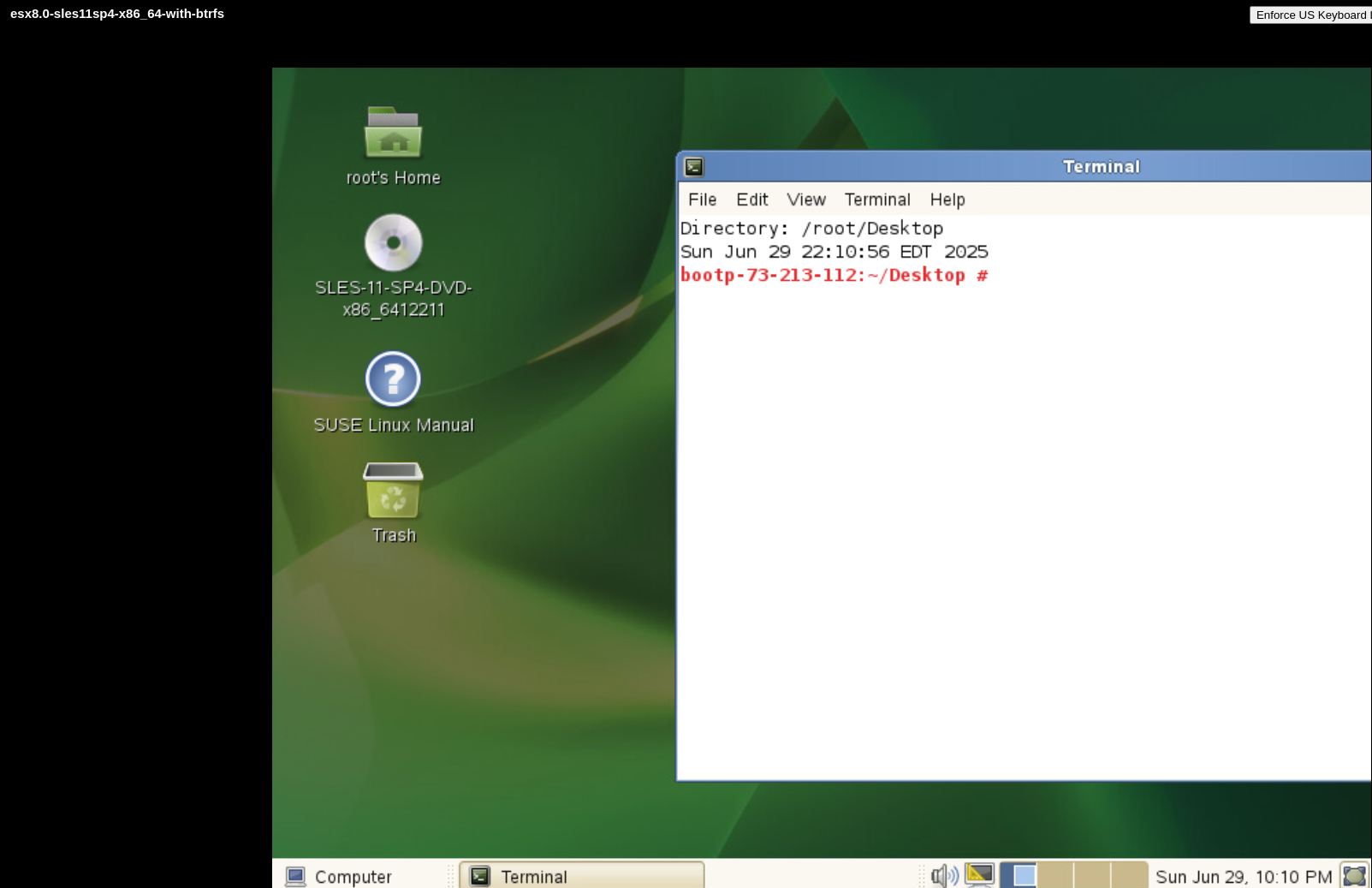
The graphic mode of sles11sp4 guest with btrfs has been changed after v2v conversion
Version-Release number of selected component (if applicable):
virt-v2v-2.8.1-1.el10.x86_64
libguestfs-fssupport-10.1-3.el10.x86_64
libguestfs-1.56.0-1.el10.1.x86_64
guestfs-tools-1.54.0-2.el10.x86_64
nbdkit-1.42.5-1.el10.x86_64
libnbd-1.22.2-1.el10.x86_64
libvirt-libs-11.4.0-1.el10.x86_64
qemu-img-10.0.0-6.el10.x86_64
How reproducible:
100%
Steps:
1. Prepare a sles11sp4 guest with btrfs on VMware and the guest has GUI at this time
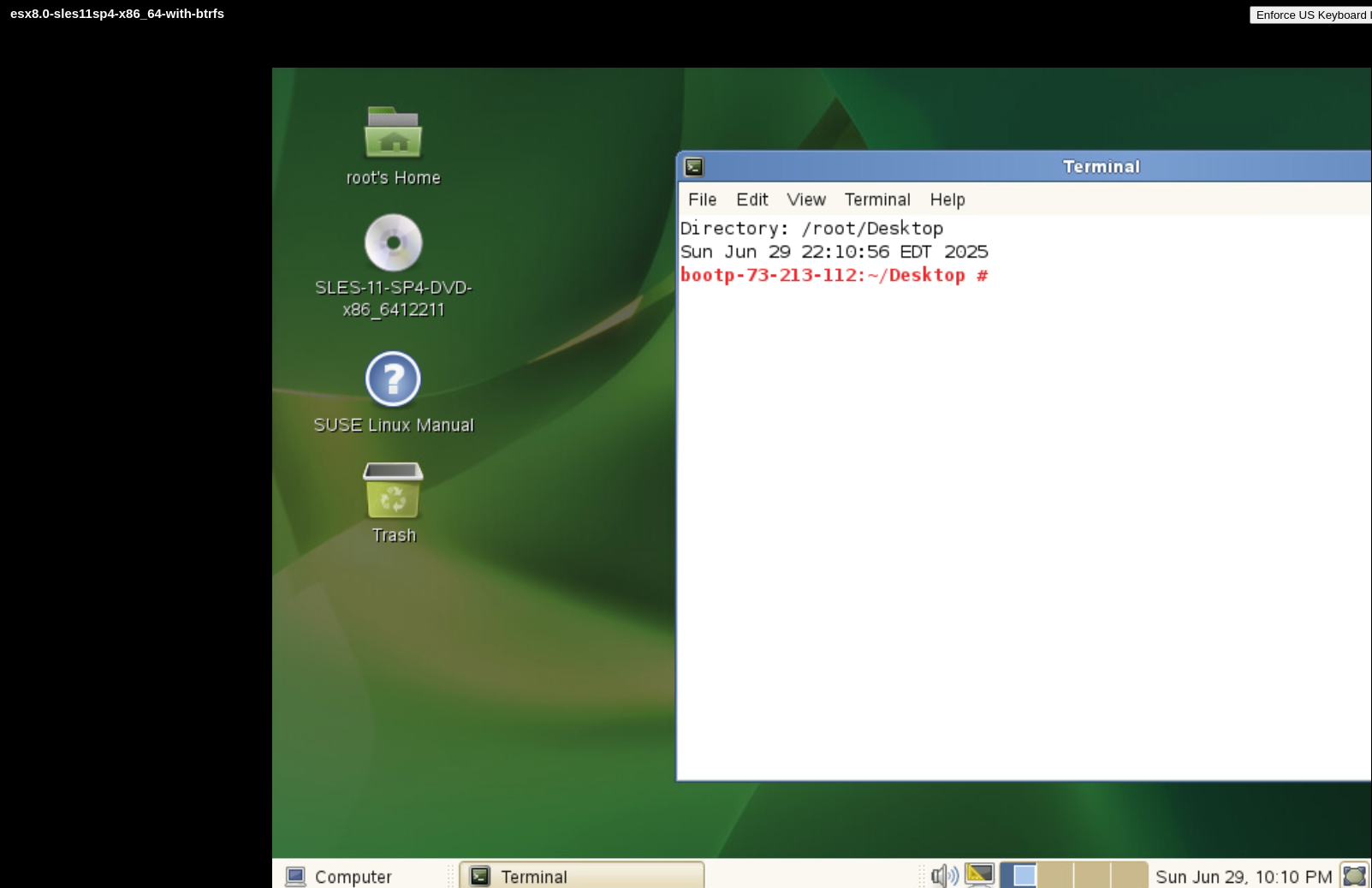
# cat /etc/SuSE-release
SUSE Linux Enterprise Server 11 (x86_64)
VERSION = 11
PATCHLEVEL = 4
# cat /etc/fstab
/dev/sda2            swap                 swap       defaults              0 0
UUID=f59a1225-a652-4bd2-bd51-41189fb13500 /                    btrfs      defaults              0 0
/dev/sda1            /boot                ext3       acl,user_xattr        1 2
proc                 /proc                proc       defaults              0 0
sysfs                /sys                 sysfs      noauto                0 0
debugfs              /sys/kernel/debug    debugfs    noauto                0 0
devpts               /dev/pts             devpts     mode=0620,gid=5       0 0
# lspci
00:00.0 Host bridge: Intel Corporation 440BX/ZX/DX - 82443BX/ZX/DX Host bridge (rev 01)
00:01.0 PCI bridge: Intel Corporation 440BX/ZX/DX - 82443BX/ZX/DX AGP bridge (rev 01)
00:07.0 ISA bridge: Intel Corporation 82371AB/EB/MB PIIX4 ISA (rev 08)
00:07.1 IDE interface: Intel Corporation 82371AB/EB/MB PIIX4 IDE (rev 01)
00:07.3 Bridge: Intel Corporation 82371AB/EB/MB PIIX4 ACPI (rev 08)
00:07.7 System peripheral: VMware Virtual Machine Communication Interface (rev 10)
00:0f.0 VGA compatible controller: VMware SVGA II Adapter
00:11.0 PCI bridge: VMware PCI bridge (rev 02)
00:15.0 PCI bridge: VMware PCI Express Root Port (rev 01)
00:15.1 PCI bridge: VMware PCI Express Root Port (rev 01)
00:15.2 PCI bridge: VMware PCI Express Root Port (rev 01)
00:15.3 PCI bridge: VMware PCI Express Root Port (rev 01)
00:15.4 PCI bridge: VMware PCI Express Root Port (rev 01)
00:15.5 PCI bridge: VMware PCI Express Root Port (rev 01)
00:15.6 PCI bridge: VMware PCI Express Root Port (rev 01)
00:15.7 PCI bridge: VMware PCI Express Root Port (rev 01)
00:16.0 PCI bridge: VMware PCI Express Root Port (rev 01)
00:16.1 PCI bridge: VMware PCI Express Root Port (rev 01)
00:16.2 PCI bridge: VMware PCI Express Root Port (rev 01)
00:16.3 PCI bridge: VMware PCI Express Root Port (rev 01)
00:16.4 PCI bridge: VMware PCI Express Root Port (rev 01)
00:16.5 PCI bridge: VMware PCI Express Root Port (rev 01)
00:16.6 PCI bridge: VMware PCI Express Root Port (rev 01)
00:16.7 PCI bridge: VMware PCI Express Root Port (rev 01)
00:17.0 PCI bridge: VMware PCI Express Root Port (rev 01)
00:17.1 PCI bridge: VMware PCI Express Root Port (rev 01)
00:17.2 PCI bridge: VMware PCI Express Root Port (rev 01)
00:17.3 PCI bridge: VMware PCI Express Root Port (rev 01)
00:17.4 PCI bridge: VMware PCI Express Root Port (rev 01)
00:17.5 PCI bridge: VMware PCI Express Root Port (rev 01)
00:17.6 PCI bridge: VMware PCI Express Root Port (rev 01)
00:17.7 PCI bridge: VMware PCI Express Root Port (rev 01)
00:18.0 PCI bridge: VMware PCI Express Root Port (rev 01)
00:18.1 PCI bridge: VMware PCI Express Root Port (rev 01)
00:18.2 PCI bridge: VMware PCI Express Root Port (rev 01)
00:18.3 PCI bridge: VMware PCI Express Root Port (rev 01)
00:18.4 PCI bridge: VMware PCI Express Root Port (rev 01)
00:18.5 PCI bridge: VMware PCI Express Root Port (rev 01)
00:18.6 PCI bridge: VMware PCI Express Root Port (rev 01)
00:18.7 PCI bridge: VMware PCI Express Root Port (rev 01)
02:00.0 SATA controller: VMware SATA AHCI controller
03:00.0 Serial Attached SCSI controller: VMware PVSCSI SCSI Controller (rev 02)
0b:00.0 Ethernet controller: VMware VMXNET3 Ethernet Controller (rev 01)
2. Convert the guest from VMware by virt-v2v
#  virt-v2v -ic vpx://non-admin%40vsphere.local@10.73.212.129/data/10.73.212.36/?no_verify=1  -it vddk -io vddk-libdir=/home/vddk9.0.0  -io vddk-thumbprint=CB:9F:B1:9D:33:49:6C:60:AD:3C:A5:16:77:91:5F:CD:1B:24:B1:43 -ip /home/passwd esx8.0-sles11sp4-x86_64-with-btrfs
[   0.1] Setting up the source: -i libvirt -ic vpx://non-admin%40vsphere.local@10.73.212.129/data/10.73.212.36/?no_verify=1 -it vddk esx8.0-sles11sp4-x86_64-with-btrfs
[   2.0] Opening the source
[  21.9] Checking filesystem integrity before conversion
[ 120.5] Detecting if this guest uses BIOS or UEFI to boot
[ 120.9] Inspecting the source
[ 124.4] Checking for sufficient free disk space in the guest
[ 124.4] Converting SUSE Linux Enterprise Server 11 SP4 (sles11sp4) to run on KVM
virt-v2v: The QEMU Guest Agent will be installed for this guest at first
boot.
virt-v2v: This guest has virtio drivers installed.
[ 160.6] Setting a random seed
[ 160.7] SELinux relabelling
[ 161.0] Mapping filesystem data to avoid copying unused and blank areas
[ 164.5] Checking filesystem integrity after conversion
[ 168.6] Closing the overlay
[ 169.0] Assigning disks to buses
[ 169.0] Checking if the guest needs BIOS or UEFI to boot
[ 169.0] Setting up the destination: -o libvirt
[ 170.6] Copying disk 1/1
█ 100% [****************************************]
[ 235.0] Creating output metadata
[ 235.3] Finishing off
3. Check the guest after v2v conversion, found the guest enters into minimal mode
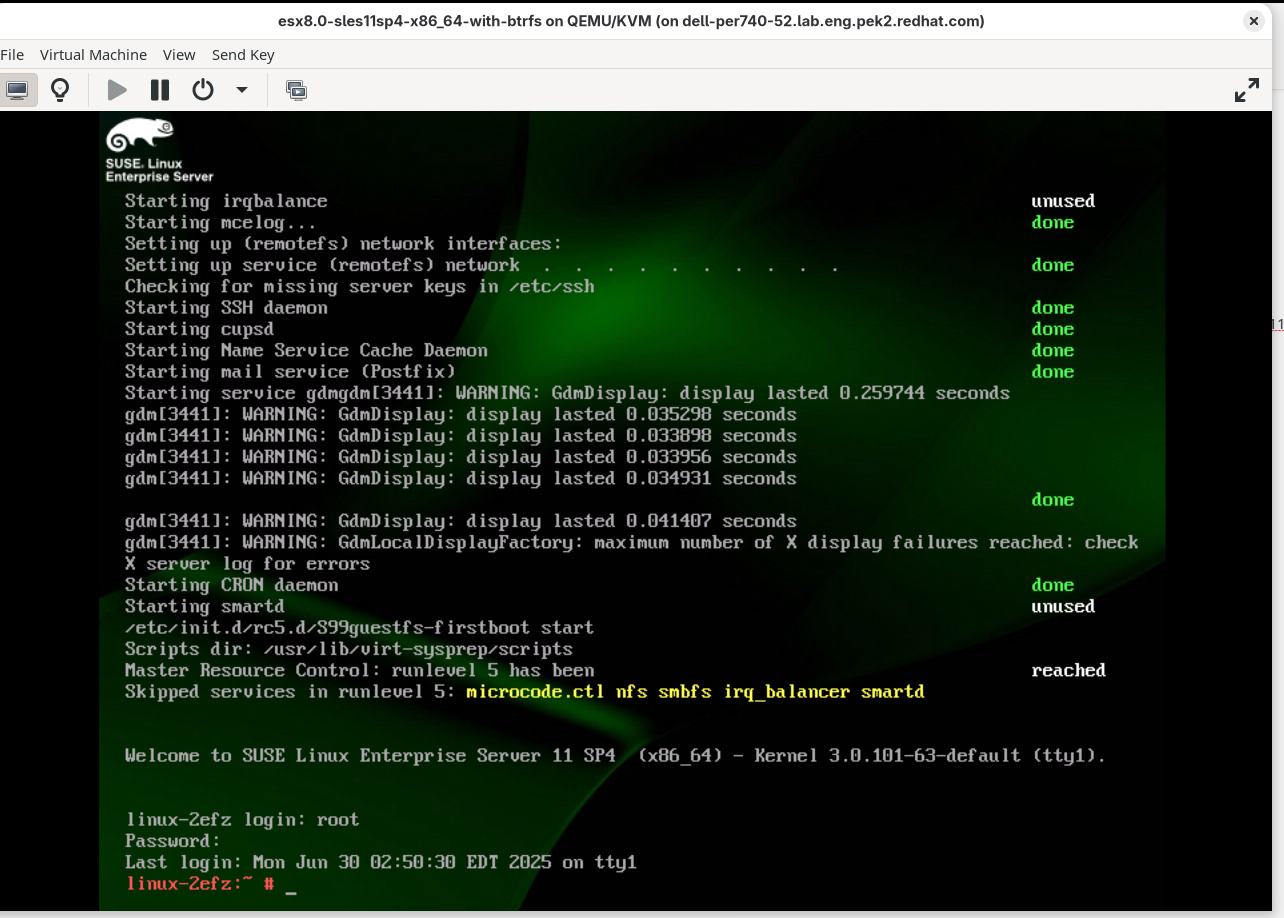
# lspci
00:00.0 Host bridge: Intel Corporation 440FX - 82441FX PMC [Natoma] (rev 02)
00:01.0 ISA bridge: Intel Corporation 82371SB PIIX3 ISA [Natoma/Triton II]
00:01.1 IDE interface: Intel Corporation 82371SB PIIX3 IDE [Natoma/Triton II]
00:01.2 USB controller: Intel Corporation 82371SB PIIX3 USB [Natoma/Triton II] (rev 01)
00:01.3 Bridge: Intel Corporation 82371AB/EB/MB PIIX4 ACPI (rev 03)
00:02.0 VGA compatible controller: Device 1234:1111 (rev 02)
00:03.0 Ethernet controller: Red Hat, Inc Virtio network device
00:04.0 Communication controller: Red Hat, Inc Virtio console
00:05.0 SCSI storage controller: Red Hat, Inc Virtio SCSI
00:06.0 SCSI storage controller: Red Hat, Inc Virtio block device
00:07.0 Unclassified device [00ff]: Red Hat, Inc Virtio memory balloon
00:08.0 Unclassified device [00ff]: Red Hat, Inc Virtio RNG
Actual result:
As above description
Expect result:
Fix the bug
Additional info