-
Bug
-
Resolution: Unresolved
-
 Major
Major
-
None
-
1.9.0
-
AI, Lightspeed, UI
-
None
-
False
-
-
False
-
-
Description of problem:
I have switched my llama-stack on a test Rolling Demo instance to use my personal OpenAI org.
I have experienced two issues:
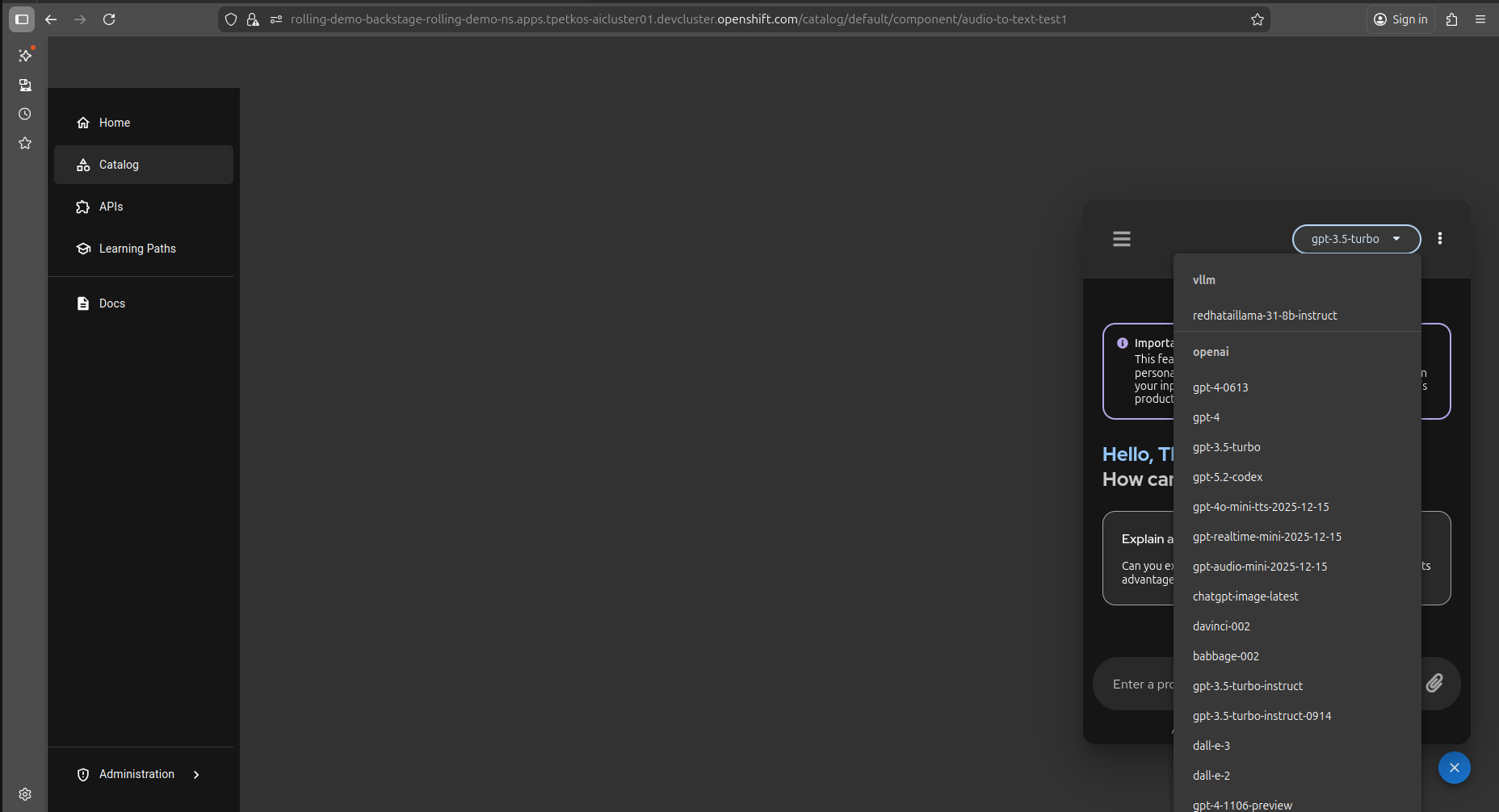
- I'm not able to scroll down to the list of models and pick something that's in the bottom.
- If I do that with the keyboard arrows the UI breaks completely.
Prerequisites (if any, like setup, operators/versions):
Steps to Reproduce
- Make sure you have connected your llama-stack with a fair amount of models. Switiching it to your personal OpenAI account will do the trick.
- Go to lightspeed chat (overlay mode)
- Try to scroll down to the list of models
- Try to navigate down with your keyboard's arrows
Actual results:
- User not able to scroll down and see the full list of models
- UI breaks when user tries to use the arrows from keyboard
Expected results:
*** User should be able to select a model without an issue
Reproducibility (Always/Intermittent/Only Once):
Build Details:
I have only used firefox so I'm not sure if that plays any role. I'm on RHDH 1.9 using the latest lightspeed plugins