-
Bug
-
Resolution: Unresolved
-
 Undefined
-
None
-
1.8.2
-
None
-
False
-
-
False
-
-
Description of problem:
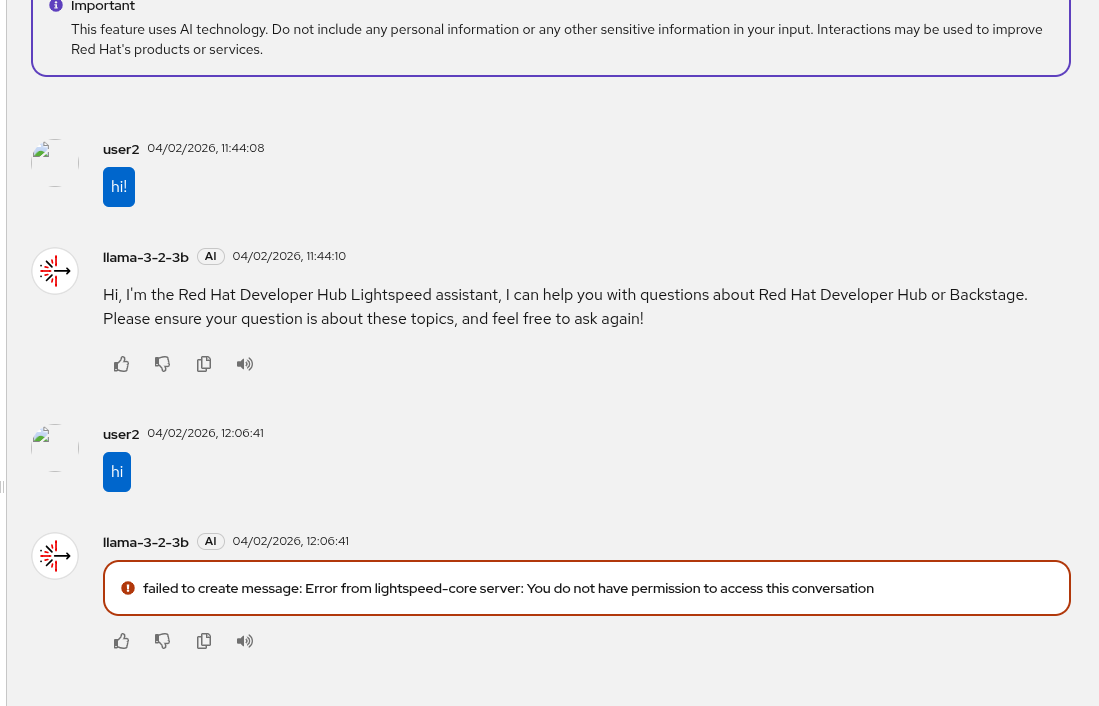
The following error appears if the user wants to reuse a previous chat in Lightspeed:
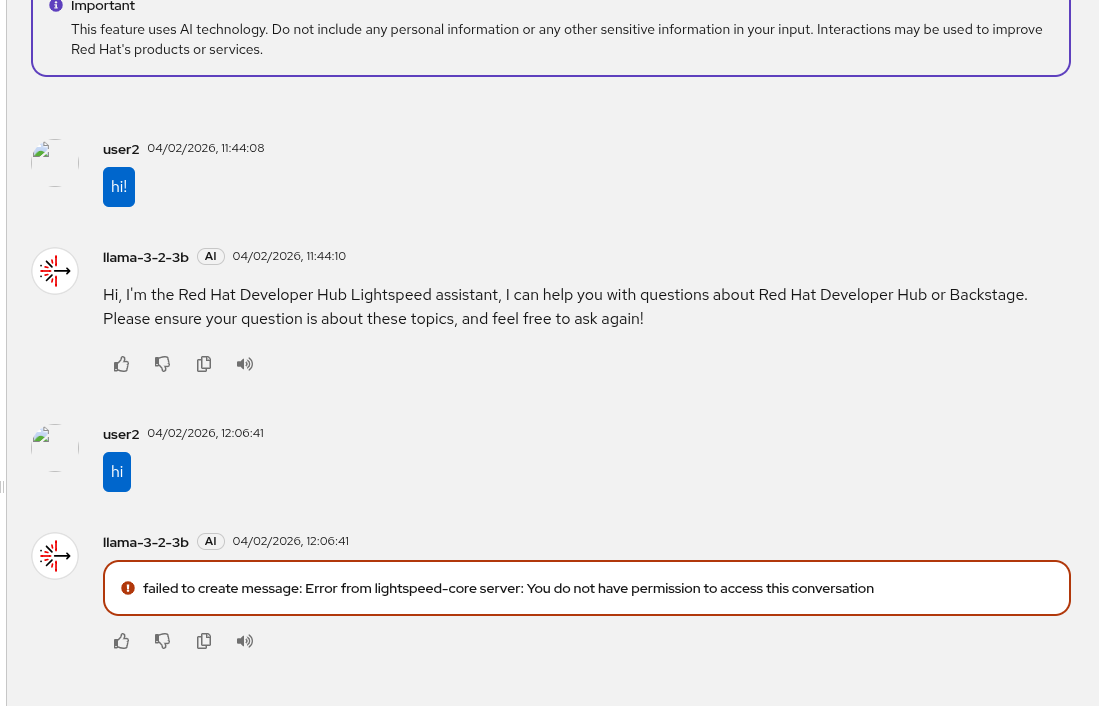
This error only appears when the chat was created previously and the RHDH pod was restarted. If the chat was created in the same pod instance, then it is possible to update it and continue the conversation.
Attached the LCS container pod where it is possible to get the authorization errors to update the chat.backstage-developer-hub-5b664d69c9-k8cz8-lightspeed-core.log
Prerequisites (if any, like setup, operators/versions):
OpenShift 4.20
Red Hat Developer Hub 1.8.2 (installed by the Operator)
Steps to Reproduce
- Create a new chat history with any message.
- Move to another chat (or place in Red Hat Developer Hub) ui.
- Come back to Lightspeed and click in the previous chat open.
- Continue the conversation.
- Restart the RHDH deployment, e.g: `oc rollout restart deployment/backstage-developer-hub`
- Come back to Lightspeed and click in the previous chat created.
- Continue the conversation
- Fails with the error reported.
Actual results:
Unable to continue a chat if there is a pod restart.
Expected results:
Continue any chat whatever was created and independetly of pod life cycle.