-
Bug
-
Resolution: Unresolved
-
 Normal
-
None
-
1.9.0
-
False
-
-
False
-
-
Description of problem:
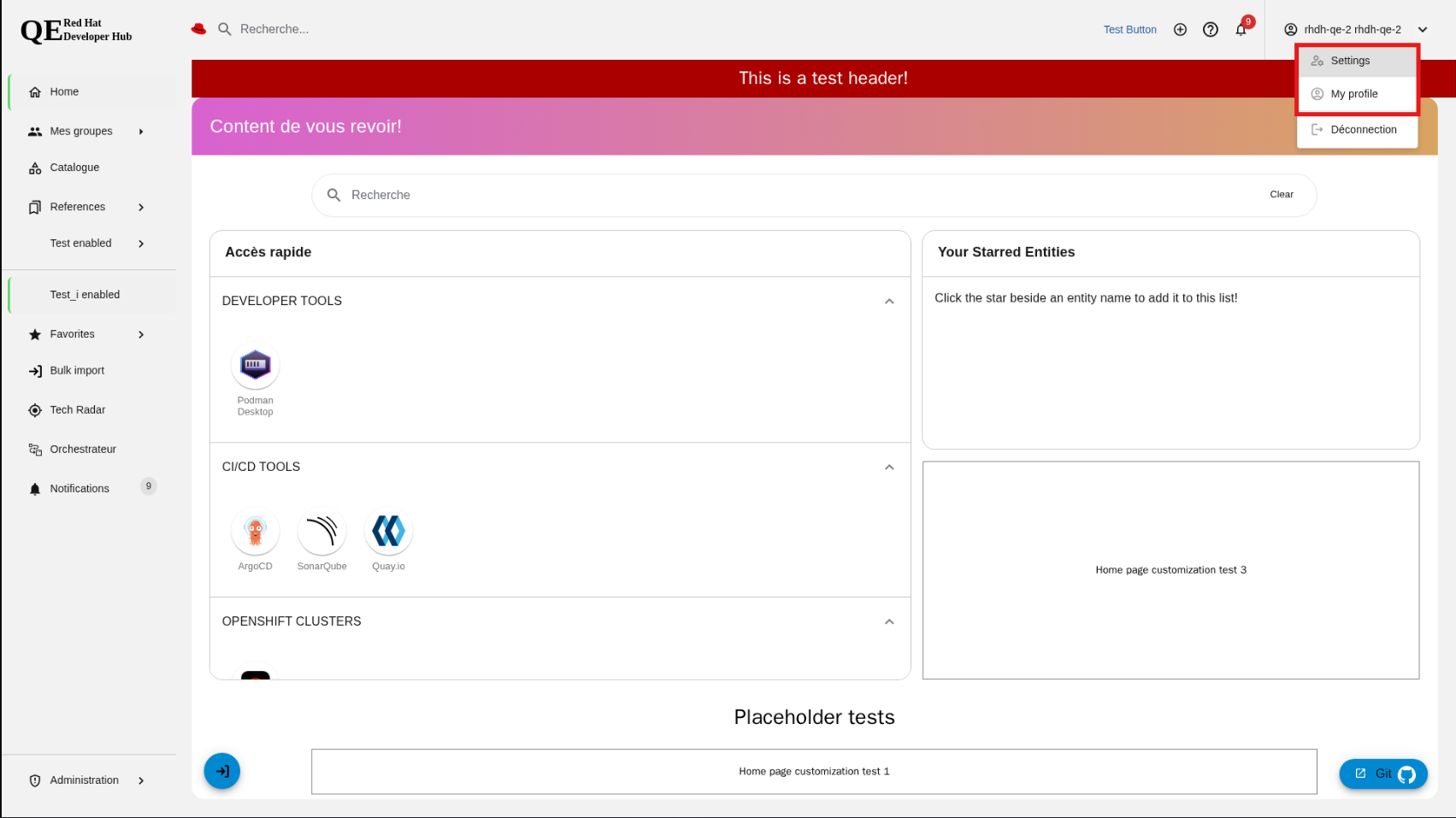
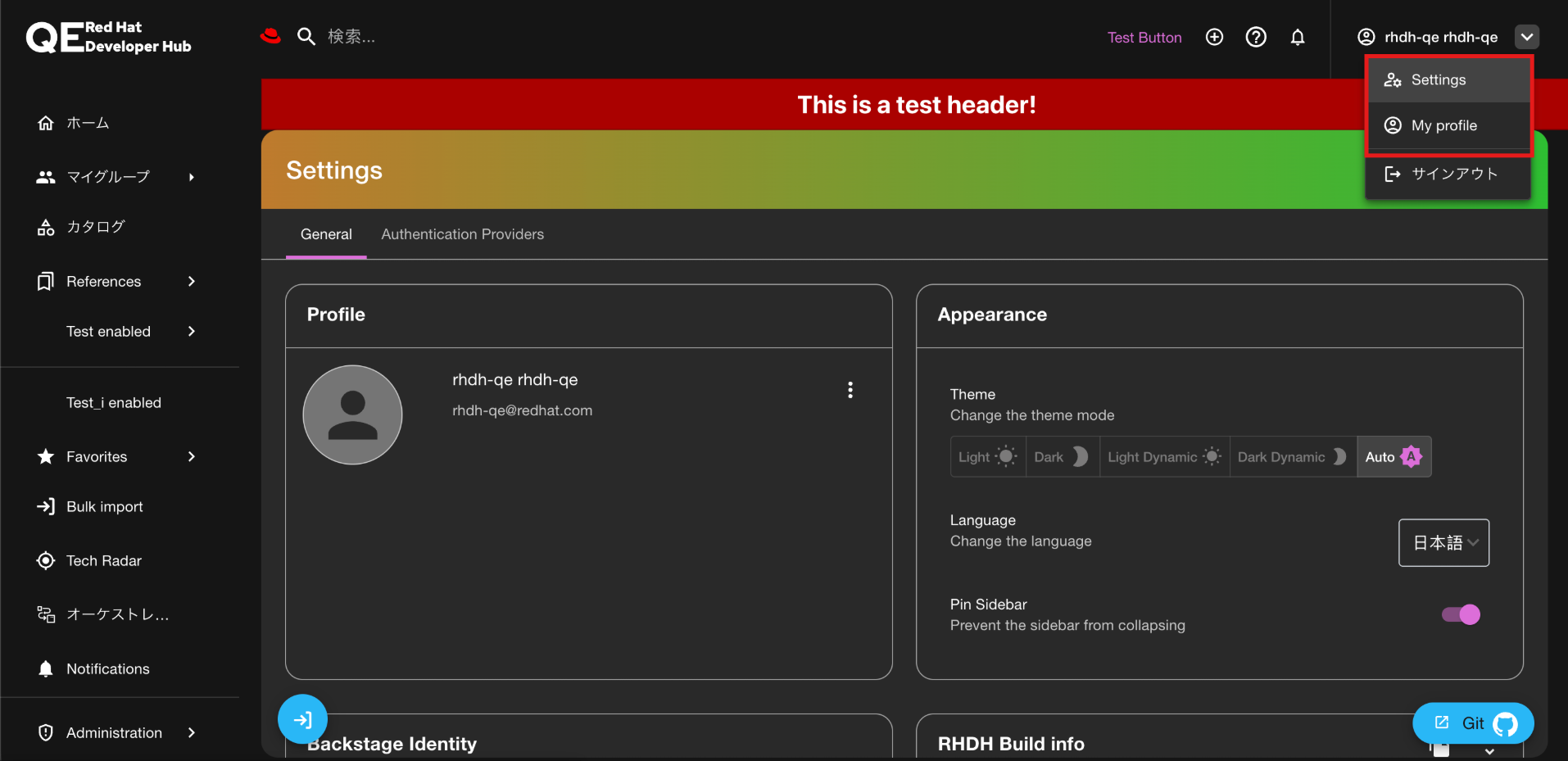
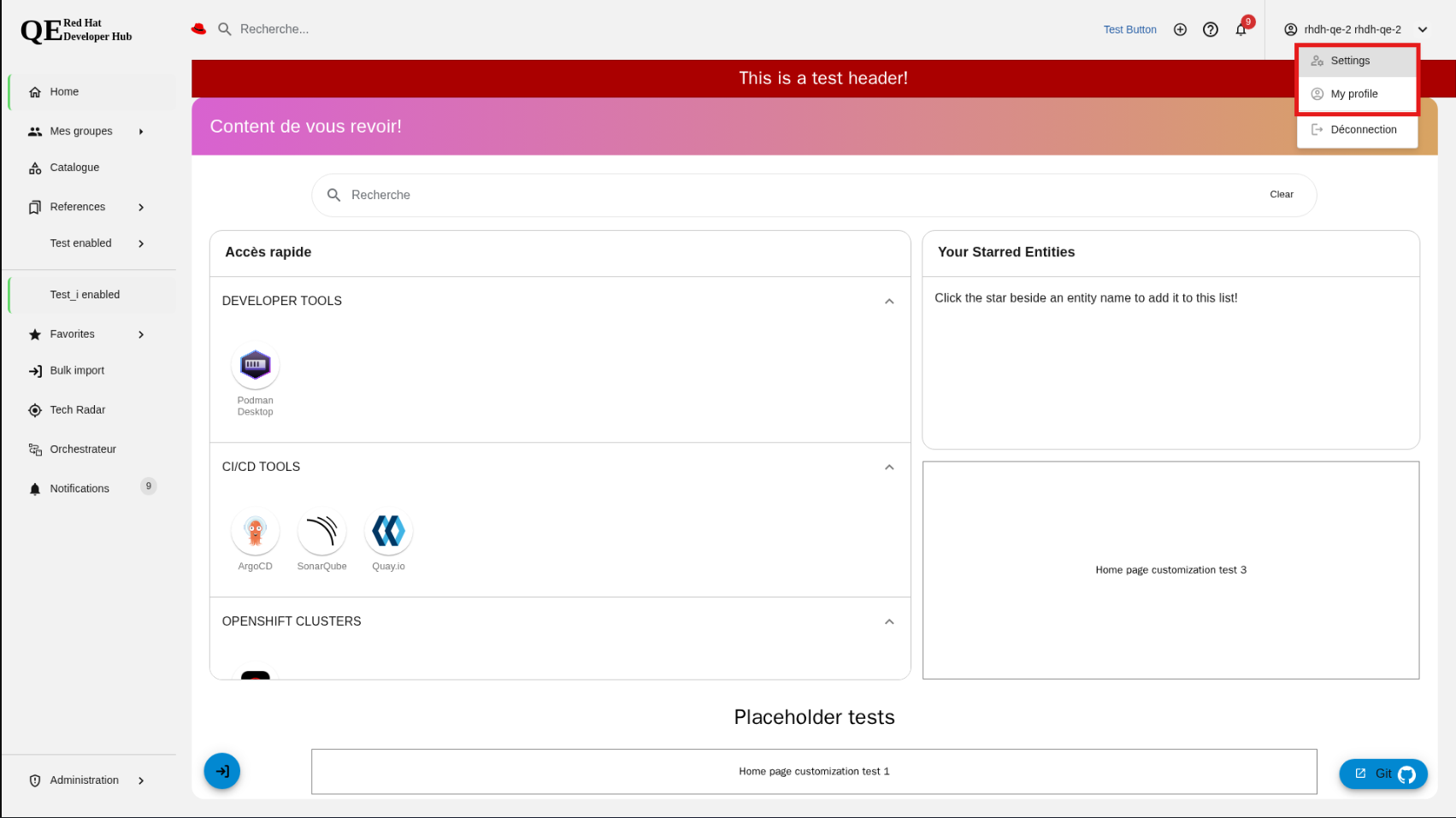
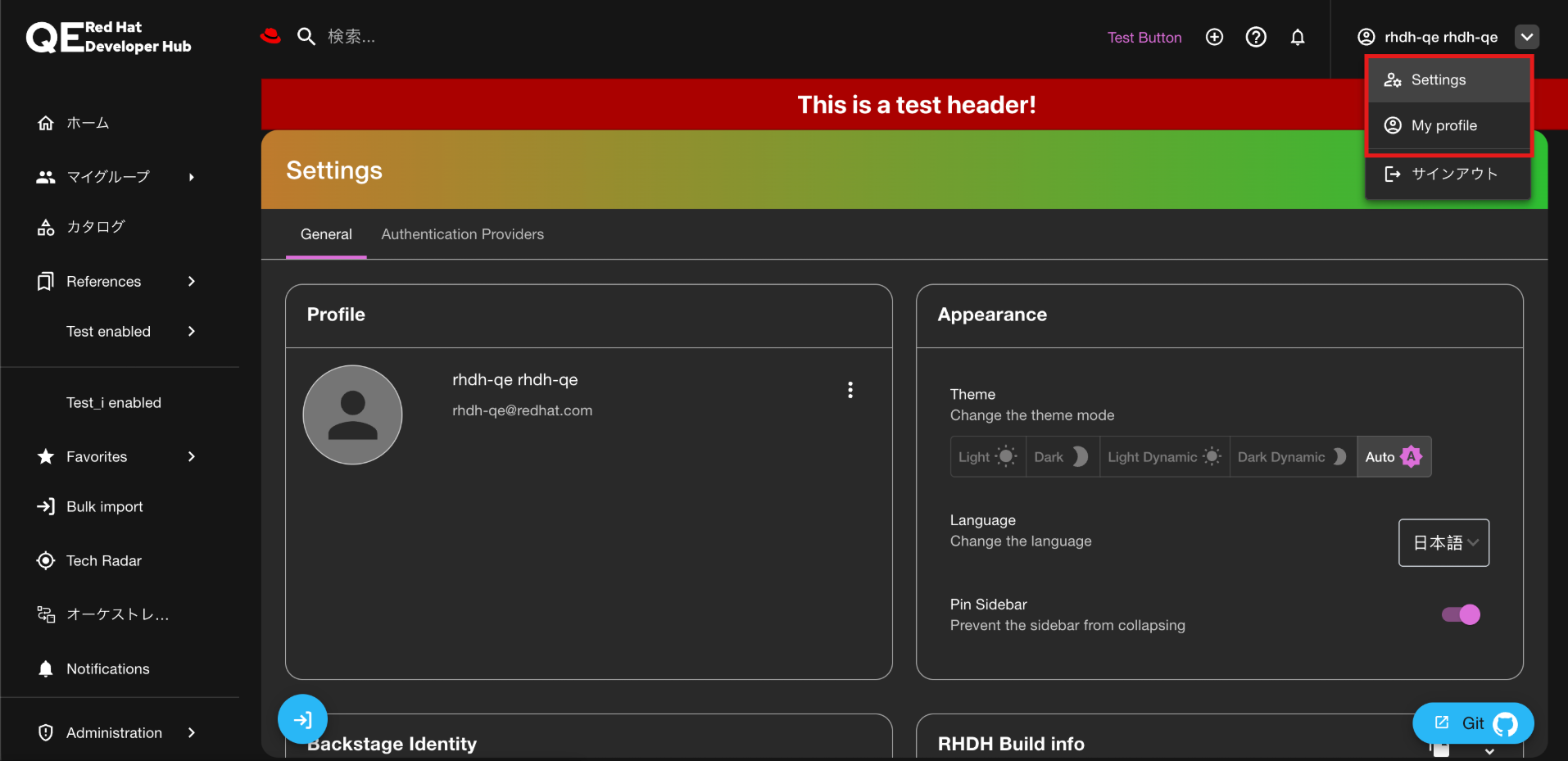
The Settings button and the My Profile button in the Profile Dropdown in the Global Header are not getting translated when the translations are present for French, Italian, and Japanese JSON files.
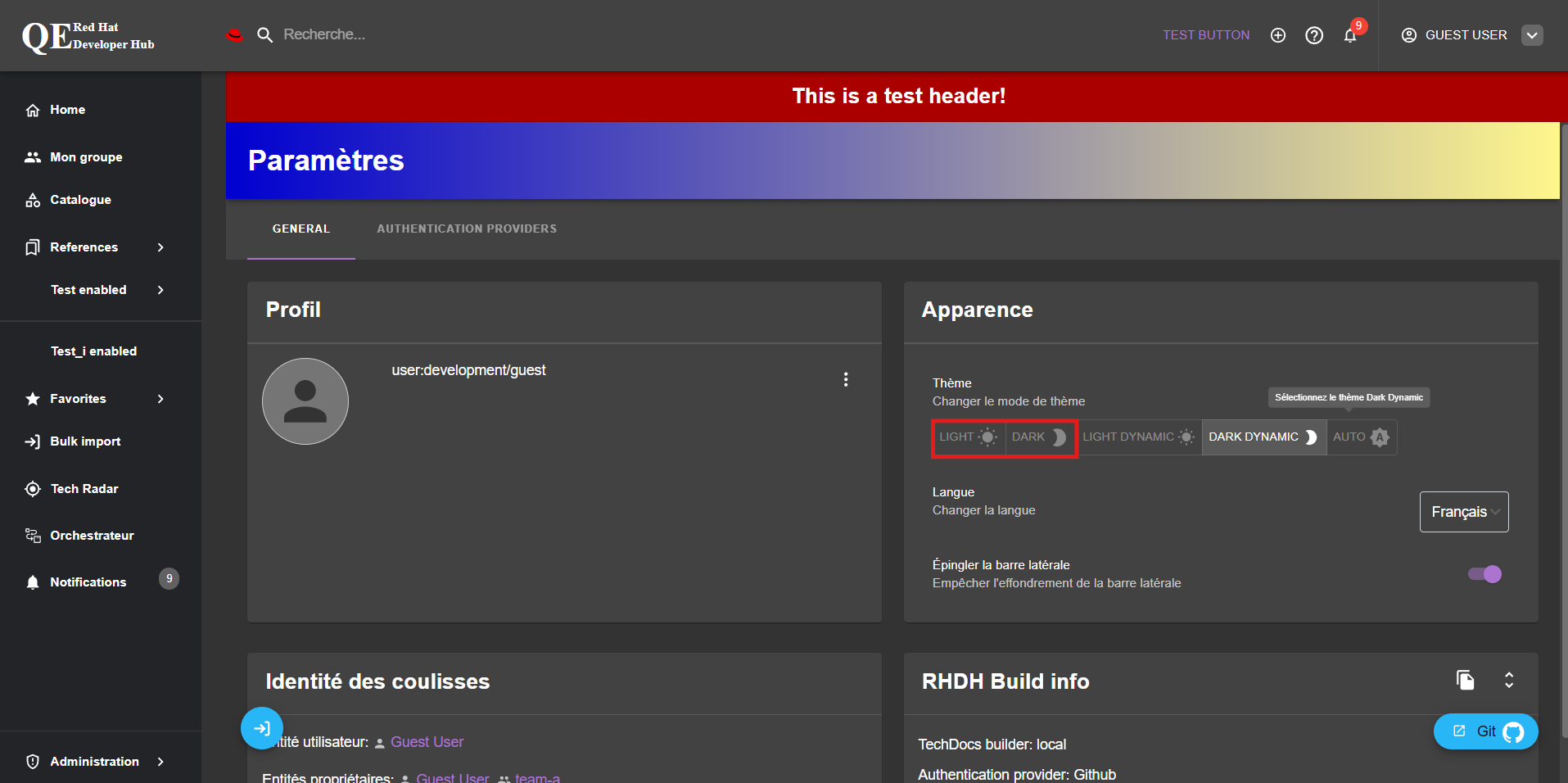
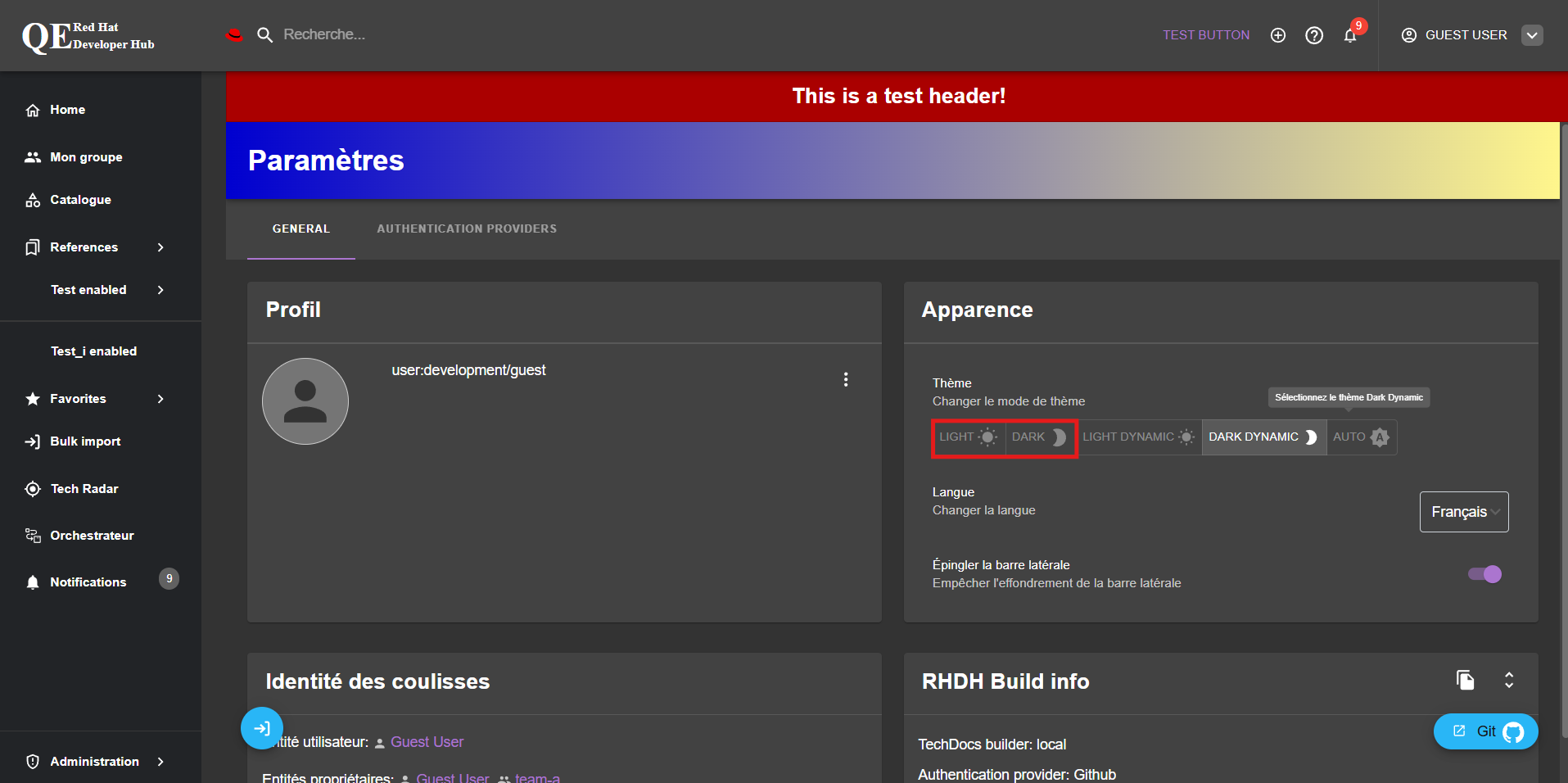
For Theme buttons (Light, Dark), French translations are present but not translated
Prerequisites (if any, like setup, operators/versions):
Steps to Reproduce
# Start any RHDH instance with i18n enabled
# Change language in settings to any language other than English
# Open Profile dropdown in global header
# Go to settings and check the theme buttons after selecting the French language
Actual results:{}
Settings button and the My Profile button are in English
Theme buttons are in English
Expected results:
Settings button and the My Profile button should be translated
Theme buttons should be translated for the available languages (French)
Reproducibility (Always/Intermittent/Only Once):
Always
Build Details:
RHDH 1.9
Additional info (Such as Logs, Screenshots, etc):