Uploaded image for project: 'Red Hat Developer Hub Bugs'
  1. Red Hat Developer Hub Bugs
  2. RHDHBUGS-2327

MCP tool plugins listed as disabled at "installed packages" tab

XMLWordPrintable

    • Icon: Bug Bug
    • Resolution: Unresolved
    • Icon: Undefined Undefined
    • None
    • 1.8.0
    • Dynamic Plugins, Plugins
    • None
    • False
    • Hide

      None

      Show
      None
    • False

      Description of problem:

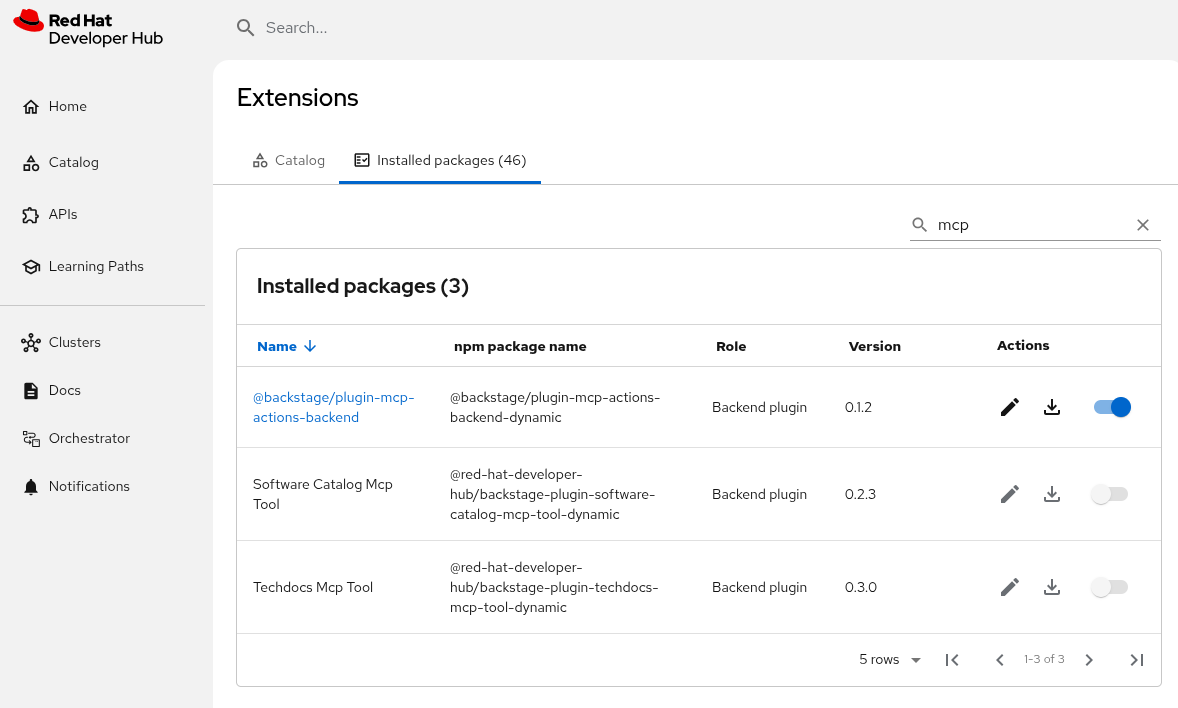
      After enabling the MCP server and tools as the documentation describes[1] those plugins are listed in different ways from the "Installed packages" tab from the Extensions menu.

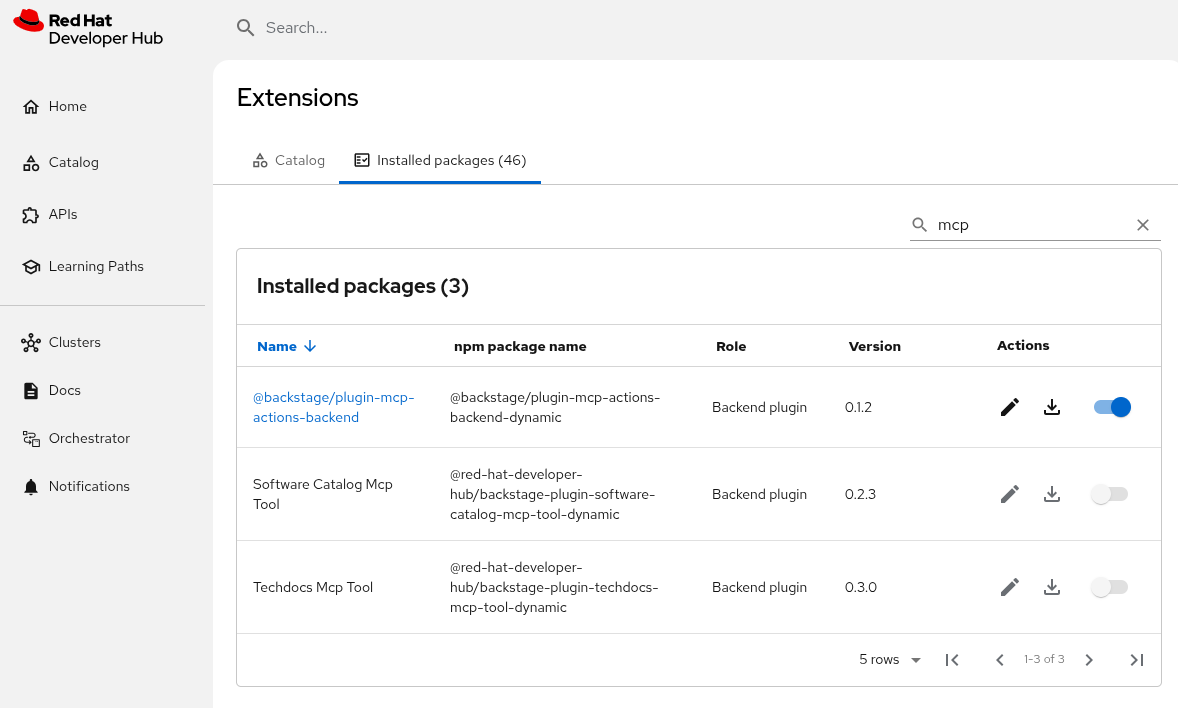
      The MCP backend plugin is listed as enabled, however the MCP tools (Software Catalog and Techdocs) are listed as disabled.

      However, the MCP feature is working as expected.

      [1] https://docs.redhat.com/en/documentation/red_hat_developer_hub/1.8/html-single/interacting_with_model_context_protocol_tools_for_red_hat_developer_hub/index#proc-installing-the-mcp-server-and-tool-plugins_assembly-model-context-protocol-tools 

      Prerequisites (if any, like setup, operators/versions):

      Steps to Reproduce

      Follow the instructions to enable the MCP plugins from the official documentation.

      Actual results:
      Expected results:

      All the plugins must be listed as enabled successfully.
      Reproducibility (Always/Intermittent/Only Once):

      Build Details:

      Additional info (Such as Logs, Screenshots, etc):

              Unassigned Unassigned
              rmarting@redhat.com Roman Martin Gil
              RHDH AI
              Votes:
              0 Vote for this issue
              Watchers:
              1 Start watching this issue

                Created:
                Updated:
