-
Bug
-
Resolution: Unresolved
-
 Normal
-
None
-
None
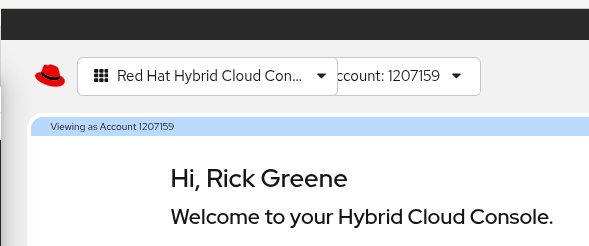
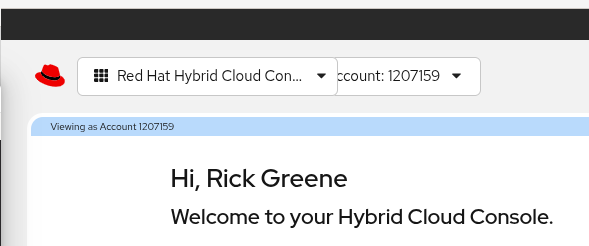
Attempting to attach screenshot, the issue is visible when the user has access to more than one account. The tile for the drop-down selector to pick which account to view needs to be moved further to the right, as the tile for the Platform drop-down overlays it.
Steps to reproduce
Setup
1. While logged in to HCC as an alternate account that has at least one subscription, copy the Account number and Org ID values from the username menu at the top right. Leave the window open for use in step 3.
2. Back in your regular account, create an access request from IAM / Access Requests
3. Using your alt account, approve the access request in IAM / User Access / Access Requests
4. In your regular account, refresh the UI
Expected result
Account selector drop-down control appears just to the right of the megamenu drop-down control
Actual result
Account selector drop-down control is partly overlapped by megamenu drop-down control