-
Bug
-
Resolution: Unresolved
-
 Normal
-
None
-
None
-
False
-
-
False
-
None
-
Unset
-
None
-
-
-
Description:
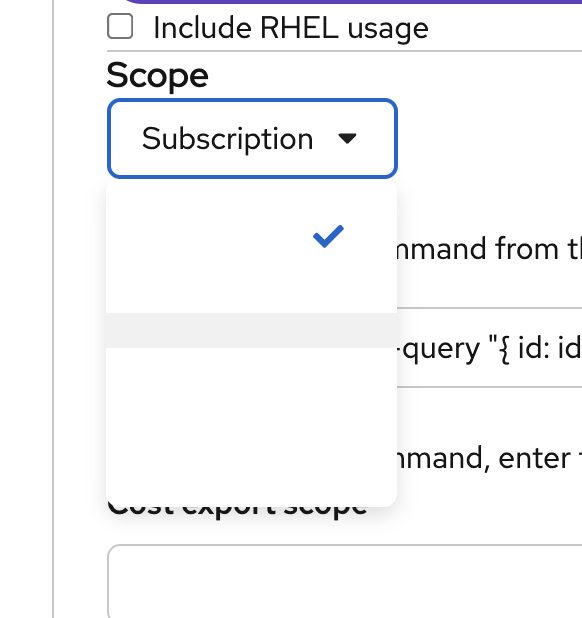
When attempting to select a scope for cost export (as shown in the attached screenshot), the dropdown menu for "Subscription" appears to be missing. However, they are still selectable, so users currently have to click through the options until they find their desired scope.
Reproduction Steps:
1. Create an azure integration
2. Select Cost Management as your application
3. When you get to the "specify cost export scope" tab, click on the Scope drop down
Expected Results:
A full list of scope options (e.g., Management Group, Subscription, Resource Group, etc.) should be displayed, allowing the user to select the appropriate scope for their cost export.
Actual Results:
The dropdown only shows a blue checkmark, and no selectable options are presented.