-
Task
-
Resolution: Done
-
 Normal
-
None
-
None
-
None
-
3
-
False
-
-
False
-
None
-
Unset
-
No
-
-
-
PlatEx UI Sprint 9, PlatEx UI Sprint 10
Spotted a few UI issues in production/preview in Integrations:
- Cloud tab - button says Add source (should it be Add integration?). Same with 'Add a cloud source' wizard - "Add a cloud integration'?
- Red Hat tab - wizard should be 'Add Red Hat integration'
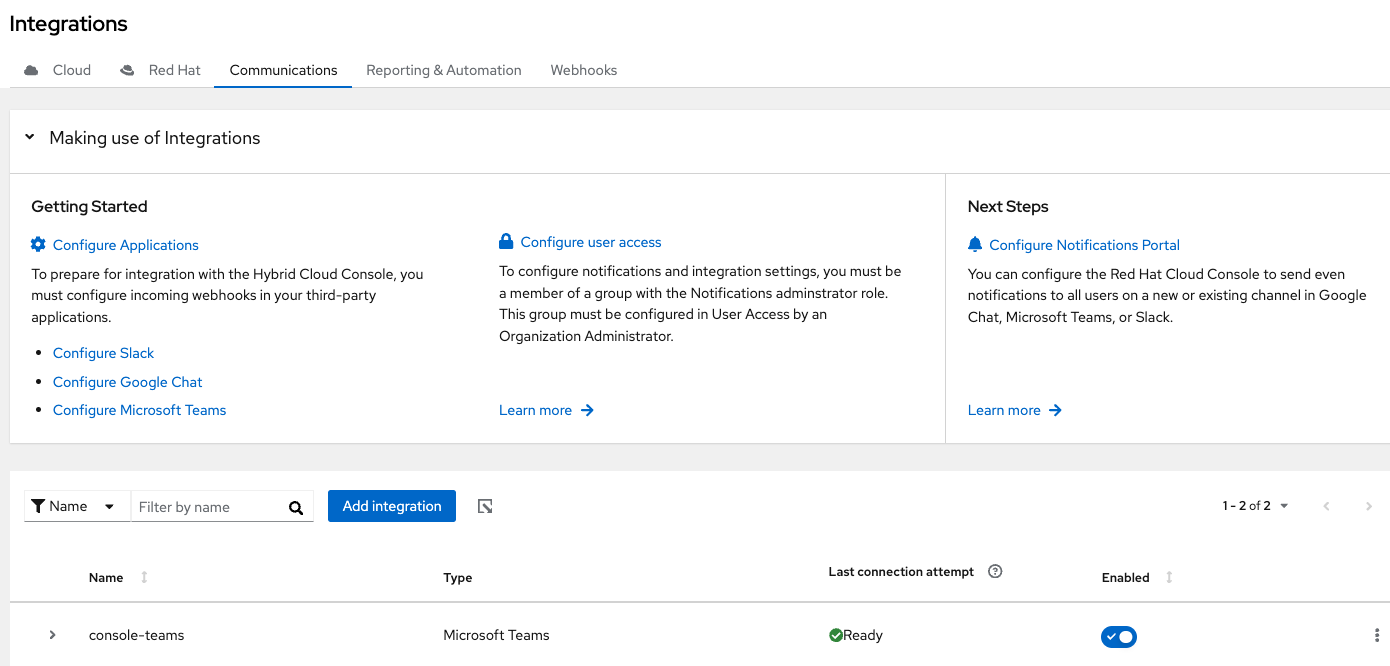
- Communications
- - under "Configure User Access' - typo in the copy "Notifications adminstrator role"
- under Next Steps - edit "Red Hat Cloud Console" to "Hybrid Cloud Console", and "to send even notifications" --> change to 'event notifications'
- under Next Steps - should the order be changed to 'Slack, Google Chat, or Microsoft Teams' to align with the order under Getting Started
- General comment about the headings - Configure Applications - 'applications' can be lower case, same with 'Configure notifications portal'. Is 'portal the correct word? (Not sure, disregard if yes!)
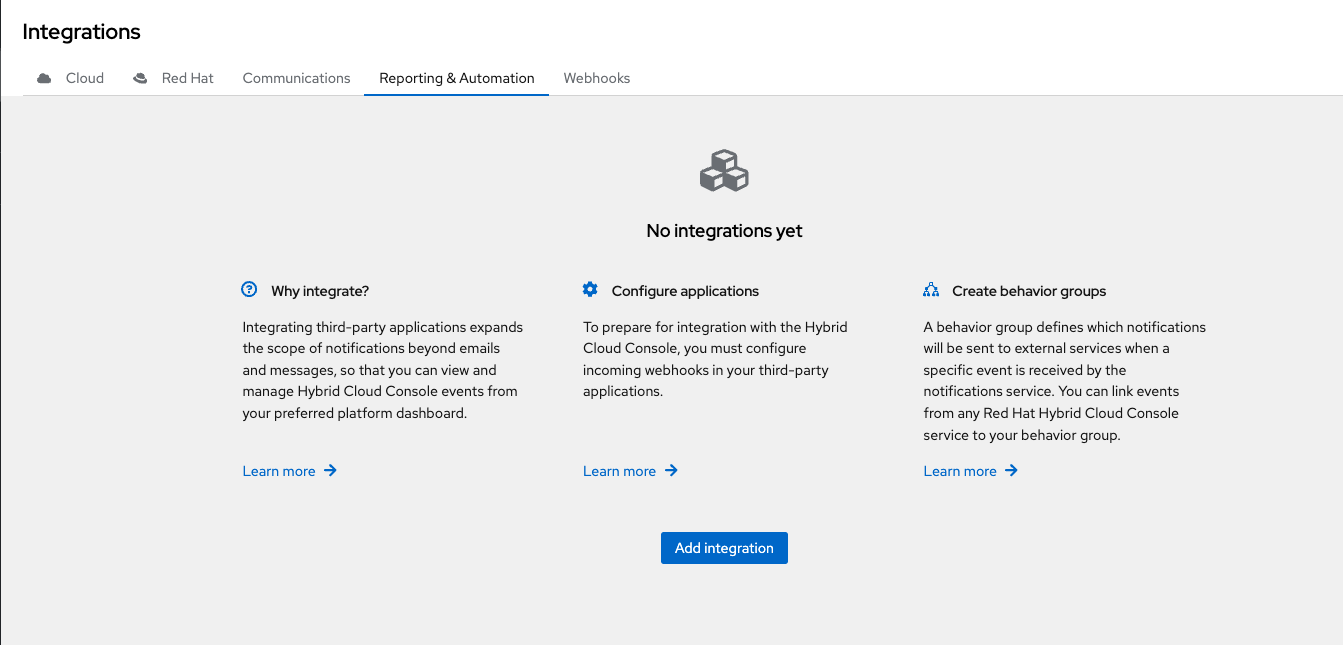
- Reporting & Automation - No integrations yet
- Under 'Create behavior groups', you could remove 'Red Hat' and just call it 'Hybrid Cloud Console' like in the other descriptions.
- Nit - Under 'Last connection attempt', the green check icon seems to need a space before the word Ready.
- is related to
-
RHCLOUD-30501 [SPIKE] Change all 'sources' text to 'integrations'
-
- Closed
-