-
Bug
-
Resolution: Done
-
 Blocker
-
6.0.0
Description of problem:
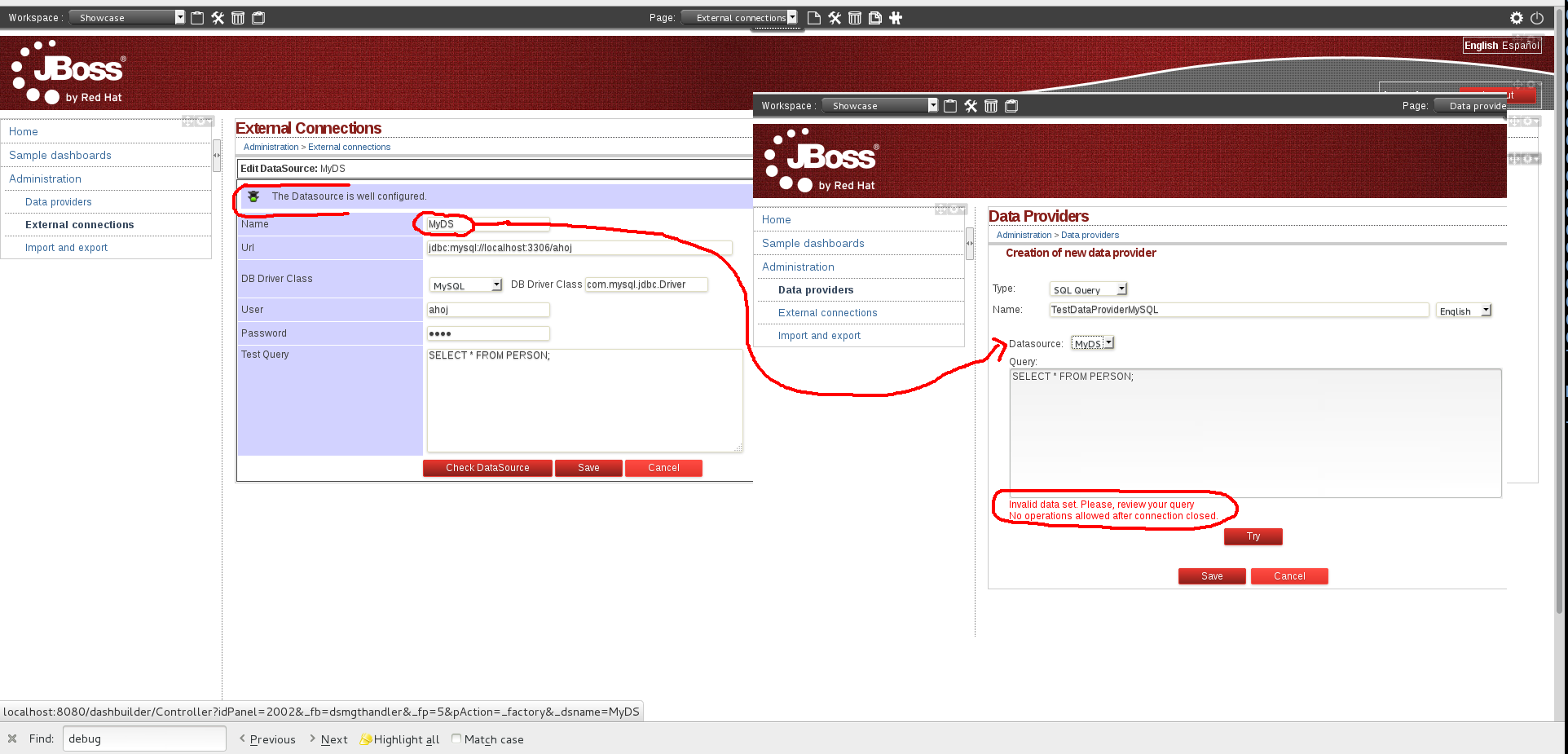
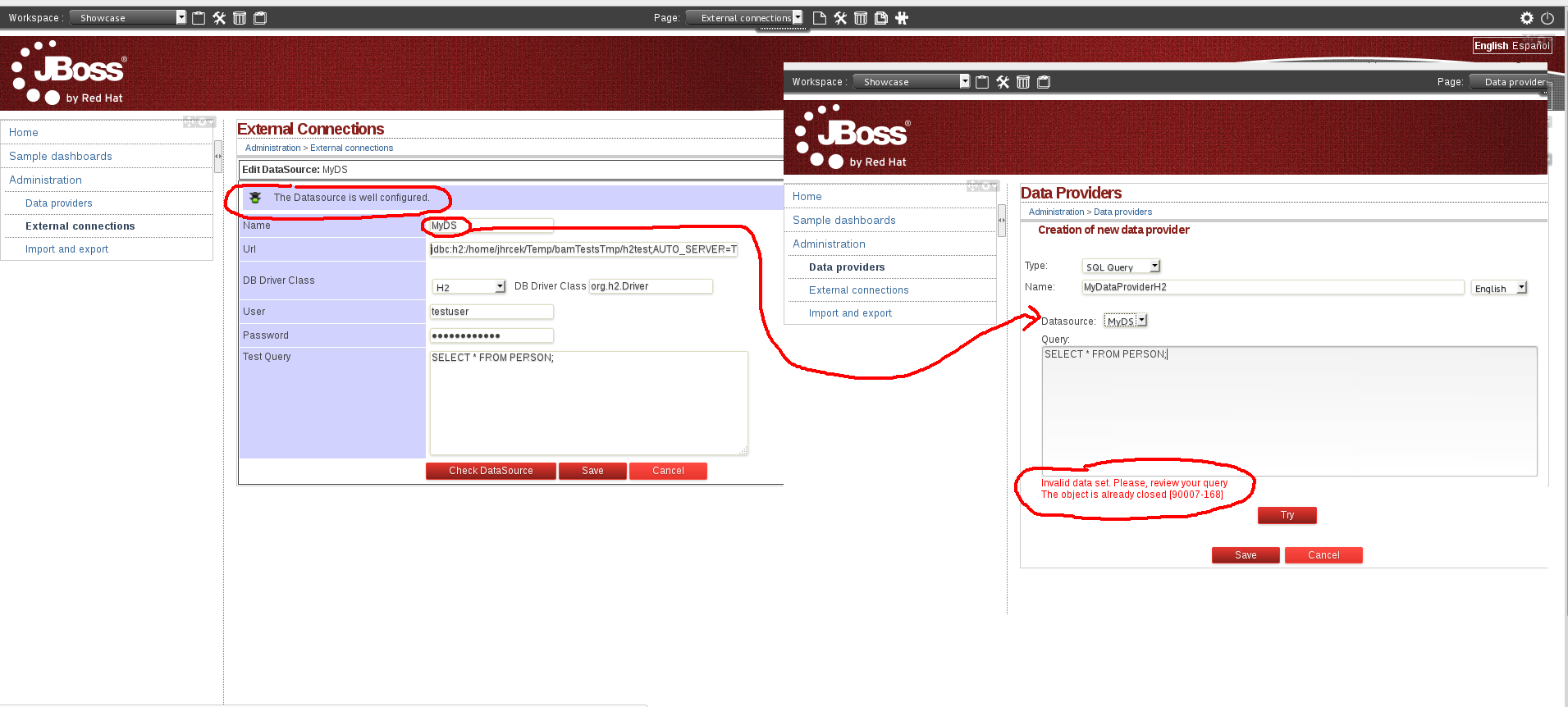
When configuring the application to use user-defined datasource X it is impossible to create Data provider based on datasource X. The error message is shown indicating that connection is already closed. I replicated this problem in 100% of cases testing both local H2 database and MySQL database.
Version-Release number of selected component (if applicable):
How reproducible:
Seems 100% reproducible.
Tried in 2 cases:
1) H2-based dashbuilder demo started with: dashboard-builder/scripts/buildandrun.sh h2 + my local h2
2) .war distribution for JBoss EAP configured to use MySQL datasource
Steps to Reproduce:
1. Configure some local database filled with some sample data (in my case one PERSON table + few lines of data)
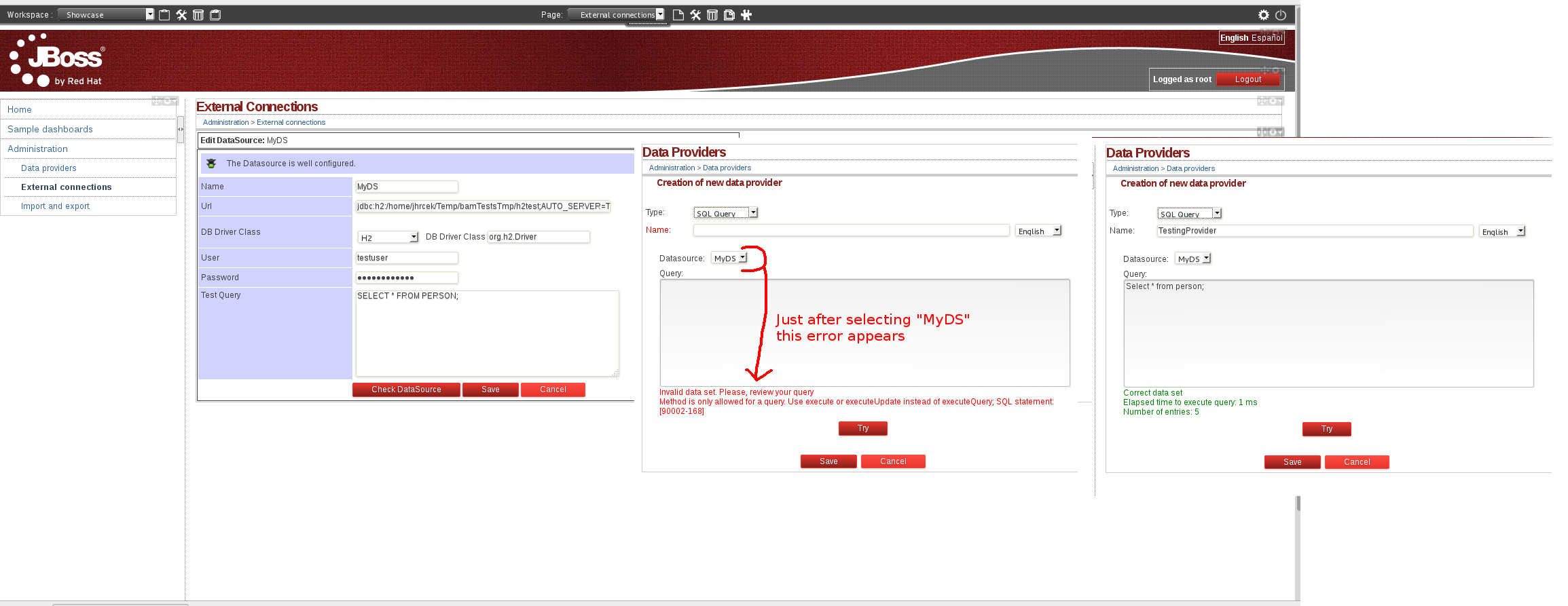
2. Configure the datasource in Workspace Showcase > Administration > External connections (see screenshot)
3. When configuring datasources make sure they are configured correctly using "Check DataSource" button - in my case both were configured correctly
4. Go to Administration > Data Providers and try to configure some new SQL provider based on DataSrouce configured in step 2
5. Select your DS configured in step 2 using "Datasource" and also try it using "Try" button.
Actual results:
After you select your previously configured datasource using "Datasource" select - red message appears under the "Query" text area.
The message states:
In case of H2 database:
Invalid data set. Please, review your query
The object is already closed [90007-168]
In case of MySQL database:
Invalid data set. Please, review your query
No operations allowed after connection closed.
Expected results:
Correctly configured datasource should work and it should be possible to extract data from it.
Additional info:
See screenshots for clarification.
Application logs with stacktraces provided for both cases.
This bug seems closely related to Bugzilla 965941. See the stack traces provided in the attachments.
This bug blocks testing, because we are unable to compose/configure custom dashboards which would use custom datasources.