-
Bug
-
Resolution: Duplicate
-
 Major
Major
-
None
-
6.0.0
-
None
Description of problem:
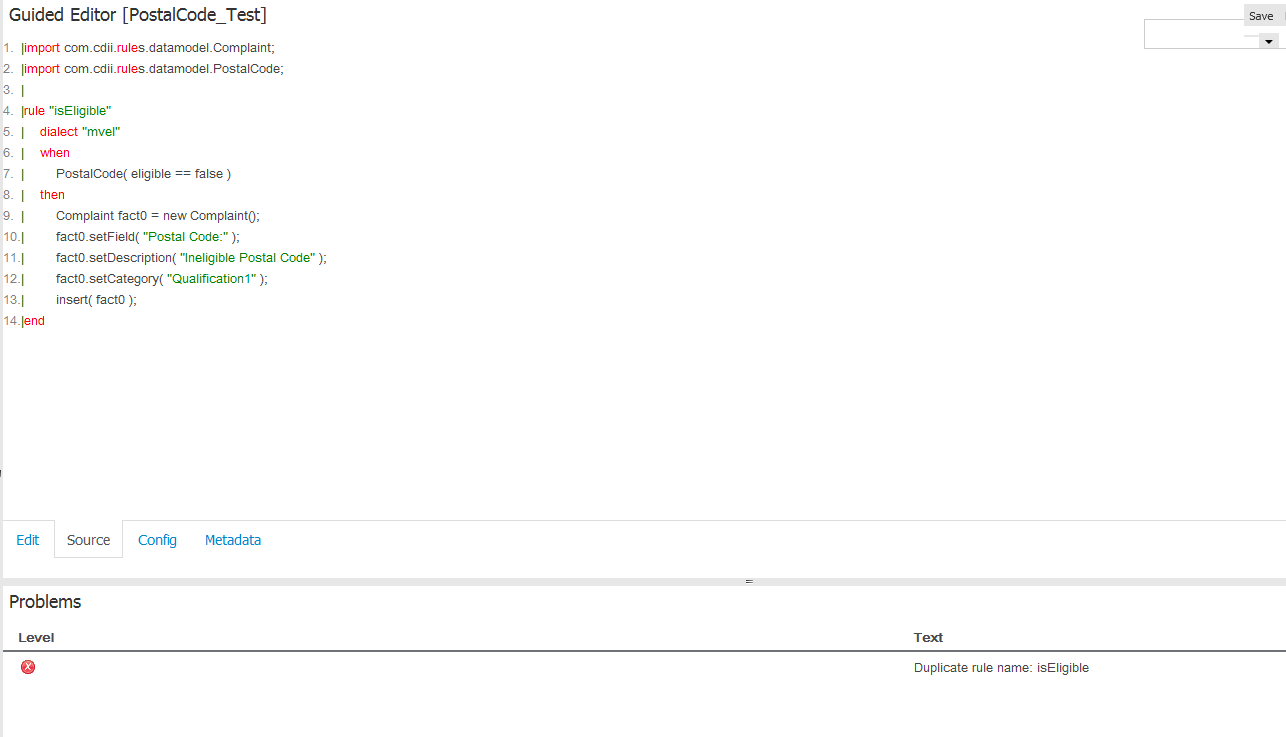
After duplicating an existing bdrl rule using Guided Editor the following message is displayed when trying to "Validate" the duplicate one:
"Error: Duplicate rule name:______"
The error message is the result of carry the same rule name as the previously-created rule. However, there is no option to rename the rule name, it is possible only rename the item.
Version-Release number of selected component (if applicable):
BPMS 6
How reproducible:
Always
Steps to Reproduce:
1. Create a simple rule called "Test1" using Guided Editor;
2. Click on "Copy" button at the top right corner, enter a New Name (i.e.: "Test2") and click on "Create copy";
3. Open the new rule (item" called "Test2" and try to validate it.
Actual results:
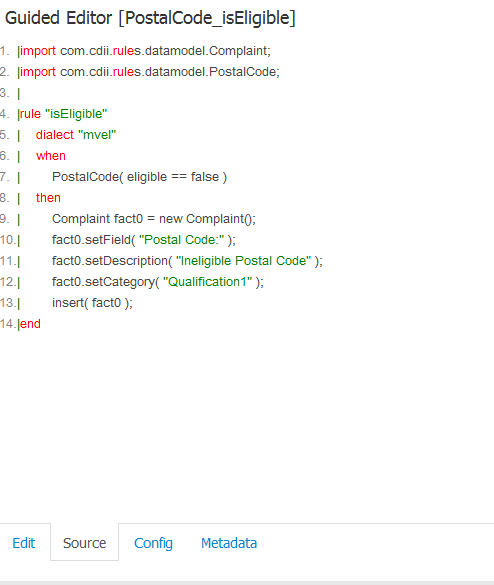
You will see "Duplicate rule name" error. Also, note that there is a button to rename the item but not to rename the rule. Clicking on "Source" tab is possible to see that both rules still have the same name.
Expected results:
There should be an option to rename each rule name or a new name should be used when copying a rule since it seems to be generated automatically.
Additional info:
-
- Attachments
original2: rule name is "isEligible".
duplicated2: rule name is "isEligible" as well.