-
Bug
-
Resolution: Unresolved
-
 Blocker
-
None
-
quay-v3.16.0
-
Quality / Stability / Reliability
-
False
-
-
False
-
-
Description of problem:
In quay 3.16.0 new UI, updating user's information in the user settings page, the usage logs are inaccurate.
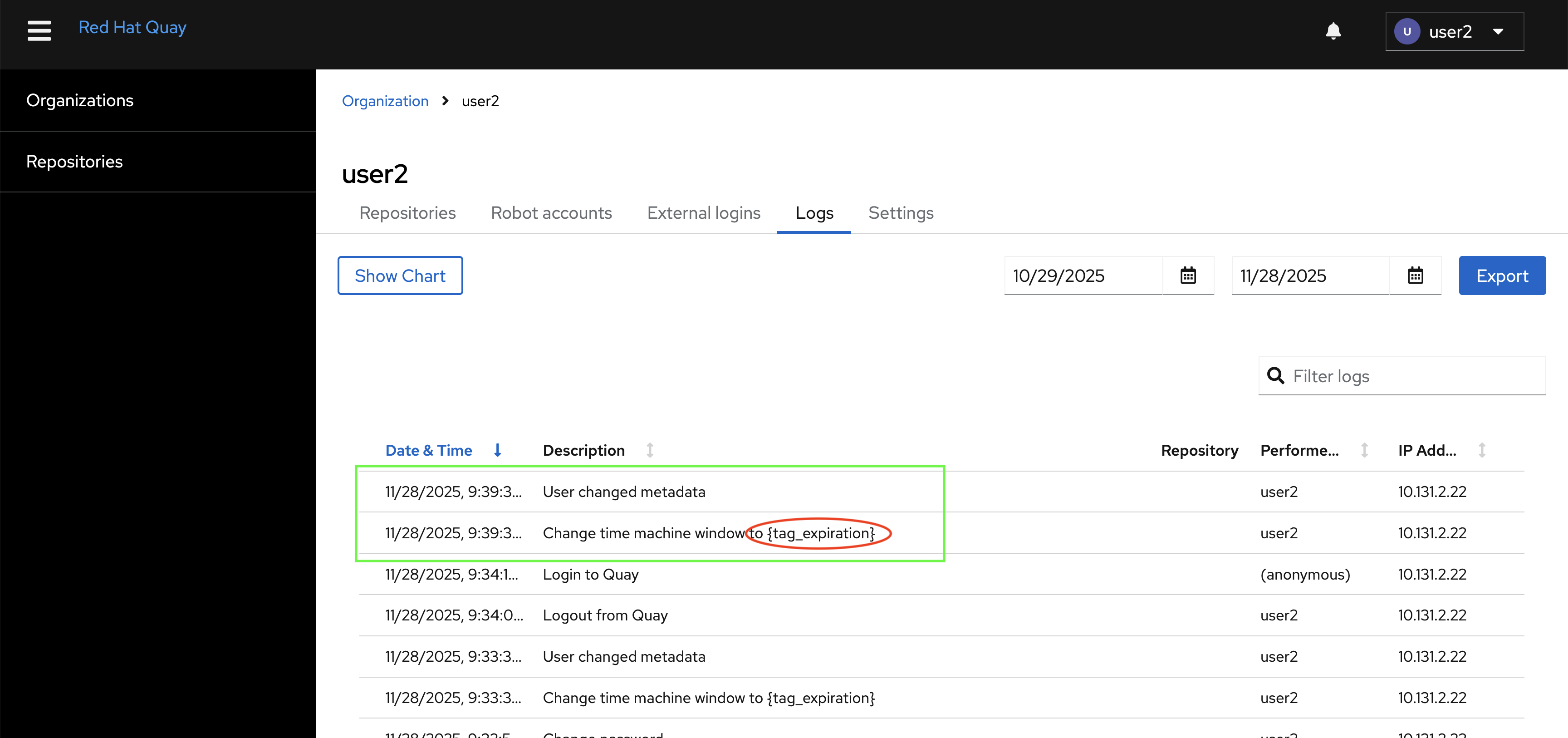
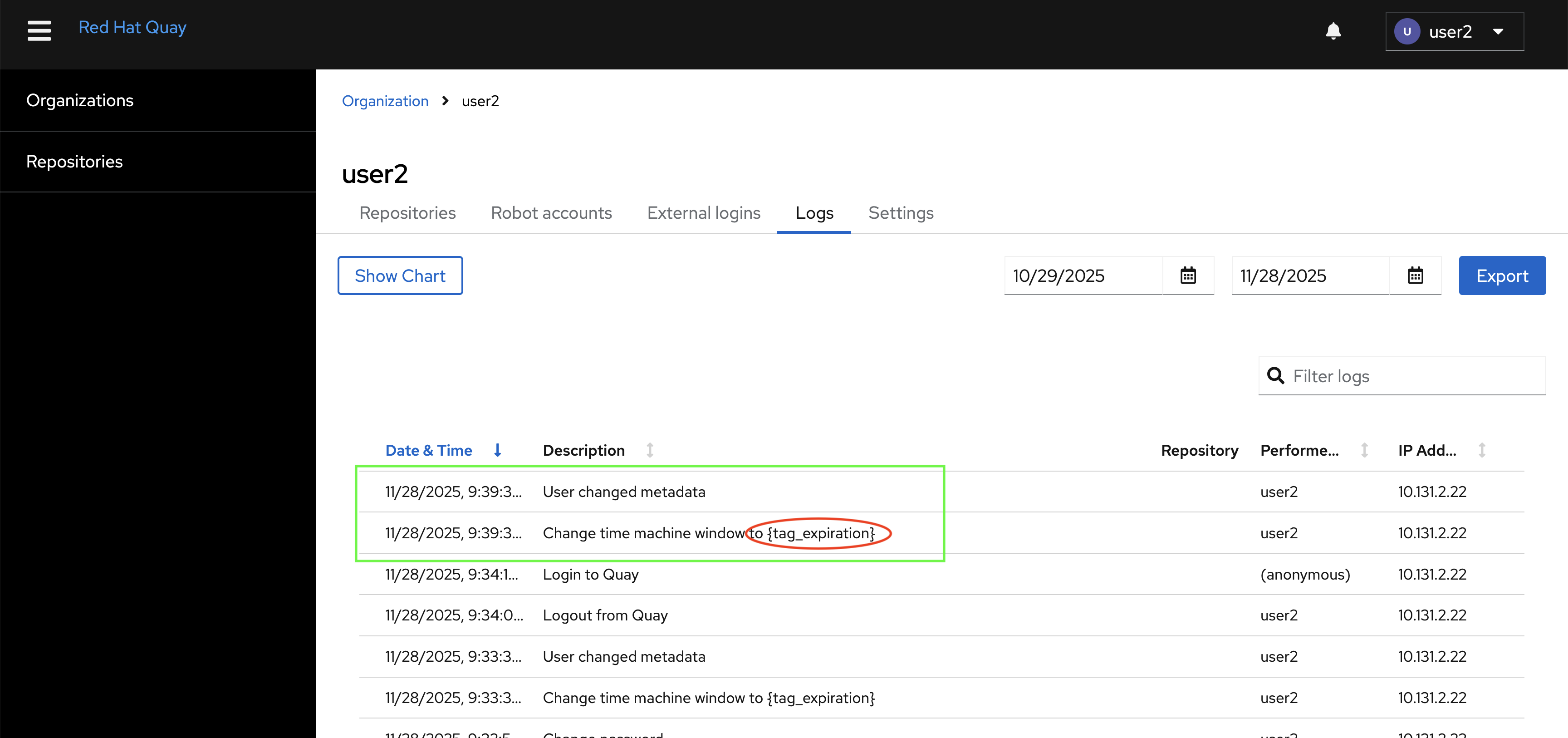
1. If only update user's full name value, there are two logs generated in the Logs page. See the green part in the following picture. Only one log entry should be generated indicating that the full name has been modified.
2. If update the "Time Machine" setting, the log includes an unexpected attribute "{tag_expiration}". See the red part in the following picture. One log entry should be generated, specifying the value to which the "Time Machine" was modified.
The logs generated by updating user settings
Version-Release number of selected component (if applicable):
quay.io/redhat-user-workloads/quay-eng-tenant/stable-3-16-v4-19@sha256:541c7f45baf8b1de998c7f80c601bbfb528d6c3ffd49dcfa6ca99a369c1682f7
------------------------------
$ oc get $(oc get pod -l name=quay-operator-alm-owned -o name -n quay-enterprise) -o jsonpath='{.spec.containers[0].image}' -n quay-enterprise
registry.redhat.io/quay/quay-operator-rhel9@sha256:ceb90fa9f704222815ebfec2b8c5971b69b2807e088047a0acc25956684bfc14
------------------------------
$ oc get $(oc get pod -l app=quay -o NAME -n quay-enterprise|head -n 1) -o jsonpath='{.spec.containers[0].image}' -n quay-enterprise
registry.redhat.io/quay/quay-rhel9@sha256:331d10fc6eb09013105ed5e31fd3627a13cc8afba25feadbd4256b02b441c536
------------------------------
$ oc get quayregistry -o jsonpath='{.items[0].status.currentVersion}'  -n quay-enterprise
3.16.0