-
Bug
-
Resolution: Done
-
 Blocker
-
None
-
quay-v3.16.0
-
Quality / Stability / Reliability
-
False
-
-
False
-
-
Description of problem:
In quay 3.16.0 new UI, deleting an organization in a special case results in an error.
Version-Release number of selected component (if applicable):
quay.io/redhat-user-workloads/quay-eng-tenant/stable-3-16-v4-19@sha256:603c1a0f53a59687e2253c93715742cd5fa0bd2723090bf929382dec2e00fd90
------------------------------
$ oc get $(oc get pod -l name=quay-operator-alm-owned -o name -n quay-enterprise) -o jsonpath='{.spec.containers[0].image}' -n quay-enterprise
registry.redhat.io/quay/quay-operator-rhel9@sha256:6784976c0c1aa2de10801b9750d7b883d22d408084dccbe4dc829c5eeb4ecacb
------------------------------
$ oc get $(oc get pod -l app=quay -o NAME -n quay-enterprise|head -n 1) -o jsonpath='{.spec.containers[0].image}' -n quay-enterprise
registry.redhat.io/quay/quay-rhel9@sha256:c8dd61bf436a7ff965cc839ff7217e85dbcf04b0001daf6ca7f5ee917ae699e9
------------------------------
$ oc get quayregistry -o jsonpath='{.items[0].status.currentVersion}'  -n quay-enterprise
3.16.0
Steps to reproduce:
1. Log in quay new UI
2. Create two organizations "whu_org1" and "whu_org2"
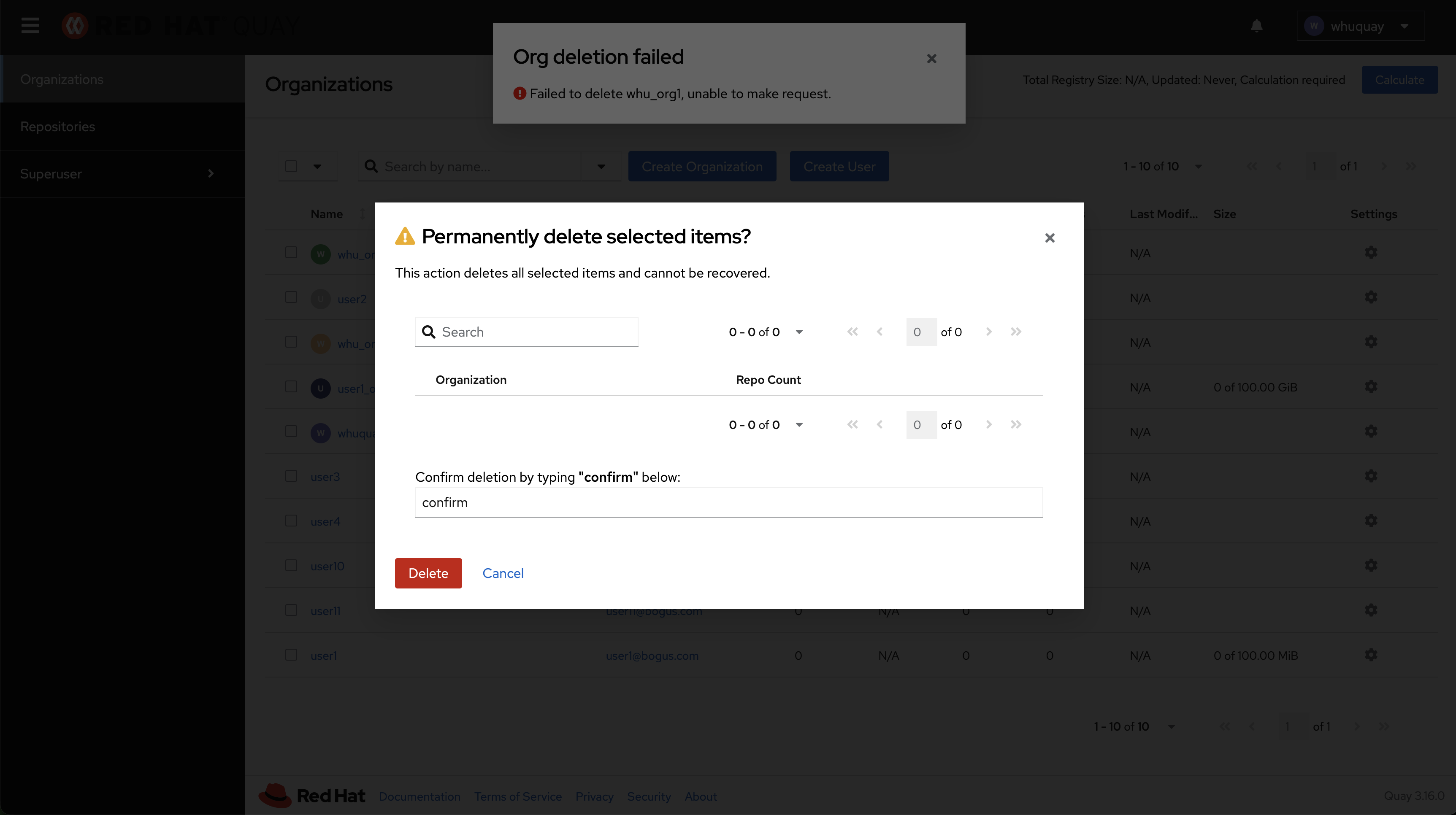
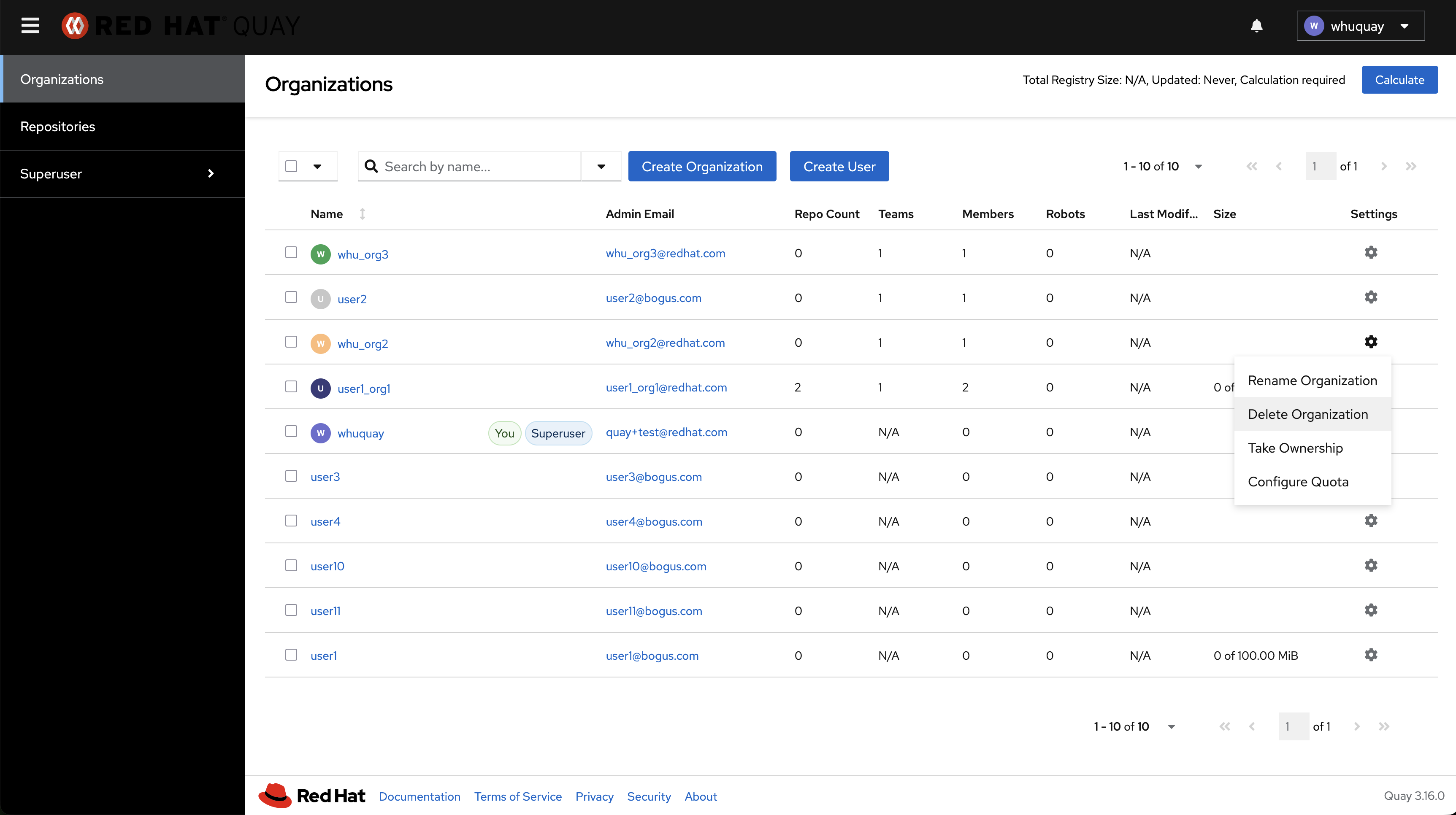
3. Delete organization "whu_org1" by clicking Delete Organization button in gear icon

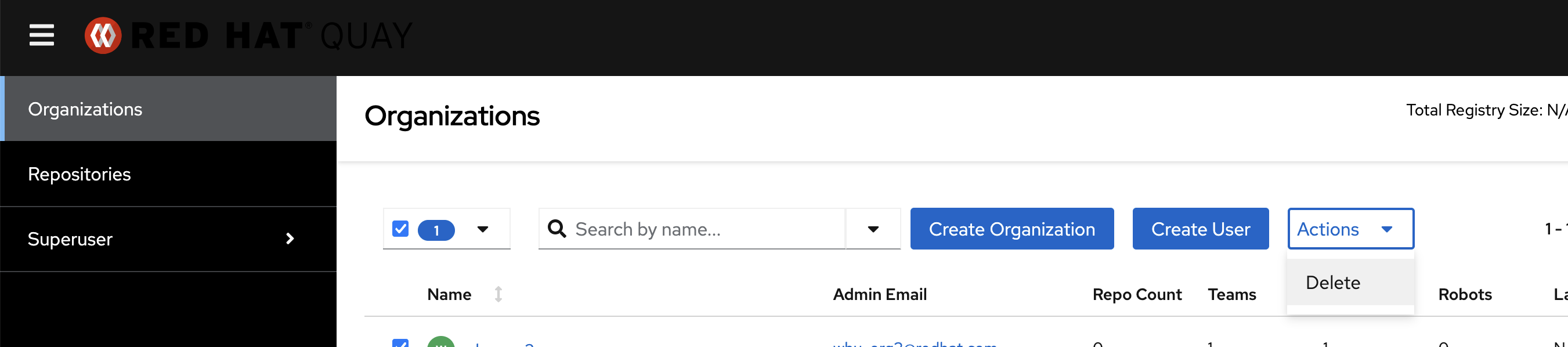
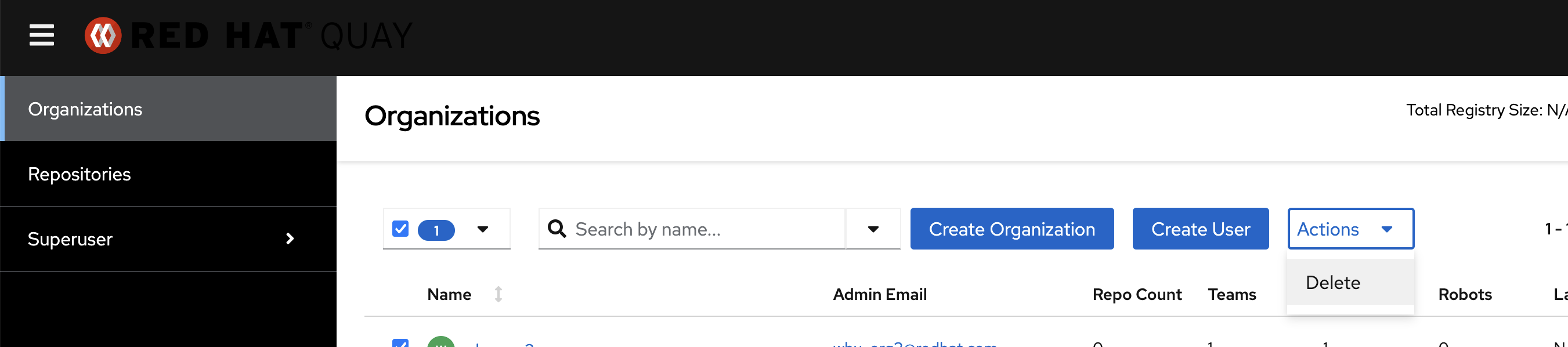
4. Delete organization "whu_org2" by clicking Delete button in Actions dropdown
Actual results
After deleting organization "whu_org2" by clicking Delete button in Actions dropdown, will get error
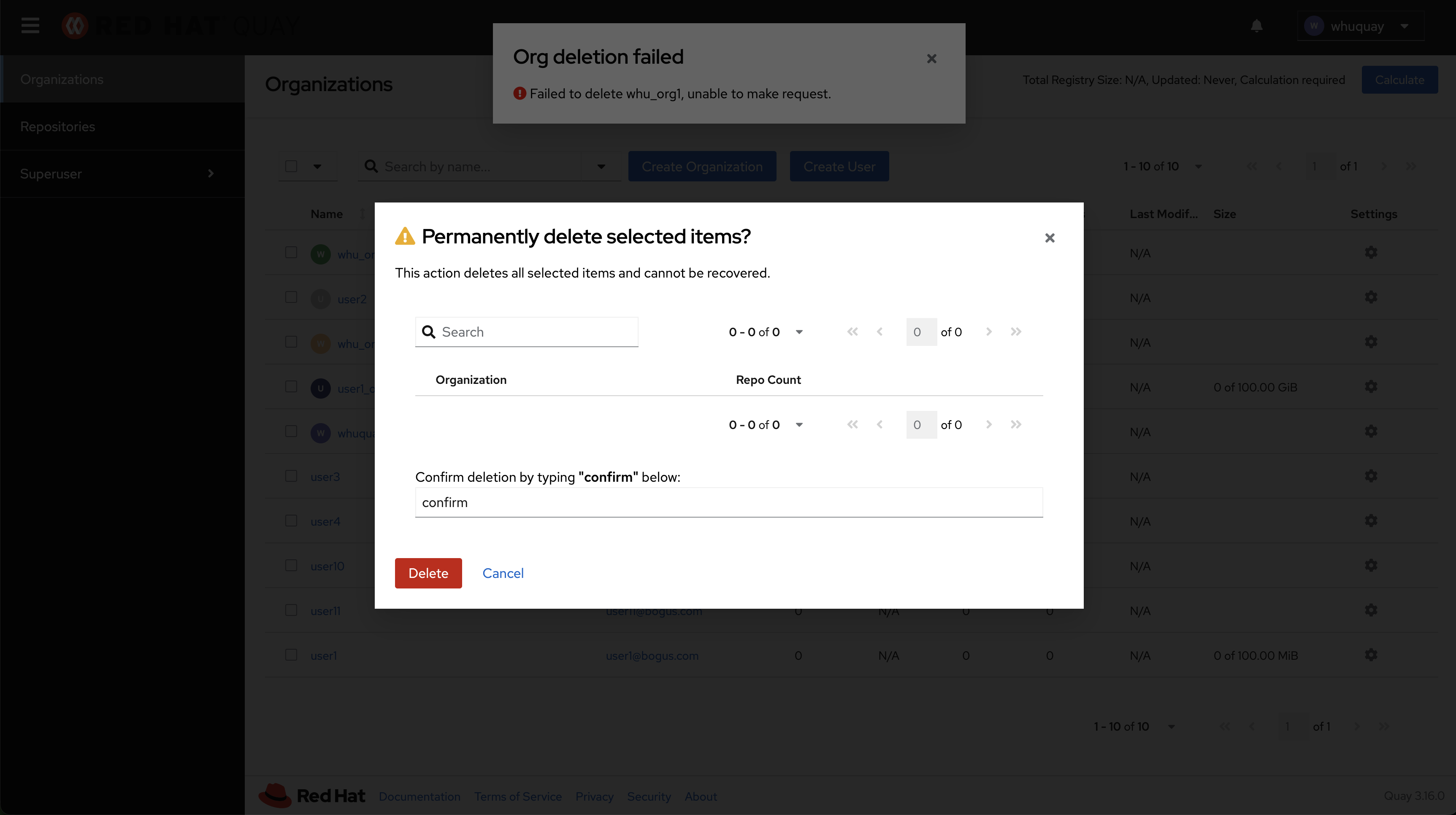
Check the API calls in the browser's debug panel, the organization name in the API which used to delete "whu_org2" is "whu_org1".
Get the testing details in Screen Recording 2025-11-24 at 22.39.33.mov
Additional info
If deleting one organization by clicking Delete button in Actions dropdown first, then deleting another organization by clicking Delete Organization button in gear icon, it works well.