-
Bug
-
Resolution: Done
-
 Blocker
-
None
-
quay-v3.16.0
-
Quality / Stability / Reliability
-
False
-
-
False
-
-
Description of problem:
In Quay 3.16.0, the new UI does not display the quota settings that superuser has set for a regular user.
Version-Release number of selected component (if applicable):
// quay 3.16.0
----------------------
quay-eng-tenant/stable-3-16-v4-19@sha256:8b6d1ae840c2f4e6845118bf944e28955e8040281d49d3c00ac9f0de07815129
Steps to reproduce:
1. Create a super user "whuquay" and a regular user "user2"
2. Log in quay with superuser "whuquay" and switch to old UI
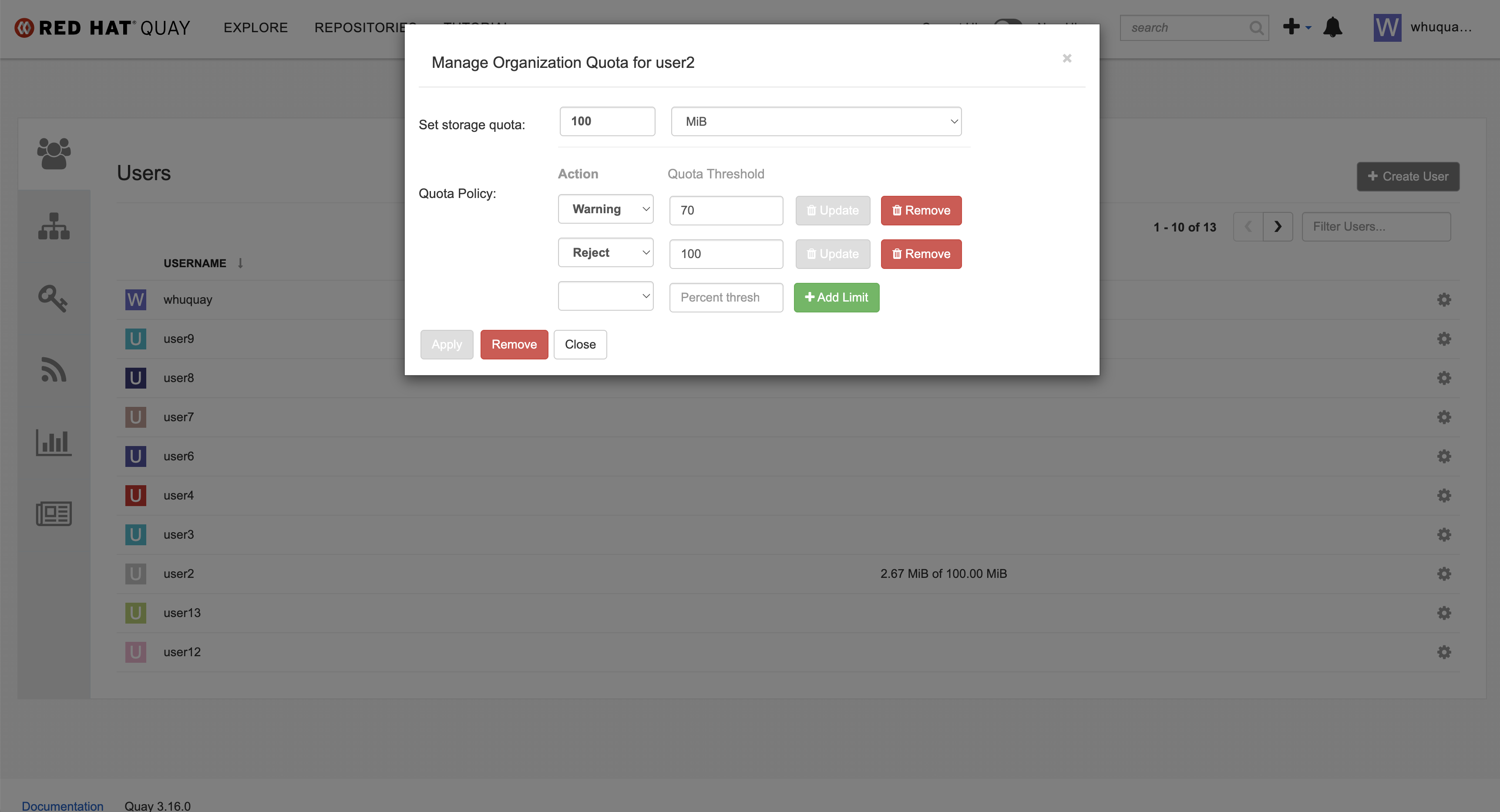
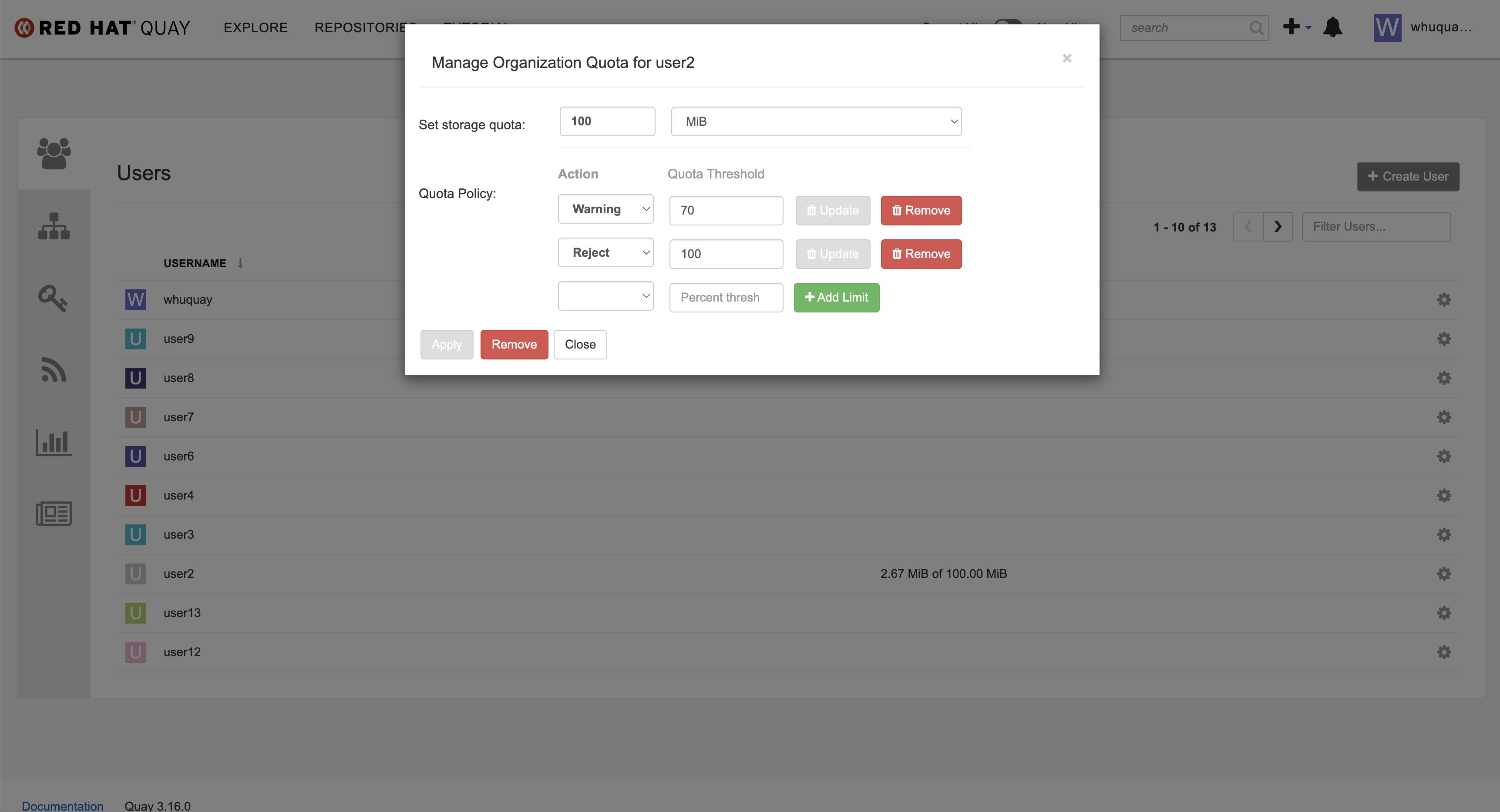
3. Set quota to user "user2" in the old UI
Set quota to regular user by superuser in the new UI
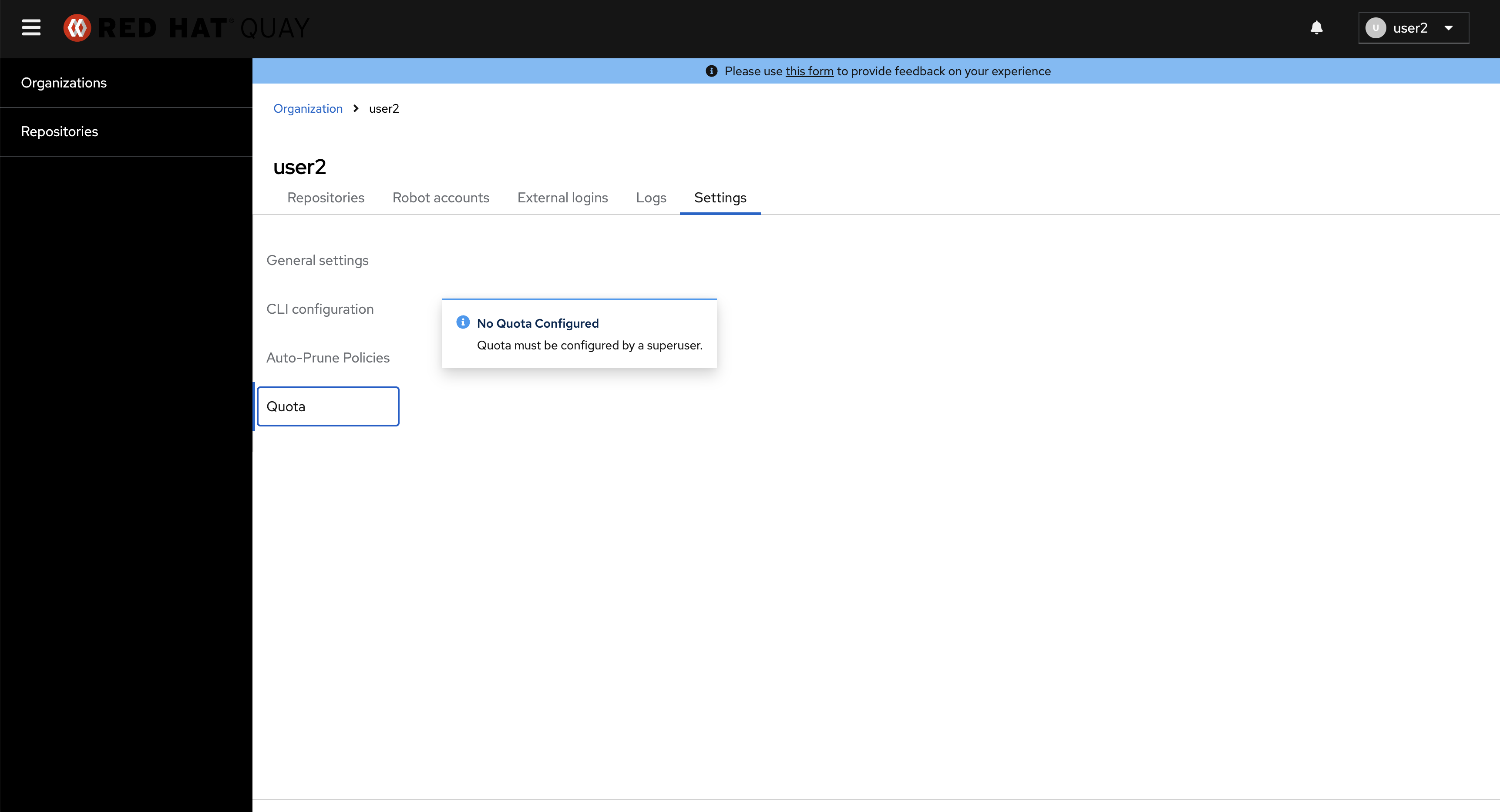
4. log in quay with user2 and go to user2 setting page
5 Check the quota display status
Actual results:
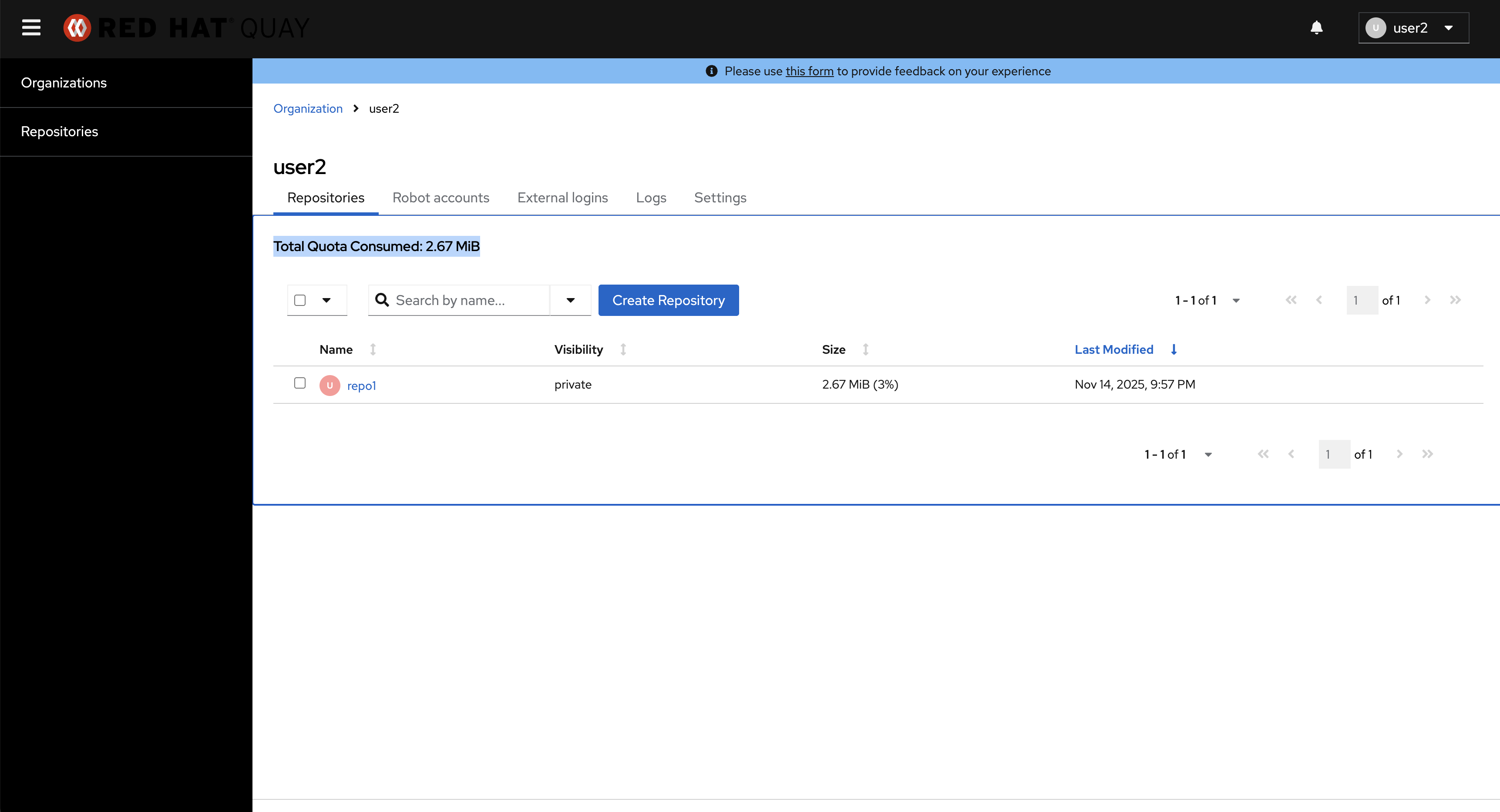
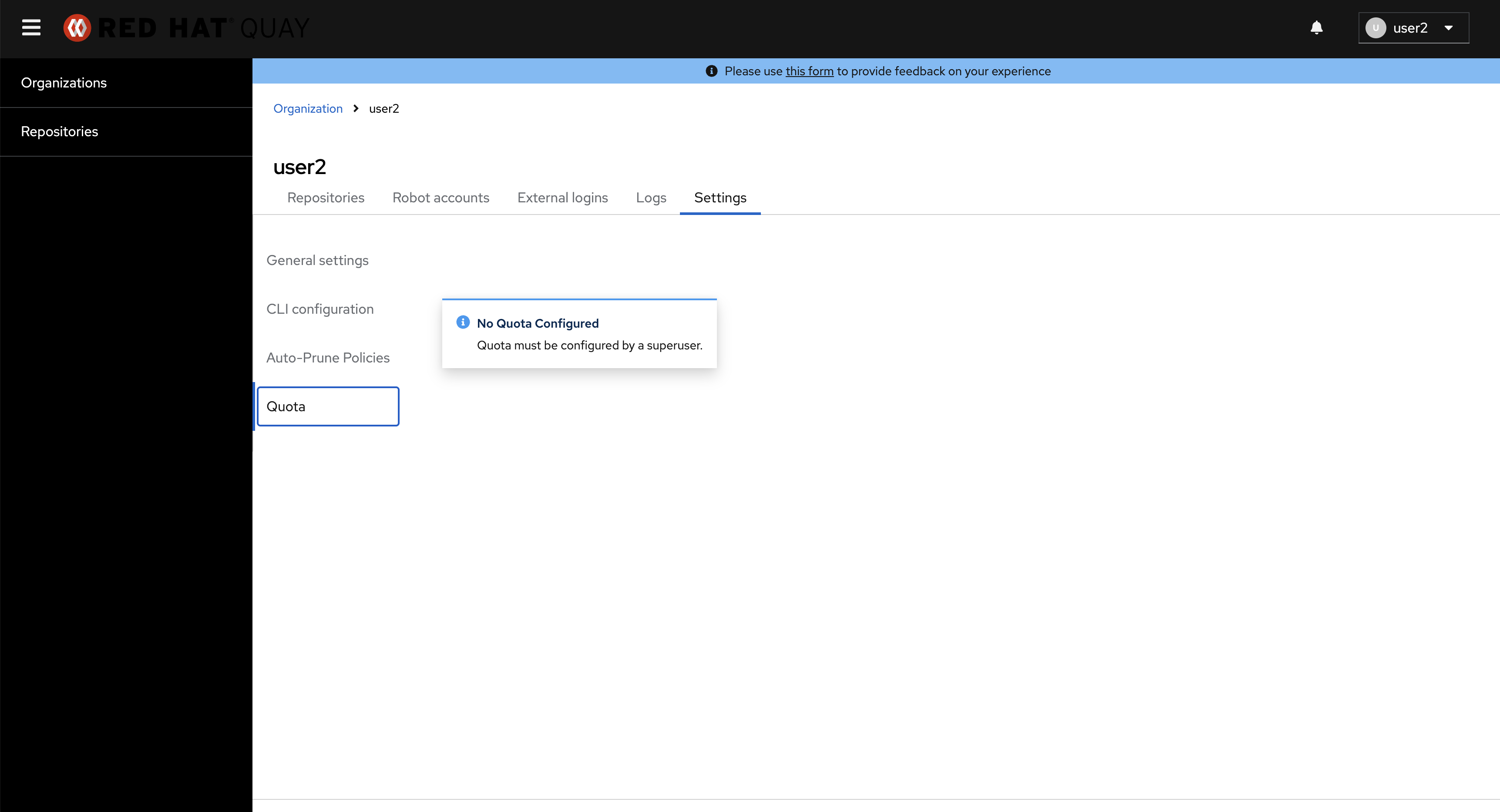
The quota setting can not be displayed in the new UI
The quota display status in the new UI
Expected results
The quota setting should be displayed correctly in the new UI
Additional info
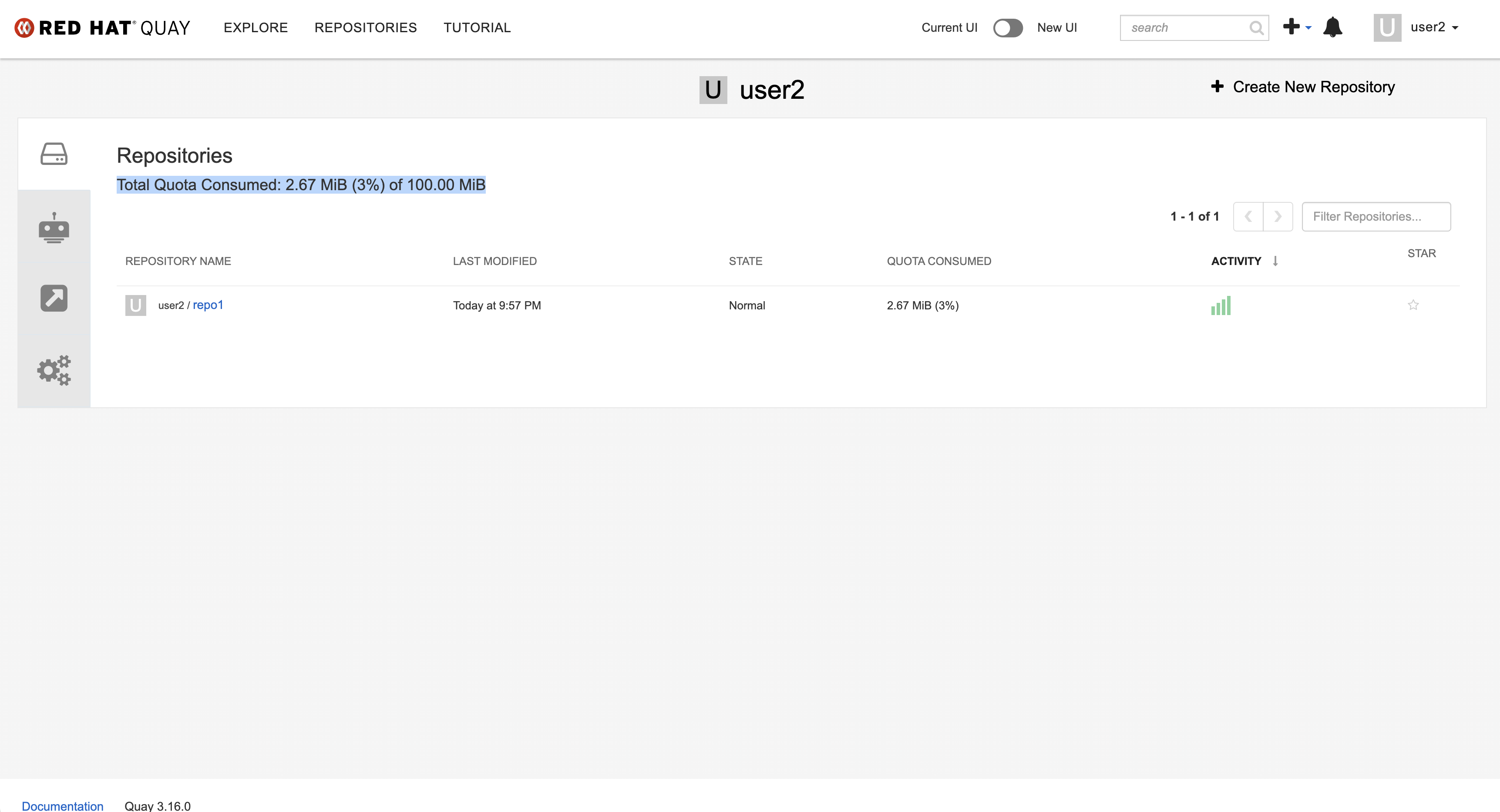
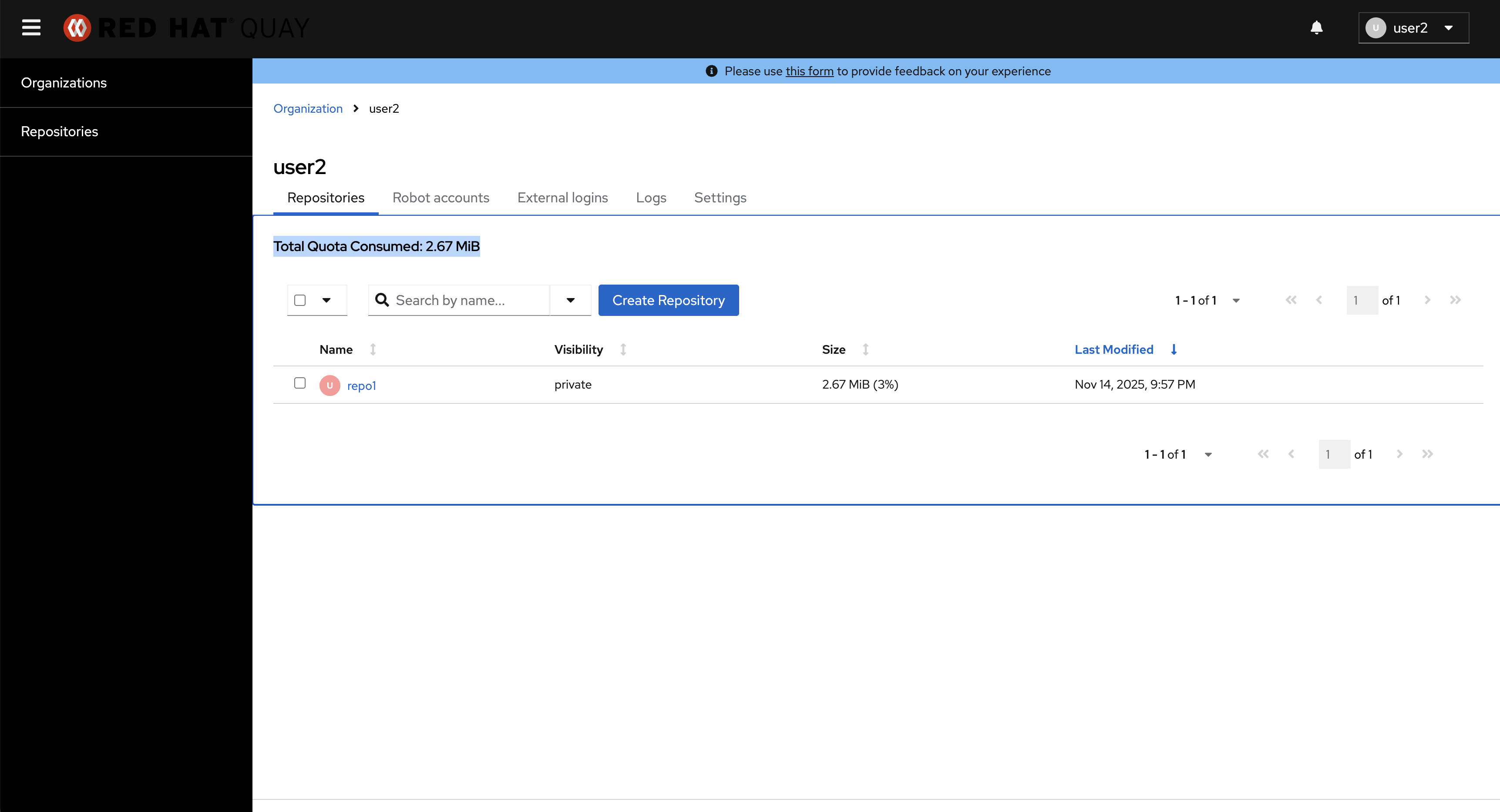
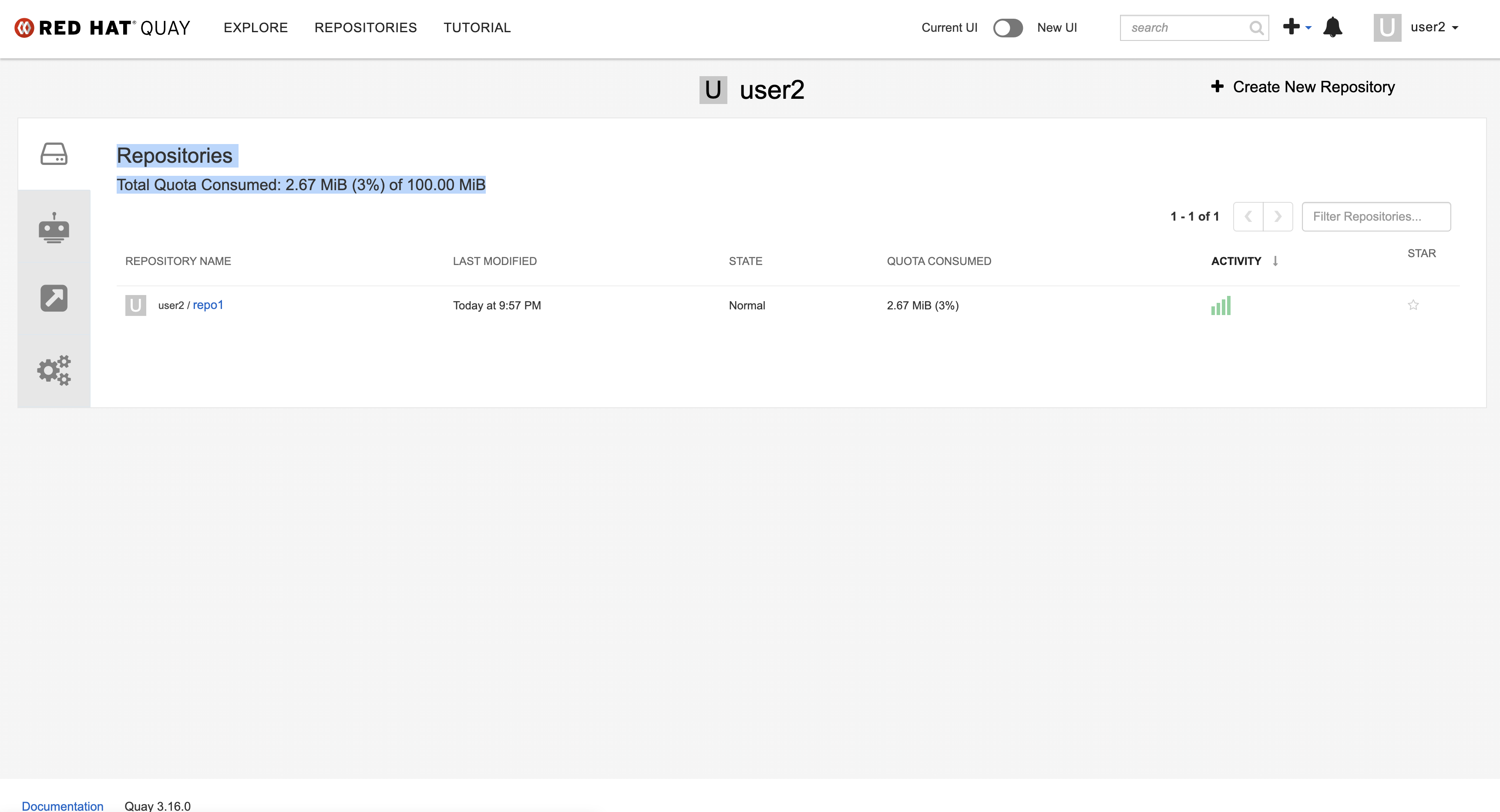
In the new UI, the total storage quota cannot be retrieved from the quota usage information. However, it could be retrieved in the old UI.
The quota usage information in the old UI
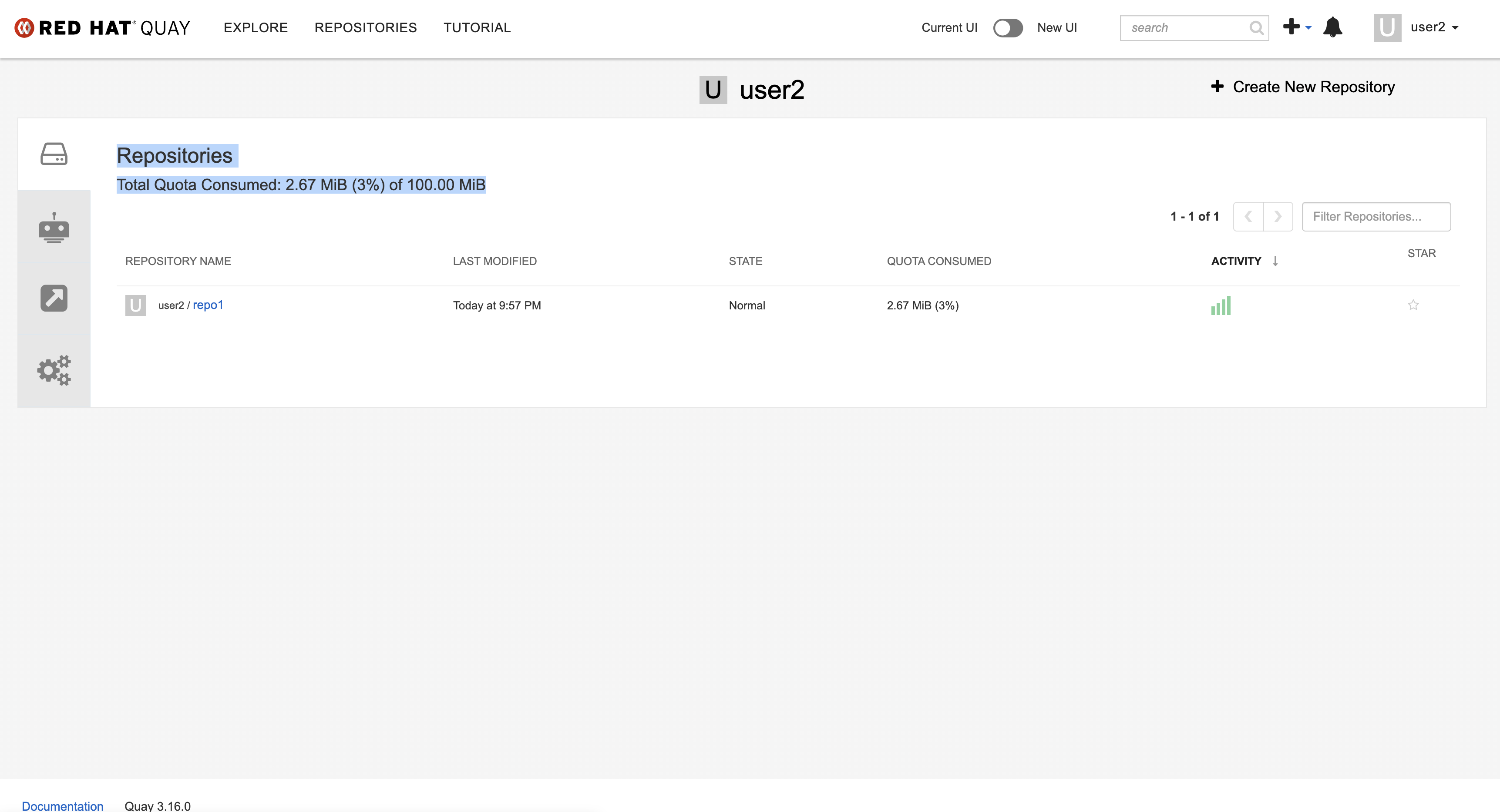
The quota usage information in the new UI