-
Bug
-
Resolution: Unresolved
-
 Normal
-
None
-
quay-v3.16.0
-
Quality / Stability / Reliability
-
False
-
-
False
-
-
Description of problem:
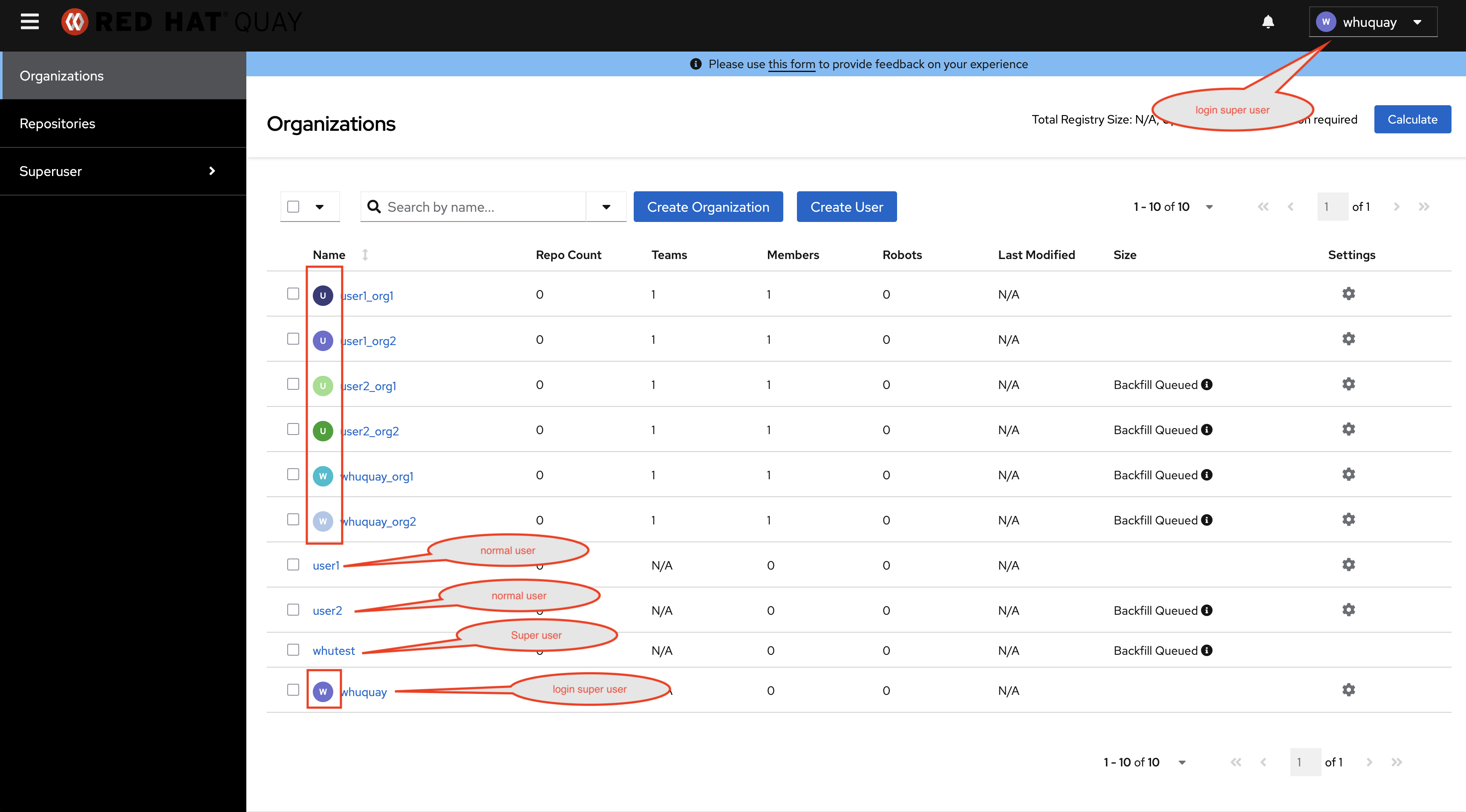
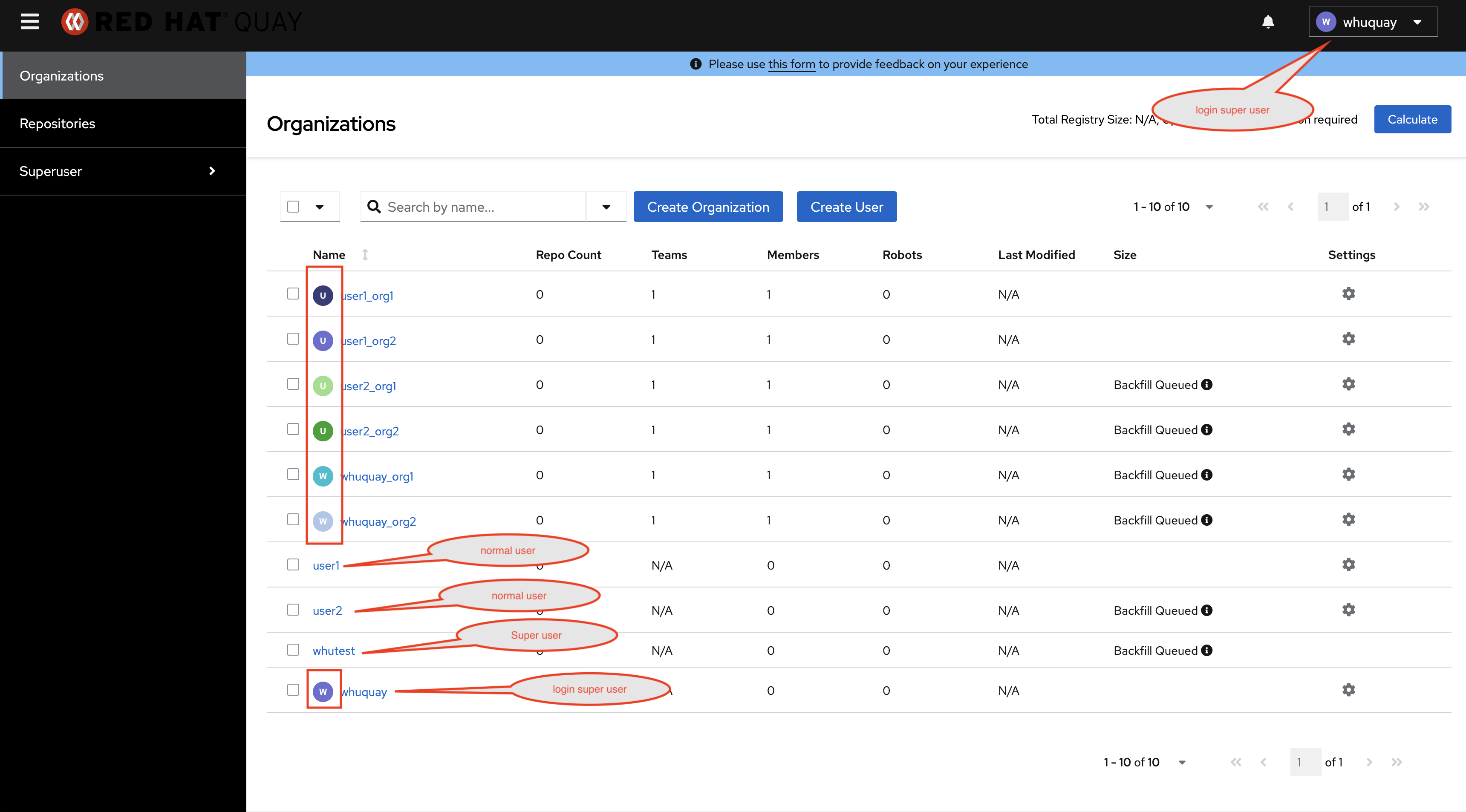
In the Organizations table of quay 3.16.0 new UI, only the normal organizations and the current login super user have avatar, the other normal users and super users don't have avatar. To maintain a consistent style all entries in the organizations table should have an avatar.
Version-Release number of selected component (if applicable):
// quay 3.16.0
----------------------
quay.io/redhat-user-workloads/quay-eng-tenant/stable-3-16-v4-19@sha256:33d2f882d86c0541fbc8dd61ccab047455fe10e4218f207b13bdbadbda1b19ce
Steps to reproduce:
1. Include below settings in config.yaml
SUPER_USERS:
  - whuquay
  - whutest
2. Create user 'whuquay', 'whutest', 'user1' and 'user2' in the new UI
3. Log in with 'user1' and create organizations 'user1_org1' and 'user1_org2'
4. Log in with 'user2' and create organizations 'user2_org1' and 'user2_org2'
5. Log in with 'whuquay' and create organizations 'whuquay_org1' and 'whuquay_org2'
6. Check Organizations table
Actual results
In the Organizations table, only the normal organizations and the current login super user have avatar, the other normal users and super users don't have avatar.
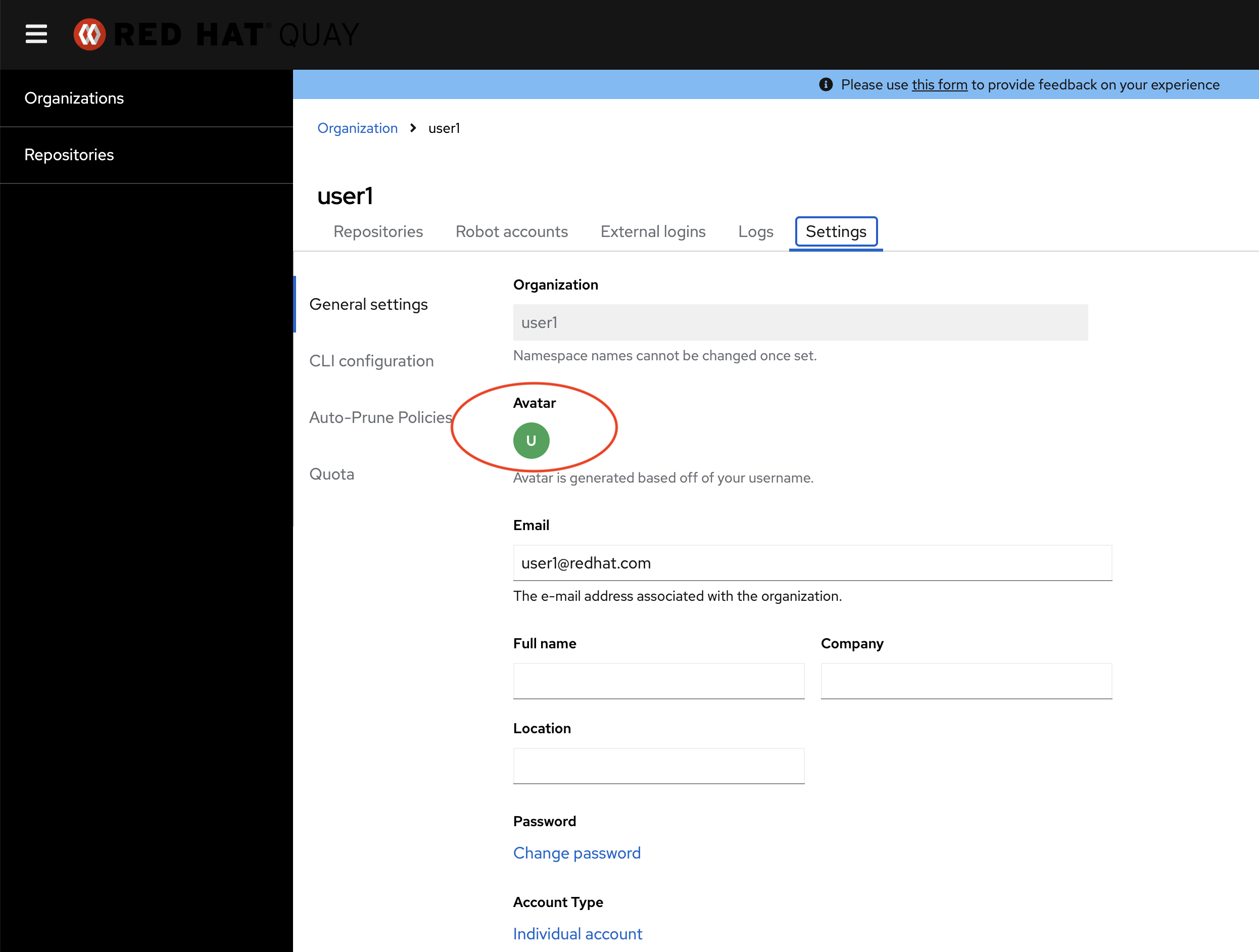
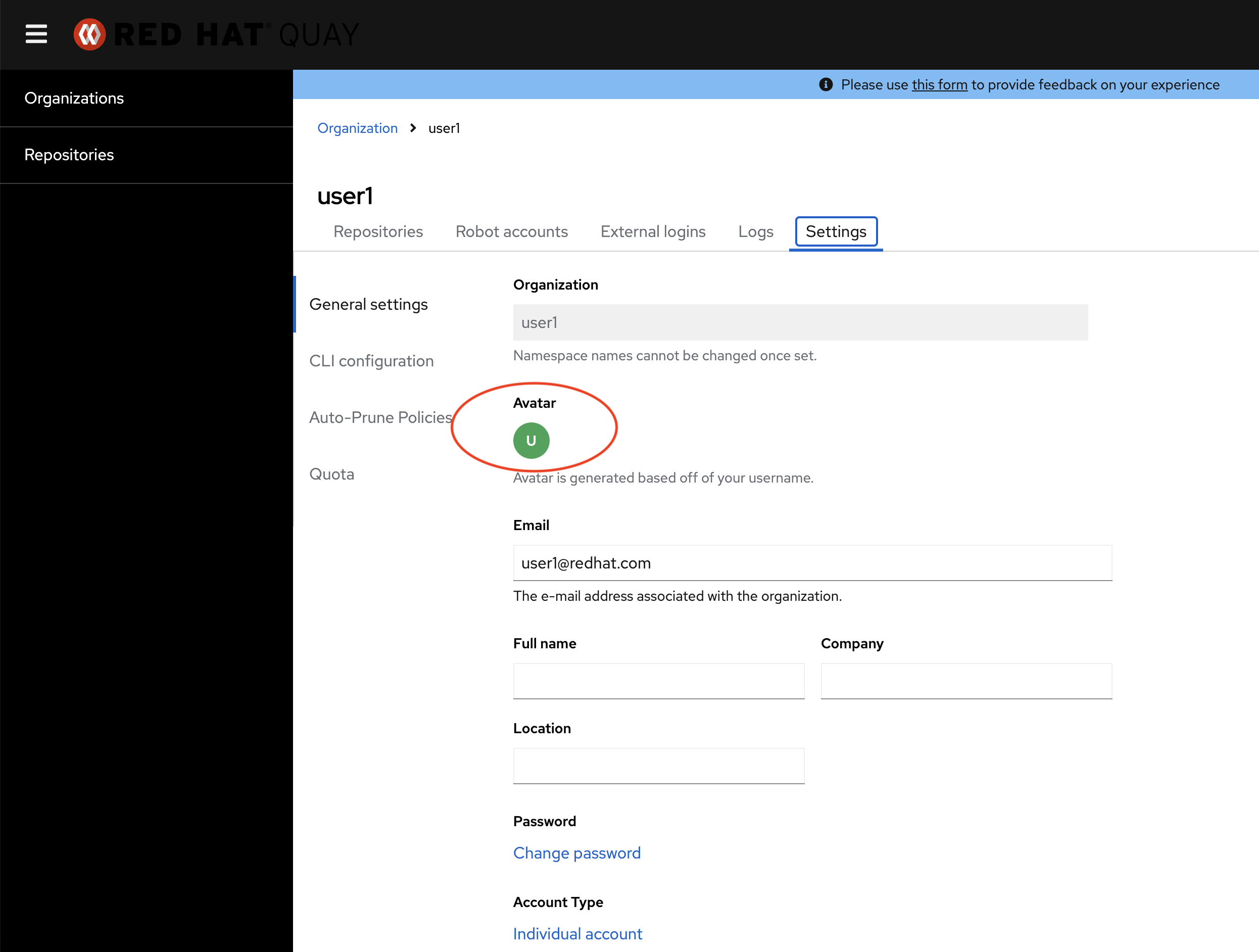
The normal users have their own avatar
Expected results
To maintain a consistent style all entries in the organizations table should have an avatar.