-
Bug
-
Resolution: Unresolved
-
 Undefined
-
None
-
None
-
None
-
Quality / Stability / Reliability
-
False
-
-
False
-
-
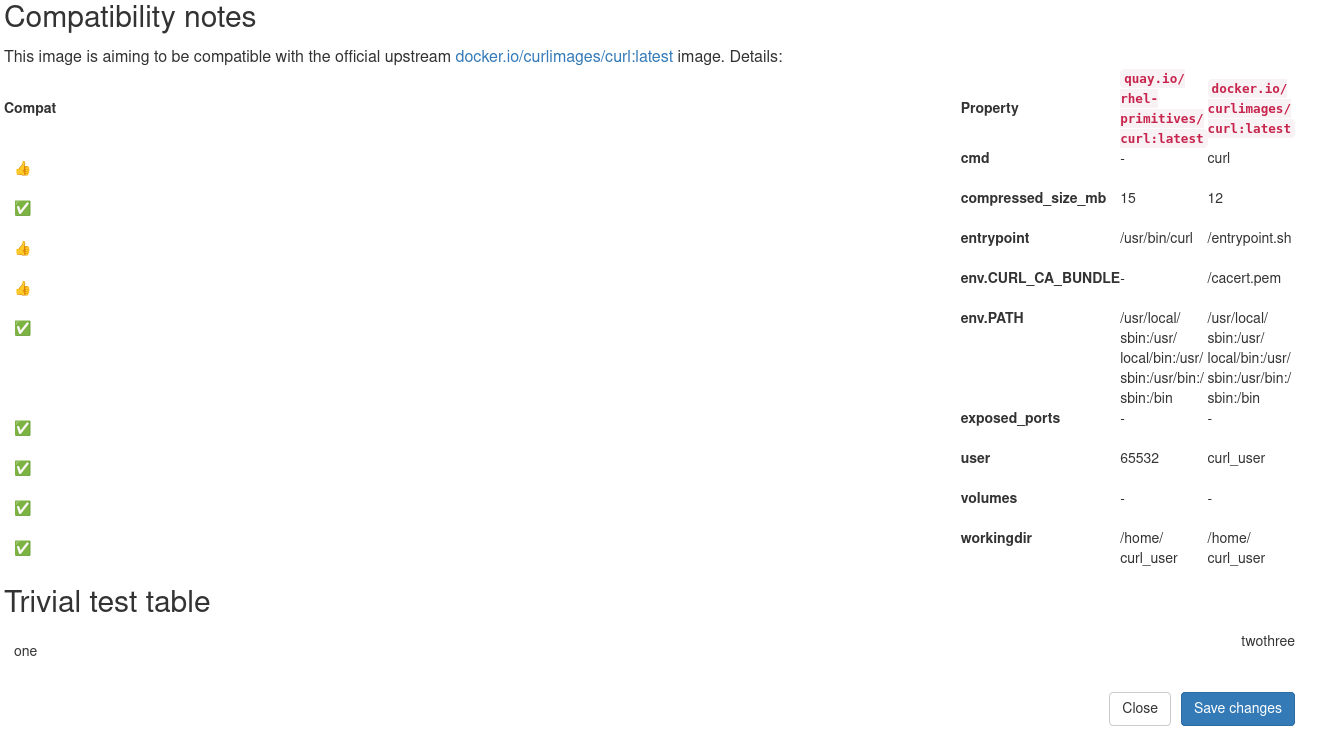
I am trying to push the upstream README.md from our project to its quay page at https://quay.io/repository/rhel-primitives/curl . That README contains a Markdown table with footnotes. Apparently quay.io's Markdown renderer does not understand either, and makes a mess out of it (table is rendered as a single line as raw markdown, and the footnotes as a second single raw line below).
So I tried to push HTML instead. But that always renders the first column excessively wide (about 75% screen space) even though it only contains a single icon. Then all the other columns get squeezed:
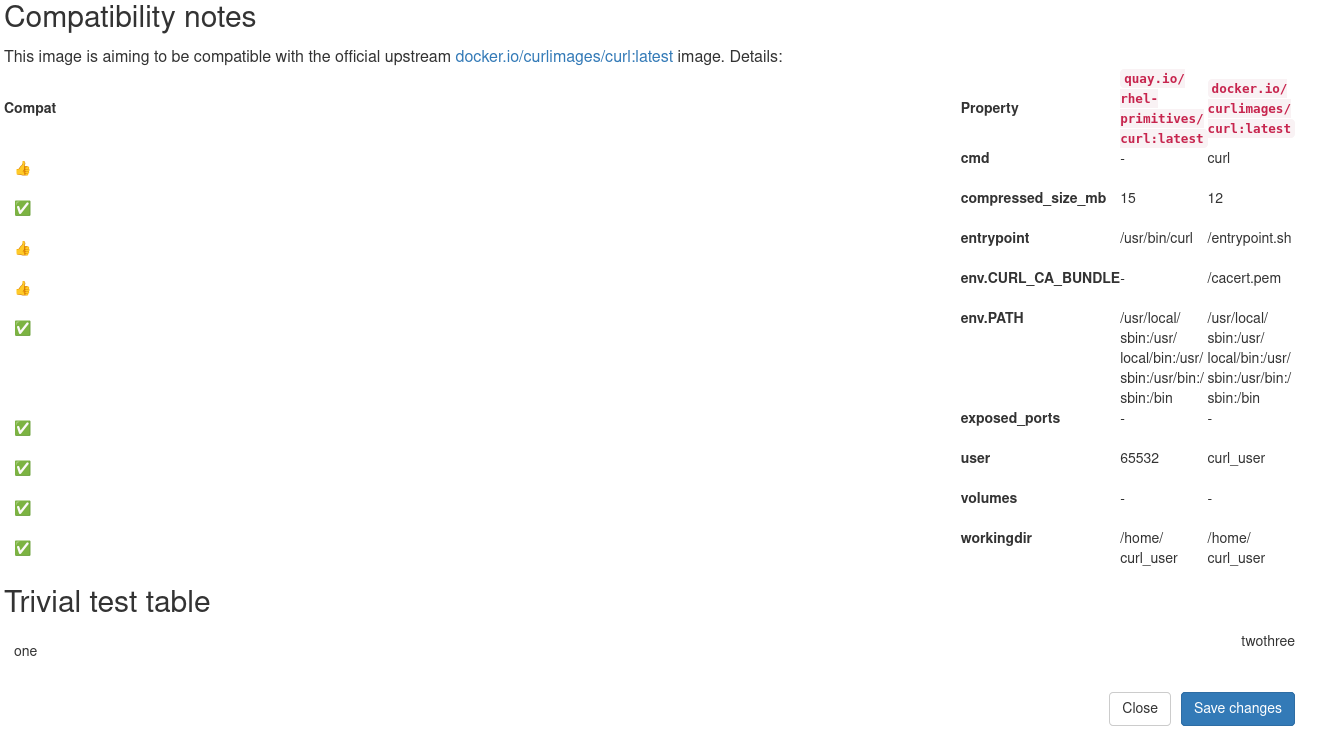
Even a trivial test table
<table><tr><td>one</td><td>two</td><td>three</td></tr></table>
looks wrong, see above screenshot.
I tried to explicitly set HTML width attributes on <th> elements
  <table>
  <thead>
    <tr>
      <th width="8%">Compat</th>
      <th width="22%">Property</th>
      <th width="35%">Our Image</th>
      <th width="35%">Upstream Image</th>
    </tr>
  </thead>
  ...
  </table>
Same on <td> elements. I also tried CSS:
  <table style="width:100%; table-layout:fixed;">
    <colgroup>
      <col style="width:8%">
      <col style="width:22%">
      <col style="width:35%">
      <col style="width:35%">
    </colgroup>
    <thead>...</thead>
    <tbody>...</tbody>
  </table>
But none of that has any actual effect.