Major
Major Description of problem:
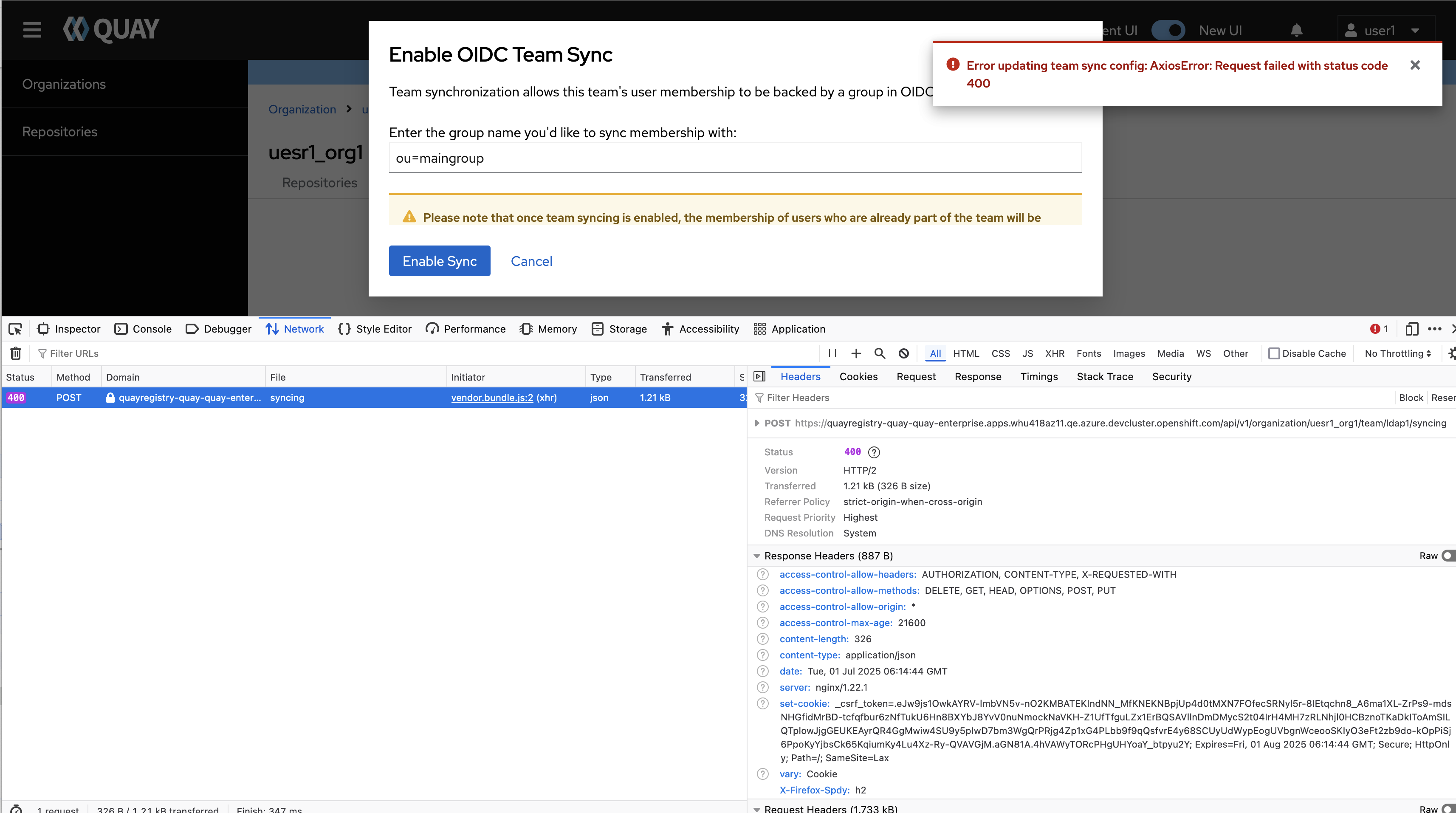
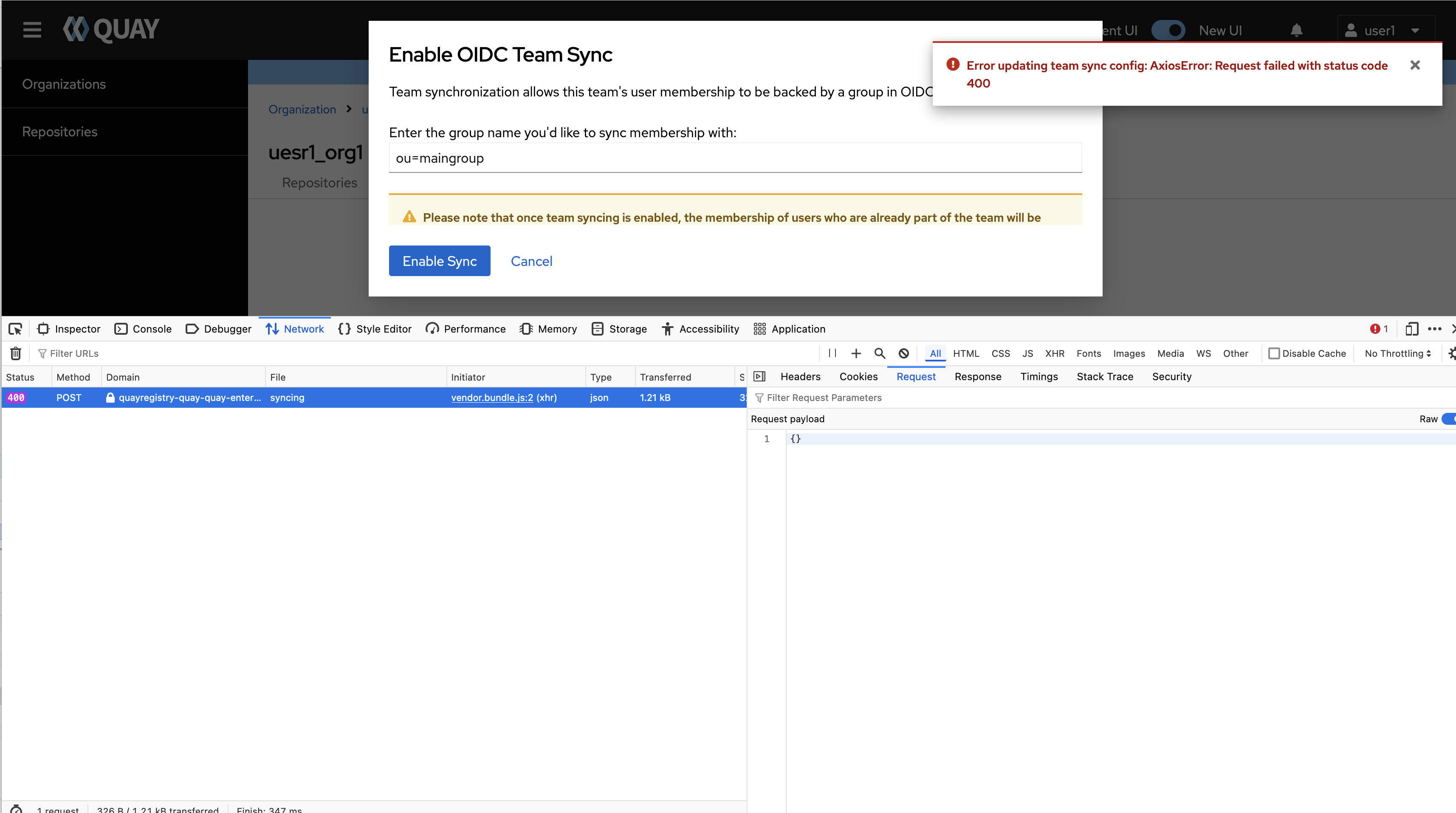
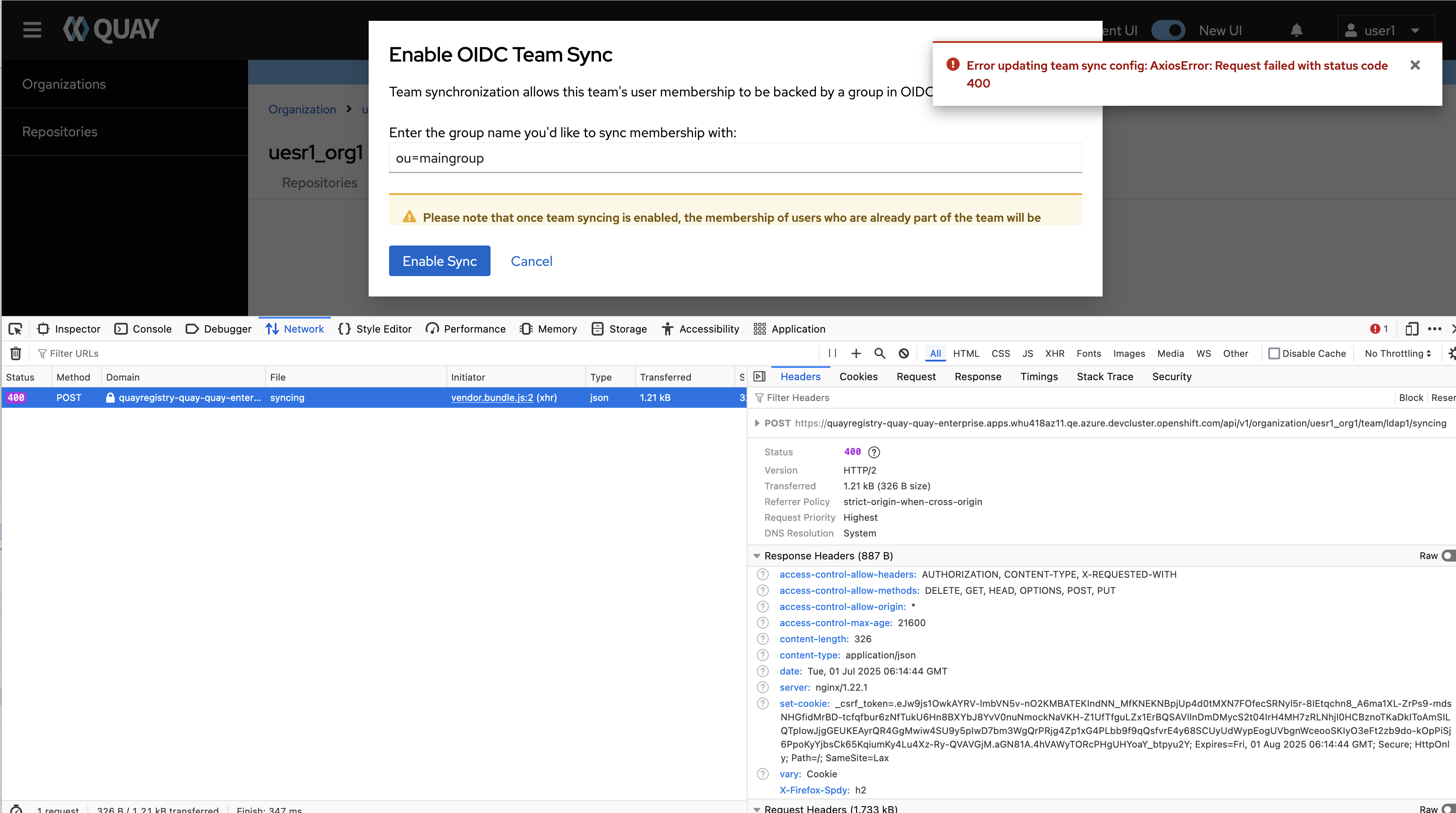
When set AUTHENTICATION_TYPE as LDAP, then enable LDAP directory synchronization, got 400 error in new UI.
Version-Release number of selected component (if applicable):
// quay-operator-bundle-container-v3.15.0-25
------------------------------
$ oc get $(oc get pod -l name=quay-operator-alm-owned -o name -n quay-enterprise) -o jsonpath='{.spec.containers[0].image}' -n quay-enterprise
registry.redhat.io/quay/quay-operator-rhel8@sha256:c0626776bcf40439489aba1aff52a482ad839ad7875a72b05db3db5a6396e6ef
------------------------------
$ oc get $(oc get pod -l app=quay -o NAME -n quay-enterprise|head -n 1) -o jsonpath='{.spec.containers[0].image}' -n quay-enterprise
registry.redhat.io/quay/quay-rhel8@sha256:3f5c0b4dc10da261b561b09fffd50ce90ab5df5192e299480a23afdda86a10bb
------------------------------
Steps to reproduce:
1. Configure quay with below config.yaml
AUTHENTICATION_TYPE: LDAP
LDAP_ADMIN_DN: cn=admin,dc=quay,dc=io
LDAP_ADMIN_PASSWD:    xxxxxxxxx
LDAP_ALLOW_INSECURE_FALLBACK: false
LDAP_BASE_DN:
    - dc=quay
    - dc=io
LDAP_EMAIL_ATTR: mail
LDAP_SECONDARY_USER_RDNS:
    - ou=secondgroup
LDAP_UID_ATTR: cn
LDAP_URI: ldap://ec2-34-201-154-231.compute-1.amazonaws.com
#LDAP_USER_FILTER: (|(postalCode=100000)(postalCode=100002))
LDAP_USER_RDN:
    - ou=maingroup
FEATURE_TEAM_SYNCING : true
TEAM_RESYNC_STALE_TIME : 1m
TEAM_SYNC_WORKER_FREQUENCY : 60
FEATURE_NONSUPERUSER_TEAM_SYNCING_SETUP: true
FEATURE_PUBLIC_CATALOG: true
.........
2. Add some users in ldap database
$ ldapadd -H ldap://ec2-34-201-154-231.compute-1.amazonaws.com  -D "cn=admin,dc=quay,dc=io" -w xxxx -f /Users/whu/root/gitlab_redhat/quay_tools/test_resource/ldap/quay.ldif
adding new entry "cn=Manager,dc=quay,dc=io"adding new entry "ou=secondgroup,dc=quay,dc=io"adding new entry "ou=maingroup,dc=quay,dc=io"adding new entry "ou=excludegroup,dc=quay,dc=io"adding new entry "cn=user1,ou=maingroup,dc=quay,dc=io"adding new entry "cn=user2,ou=maingroup,dc=quay,dc=io"adding new entry "cn=user3,ou=maingroup,dc=quay,dc=io"adding new entry "cn=whutest,ou=maingroup,dc=quay,dc=io"adding new entry "cn=user1,ou=secondgroup,dc=quay,dc=io"adding new entry "cn=user2,ou=secondgroup,dc=quay,dc=io"adding new entry "cn=user4,ou=secondgroup,dc=quay,dc=io"adding new entry "cn=user5,ou=excludegroup,dc=quay,dc=io"
............
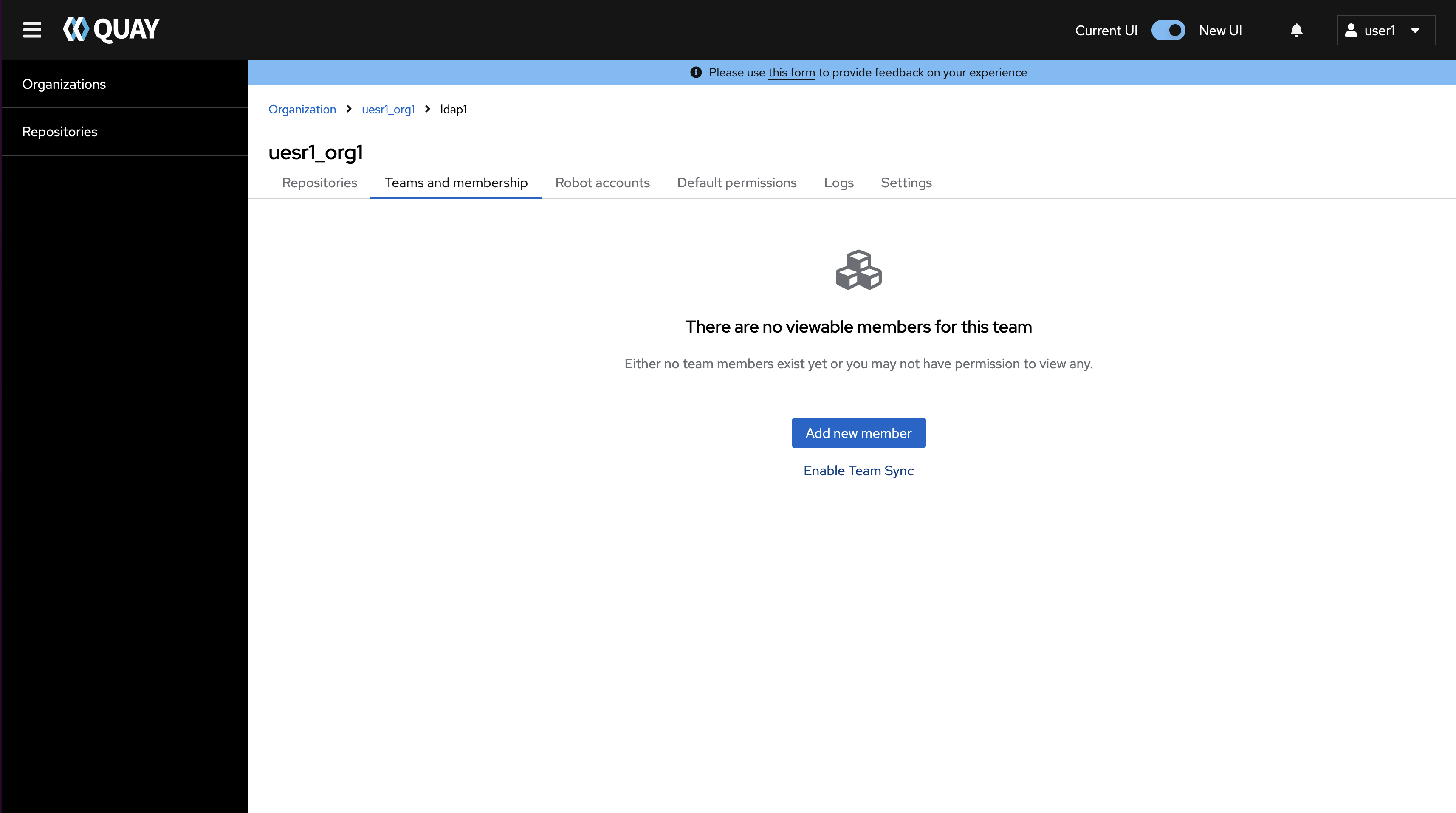
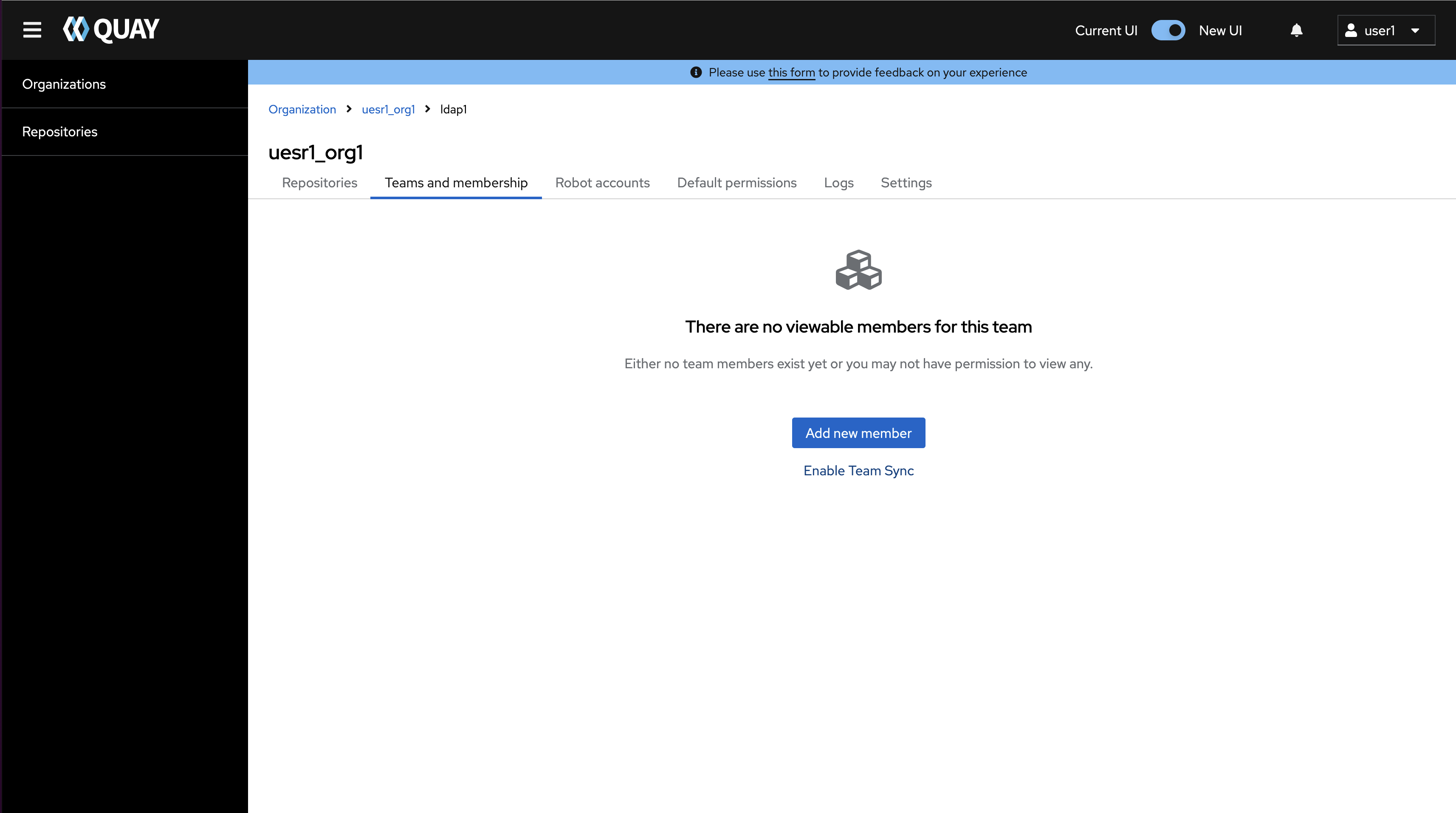
3. Create organization "user1_org1", create team "ldap1" under "user1_org1" and add team member to team "ldap1" in new UI
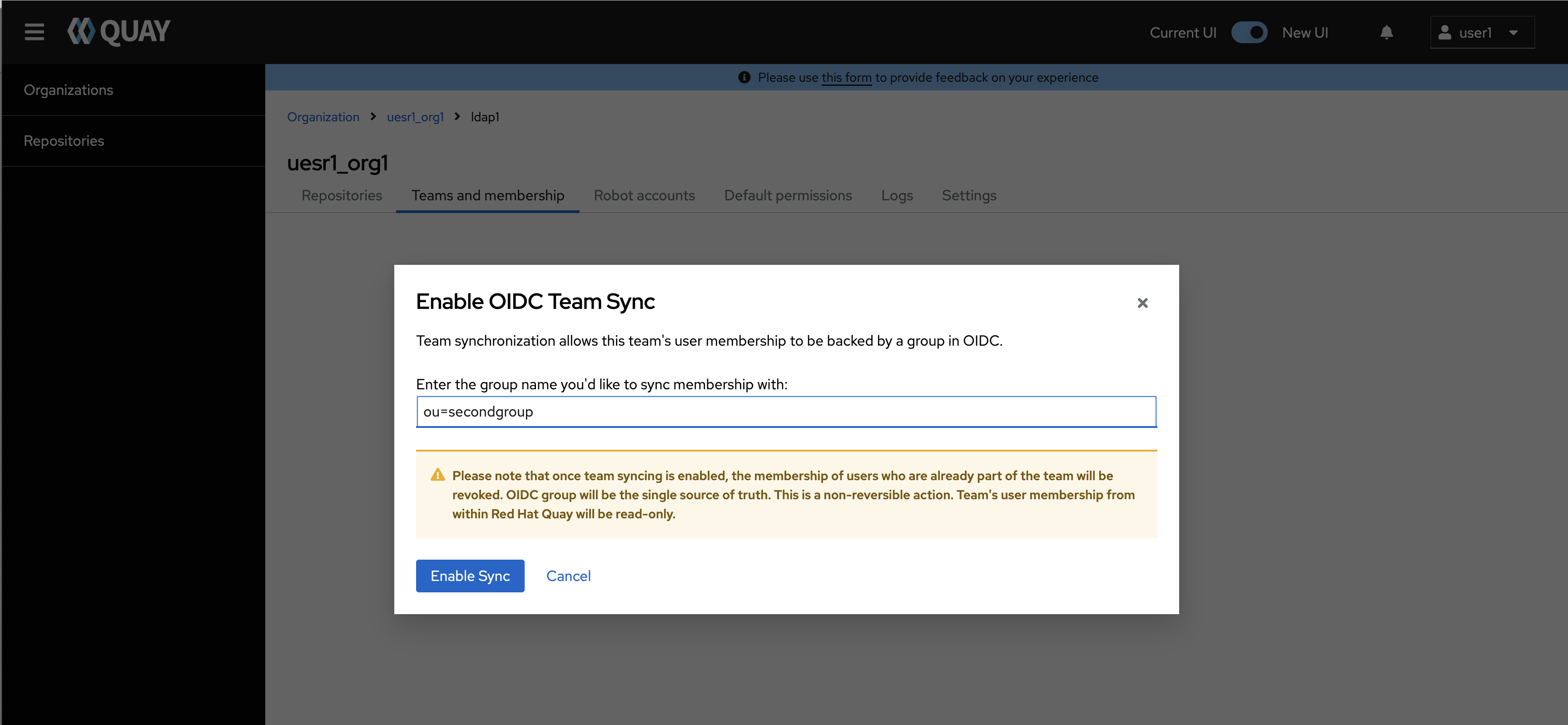
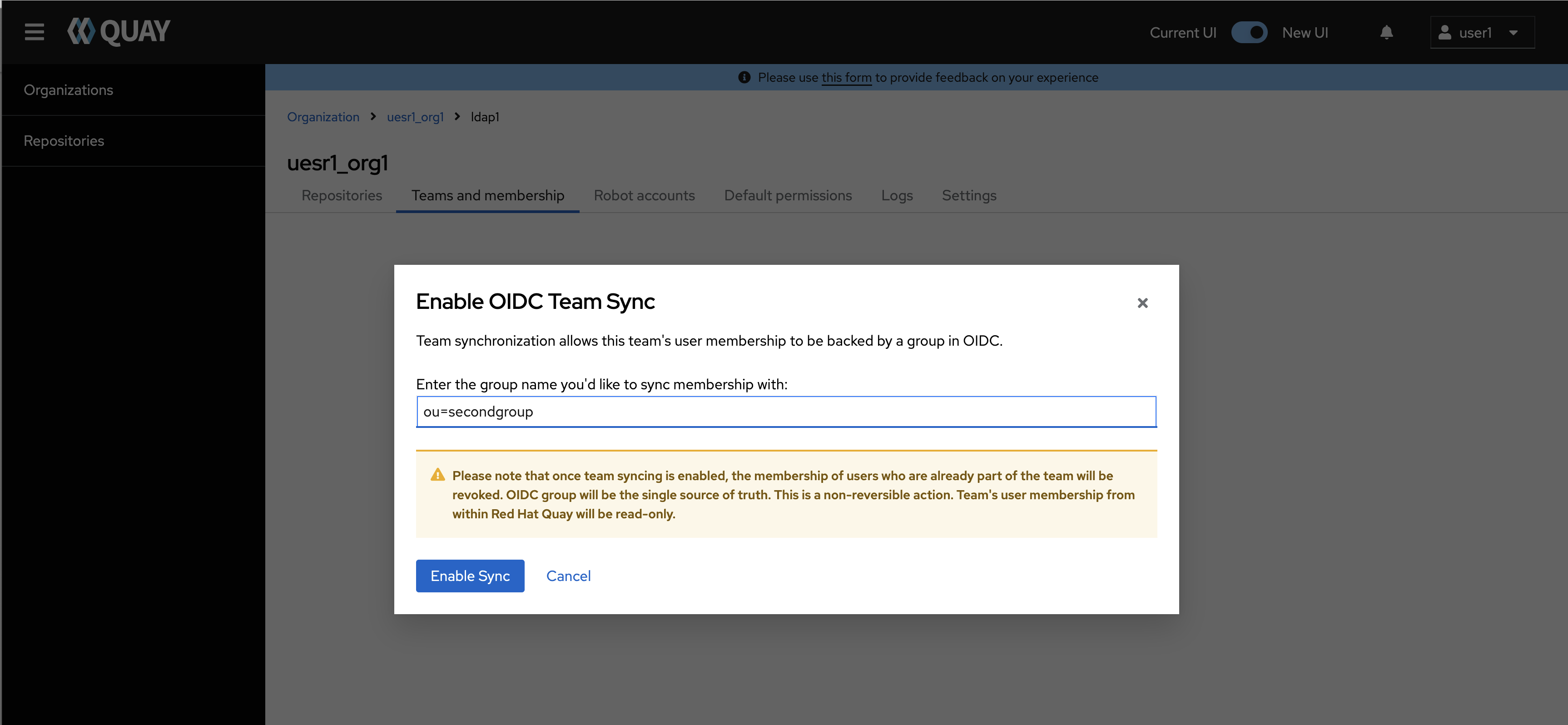
4. Click "Enable Team Sync" button and input "ou=secondgroup" in "Enable OIDC Team Sync' popup
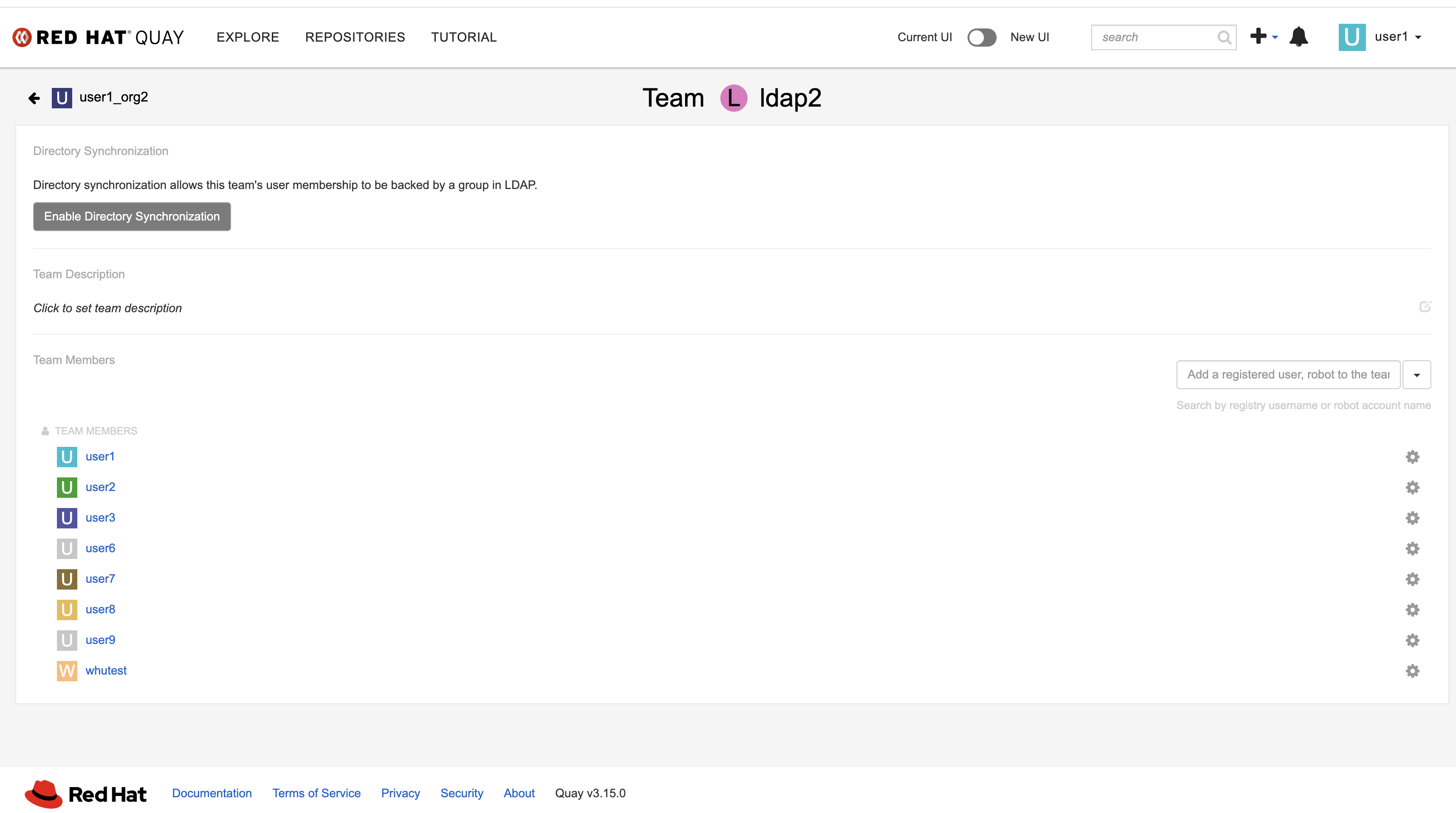
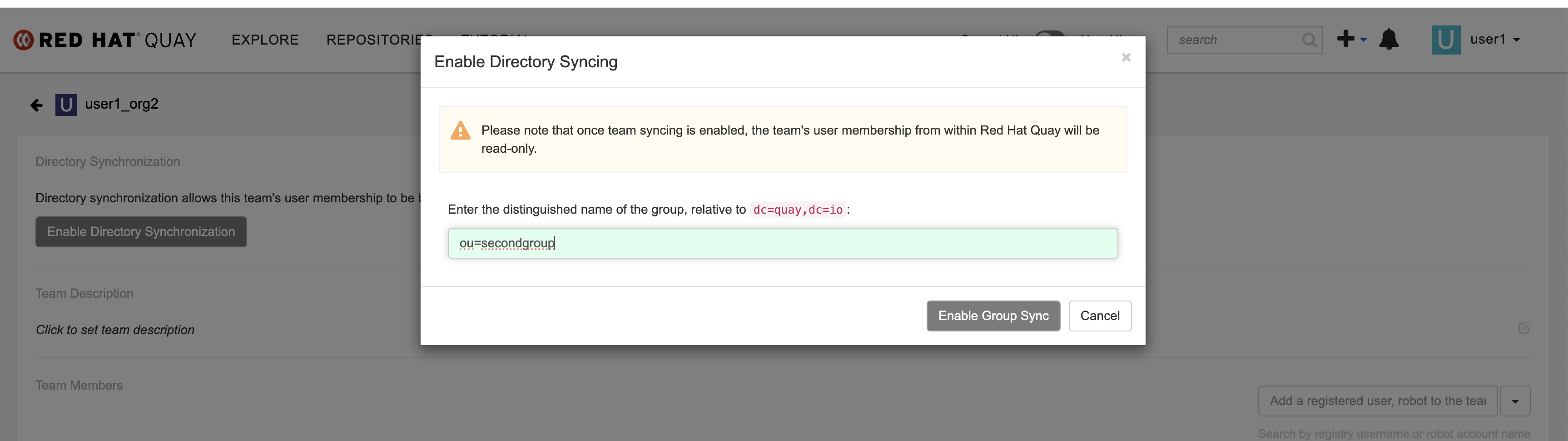
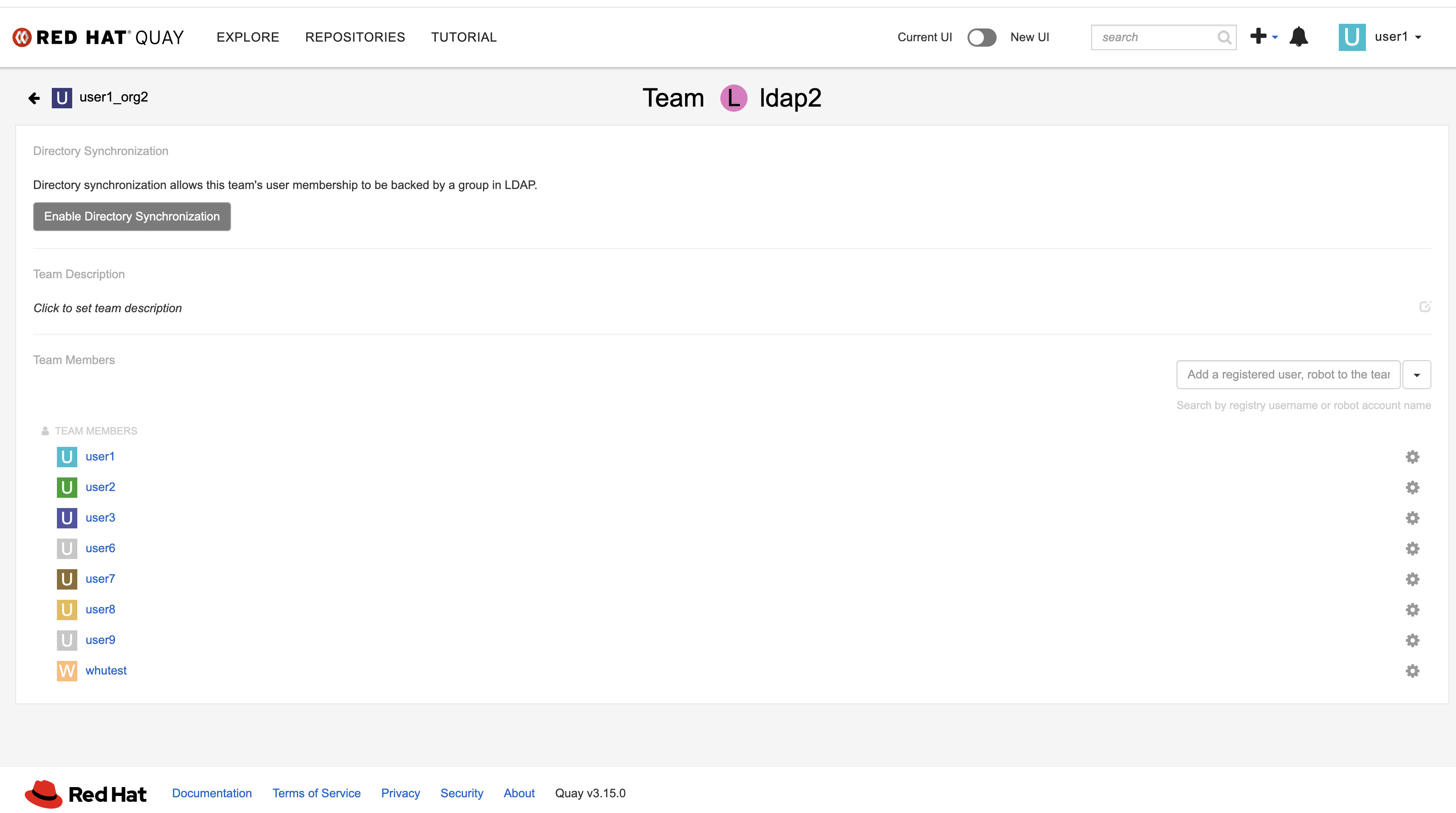
5. Create organization "user1_org2" and create team "ldap2" under "user1_org2" in old UI
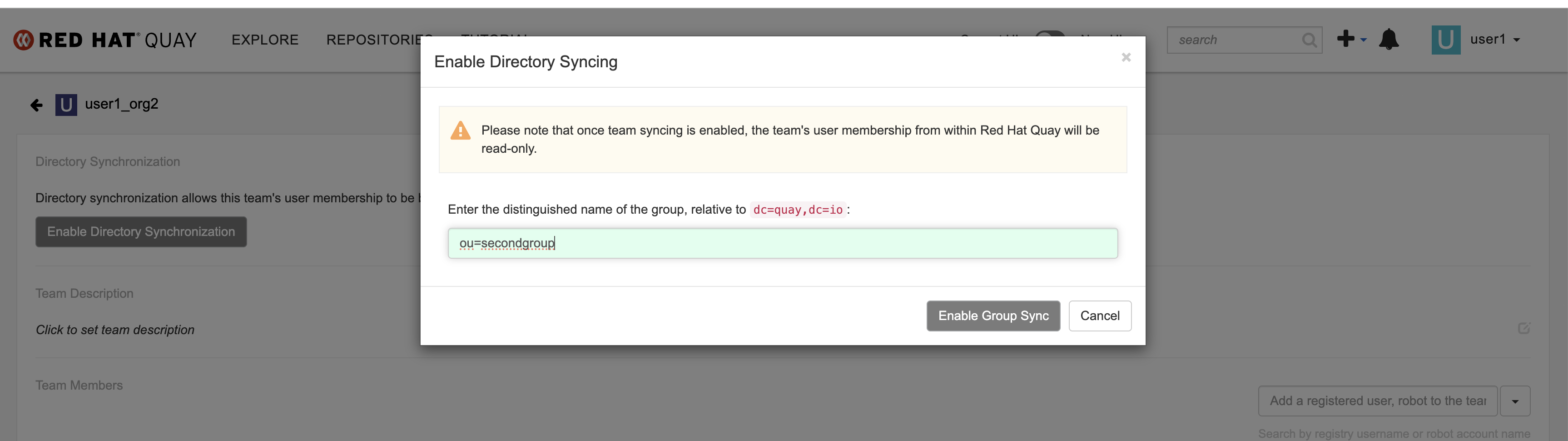
6. Click "Enable Directory Synchronization" button and input "ou=secondgroup" in "Enable Directory Syncing' popup
Actual results:
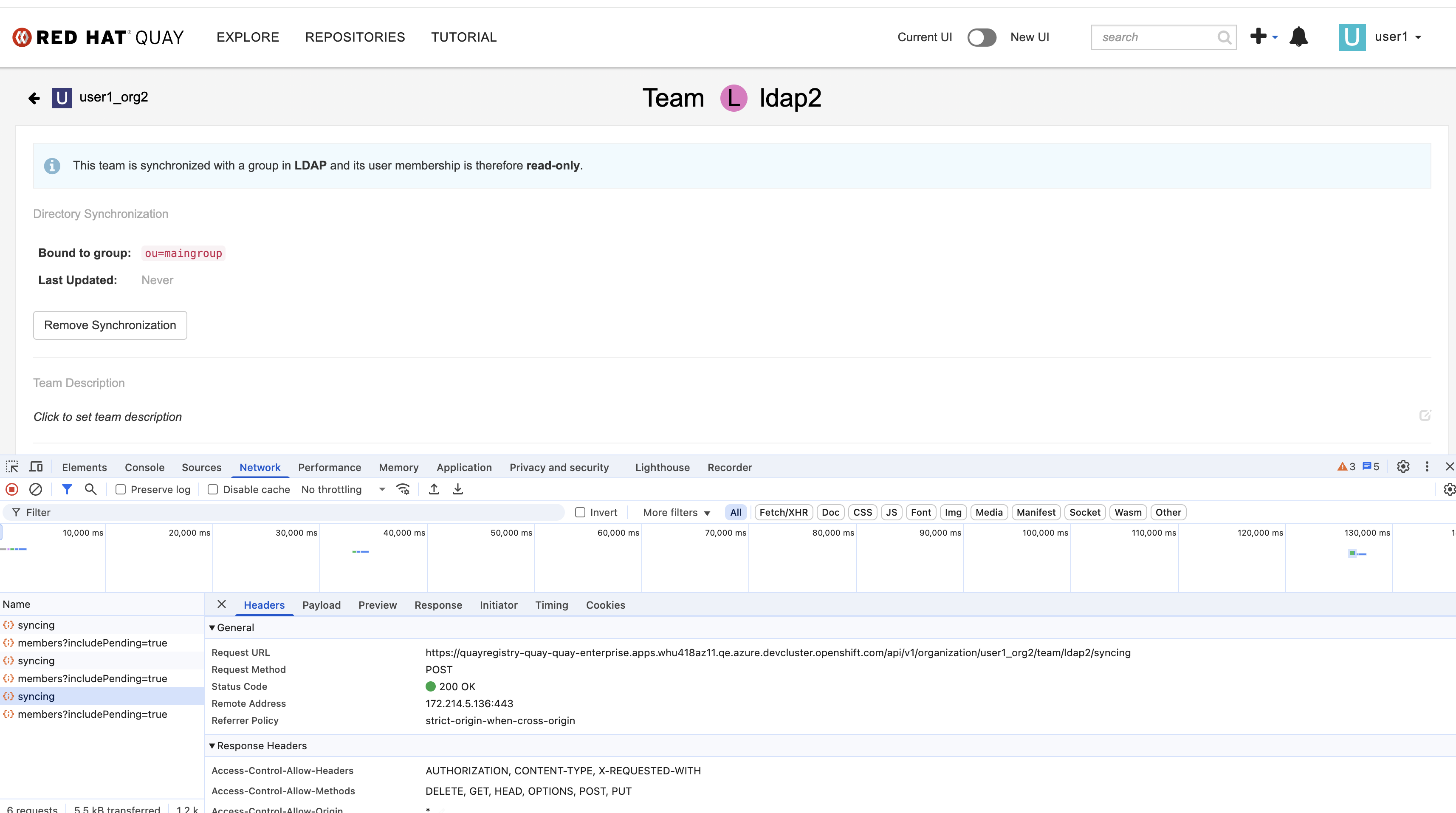
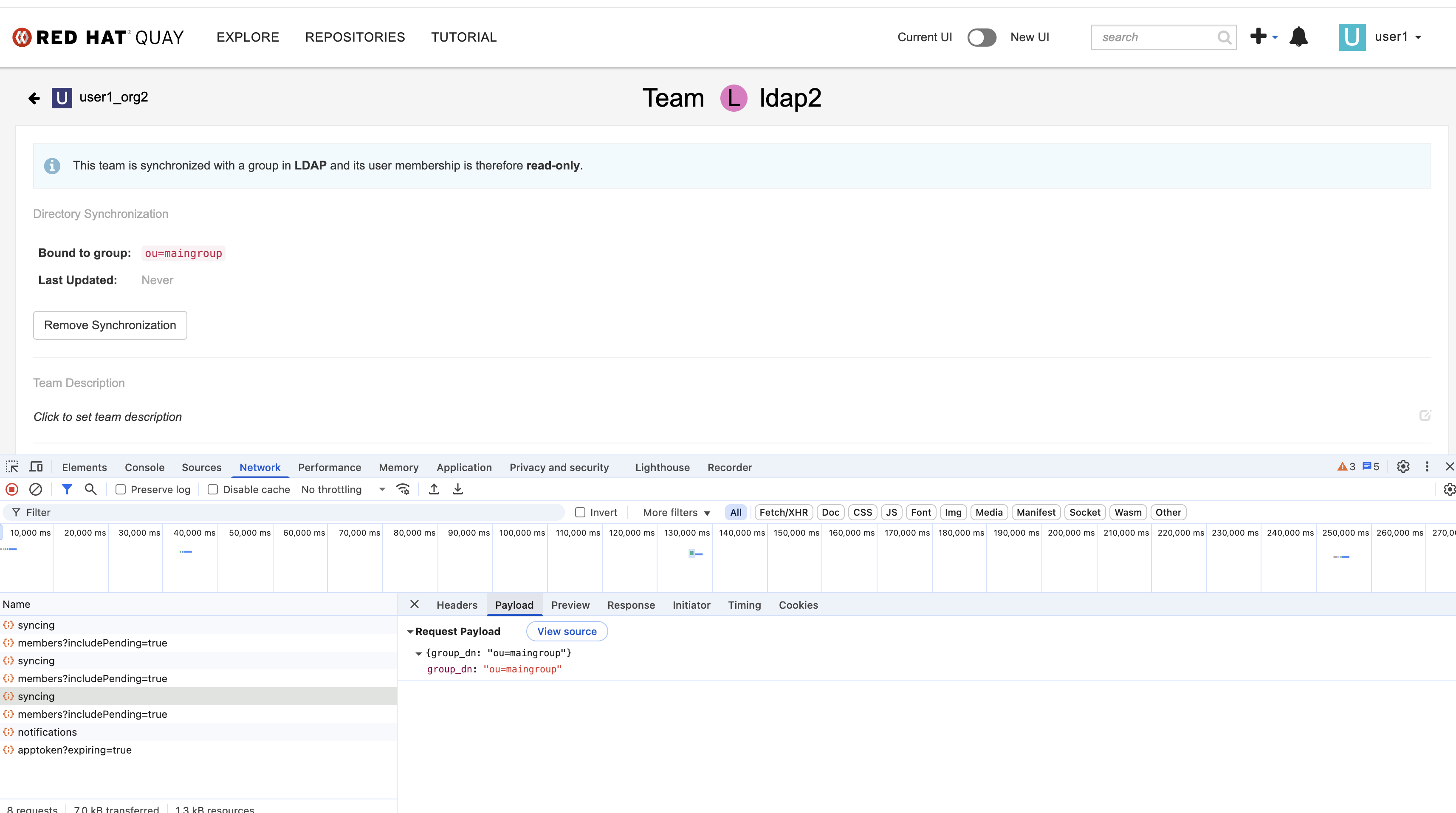
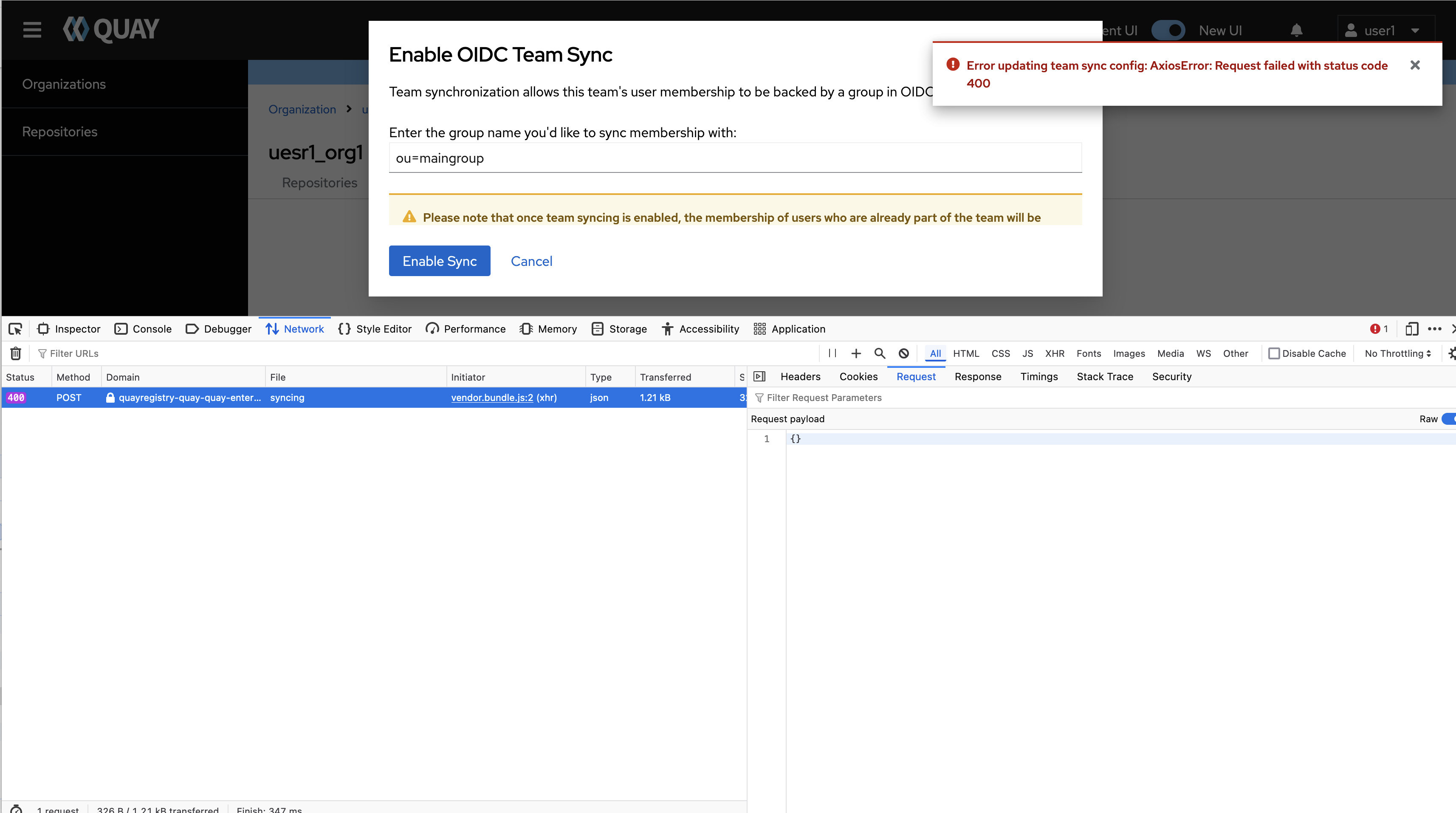
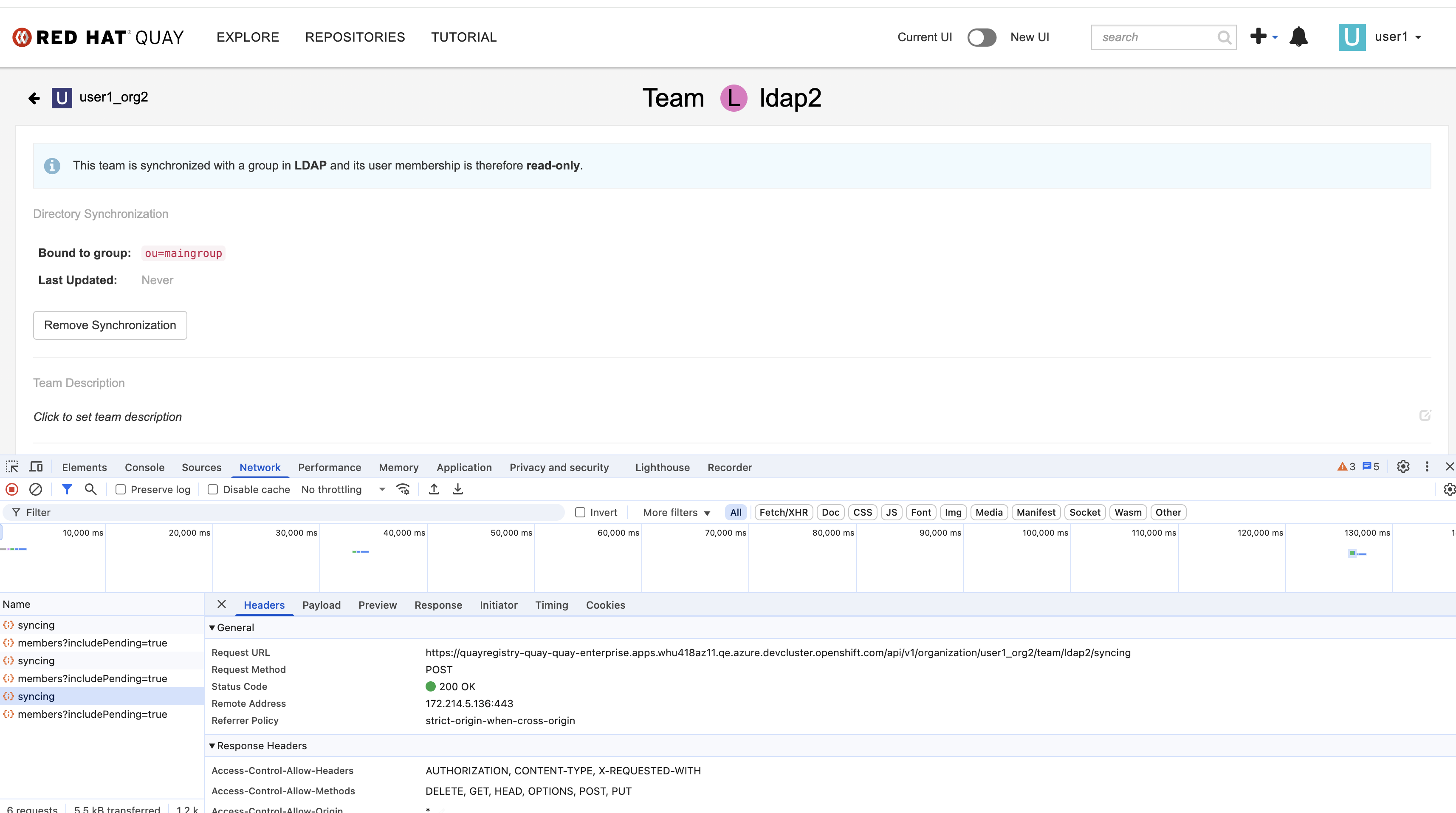
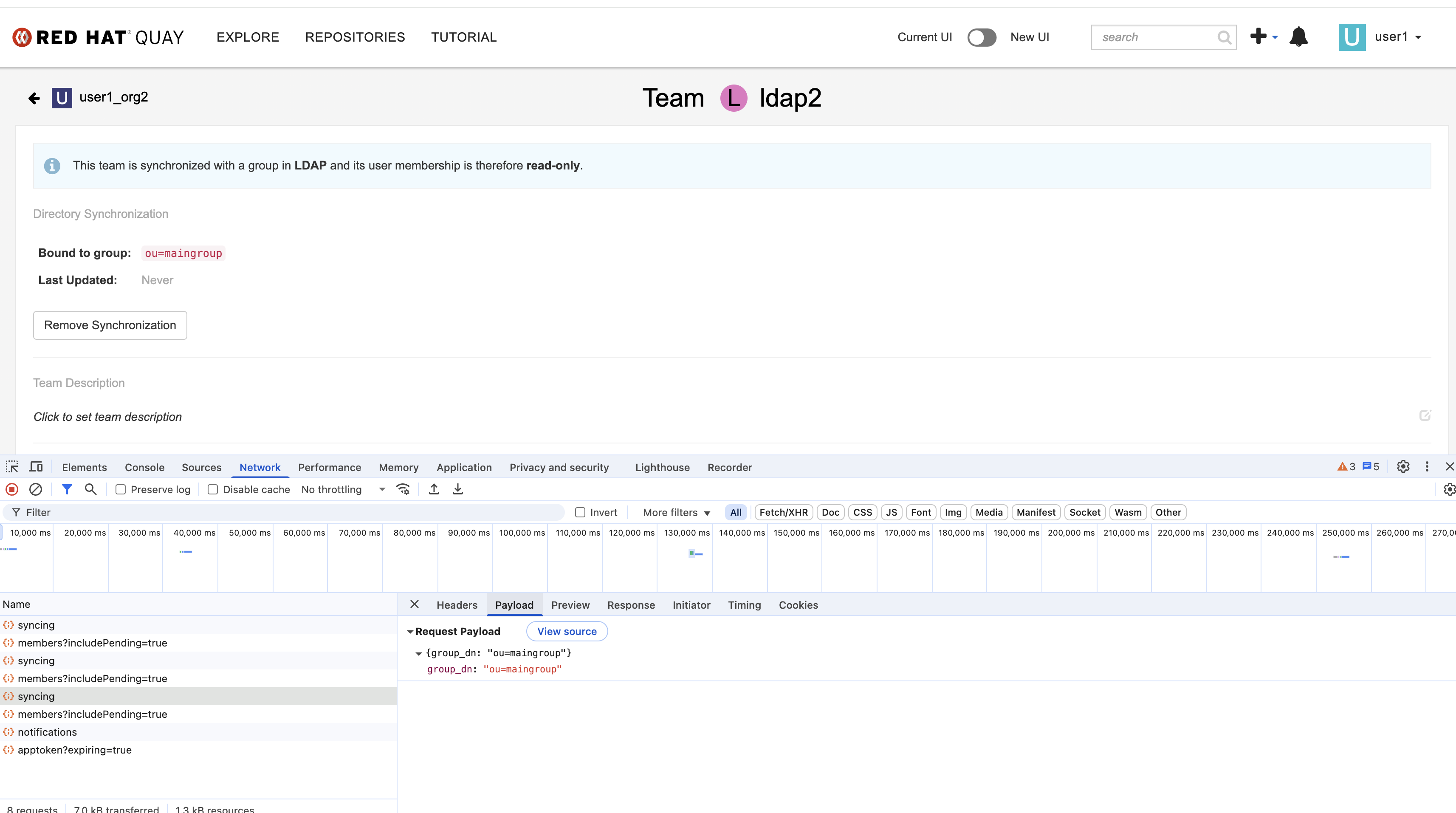
In old UI, the payload of syncing API is "{group_dn: "ou=maingroug"}", but in new UI, the payload is "{}".
In new UI, the popup title for configuring ldap is "Enable OIDC Team Sync".
Expected results
In new UI, the popup title for configuring ldap should not contain the "OIDC" keyword. And LDAP directory synchronization should work correctly.