-
Epic
-
Resolution: Unresolved
-
 Undefined
-
None
-
None
-
None
-
None
-
Bulk Repo Permissions Management
-
False
-
-
False
-
Not Selected
-
To Do
Goal: Enhanced Bulk Repository Permissions Management in the UI
Why is this problem important?
Managing permissions for a large number of repositories in Quay can be time-consuming and error-prone, especially when dealing with individual users, teams, and robot accounts. Implementing an enhanced bulk repository permissions management feature in the Quay UI will streamline the process, improve efficiency, and reduce manual effort for administrators and users.
Solution:
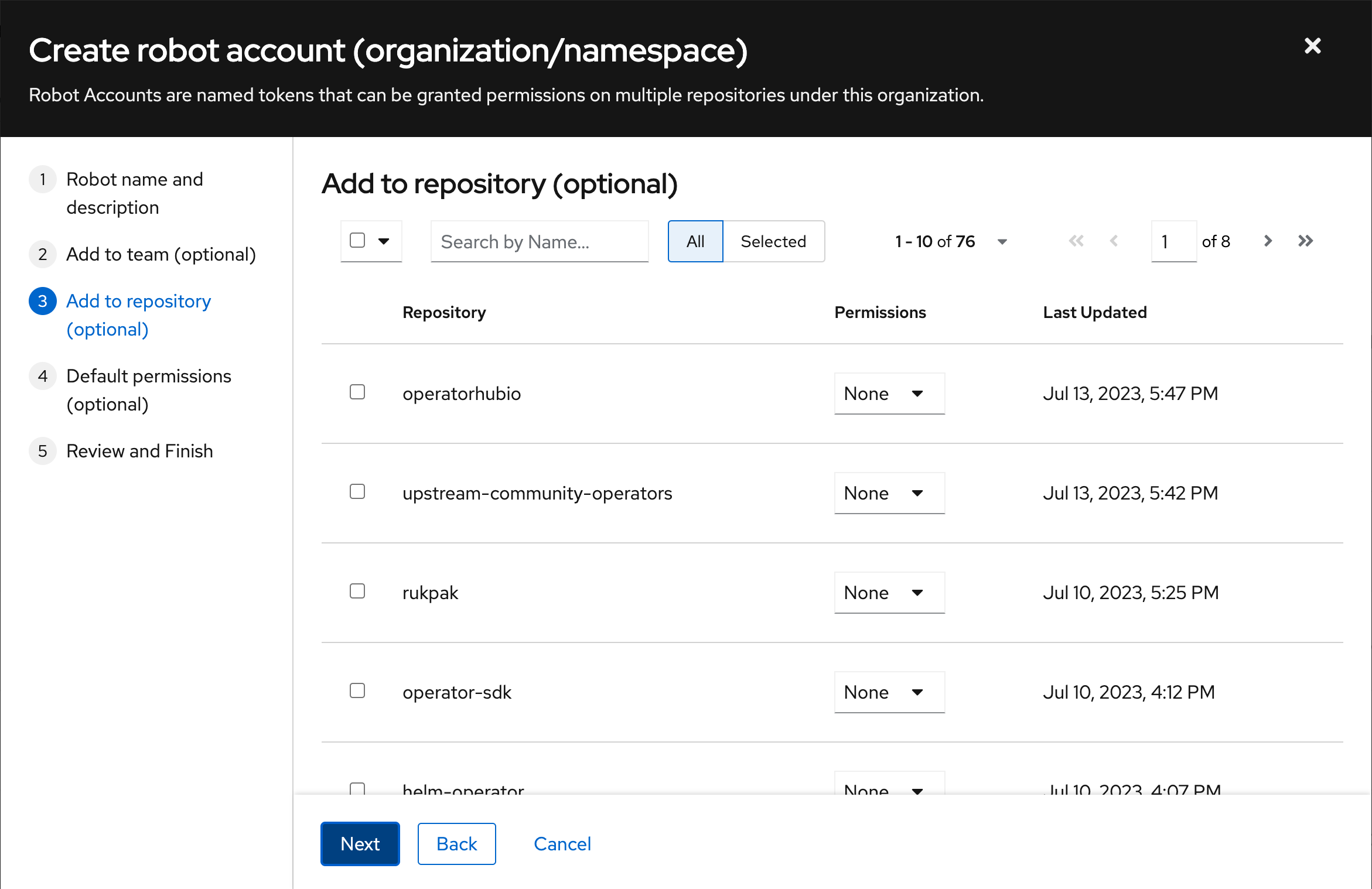
Once the user clicks "Select all 55" repositories, a convenient second drop-down menu will appear above the permission column, allowing the user to easily set the desired permission for all the selected repositories with a single action. This automation in the UI significantly reduces manual effort and improves efficiency, providing high value to administrators and users. The implementation of this MVP aligns with our 3.10 plan and serves as the foundation for future bulk actions, as outlined in Jira 5395 https://issues.redhat.com/browse/PROJQUAY-5395
Scenarios:
1. As an administrator, I want to select multiple repositories and assign permissions to individual users simultaneously from the "User Management" UI screen.
2. As an administrator, I want to assign permissions to multiple repositories for a team at once from the Team Management UI screen.
3. As an administrator, I want to assign permissions to multiple repositories for a robot account from the Robot Management UI screen.
Acceptance Criteria:
By fulfilling these acceptance criteria, the enhanced bulk repository permissions management feature will provide an intuitive and efficient user experience, allowing administrators to assign permissions to multiple repositories for individual users, teams, and robot accounts from their respective UIs in Quay.
In each individual UI screen the following should be enabled:
1. "User Management" UI:
- Users can select multiple repositories and assign permissions to individual users simultaneously.
- The second drop-down menu appears above the permission column when "Select all" repositories are clicked, allowing users to set the permission level for all the selected repositories.
2. Team Management UI:
- Users can select multiple repositories and assign permissions to a team in one action.
- The second drop-down menu is displayed above the permission column when "Select all" repositories are clicked, enabling users to set the permission level for all the selected repositories.
3. Robot Management UI:
- Users can select multiple repositories and assign permissions to a robot account efficiently.
- The second drop-down menu appears above the permission column when "Select all" repositories are clicked, allowing users to set the permission level for all the selected repositories.
Other Criteria to be Met that Apply to All:
- Bulk permission changes are accurately applied to the selected repositories and individual users.
- Error handling is implemented to handle any issues during bulk permissions assignment.
Open questions:
- Are there any specific performance considerations when applying bulk permissions changes to a large number of repositories?
- is incorporated by
-
-

- New
-
- relates to
-
-
- New
-