-
Bug
-
Resolution: Done
-
 Minor
Minor
-
quay-v3.4.0
-
False
-
False
-
Undefined
-
Description:
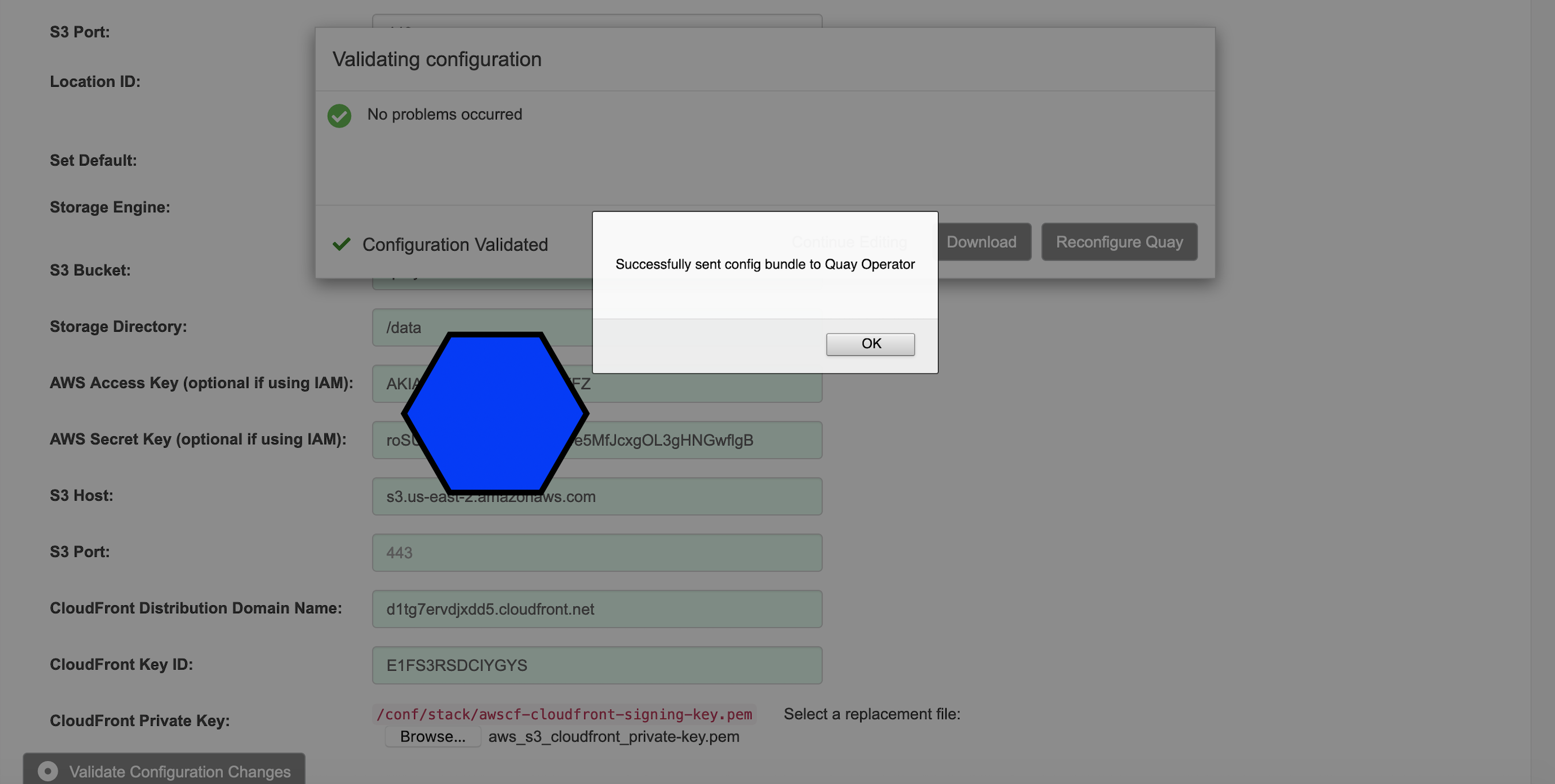
This is an issue found when use quay config editor to modify quay configurations, now after add AWS S3 Cloudfront Storage with all required configurations and upload AWS S3 Cloudfront Private Key, click "Reconfigure quay", new Quay POD was failed to start with error message "FileNotFoundError: [Errno 2] No such file or directory: '/quay-registry/conf/stack/awscf-cloudfront-signing-key.pem'
"
Quay POD Logs:
Running init script '/quay-registry/conf/init/nginx_conf_create.sh'
/quay-registry/conf/init/nginx_conf_create.py:143: YAMLLoadWarning: calling yaml.load() without Loader=... is deprecated, as the default Loader is unsafe. Please read https://msg.pyyaml.org/load for full details.
  config = yaml.load(f)
Running init script '/quay-registry/conf/init/runmigration.sh'
Traceback (most recent call last):
  File "/quay-registry/conf/init/data_migration.py", line 3, in <module>
    from app import app
  File "/quay-registry/app.py", line 236, in <module>
    storage = Storage(app, chunk_cleanup_queue, instance_keys, config_provider, ip_resolver)
  File "/quay-registry/storage/__init__.py", line 61, in __init__
    self.state = self.init_app(
  File "/quay-registry/storage/__init__.py", line 70, in init_app
    storages[location] = get_storage_driver(
  File "/quay-registry/storage/__init__.py", line 39, in get_storage_driver
    return driver_class(context, **parameters)
  File "/quay-registry/storage/cloud.py", line 785, in __init__
    self.cloudfront_privatekey = self._load_private_key(cloudfront_privatekey_filename)
  File "/usr/local/lib/python3.8/site-packages/cachetools/func.py", line 74, in wrapper
    v = func(*args, **kwargs)
  File "/quay-registry/storage/cloud.py", line 842, in _load_private_key
    with self._context.config_provider.get_volume_file(
  File "/quay-registry/util/config/provider/basefileprovider.py", line 54, in get_volume_file
    return open(os.path.join(self.config_volume, relative_file_path), mode=mode)
FileNotFoundError: [Errno 2] No such file or directory: '/quay-registry/conf/stack/awscf-cloudfront-signing-key.pem'
Quay Image:
lizhang@lzha-mac quay3.4 % oc get pod
NAME                                           READY   STATUS      RESTARTS   AGE
quay1120-clair-795595fb4b-z7sf6                1/1     Running     0          3m34s
quay1120-clair-postgres-5b9b8976b7-dfngg       1/1     Running     1          34m
quay1120-quay-app-5f6d75fb49-bkzgw             0/1     Error       5          3m34s
quay1120-quay-app-6b7c465fdf-l62rl             1/1     Running     0          28m
quay1120-quay-config-editor-79cff957d6-tqhs7   1/1     Running     0          3m34s
quay1120-quay-database-7b66cfff45-nl8zx        1/1     Running     0          34m
quay1120-quay-mirror-774d875854-w6bvk          0/1     Error       5          3m34s
quay1120-quay-postgres-init-k9zz7              0/1     Completed   0          34m
quay1120-quay-redis-595fdd7578-b56x7           1/1     Running     0          34m

lizhang@lzha-mac quay3.4 % oc get pod quay1120-quay-app-5f6d75fb49-bkzgw -o json | jq '.spec.containers[0].image'
"registry.redhat.io/quay/quay@sha256:6333bdb5e7df670aac4b0fe2046468b06f9a2a4e6962bc79c6d1ccb09f73399d"
Quay Operator Image:
lizhang@lzha-mac quay3.4 % oc get pod quay-operator-87d686fcc-sht6f -n openshift-operators -o json| jq '.spec.containers[0].image'
"registry.redhat.io/quay/quay-rhel8-operator@sha256:1458927c89382c452b9603dd8325972e7e8a6e81230e98033cd9f5d7f4a2308c"
Steps:
- Deploy Quay with Quay TNG Operator with using AWS S3 as external storage
- Open Quay config editor
- Add new additional storage engine
- Choose AWS S3 Cloudfront
- Input all required and valid AWS S3 Cloudfront configuration, including 'Cloudfront Key_id', "Bucket_name", "Cloudfront_domianname",etc
- Upload required AWS S3 cloudfront Private Key
- Click "Validate Configurations Change"
- After validation was passed, click "Reconfigure Quay"
Expected Results:
New Quay POD was provisioning successfully and use the latest config bundle secret.
Actual Results:
New Quay POD was failed to start.