-
Bug
-
Resolution: Done
-
 Major
Major
-
quay-v3.4.0
-
False
-
False
-
Undefined
-
Description:
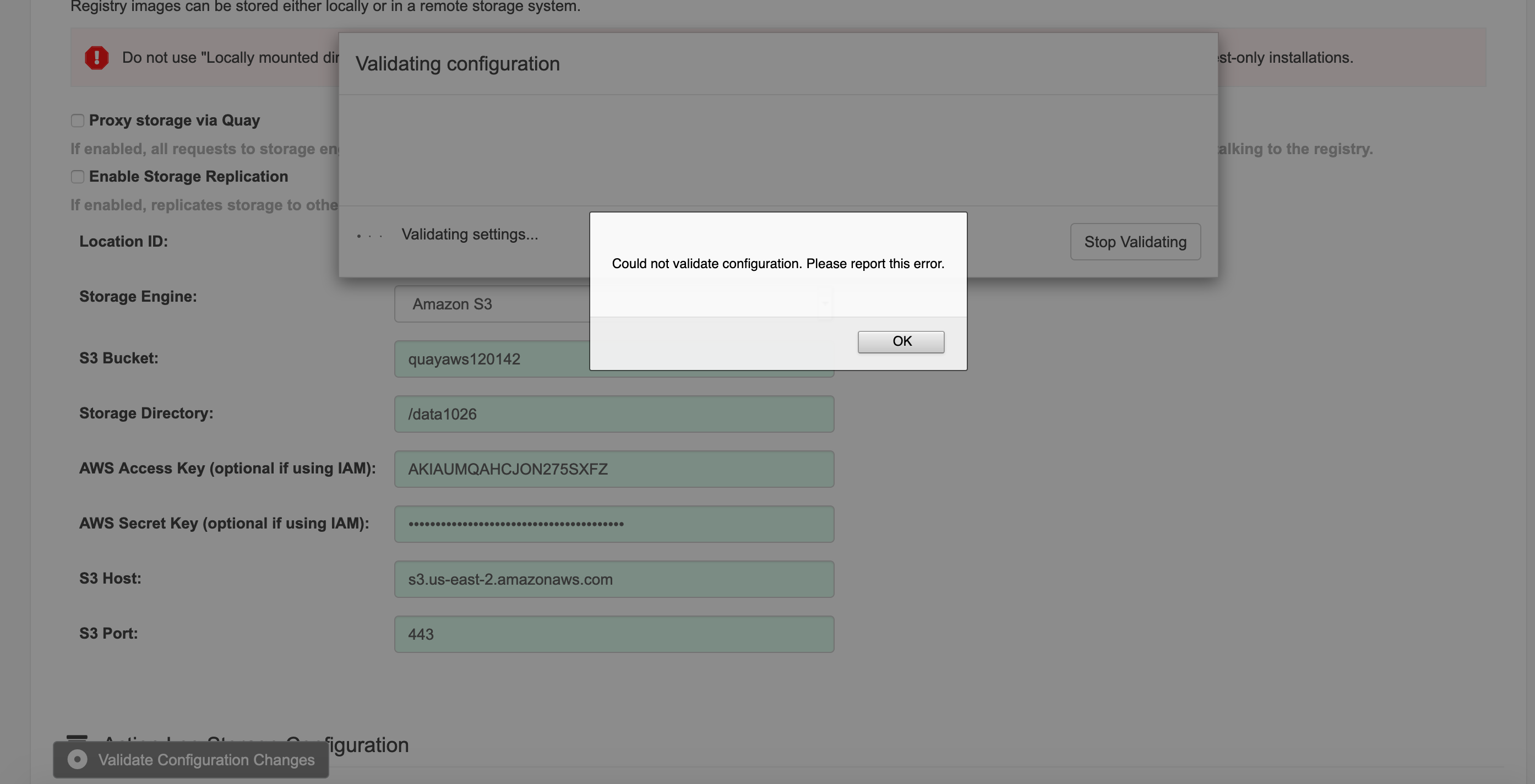
This is an issue found when use new "quay configure editor", after input valid AWS S3 storage configurations an specify S3 port as 443, click "validation configurations changes", get error "Could not validate configuration. Please report this error." Checked the Container logs of Quay Config editor, get following logs:
config-editor stdout | 2020/10/26 05:56:30 [2a7394b84fd7/EXFAAAPkNP-000286] "POST http://ec2-3-18-220-200.us-east-2.compute.amazonaws.com:8088/api/v1/config/validate?mode=setup HTTP/1.1" from 114.252.165.34:64377 - 400 29B in 3.003225ms
Note:
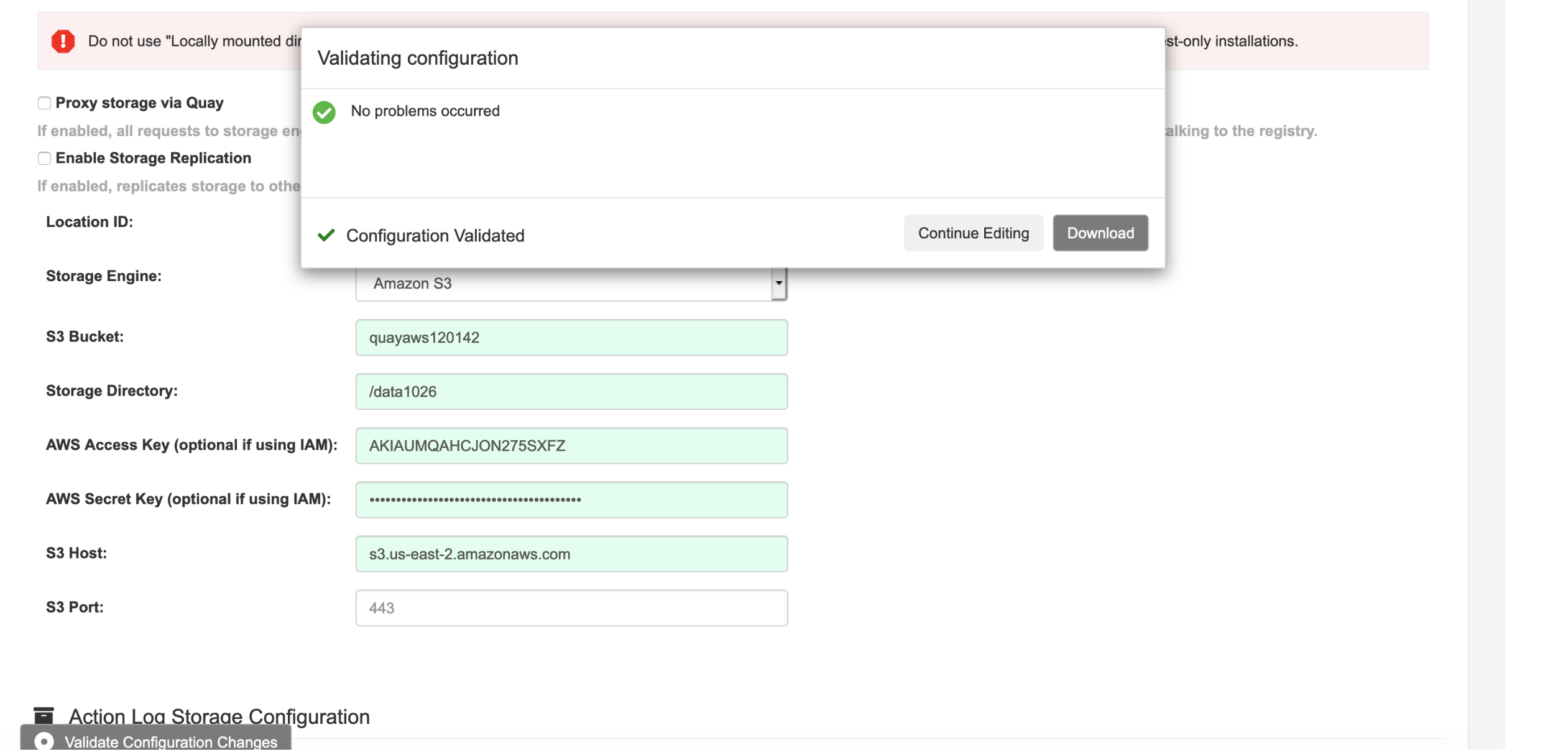
- use the same AWS S3 configurations, by leave S3 port as blank, validation was passed
- use the same AWS S3 configurations, by input S3 port as 443, validation was failed
Quay image: quay.io/quay/quay:v3.4.0-4
Steps:
- Start Quay config editor container by running "docker run --privileged=true -p 8088:8080 -p 8443:8443 -e DEBUGLOG=true -d quay.io/quay/quay:v3.4.0-4 config password"
- Login quay config editor
- Input Validate AWS S3 configurations, see screenshot attached
- Click "Validate Configurations Change"
Expected Results:
Can validate configurations successfully.
Actual Results:
It was failed to validate configurations, see screenshot for error message.