-
Bug
-
Resolution: Done
-
 Blocker
-
quay-v3.4.0
-
False
-
False
-
Undefined
-
Description:
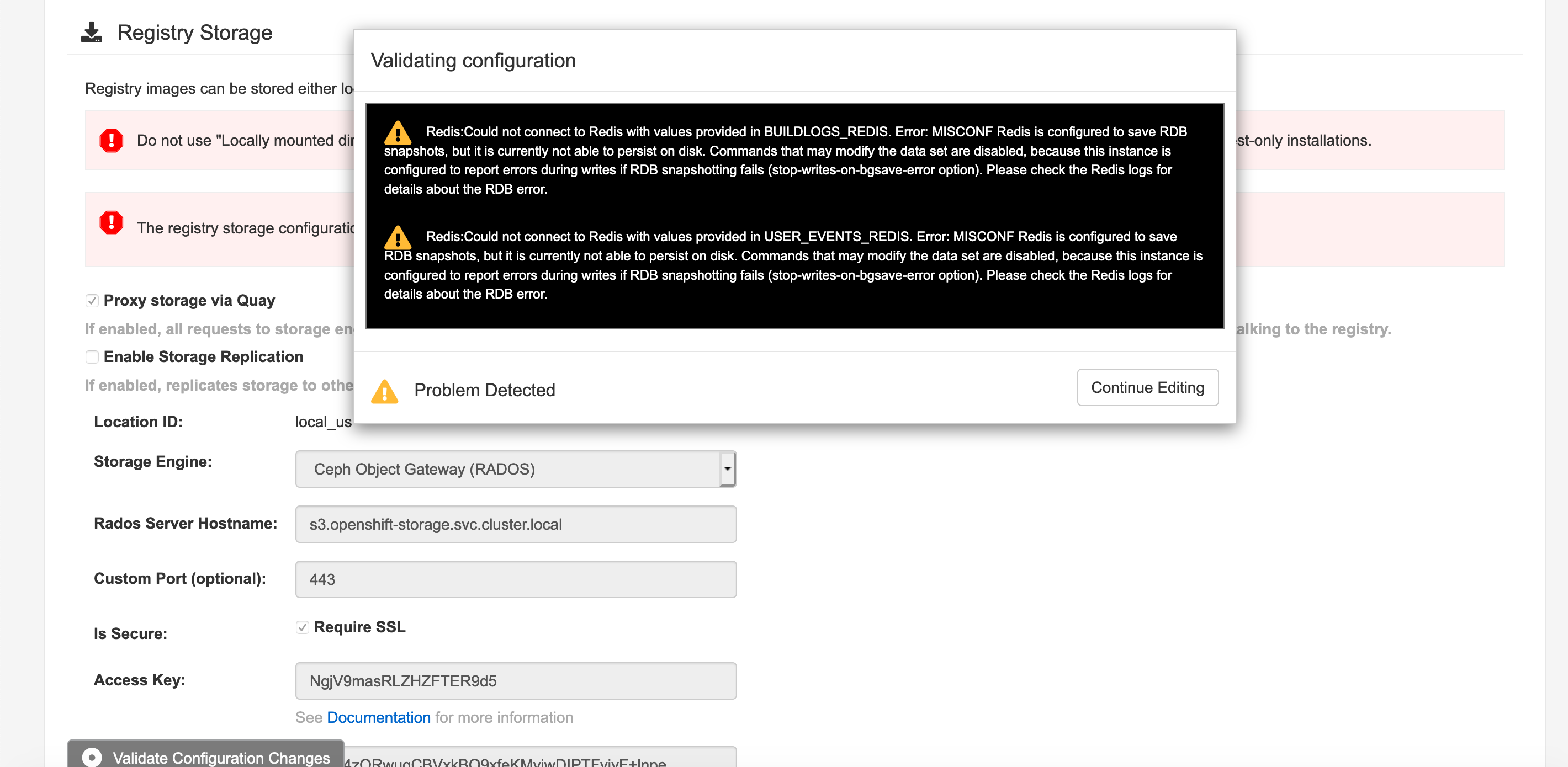
This is an issue found when use new Quay TNG Operator to deploy Quay, after created quay CR, open Quay config editor, and modify Storage and SMTP configurations, after click "validate configuration changes". get error message "Redis:Could not connect to Redis with values provided in BUILDLOGS_REDIS. Error: MISCONF Redis is configured to save RDB snapshots, but it is currently not able to persist on disk. Commands that may modify the data set are disabled, because this instance is configured to report errors during writes if RDB snapshotting fails (stop-writes-on-bgsave-error option). Please check the Redis logs for details about the RDB error. "
Quay Catalogsoure Image:
quay.io/quay/quay-operator-catalog:v3.4.0-osbs
Quay image: quay.io/quay/quay:v3.4.0-osbs
OCP Version: 4.5.0
Error Message from Redis POD:
2439:C 19 Oct 2020 06:38:46.050 # Failed opening the RDB file dump.rdb (in server root dir /data) for saving: Permission denied
1:M 19 Oct 2020 06:38:46.151 # Background saving error
1:M 19 Oct 2020 06:38:52.066 * 1 changes in 3600 seconds. Saving...
1:M 19 Oct 2020 06:38:52.066 * Background saving started by pid 2440
2440:C 19 Oct 2020 06:38:52.066 # Failed opening the RDB file dump.rdb (in server root dir /data) for saving: Permission denied
1:M 19 Oct 2020 06:38:52.167 # Background saving error
Quay CR:
apiVersion: quay.redhat.com/v1
kind: QuayRegistry
metadata:
  name: quaydemo
Steps:
- Login OCP Console
- Create new OCP Namespace and deploy Quay TNG Operator
- Create Quay CR with "create -n quay0340 -f quay.yaml"
- Open Quay config editor
- Modify "Registry Storage" and "SMTP" configurations
- Click "Validate configuration changes"
Expected Results:
Can validate configurations successfully.
Actual Results:
It was failed to validate configurations, see screenshot for error message.