-
Bug
-
Resolution: Unresolved
-
 Critical
-
None
-
quay-v3.17.0
Description of problem:
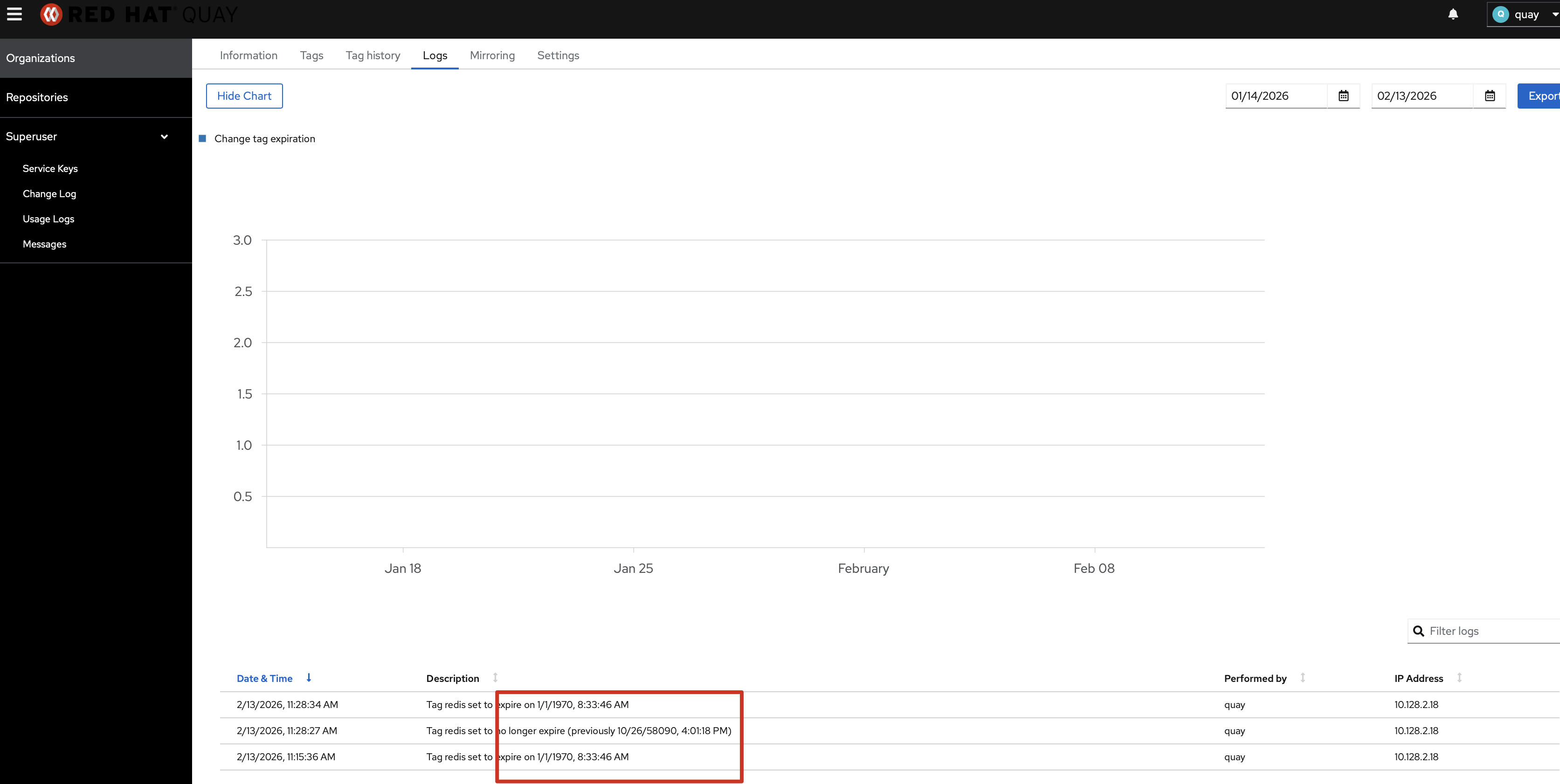
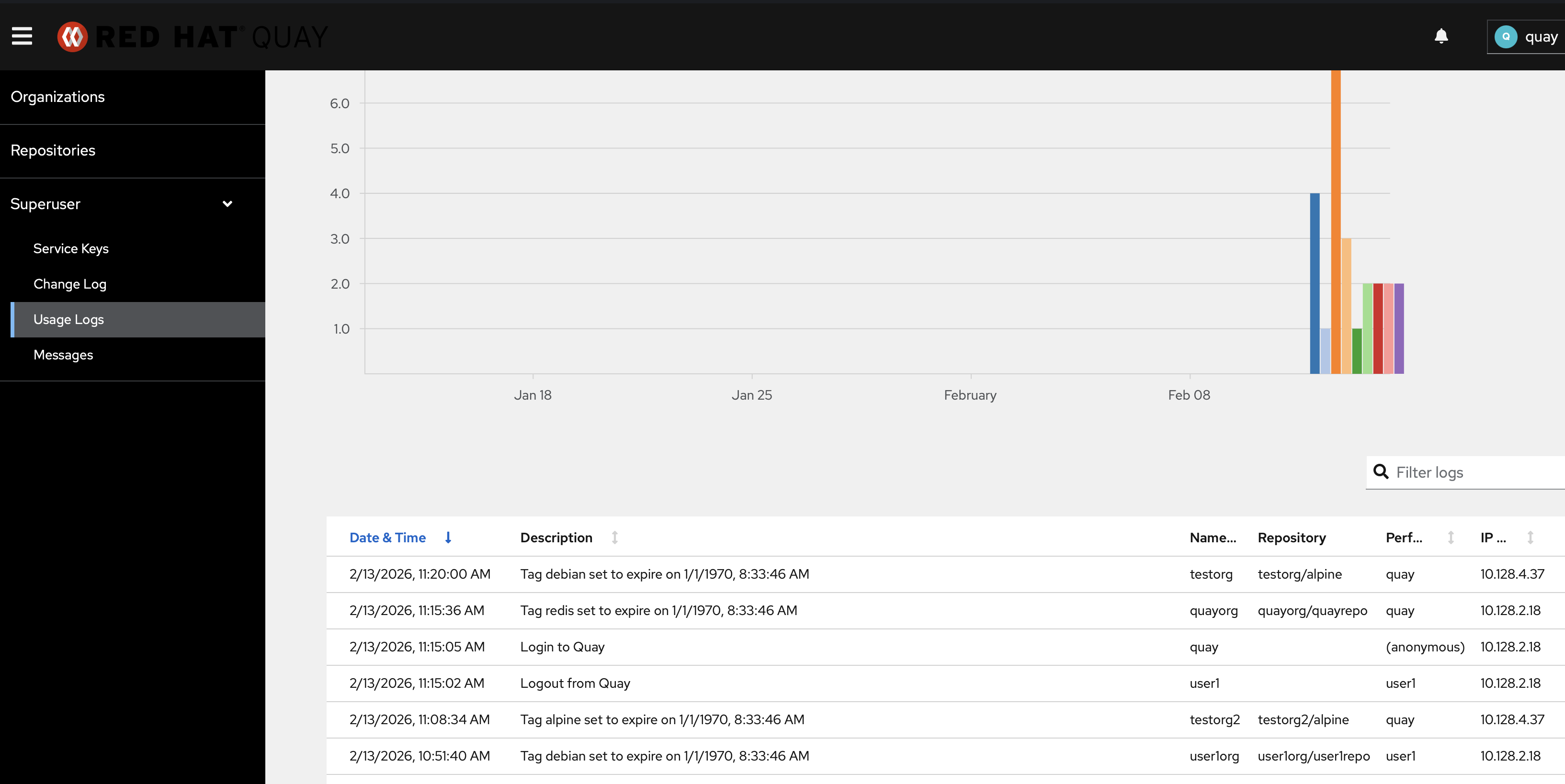
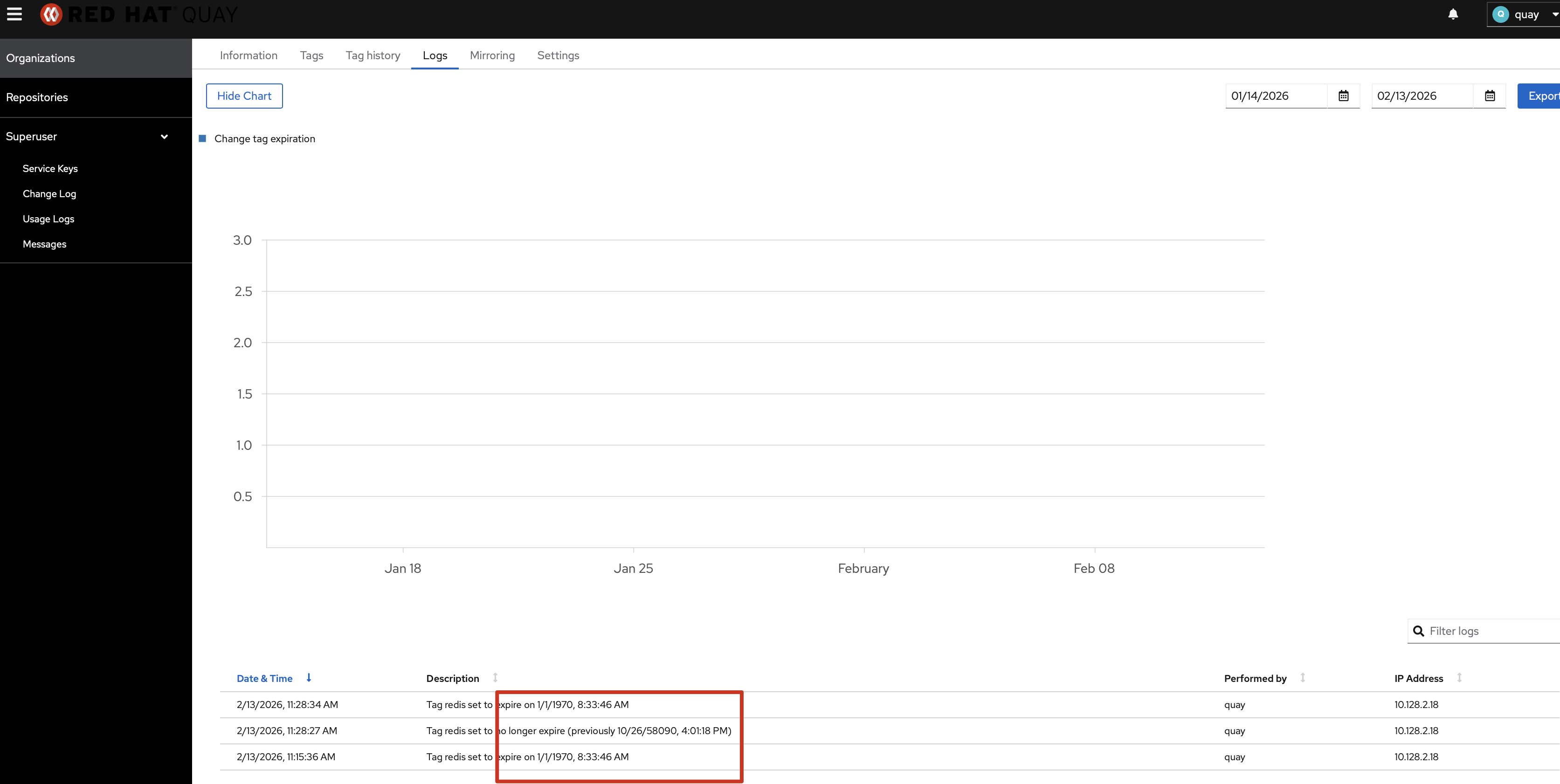
Set Tag Expiration to a specific date, in the logs, it's always "Tag xx set to expire on 1/1/1970, 8:33:46 AM", this is Splunk related. in default database log module, it works fine.
Version-Release number of selected component (if applicable):
Quay 3.17
Steps to reproduce:
1. Push a tag to a repository
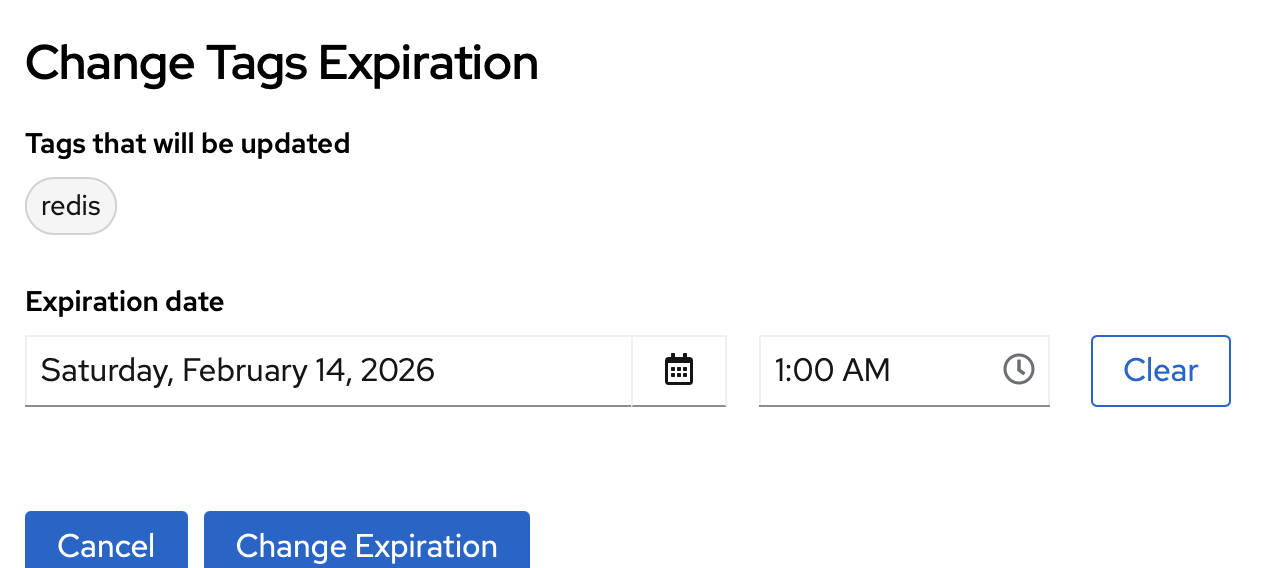
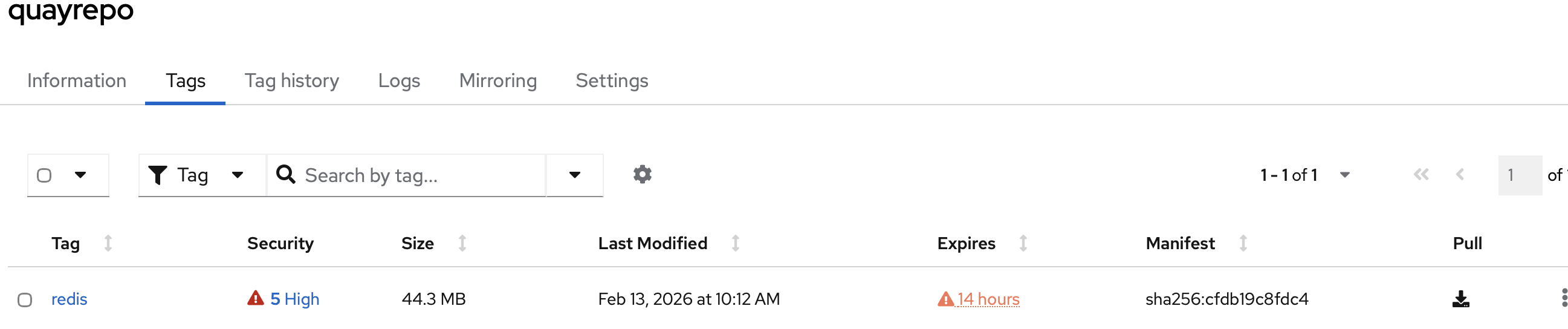
2. Change tag Expiration to any time, 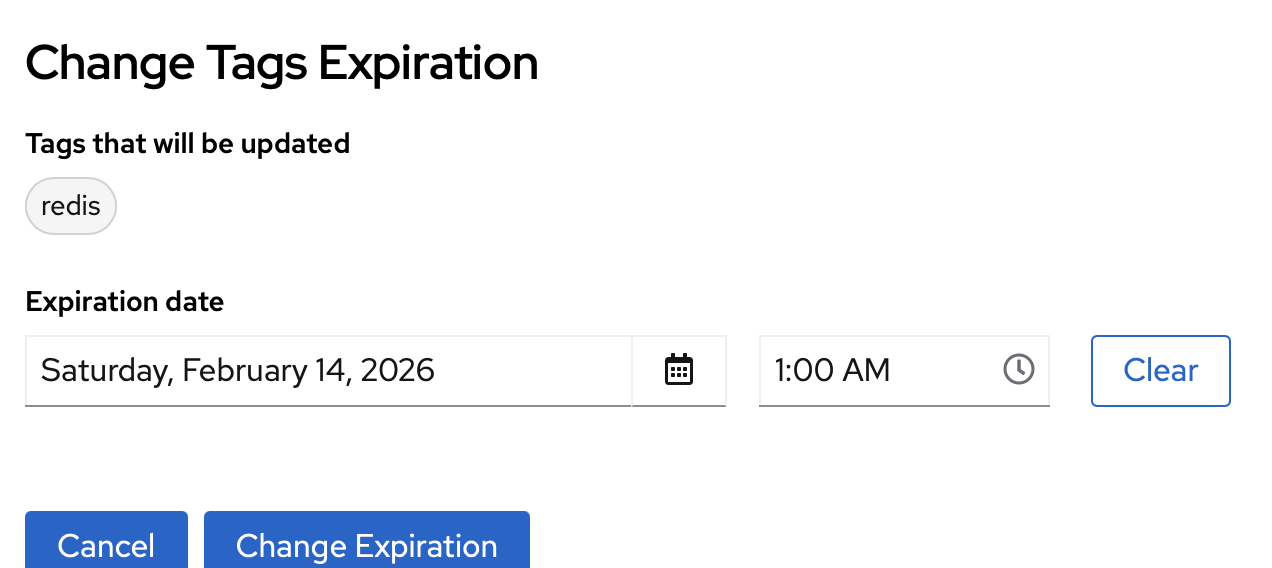
3. Check repository log and super user Usage Logs page
Actual results:
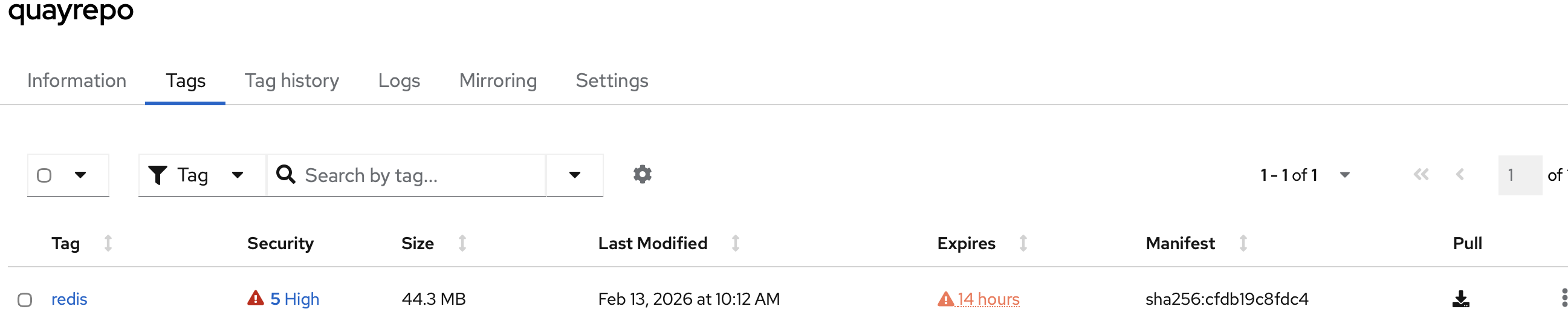
it correctly set the Expiration on UI, but in org/repo Logs and usage log, also show: Tag redis set to expire on 1/1/1970, 8:33:46 AM,
old_expiration_date also wrong
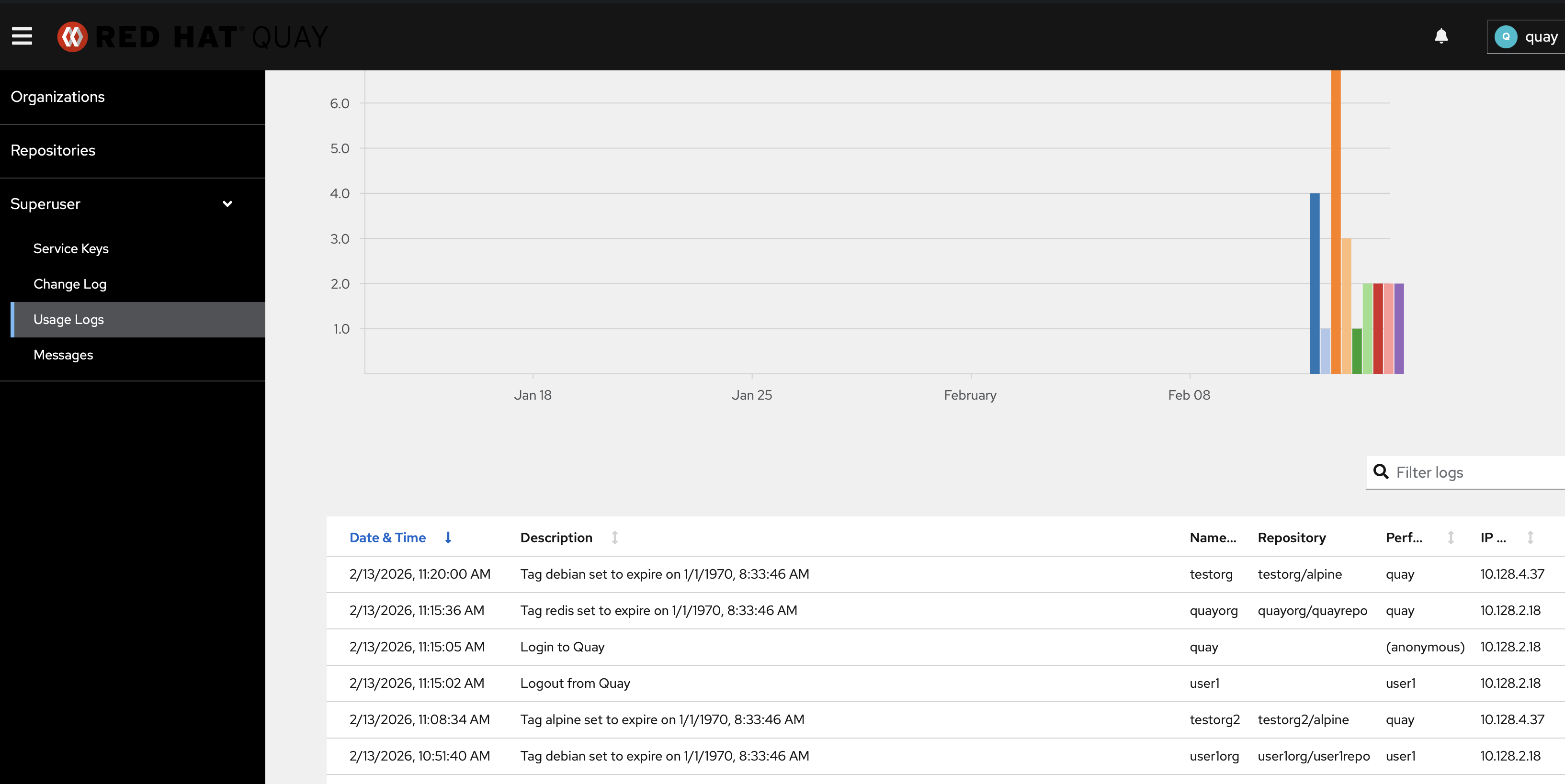
this is Splunk raw data:
2/13/26
3:28:34.000 AM                                                {"account": "quayorg", "datetime": "2026-02-13 03:28:34.805125", "ip": "10.128.2.18", "kind": "change_tag_expiration", "metadata_json": {"expiration_date": "2026-02-13 17:00:00", "namespace": "quayorg", "old_expiration_date": null, "repo": "quayrepo", "tag": "redis", "username": "quay"}, "performer": "quay", "repository": "quayrepo"}
looks "expiration_date": "2026-02-13 17:00:00" here timezone issue? I am setting "2026-02-14 1:00 AM". Both ocp cluster and Splunk is in us-east-2
- is caused by
-
PROJQUAY-10169 [Audit] Splunk-Based Audit Log Display in Quay UI
-

- Testing
-
- is related to
-
-
- New
-
