Uploaded image for project: 'Project Quay'
  1. Project Quay
  2. PROJQUAY-10341

Unable to update proxy cache information after creation
XMLWordPrintable

    • Icon: Bug Bug
    • Resolution: Unresolved
    • Icon: Undefined Undefined
    • None
    • None
    • quay, quay-ui
    • Quality / Stability / Reliability
    • False
    • Hide

      None

      Show
      None
    • False
    • Hide

      The only work around is to delete the configuration and recreate this.

      Show
      The only work around is to delete the configuration and recreate this.
    • Hide

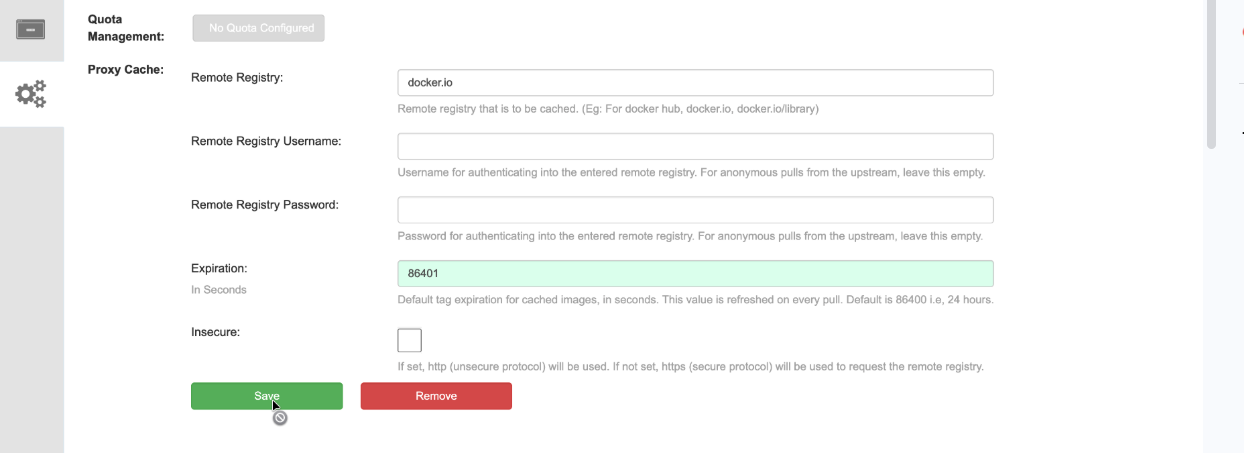
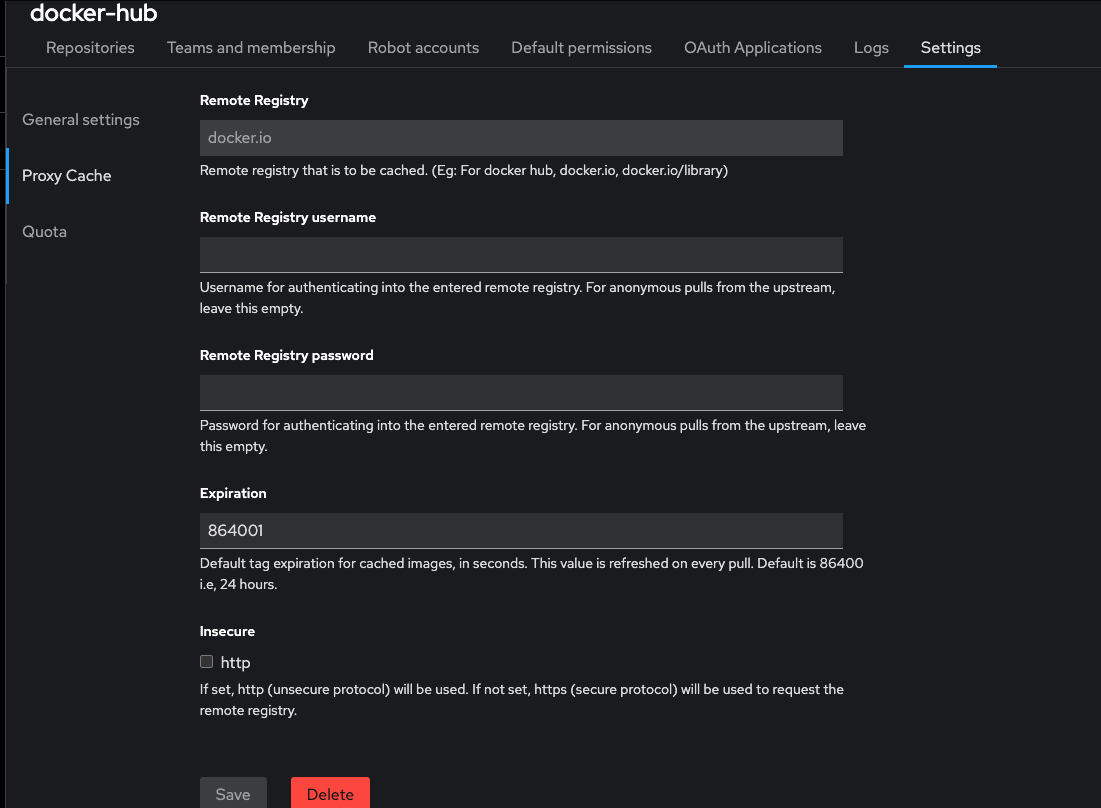
      Create an organization and apply the proxy cache configuration. Once it's created, try to modify the credentials or expiration and notice that you do not have an option to do so.


      I've attached screenshot of what this looks like. In my scenario, I updated the expiration and was unable to save.

      Show
      Create an organization and apply the proxy cache configuration. Once it's created, try to modify the credentials or expiration and notice that you do not have an option to do so.   I've attached screenshot of what this looks like. In my scenario, I updated the expiration and was unable to save.

      When configuring a proxy cache organization, you are unable to update the configuration for this after it's been setup. There's an option to save, but it get grayed out no matter what changes you try to make.

        1. proxy_cache_newui.png
          99 kB
          Shane Snyder
        2. Proxy_cache_old_UI.png
          76 kB
          Shane Snyder

              rhn-support-bpratt Brady Pratt
              rh-ee-ssnyder Shane Snyder
              Votes:
              0 Vote for this issue
              Watchers:
              2 Start watching this issue

                Created:
                Updated: