-
Bug
-
Resolution: Unresolved
-
 Critical
-
None
-
OpenShift 4.17, OpenShift 4.18, openshift-4.19, openshift-4.20, openshift-4.21
-
None
-
False
-
-
None
-
Critical
-
None
-
None
-
Sprint 284
-
None
-
None
-
None
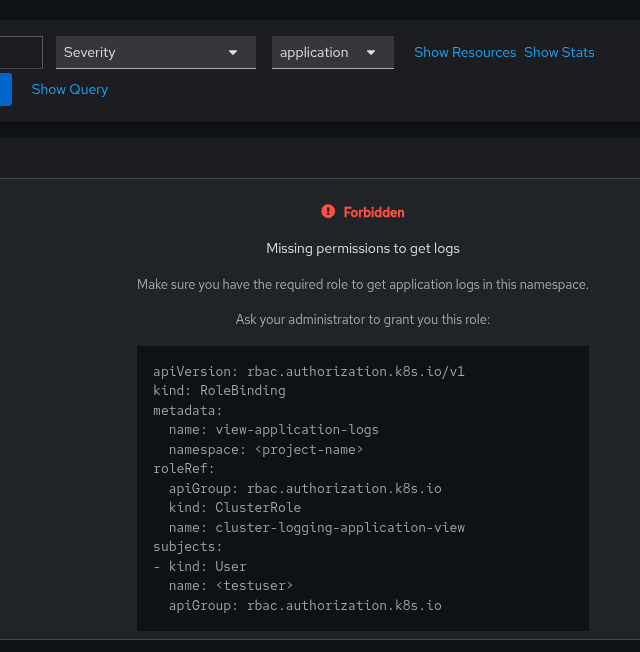
Currently when non cluster admin are attempting to view application logs from the "Observe -> Logs" menu in the OpenShift web console they get an error: "Forbidden - Missing permissions to get logs".
The error suggests to ask the administrator to have the "cluster-logging-application-view" ClusterRole applied.
The issue is that even after a cluster admin applies the suggested RoleBinding to the normal user, the error in the OpenShift web console persists.
If the normal user is doing the query via command line with the "logcli" tool [1], the logs are visible and no error is presented.
This has been reproduced with the following versions:
- OCP 4.21.1
- Logging 6.4.2
- Loki 6.4.2
- COO 1.3.1 (and 1.3.0, 1.2.2)
Not all the combinations with previous versions have been tested, however it has been observed that the issue is present if using:
OpenShift Cluster version: 4.17.43
loki-operator.v6.2.7
cluster-logging.v6.2.7
cluster-observability-operator.v1.3.1
If downgrading the cluster-observability-operator to v1.3.0 and keeping OCP at 4.17, the issue is not reproducible.
[1] https://github.com/grafana/loki/releases/download/v3.6.4/logcli-3.6.4.x86_64.rpm
- relates to
-
-

- To Do
-