 Normal
 Background
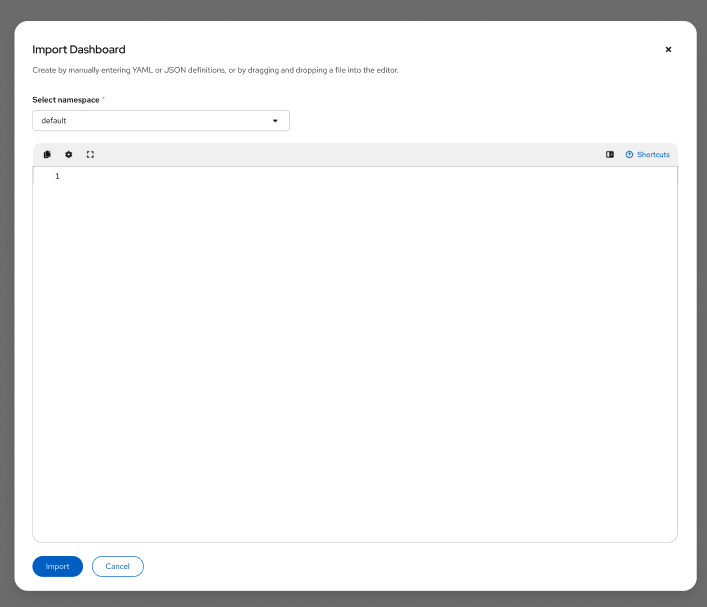
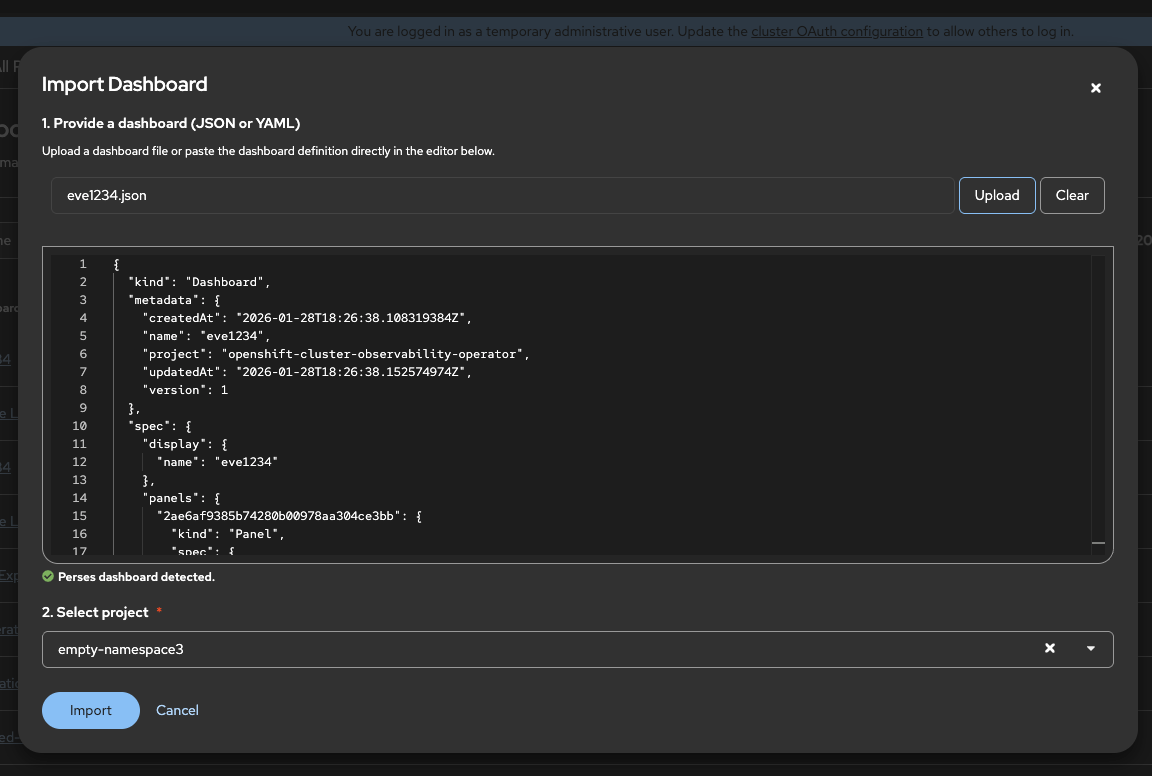
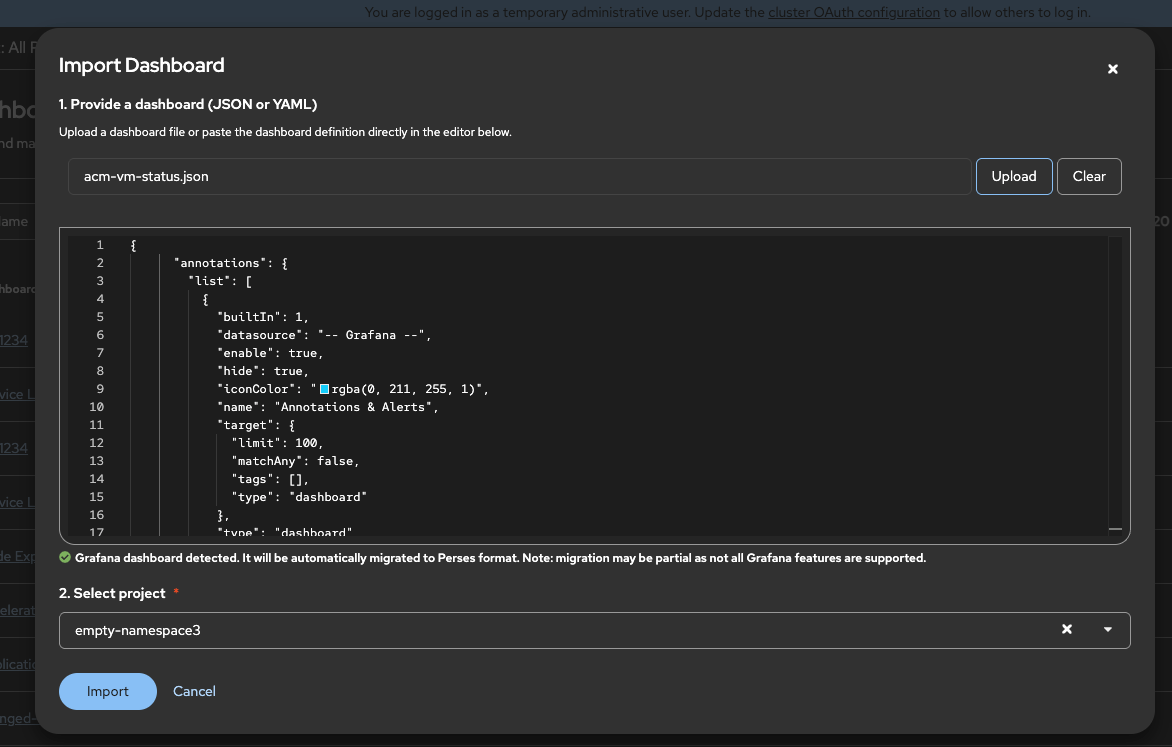
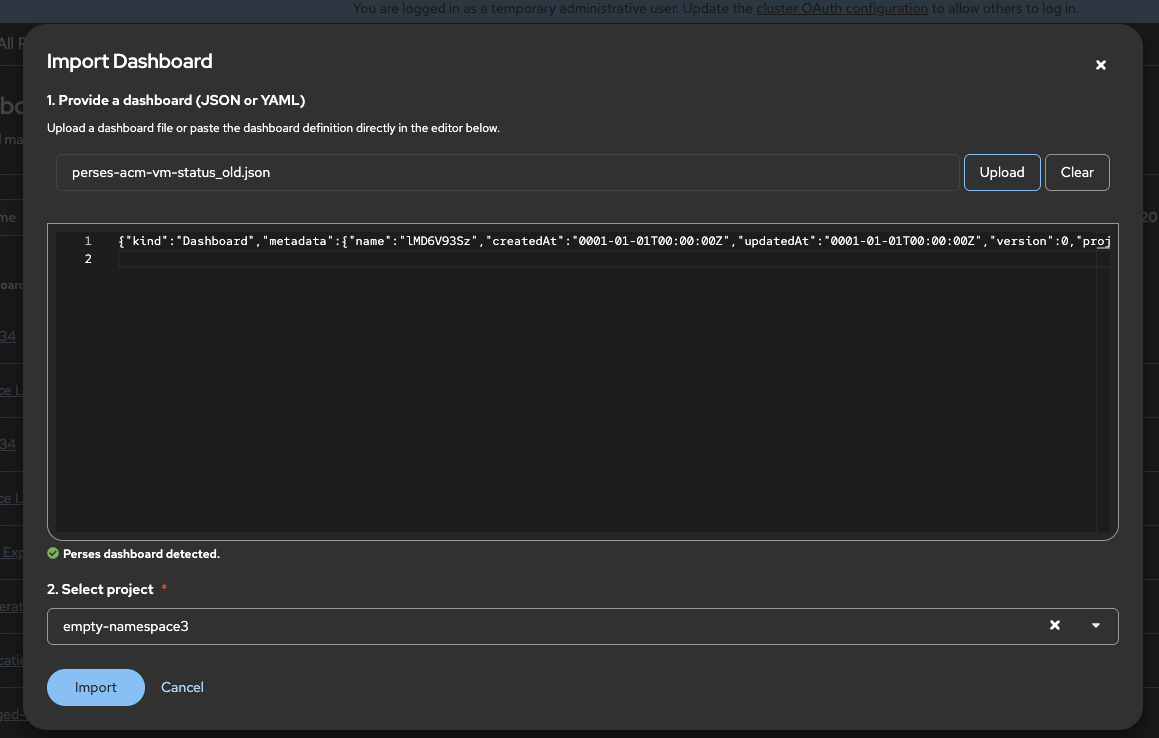
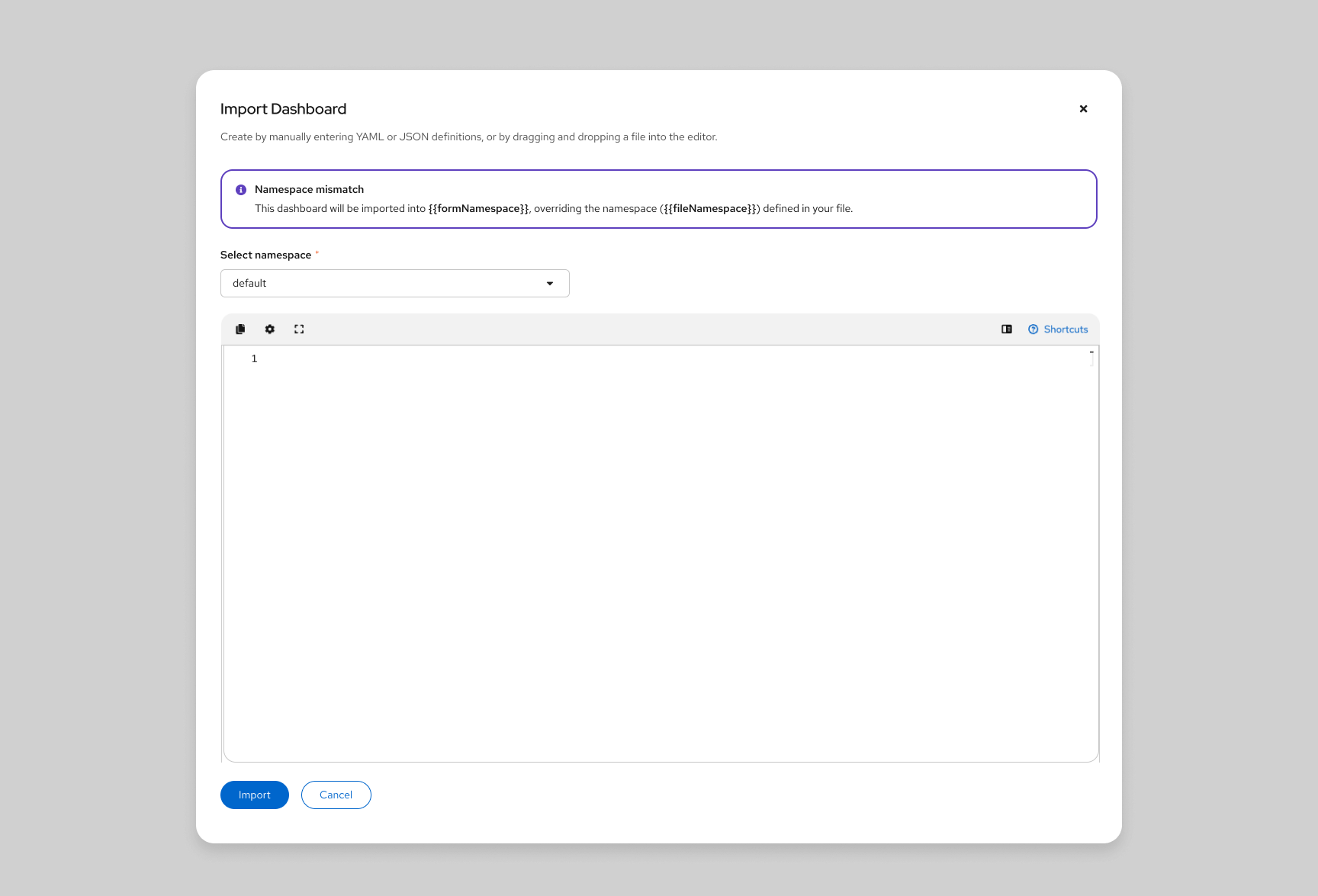
From the dashboards list view, we should allow users to click on the import dashboard and paste a perses dashboard definition.
Follow the UX figma designs for guidance: https://www.figma.com/design/lJdJZqOyKqfIJWxOljC526/Dashboard?node-id=112-2&p=f&t=xqO2BjlkCZKSx4Fp-0
Outcomes
- When clicking the "import" button on top of the dashboard list. A popup to paste the dashboard YAML or JSON should appear.
- The popup should contain a namespace selector. When clicking on "OK" the dashboard should be imported on the selected namespace.
Plan
- Enhance the create dashboard to make it a dropdown so the "Import Dashboard" can be added, matching the mockups
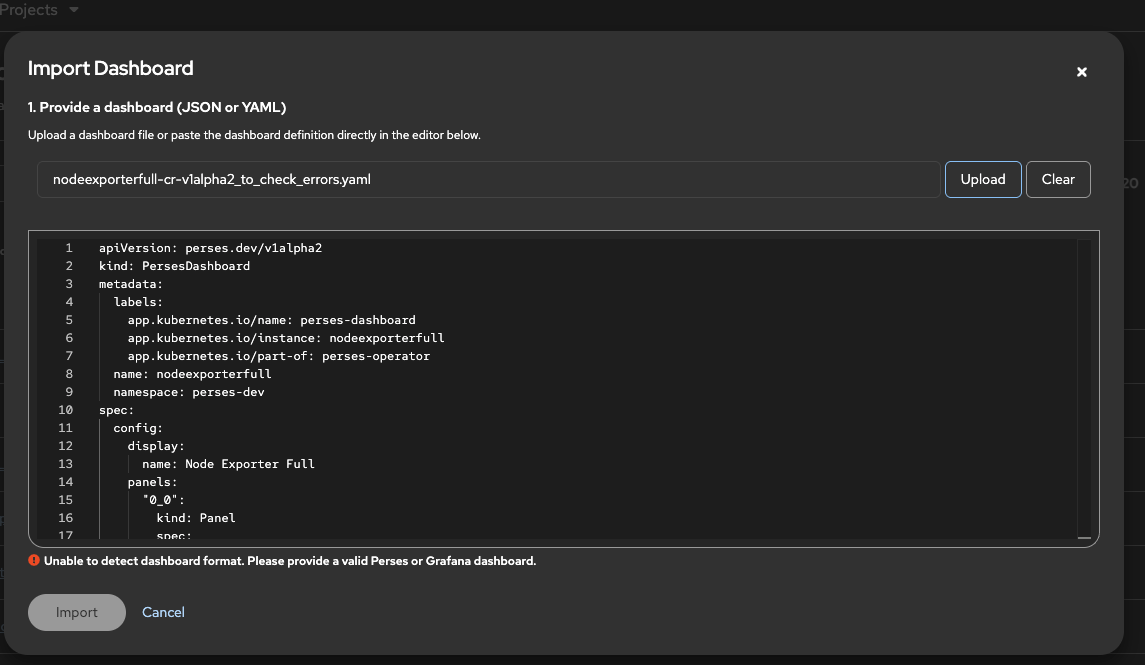
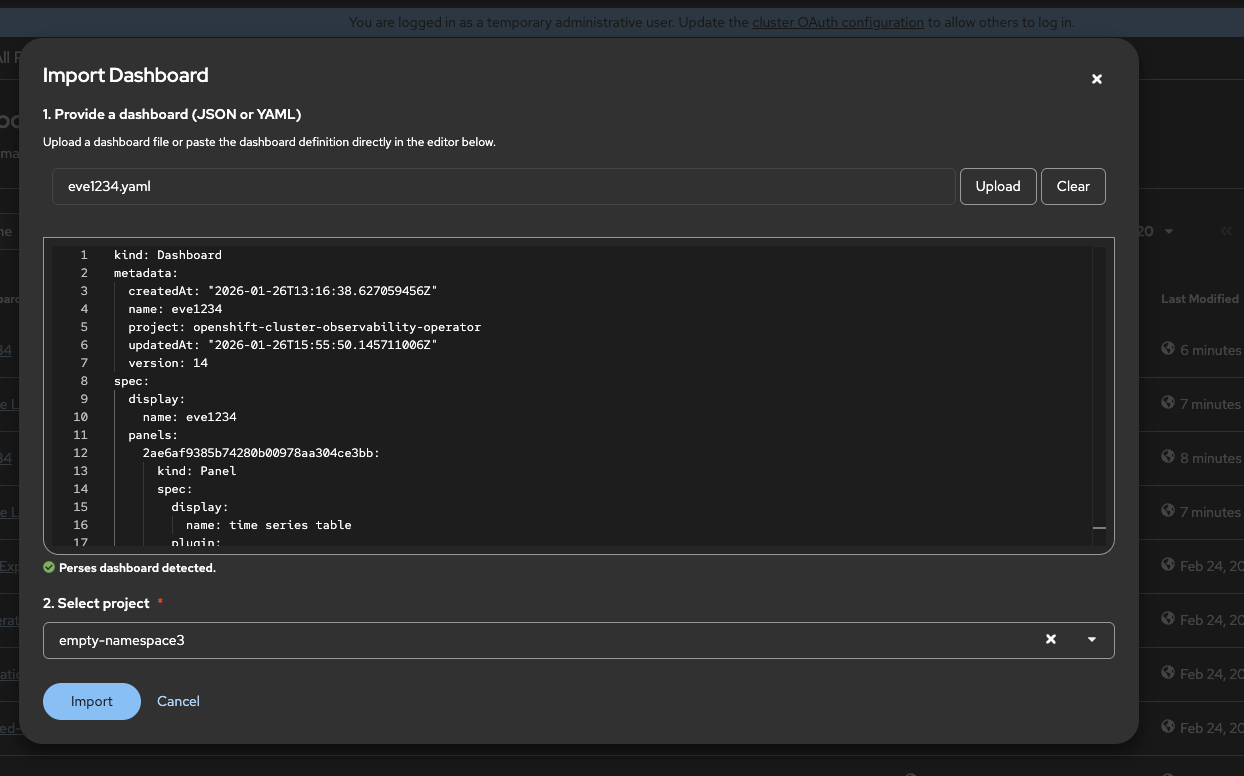
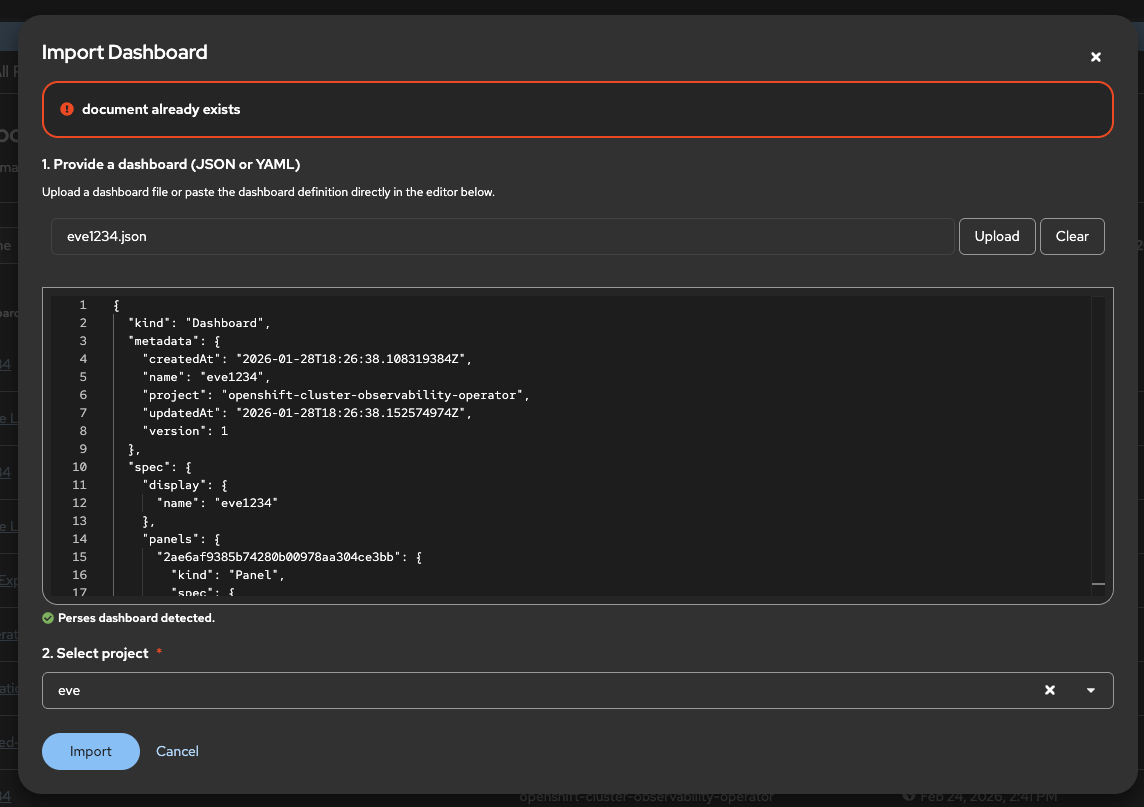
- When clicking on it a modal with a JSON editor and a namespace selector should be shown. Same as the create modal, the namespace options should be filtered based on user access
- When clicking on import, the dashboard should be created in the target namespace/project
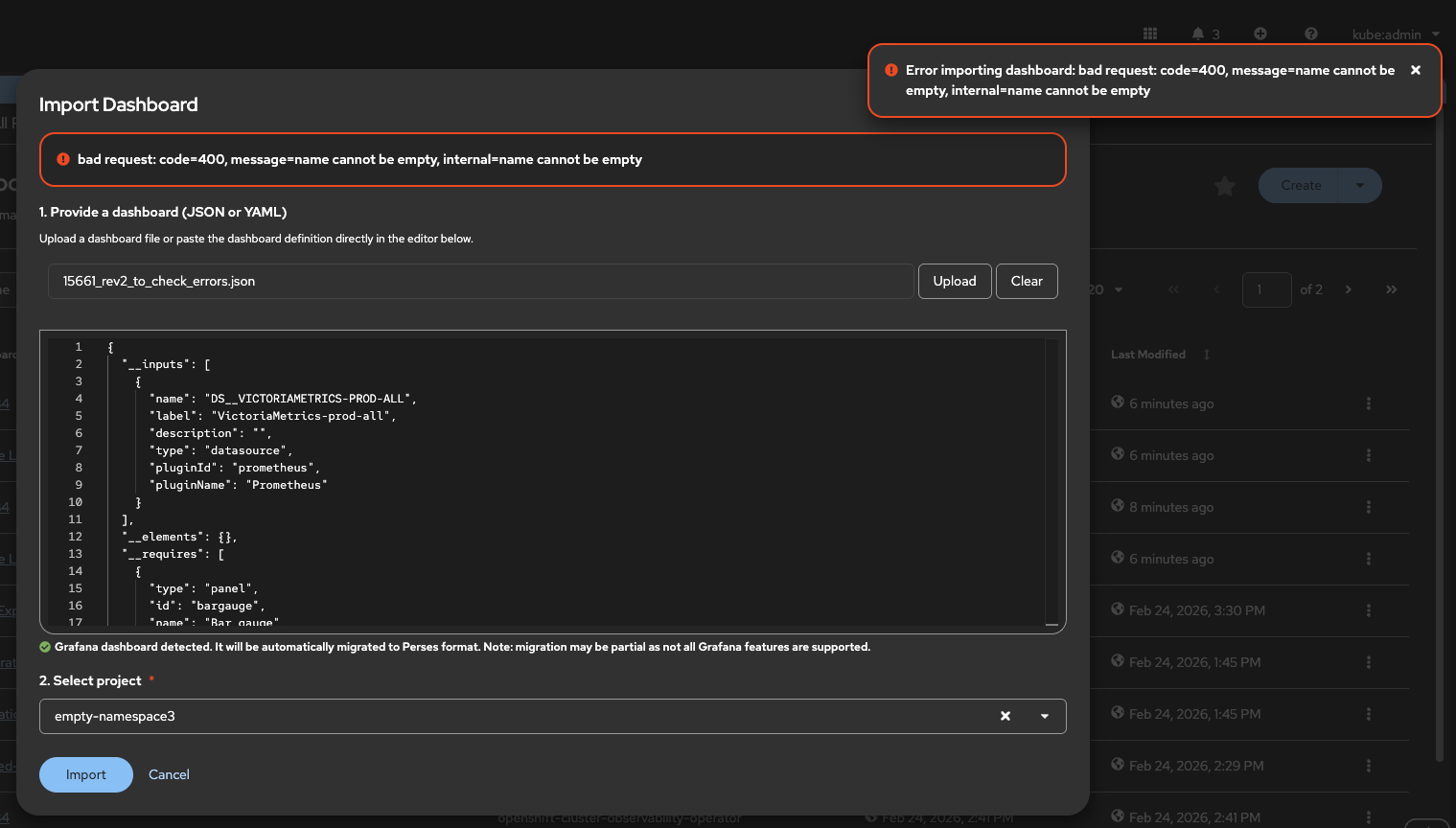
- If there are errors while creating, for example invalid format, they should be displayed using patternfly alerts above the import button.
- split from
-
OU-1004 List Perses dashboards
-

- Closed
-
- links to