-
Ticket
-
Resolution: Done
-
 Undefined
-
None
-
None
-
None
-
False
-
-
False
-
-
-
Important
Description of problem:
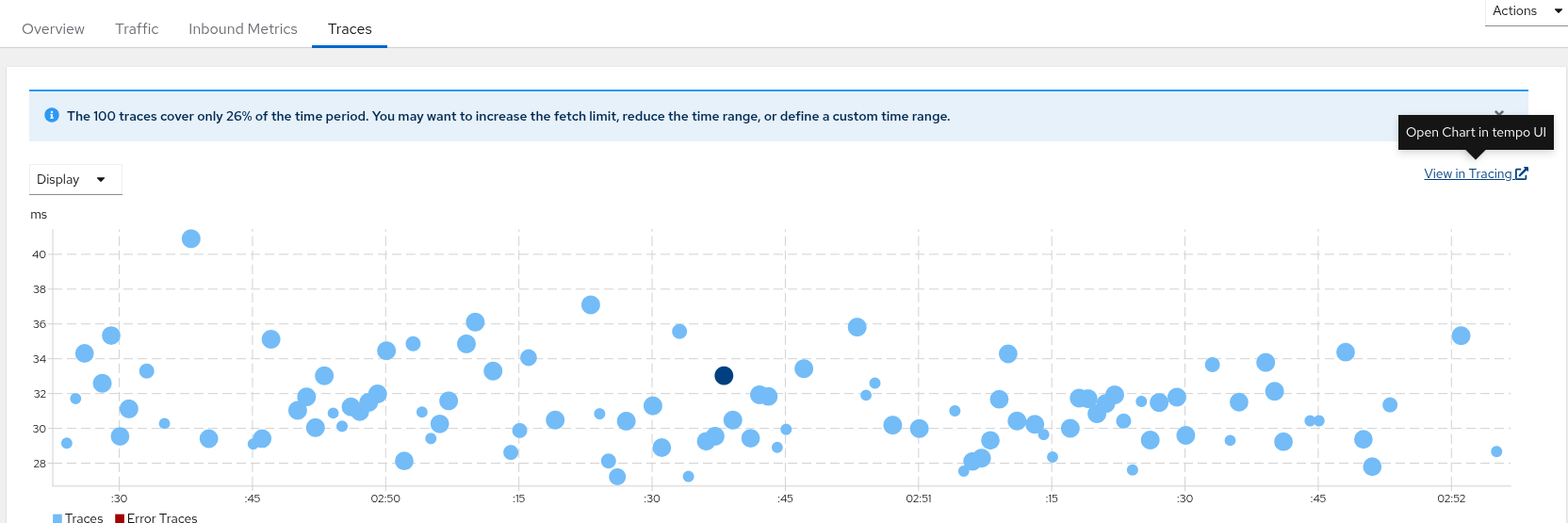
When integrating Kiali with Distributed Tracing using below config, then the hyperlink available in "Services -> Select Namespace and Service -> Traces" named View In Tracing navigates to a URL and queries $service.$namespace instead of $service
spec:
  external_services:
    tracing:
      auth:
        insecure_skip_verify: true
        type: bearer
        use_kiali_token: true
      enabled: true
      in_cluster_url: 'https://<tempostack-name>-gateway.<namespace>.svc.cluster.local:8080/api/traces/v1/<tenant-name>'
      namespace_selector: true
      provider: jaeger
      query_timeout: 30
      url: 'https://<tempostack-name>-gateway.<namespace>.apps.<wildcard-domain-of-cluster>/api/traces/v1/<tenant-name>/search'
      use_grpc: false
For example: The link redirected to below URL[1]. Closely checking the URL reveals that it is searching "service=nodeshowcase-service.instrumented-apps" , but the actual name of service was "nodeshowcase-service" which was residing in instrumented-apps namespace.

Ideally, it should query like [2]. When I changed the URL in browser manually, then it started to show traces.

[1]
https://<tempostack-name>-gateway.<namespace>.apps.<wildcard-domain-of-cluster>/api/traces/v1/<tenant-name>/search/search?service=nodeshowcase-service.instrumented-apps&start=1744300129061000&limit=100

[2]
https://<tempostack-name>-gateway.<namespace>.apps.<wildcard-domain-of-cluster>/api/traces/v1/<tenant-name>/search/search?service=nodeshowcase-service&start=1744300129061000&limit=100
Because of this problem, traces can't be seen in Kiali at all. Users have to navigate to Tempo URL in a separate browser tab.
Version-Release number of selected component (if applicable):
Kiali Operator 2.4.3
How reproducible:
100%
Steps to Reproduce:
- Install OSSM, Kiali Operator, Multi Teanant TempoStack
- Install Red Hat Build of OpenTelemetry
- Create an application which generates traces and send to OpenTelemetryCollector, which further sends the traces to TempoStack.
- Add the application namespace in Service Mesh Member Roll.
- Enable Kiali in SMCP resource using this documentation
- Configure Kiali CR to include config specified in issue description
- Login to Kiali -> Services -> Select Application Service -> Traces -> Click on "View In Tracing" and it will open a new tab in browser. see it autofills the "Service" drop down menu with incorrect service. Same can be seen in URL of tracing.
Actual results:
The traces visualization doesn't work fine in Kiali Traces menu.
Expected results:
The traces should be visible in Kiali Traces functionality and "View In Tracing" should redirect to correct URL.
Additional info:
- relates to
-
OSSM-9806 Modify the default tracing limit
-

- Closed
-
