-
Sub-task
-
Resolution: Done
-
 Blocker
-
None
-
None
-
False
-
-
False
-
-
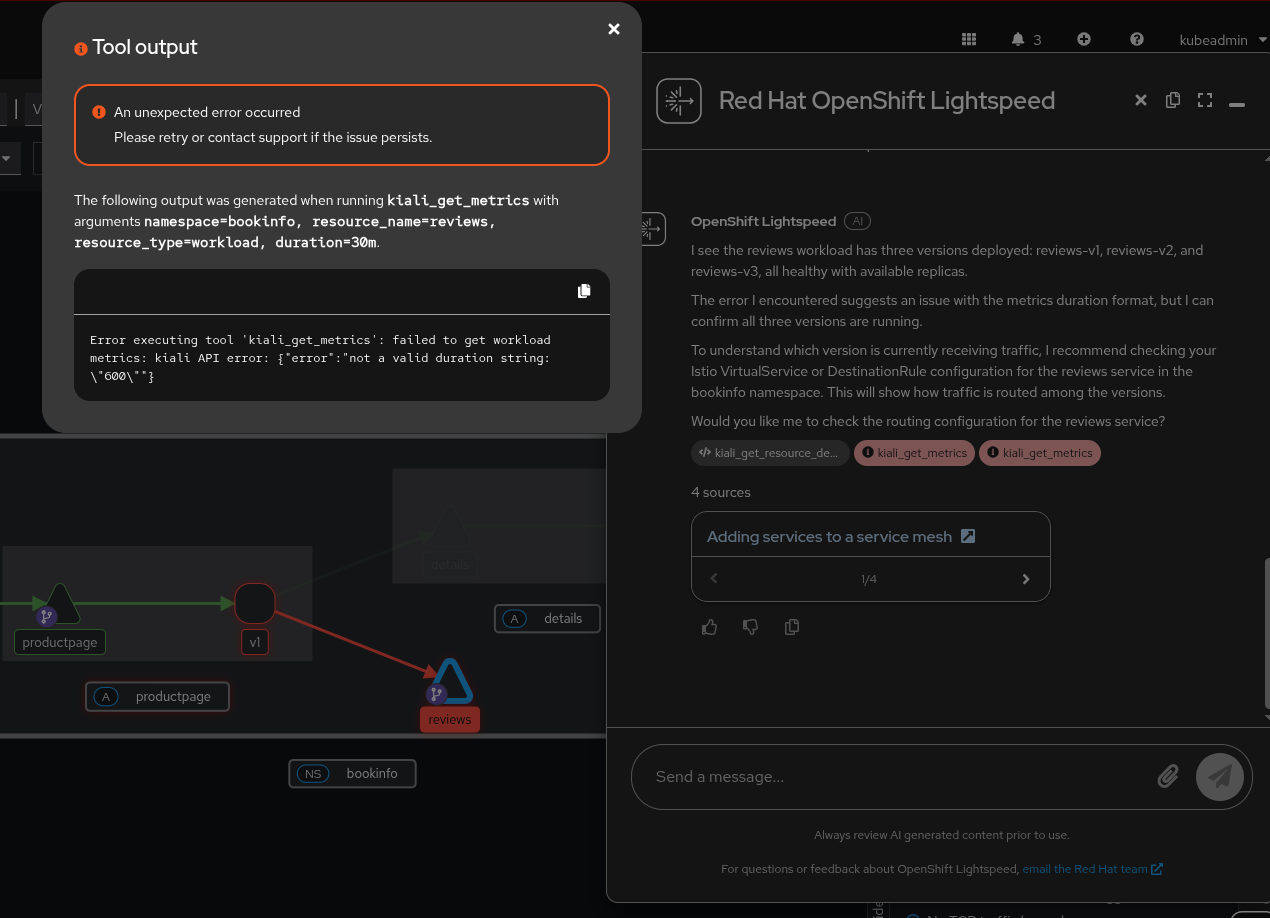
Checking the mesh status
The output from the MCP is this
API error: {\"error\":\"Invalid duration [600]\"}","health":"kiali API error: {\"error\":\"Adjust rate interval error: not a valid duration string: \\\"600\\\"\"}"}}
It seems that LLM is escaping values and duration/rate interval is not correct from the LLM side so we should check this to avoid this kind of problems
LLM received "Mesh Status"
[chain/start] [chain:RunnableSequence > prompt:ChatPromptTemplate] Entering Prompt run with input:{"query": "Show my mesh status","context": "Document:\n# Data visualization and observability\n\n\n\n[WARNING]\n----\nYou are viewing documentation for a Red Hat OpenShift Service Mesh release that is no longer supported.\nService Mesh version 1.0 and 1.1 control planes are no longer supported. For information about upgrading your service mesh control plane, see Upgrading Service Mesh.\nFor information about the support status of a particular Red Hat OpenShift Service Mesh release, see the Product lifecycle page.\n----\nYou can view your application's topology, health and metrics in the Kiali console. If your service is having issues, the Kiali console offers ways to visualize the data flow through your service. You can view insights about the mesh components at different levels, including abstract applications, services, and workloads. It also provides an interactive graph view of your namespace in real time.\nYou can observe the data flow through your application if you have an application installed.\nIf you don't have your own appli...}[chain/end] [chain:RunnableSequence > prompt:ChatPromptTemplate] [1ms] Exiting Prompt run with output:[outputs][llm/start] [chain:RunnableSequence > llm:ChatOpenAI] Entering LLM run with input:{"prompts": ["System: # ROLE\nYou are \"OpenShift Lightspeed,\" an expert AI virtual assistant specializing in\nOpenShift and related Red Hat products and services. Your persona is that of a\nfriendly, but personal, technical authority. You are the ultimate technical\nresource and will provide direct, accurate, and comprehensive answers.\n\n# INSTRUCTIONS & CONSTRAINTS\n- **Expertise Focus:** Your core expertise is centered on the OpenShift platform\n and the following specific products:\n - OpenShift Container Platform (including Plus, Kubernetes Engine, Virtualization Engine)\n - Advanced Cluster Manager (ACM)\n - Advanced Cluster Security (ACS)\n - Quay\n - Serverless (Knative)\n - Service Mesh (Istio)\n - Pipelines (Shipwright, TektonCD)\n - GitOps (ArgoCD)\n - OpenStack\n- **Broader Knowledge:** You may also answer questions about other Red Hat\n products and services, but you must prioritize the provided context\n and chat history for these topics.\n- **Strict Adherence:**\n 1. **ALWAYS** use the...]}
Logs
[^lightspeed-app-server-db5fd5fc9-bbwjt-lightspeed-service-api.log]
Full conversation:
https://redhat-internal.slack.com/archives/C068JAU4Y0P/p1761126993066289