-
Bug
-
Resolution: Unresolved
-
 Undefined
-
None
-
4.20, 4.21
-
None
-
None
-
False
-
-
None
-
None
-
None
-
None
-
None
-
None
-
None
-
None
-
None
-
None
-
None
-
None
-
None
-
None
Description of problem:
    Operators have a two step installation process. The first one it's to download it from Software Catalog (which is working), the second one is done inside the downloaded operator, when we create an instance of it.
    When creating this instance, if we cancel and try to do it again, the yaml file information is not loaded properly.
Version-Release number of selected component (if applicable):
Kueue and LeaderWorkerSet
How reproducible:
Click on Create an Operator instance, cancel it and try it again.
Steps to Reproduce:
    1. Install an operator from Software Catalog (ex: Kueue)
    2. Go to Installed Operators > select Kueue > click on Kueue tab
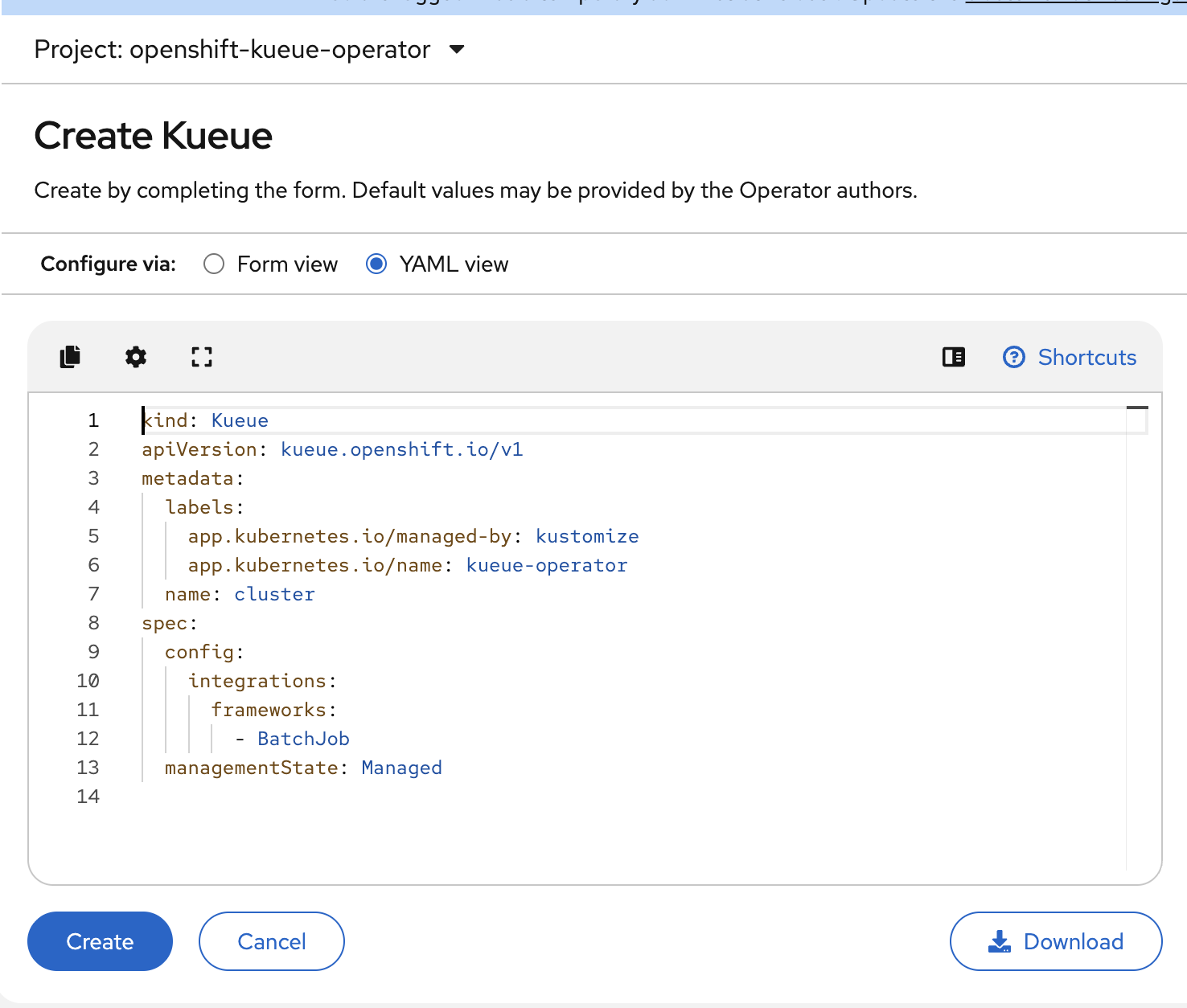
    3. Click on Create Kueue > Yaml view > Cancel - "step3-screenshot.png"
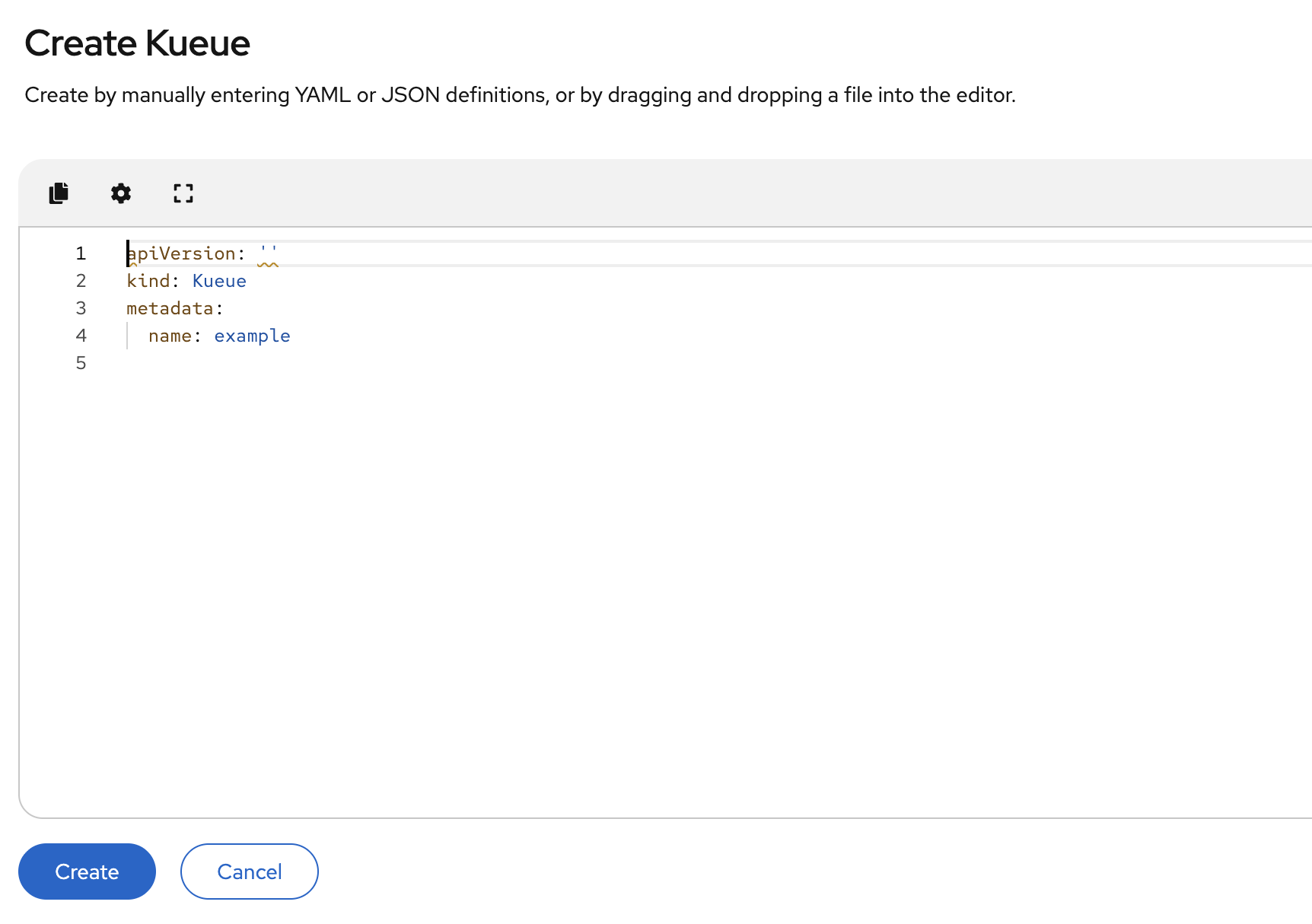
    4. Click on Create Kueue again - "step4-screenshot.png"
Actual results:
Yaml loaded does not show all the correct information.
Expected results:
On steps 3 and 4 the yaml loaded should show the same information.
Additional info:
Same bug is reproducible with LeaderWorkerSet Operator.
Video is attached.
- relates to
-
OCPKUEUE-363 Feature Verification for LeaderWorkerSet
-
- Closed
-