-
Bug
-
Resolution: Cannot Reproduce
-
 Normal
-
None
-
4.16
-
None
-
Quality / Stability / Reliability
-
False
-
-
3
-
Moderate
-
None
-
None
-
None
-
None
-
WINC - Sprint 271, WINC - Sprint 272
-
2
-
None
-
None
-
None
-
None
-
None
-
None
-
None
Description of problem:
After an unexpected reboot of a windows node the `hybrid-overlay-node` fails to start reporting the error:
~~~
unable to create the base overlay network, error: hcnCreateNetwork failed in Win32: The parameter is incorrect. (0x57) {"Success":false,"Error":"The parameter is incorrect. ","ErrorCode":2147942487}
~~~

And in the events log is possible to see the following message:

~~~
The Routing Domain configuration (Routing Domain: {XXX}, GUID: {XXX}) set on port XXX (Friendly Name: Container NIC xx) on switch XXX (Friendly Name: BaseOVNKubernetesHybridOverlayNetwork) is invalid. Reason: Another Routing Domain exists with one or more of the Isolation IDs specified, Ext1: 4098, Ext2: 0
~~~

It is required to run `hnsdiag delete all` on the windows node in order to allow the hybrid-overlay to start properly.
Version-Release number of selected component (if applicable):
WMCO 10.16.1
How reproducible:
In customer environment
Steps to Reproduce:
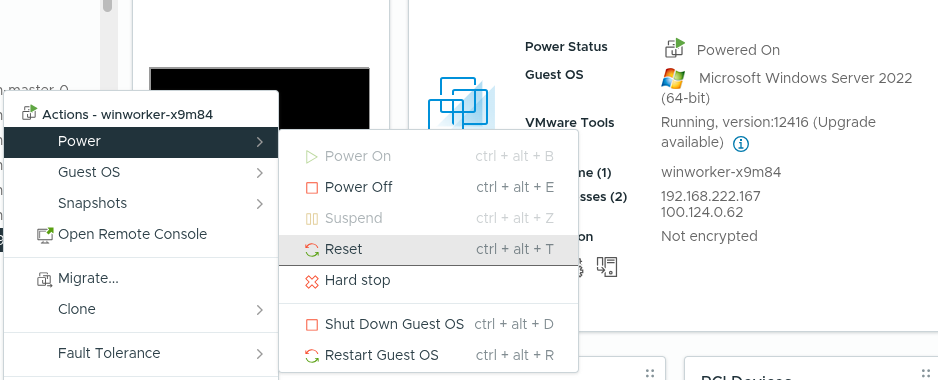
    1. Reboot a Windows Server 2022 node non-gracefully
    2. Verify hybrid-overlay-node is not able to start
    3.
Actual results:
After the reboot it is required to run `hnsdiag delete all` to allow hybrid-overlay-node to start.
Expected results:
Should not be needed to execute manual actions if a windows node reboots.
Additional info:
- links to