-
Bug
-
Resolution: Done
-
 Normal
-
None
-
None
-
None
-
False
-
-
False
-
-
-
OCMUI Team Sprint 280, OCMUI Team Sprint 281
Environment: all
Url: https://console.dev.redhat.com/openshift/cluster-list
Browser: Chrome Version 142.0.7444.135
OS: MacOS 15.7.2
Reproduction steps:
- Go to cluster list
- Apply a cluster type filter
- Check the chip with the applied filter
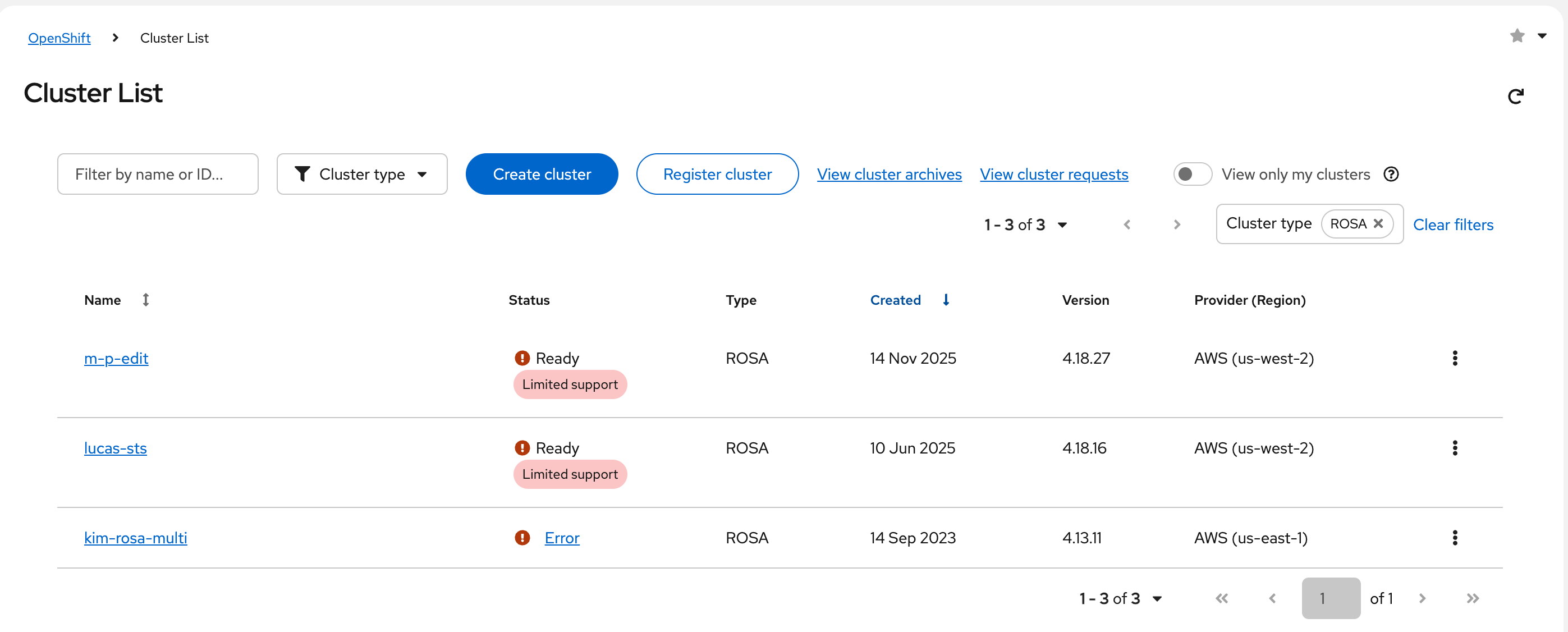
Current Result: The applied filter is shown on the right after the pagination (resize your window a bit as it will move around at different resolutions)
See screenshot for an example
Expected Result: The applied filter should be left aligned while the pagination stays right aligned
Notes: Likely this issue was introduced with OCMUI-3806