-
Epic
-
Resolution: Unresolved
-
 Major
Major
-
None
-
None
-
None
-
Clarify autoscaling terminology and status on Cluster Details → Overview
-
Product / Portfolio Work
-
False
-
False
-
To Do
-
100% To Do, 0% In Progress, 0% Done
-
-
-
(1/6) Refinement and crude mockups done, reached out to Bala for feedback
Clarify autoscaling terminology and status on Cluster Details → Overview
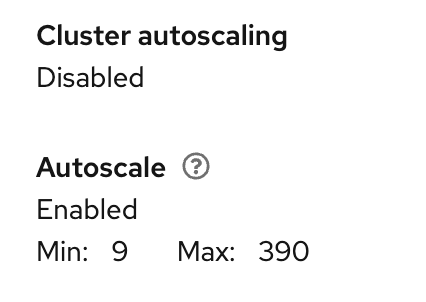
As a customer of https://console.redhat.com/openshift I find the Cluster Details Overview tab's "autoscaling" terminology confusing. The page presents two similarly named items that imply the same thing but come from different sources and can disagree, leading me to think autoscaling is off when nodes are configured to autoscale (or vice‑versa).
Current:
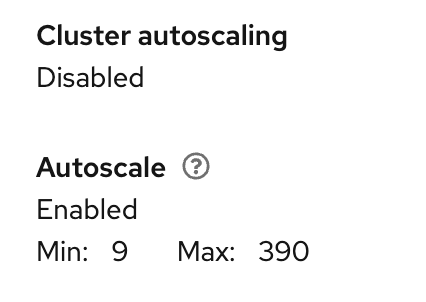
Problem statement
- Two similar labels with different meanings
- "Cluster autoscaling" reflects whether a cluster-scoped autoscaler controller/config exists in the API payload (currently derived from presence of cluster.autoscaler).
- "Autoscale" reflects whether any worker pools have min/max autoscaling configured and shows aggregated Min/Max.
- Conflicting states are possible
- The page can show "Cluster autoscaling: Disabled" while "Autoscale: Enabled Min/Max" is displayed. Users infer autoscaling won't happen, even if the controller is running (or the opposite in HCP where the controller runs elsewhere).
- HyperShift/HCP mismatch
- For HCP, the autoscaler controller runs in the management plane; the guest cluster's cluster.autoscaler may be empty even though autoscaling is active. The Overview reads "Disabled," which is misleading.
- Ambiguous terminology
- "Cluster autoscaling" vs "Autoscale" does not explain "controller active" vs "pool configuration," nor does the page warn when pools are configured but the controller is off/unreported.
Current behavior (summary)
- "Cluster autoscaling: Enabled/Disabled" is derived from the presence of cluster.autoscaler in cluster details.
- "Autoscale: Enabled — Min: X Max: Y" sums min/max across MachinePools/NodePools.
- Overview does not call the autoscaler endpoint; modals use {{GET /clusters/
{id}
/autoscaler}}, leading to inconsistent status.
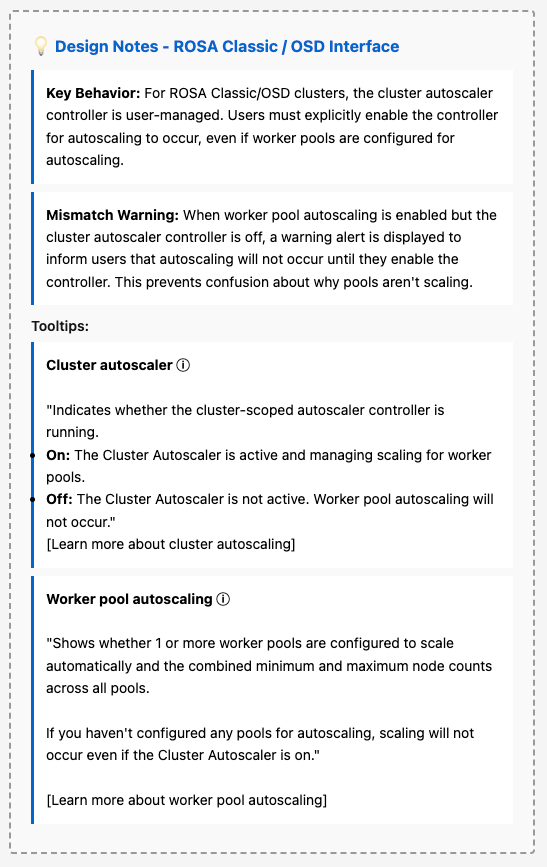
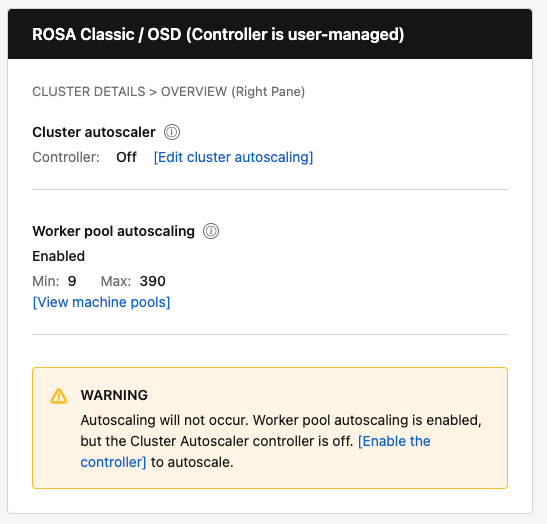
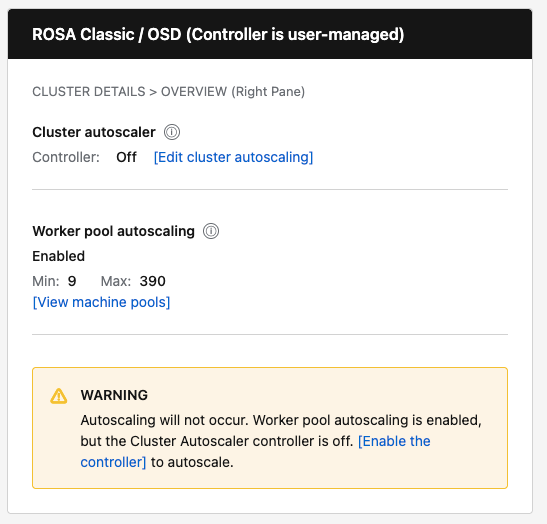
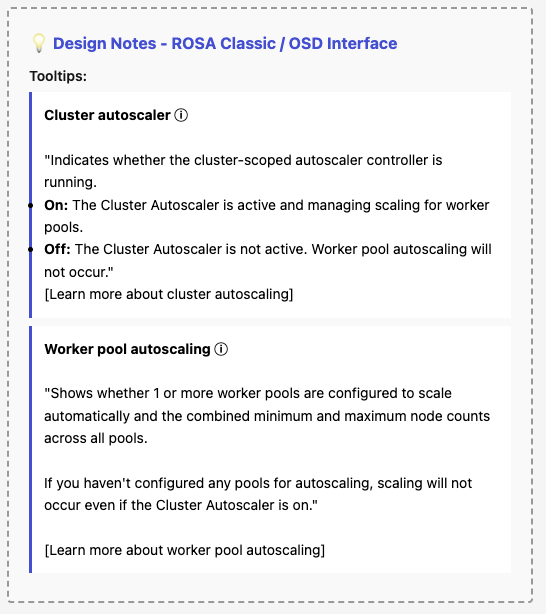
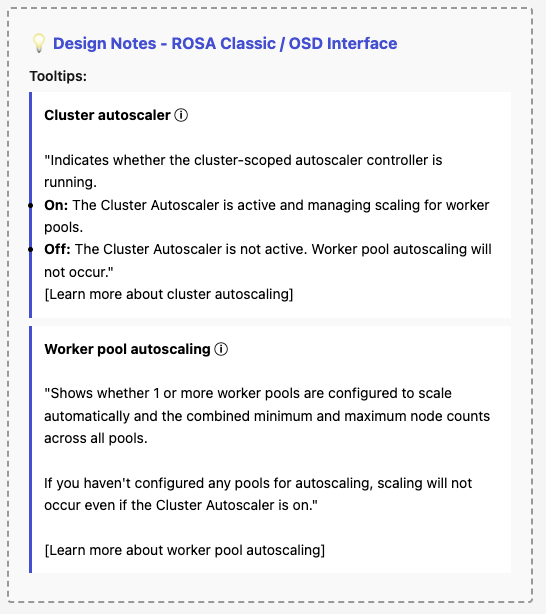
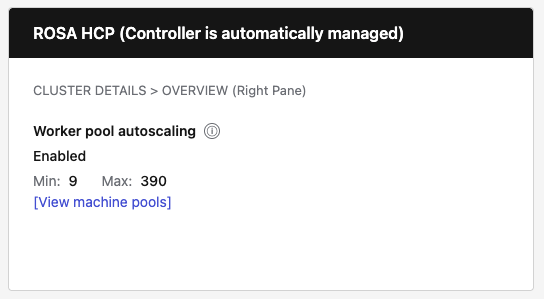
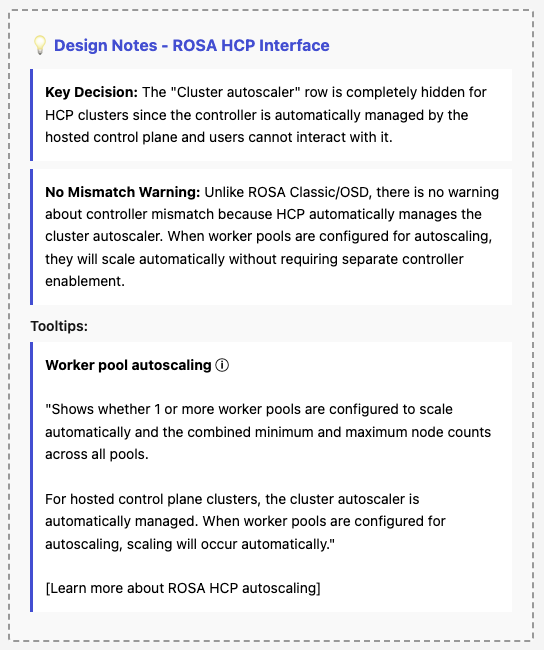
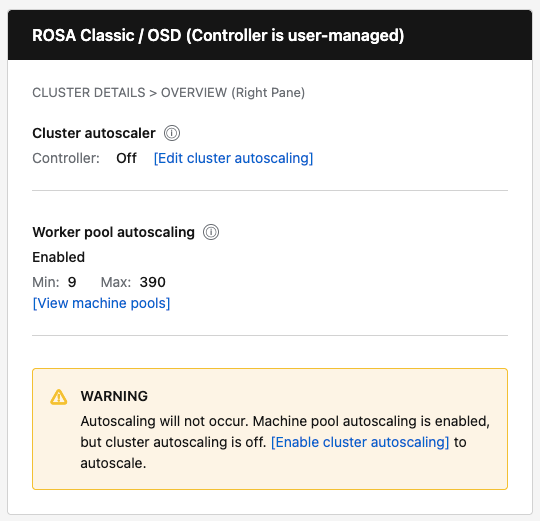
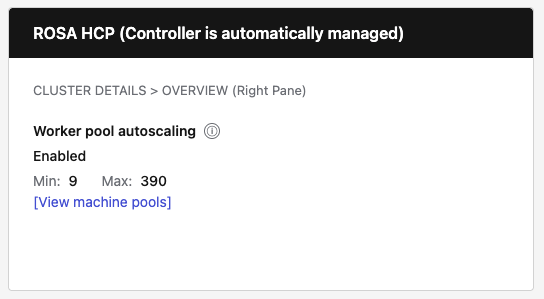
Proposed Mockups:
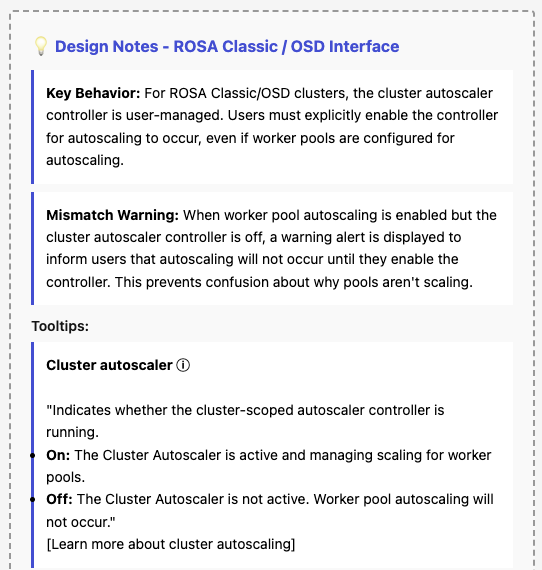
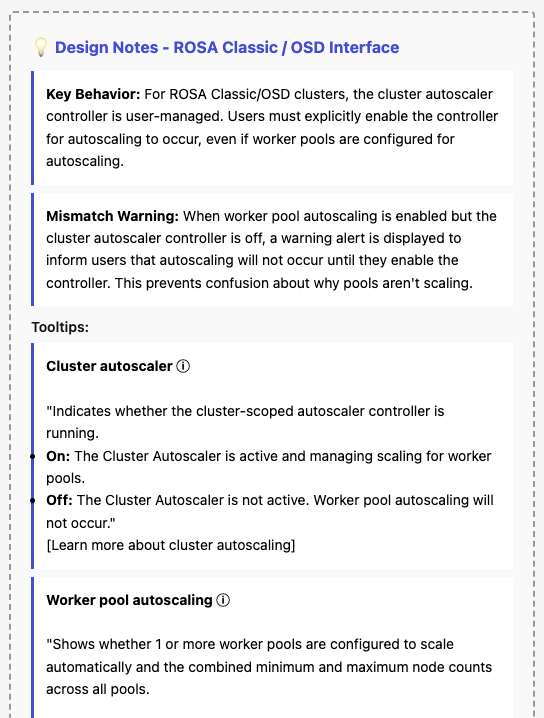
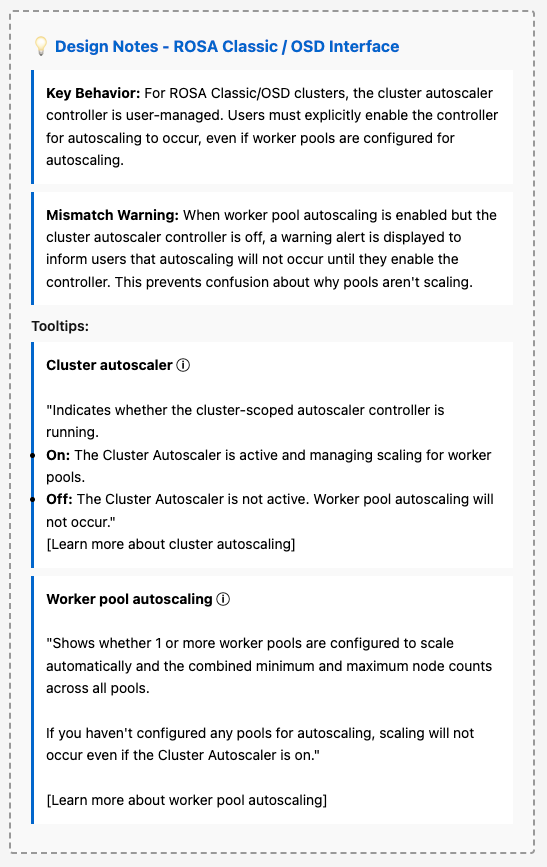
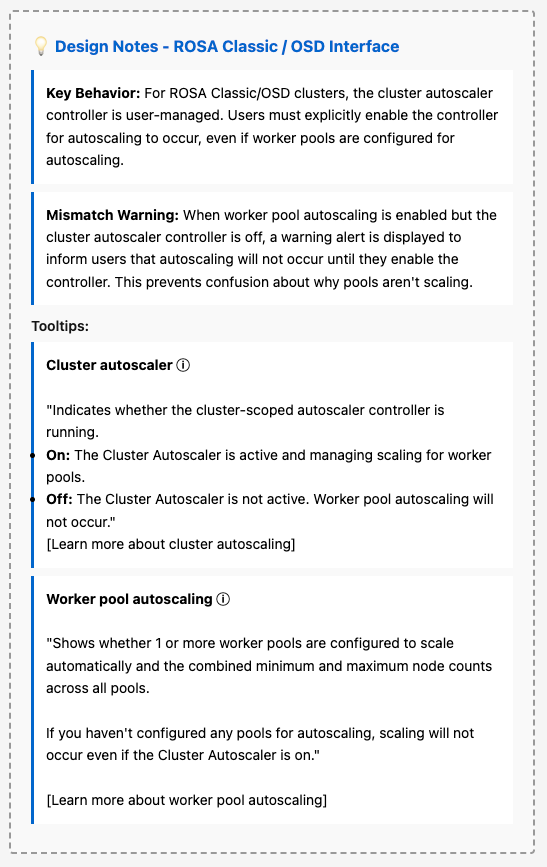
| Rosa Classic & OSD |
Rosa HCP |
|---|---|
 |
 |
 |
 |
Desired outcome
- Customers clearly understand:
- Whether the cluster autoscaler controller is on, off, or not reported.
- Whether worker pools are configured for autoscaling and the effective min/max totals.
- When a mismatch exists, whether autoscaling will actually occur and what action to take.
Acceptance Criteria
- Data source alignment: The "Cluster autoscaler" controller status must be sourced from the GET /api/clusters_mgmt/v1/clusters/{id}/autoscaler endpoint (via useFetchClusterAutoscaler hook), not inferred from the presence of cluster.autoscaler on the cluster details object.
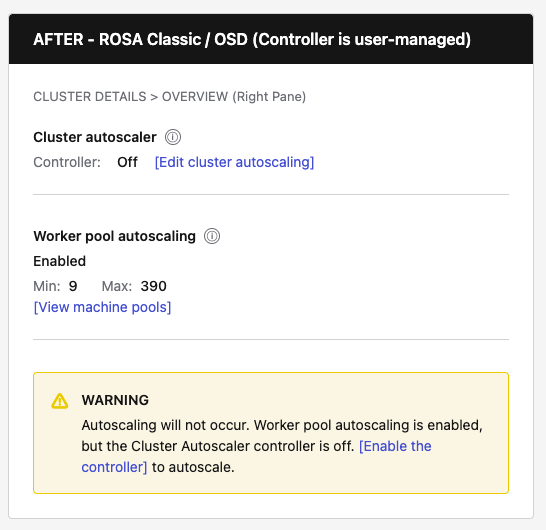
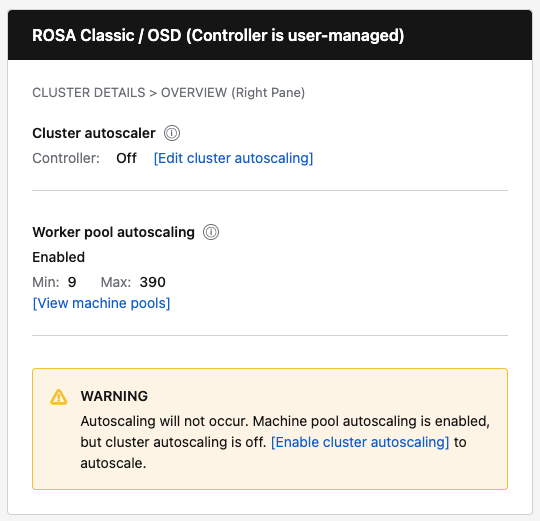
- Terminology update: "Cluster autoscaling" is renamed to "Cluster autoscaler" with sublabel "Controller: On / Off".
- Terminology update: "Autoscale" is renamed to "Worker pool autoscaling".
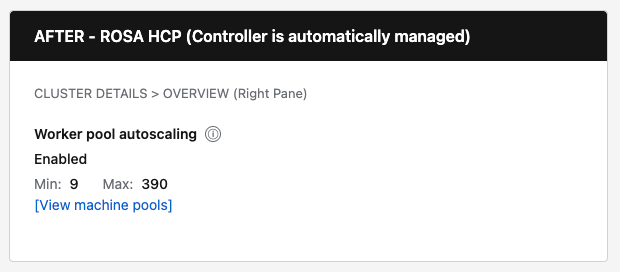
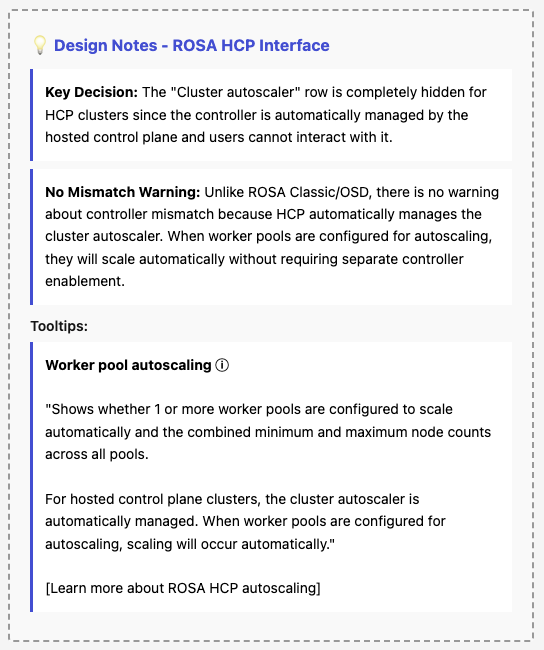
- HCP behavior: For HyperShift clusters, hide the "Cluster autoscaler" row entirely (controller is auto-managed).
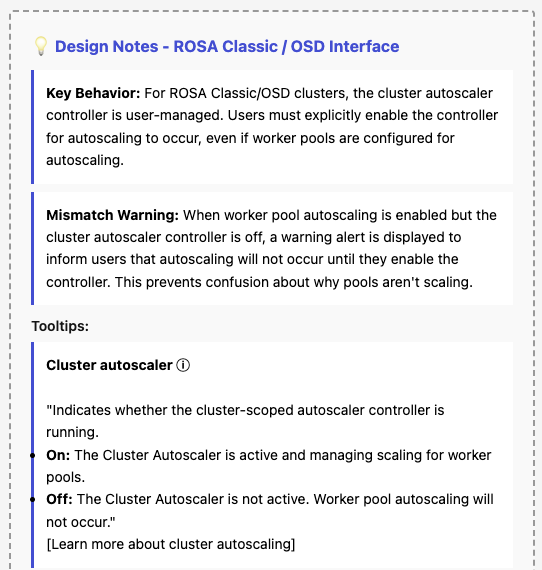
- Mismatch warning: For non-HCP clusters, show inline warning when worker pools are configured for autoscaling but the controller is Off.
- Navigation: Add "View pools" link that navigates to the Machine Pools tab.
- Edit action: Add "Edit cluster autoscaling" button that opens the existing ClusterAutoscalerModal.
Implementation Overview
This section summarizes the UI and code changes required to clarify autoscaling terminology on the Cluster Details → Overview tab (right panel).
Design Summary
| Cluster Type | Cluster Autoscaler Row | Worker Pool Autoscaling Row | Mismatch Warning |
|---|---|---|---|
| ROSA Classic / OSD | Show "Controller: On/Off" with [Edit cluster autoscaling] button | Show "Enabled" or "Not configured" with Min/Max and [View pools] link | Show warning when pools configured but controller is Off |
| ROSA HCP | Hidden entirely (autoscaler is auto-managed) | Show "Enabled" or "Not configured" with Min/Max and [View pools] link | Never show (not applicable) |
Key Behavioral Changes
- Data source change: Stop deriving controller status from !!cluster.autoscaler. Instead, call the useFetchClusterAutoscaler hook which uses GET /clusters/{id}/autoscaler endpoint.
- HCP-specific logic: For HyperShift clusters, hide the "Cluster autoscaler" row entirely since users cannot control it—it's automatically managed by the hosted control plane.
- Mismatch warning: Only display for non-HCP clusters when worker pools are configured for autoscaling but the controller is Off.
Implementation Details (text changes, code changes, files, etc..)
- TLDR; Implementation details can be provided in another medium
Success metrics
- Reduction in support cases/slack threads about autoscaling status mismatches.
- Increased clicks on "Edit cluster autoscaling settings" when mismatch is present.
- Improved task completion in usability checks (users can correctly state controller and pool states).