-
Bug
-
Resolution: Done
-
 Normal
-
None
-
None
-
Quality / Stability / Reliability
-
False
-
-
True
-
-
-
OCMUI Core Sprint 274, OCMUI Core Sprint 275
Description of problem:
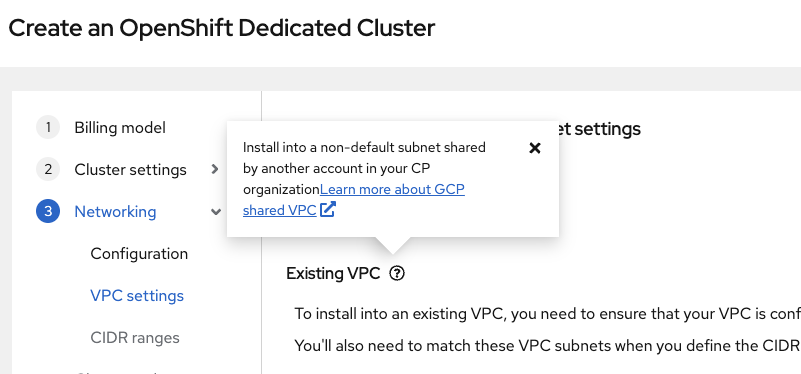
The tooltip text associated with the "Existing VPC" section under the "Virtual Private Cloud (VPC) subnet settings" step in the installation wizard appears to be incorrect.
- The current tooltip reads:
"Install into a non-default subnet shared by another account in your CP organization."
This description refers to Shared VPCs, which is misleading in this context. - Additionally, the link text says:
"Learn more about GCP shared VPC",
which further reinforces the incorrect assumption that Shared VPC is required or implied here.
However, selecting "Existing VPC" should refer to using a custom VPC within the same project, not a Shared VPC. The tooltip and link should be updated to reflect this accurately.
Steps to Reproduce:
- Launch the OCM UI.
- Open the OSD cluster creation wizard.
- In the Billing Model step:
- Select Subscription type: Annual: Fixed capacity subscription from Red Hat.
- Select Infrastructure type: Customer Cloud Subscription.
- Click Next and choose GCP as the cloud provider.
- Continue through the wizard until you reach the Networking Configurations step.
- Select the checkbox: "Install into existing VPC."
- Click Next to proceed to the Virtual Private Cloud (VPC) subnet settings step.
- Click the question mark
 icon associated with the "Existing VPC" section.
 - Review the tooltip content that appears.
Actual results:
At step 11,
- The current tooltip reads:
"Install into a non-default subnet shared by another account in your CP organization."
- Additionally, the link text says:
"Learn more about GCP shared VPC",
Expected results:
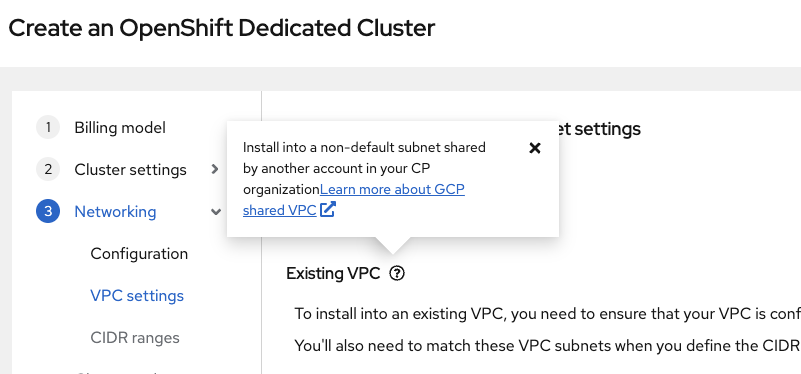
- The tooltip should be,
"Install into a user-defined subnet within a custom VPC network that is provisioned and fully managed within the same GCP project"
- Additionally, the link text should be,
"Learn more about installing into an existing VPC",
- links to

