Description of problem:
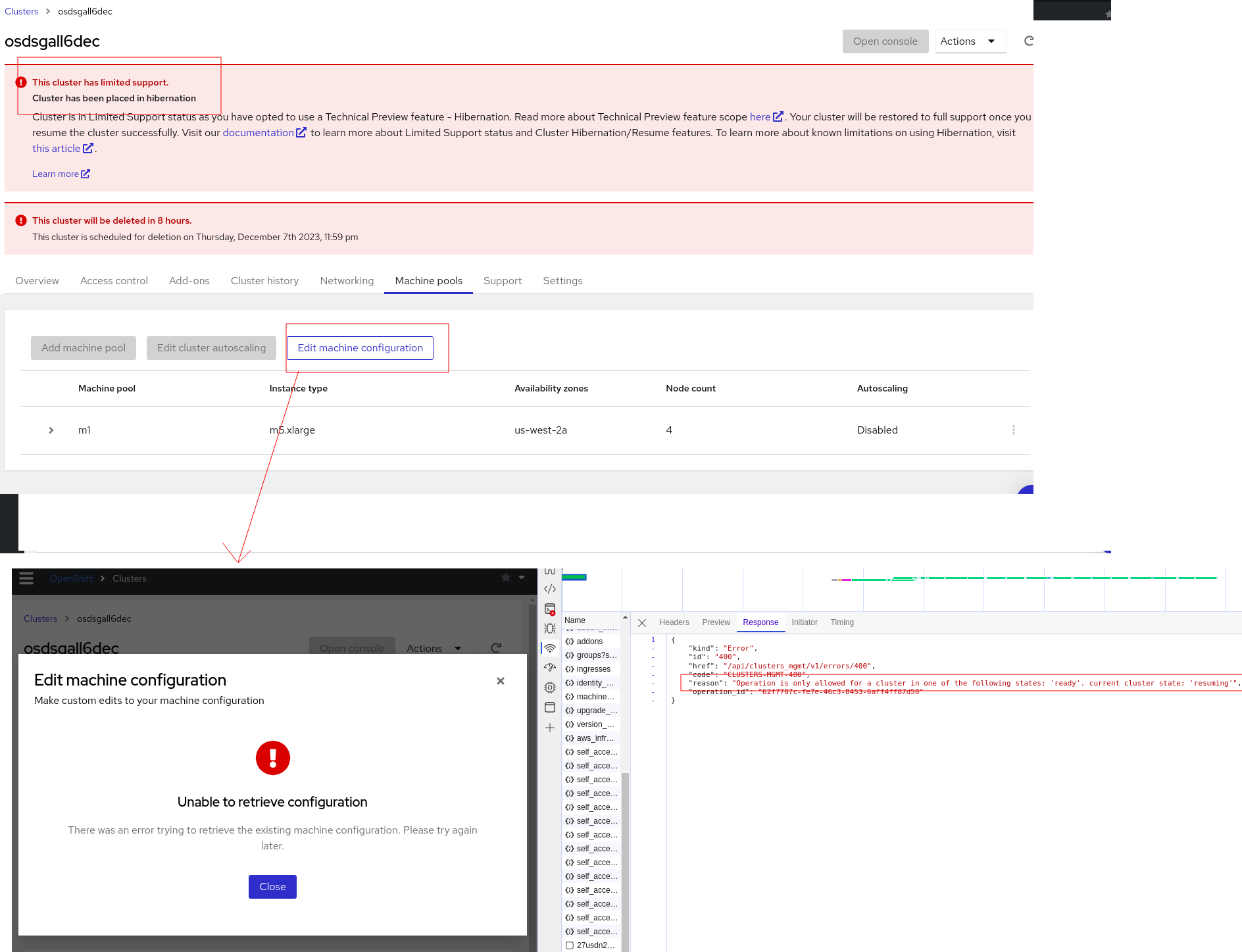
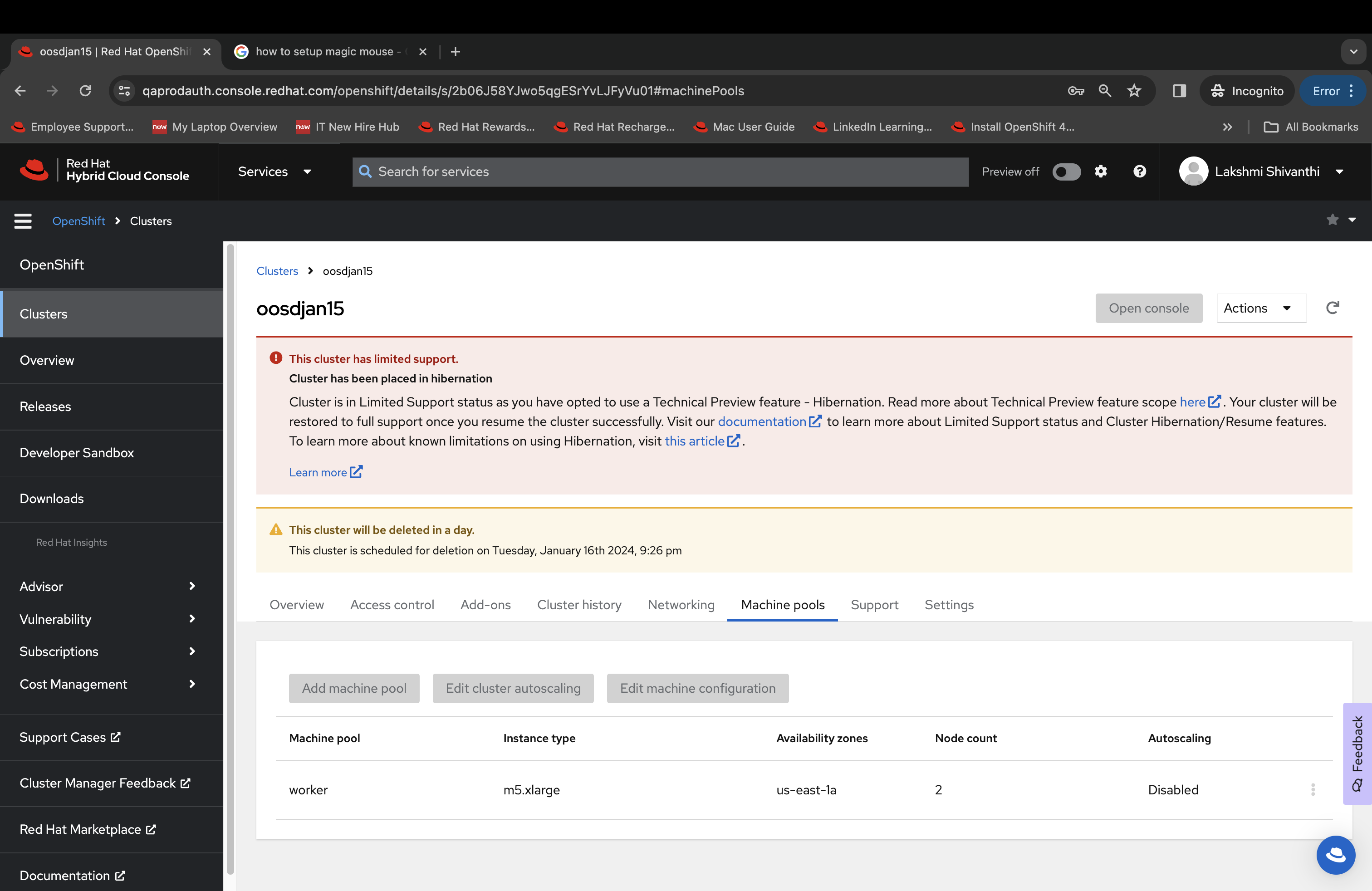
Currently "Edit machine configuration" ( a place to configure PIDs limit) button from machine pool tab is enabled for a cluster in powering down or hibernation or resuming from hibernation state. Once user clicks the "Edit machine configuration", user will be presented with "unable to retrieve the configuration" message as backend failed to fetch kubelet_config.
It is better to disable the "Edit machine configuration" button with right tool tip text.
How reproducible:
always
Steps to Reproduce:
- Open OCM UI staging.
- Open a ready CCS OSD cluster.
- Put the cluster into hibernation state.
- Go to machine pool tab and click "Edit machine configuration".
- View the behavior
- Repeat step 4 during cluster powering down/resuming from hibernation state.
Actual results:
Click action on "Edit machine configuration" button opens with a dialog that indicated "unable to retrieve the configuration". This is because backend kubelet_config call failed.
Expected results:
For better usability , disable the "Edit machine configuration" button from machine pool tab when cluster is in hibernation, powering down or resuming state.

- relates to
-
OCMUI-514 [ROSA and OSD on AWS] Configure cluster wide PIDs Limits
-

- Closed
-
- mentioned on
