-
Bug
-
Resolution: Cannot Reproduce
-
 Undefined
-
None
-
None
-
None
-
None
-
Quality / Stability / Reliability
-
3
-
False
-
-
False
-
ToDo
-
-
-
Very Likely
-
0
-
None
-
Unset
-
Unknown
-
None
Description of problem:
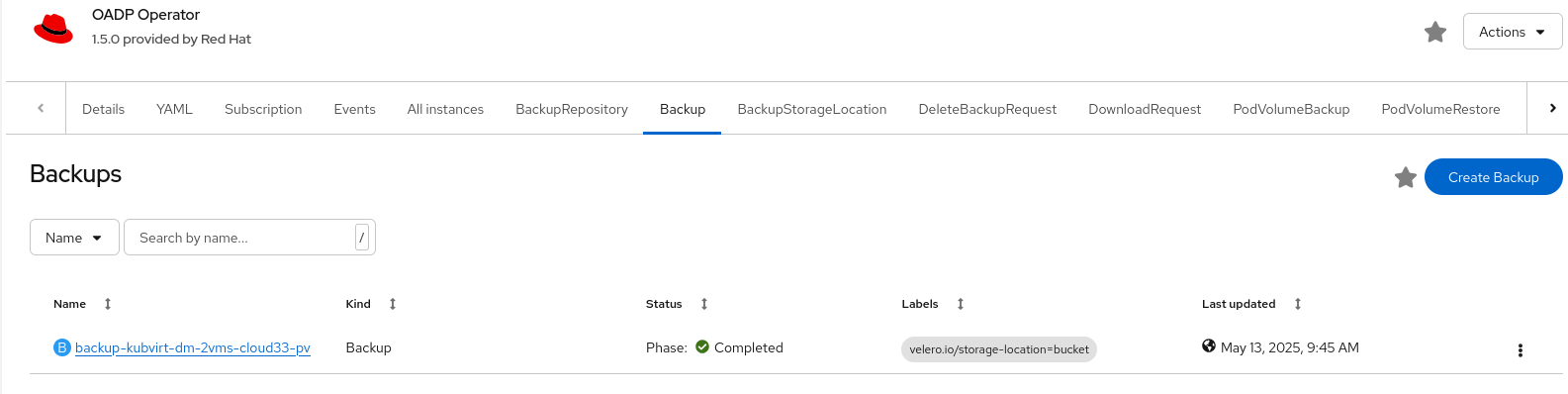
In OCP 4.19, when backing up VirtualMachines under a namespace by OADP via the web console or CLI, the backup is successfully created and completed, but only appears in the web UI and not in the CLI. However, 'restore' resources display correctly in both interfaces. This issue does not occur in OCP 4.18.
Version-Release number of selected component (if applicable):
oadp-operator.v1.4.4
OCP 4.19.0-ec.4
kubevirt-hyperconverged-operator.v4.19.0
[cloud-user@ocp-psi-executor-xl qwang]$ oc version
Client Version: 4.19.0-ec.4
Kustomize Version: v5.5.0
Server Version: 4.19.0-ec.4
Kubernetes Version: v1.32.3
How reproducible:
100%
Steps to Reproduce:
1. Given there are VMs under the qwang1 namespace.
2. Create a Backup resource from the OCP web UI or CLI.
[cloud-user@ocp-psi-executor-xl qwang]$ cat backup.yaml
apiVersion: velero.io/v1
kind: Backup
metadata:
name: qwang1-backup
namespace: openshift-adp
spec:
includedNamespaces:
- qwang1
defaultVolumesToFsBackup: true
storageLocation: dpa-1
snapshotMoveData: true
[cloud-user@ocp-psi-executor-xl qwang]$ oc create -f backup.yaml
backup.velero.io/qwang1-backup created
3. Get the Backup resources.
[cloud-user@ocp-psi-executor-xl qwang]$ oc get backup -A
No resources found
Actual results:
The Backup CR is only visible through the web UI, but not retrievable via CLI.
Expected results:
The Backup CR should be retrievable through the web UI and CLI.
Additional info: