-
Bug
-
Resolution: Not a Bug
-
 Undefined
-
None
-
2.11.0
-
Quality / Stability / Reliability
-
False
-
-
False
-
-
-
Important
Description of problem:
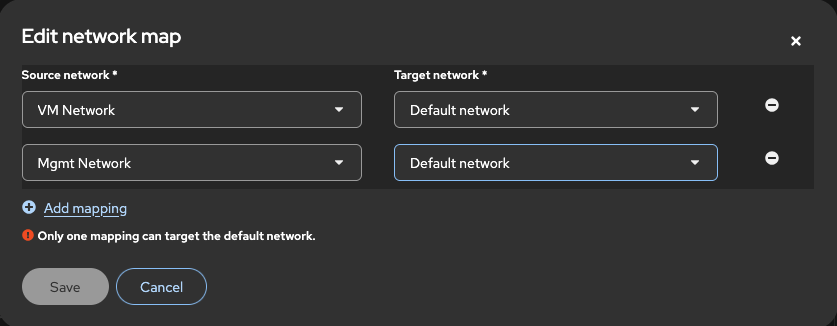
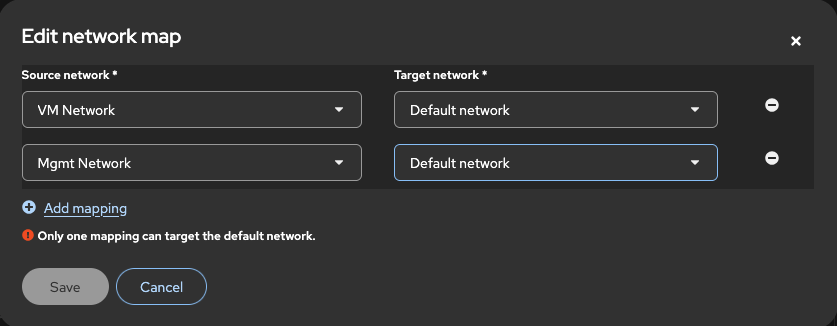
The values are not validated on Mapping edit modal on Plan details page, both for storage and network maps.
Version-Release number of selected component (if applicable):
2.11.0
How reproducible:
Always
Steps to Reproduce:
1. Navigate to Mappings Page on Plan Details Page
2. Click on edit Network Map
3. Click add
4. Save without populating values

4.1 Alternatively, populate source with any value, and target with a duplicate value
Actual results:
Save action will be enabled, no error message is displayed before or after attempting to save. It will save a map with duplicated target networks.
Expected results:
It should behave similarly to Network map details, It should disable save button if mapping is empty. and show error if mapping is invalid. E.g. Duplicated target network
Additional info:
Issue is also present on Storage map modal.